










Picture this. A hacker finds a secret crack in your favorite app. You don’t know it’s there. The company that built the app doesn’t know either. But the hacker does. And they use it right away, before anyone can stop them. This is the heart of a zero-day attack. It strikes when a flaw is […]
What Is A Zero-Day Attack And How Can You Defend Against One?
Picture this. A hacker finds a secret crack in your favorite app. You don’t know it’s there. The company that built the app doesn’t know either. But the hacker does. And they use it right away, before anyone can stop them.
This is the heart of a zero-day attack. It strikes when a flaw is brand new and still unknown to everyone except the attacker. There is no fix waiting. There is no warning sign. By the time people notice, the damage may already be done.
You don’t need to be a tech wizard to understand this threat or protect yourself from it. This article breaks it down in plain words. You’ll learn how these attacks happen, why they catch people off guard, and what simple steps can keep you safer every day.
Quick Facts About Zero-Day Attacks
- A zero-day attack happens when hackers use a software flaw before it is fixed.
- The word “zero-day” means there are zero days of warning before the attack.
- These attacks can hit computers, phones, apps, and even smart devices.
- Hackers sell zero-day flaws on hidden markets for high prices.
- Software companies release patches once they learn about the flaw.
- Strong security habits can lower your risk, even without a patch.
- Big companies and regular users can both become targets.
What Is A Zero-Day Attack?

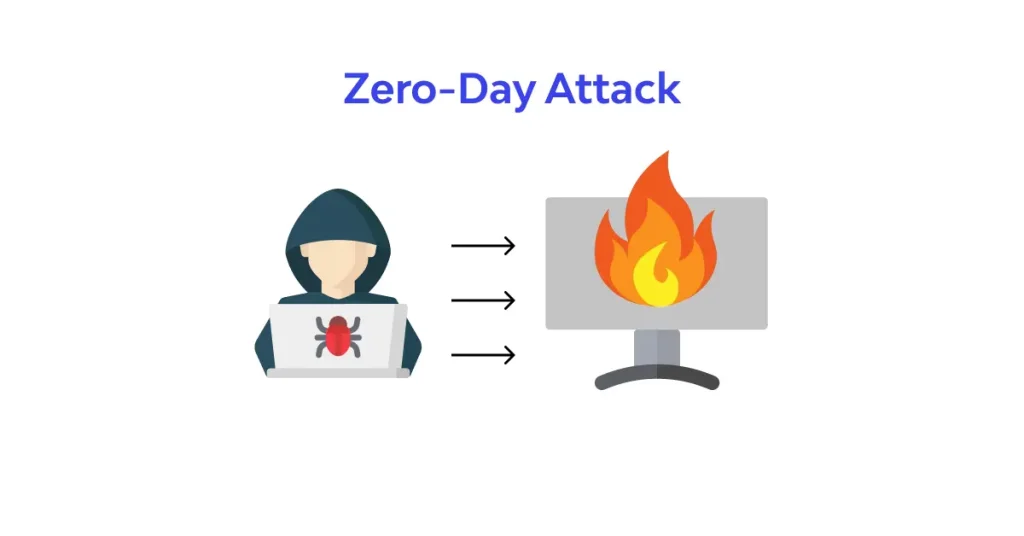
A zero-day attack is when hackers use a software bug that nobody has fixed yet. The word “zero-day” means the company has had zero days to fix the issue. The flaw is brand new to them. So there is no shield ready to block it.
Software is made by humans. Humans make mistakes. Sometimes a small coding error creates a backdoor. Hackers spend time searching for these errors. Once they find one, they build a tool to use it. This tool is called an exploit. The exploit lets them break into a system without permission.
This kind of attack is risky because everyone is unaware at first. The software maker does not know. The users do not know. Even security tools may miss it, since it does not match any known threat pattern. This is what gives hackers an edge.
How Does A Zero-Day Attack Happen?
The process is simple to understand, even if it sounds complex. Let’s break it into clear steps.
First, a hacker studies a piece of software. They look for any weak spot. This could be in an operating system, a browser, an app, or even a router.
Second, once they find the flaw, they create code to take advantage of it. This is the exploit. It acts like a key that opens a locked door.
Third, the hacker uses this exploit to attack. They may steal data, install malware, or take control of a device. Since the flaw is unknown, there is no fix to block them yet.
Finally, once security teams notice strange activity, they investigate. If they find the flaw, they create a patch. Until that patch reaches users, the risk stays high.
Why Are Zero-Day Attacks So Dangerous?
A regular cyber attack often uses known flaws. Security software can spot these and block them fast. But a zero-day attack does not follow known patterns. This makes it sneaky and hard to catch.
Here are some reasons why these attacks cause so much worry:
- They strike without warning.
- Antivirus tools may not detect them right away.
- They can affect many users before a fix is ready.
- Hackers can target big companies, governments, or even hospitals.
- They are often sold for large sums of money on hidden online markets.
Because of these reasons, even strong companies with good security teams can fall victim. Size does not protect you. Awareness and quick action matter more.
Who Do Hackers Target With Zero-Day Attacks?
Anyone using software can become a target. But certain groups face a higher risk.
Large businesses are often targeted because they hold valuable data. Banks, healthcare providers, and government offices are common targets, too. Hackers know that a single successful break-in can give them access to huge amounts of private information.
Regular users are not always the main target, but they can get caught in the middle. For example, if a popular browser has a flaw, millions of people using that browser become exposed. The attack may not be aimed at you directly, but you still face the risk.
Small businesses also face danger. Many think hackers only chase big companies. In truth, smaller firms often have weaker security, making them easier targets.
Real-World Patterns Behind Zero-Day Attacks
While this article will not name specific brands or companies, it helps to understand common patterns seen across many cases.
Many zero-day issues are found in widely used software. This includes web browsers, operating systems, office tools, and mobile apps. Since millions of people use these tools, a single flaw can create a wide opening for attackers.
Hackers often move fast once they find a flaw. They may use it quietly for weeks before anyone notices. Some attacks aim to steal money. Others aim to steal sensitive data, like passwords, health records, or business secrets. Some attacks simply try to disrupt systems to cause chaos.
Security researchers play a key role here. Many work hard to find these flaws before hackers do. When they succeed, they report it directly to software makers. This helps create a patch before real damage happens.
Signs That You May Be Facing An Attack
You may not always know when an attack happens, but some signs can hint at trouble.
- Your device suddenly slows down without reason.
- Unknown programs appear on your system.
- Your browser settings change without your action.
- Strange pop-ups appear more often.
- Files go missing or become locked.
- Your accounts show login attempts from unknown locations.
If you notice any of these signs, do not ignore them. Quick action can help you avoid bigger losses.
How Can You Defend Against A Zero-Day Attack?
You cannot fully predict a zero-day attack, but you can lower your risk with smart habits. Let’s look at simple steps anyone can use.
1. Keep Your Software Updated
Many flaws get fixed through updates. Even if a fix comes a bit late, it still helps once it’s released. Turn on automatic updates wherever possible. This keeps your protection current without much effort.
2. Use Strong Security Software
Good antivirus tools use smart detection methods. Some can spot unusual behavior, even if the threat is new. This helps catch attacks that traditional methods may miss.
3. Limit Access To Sensitive Data
Not everyone in a company needs access to everything. Limiting access reduces the damage if an attack happens. This step matters for both businesses and personal accounts.
4. Use Strong And Unique Passwords
Weak passwords make it easy for hackers to slip in. Use a mix of letters, numbers, and symbols. Avoid using the same password everywhere.
5. Enable Multi-Factor Authentication
This adds a second layer of protection. Even if a password leaks, the hacker still needs another step to get in. This simple tool blocks many attacks.
6. Backup Your Data Regularly
If an attack damages your files, a backup saves you from total loss. Keep backups in a separate location, like an external drive or secure cloud storage.
7. Train Yourself And Your Team
Many attacks begin with a simple trick, like a fake email. Learning to spot suspicious links and messages can stop an attack before it starts.
8. Use A Firewall
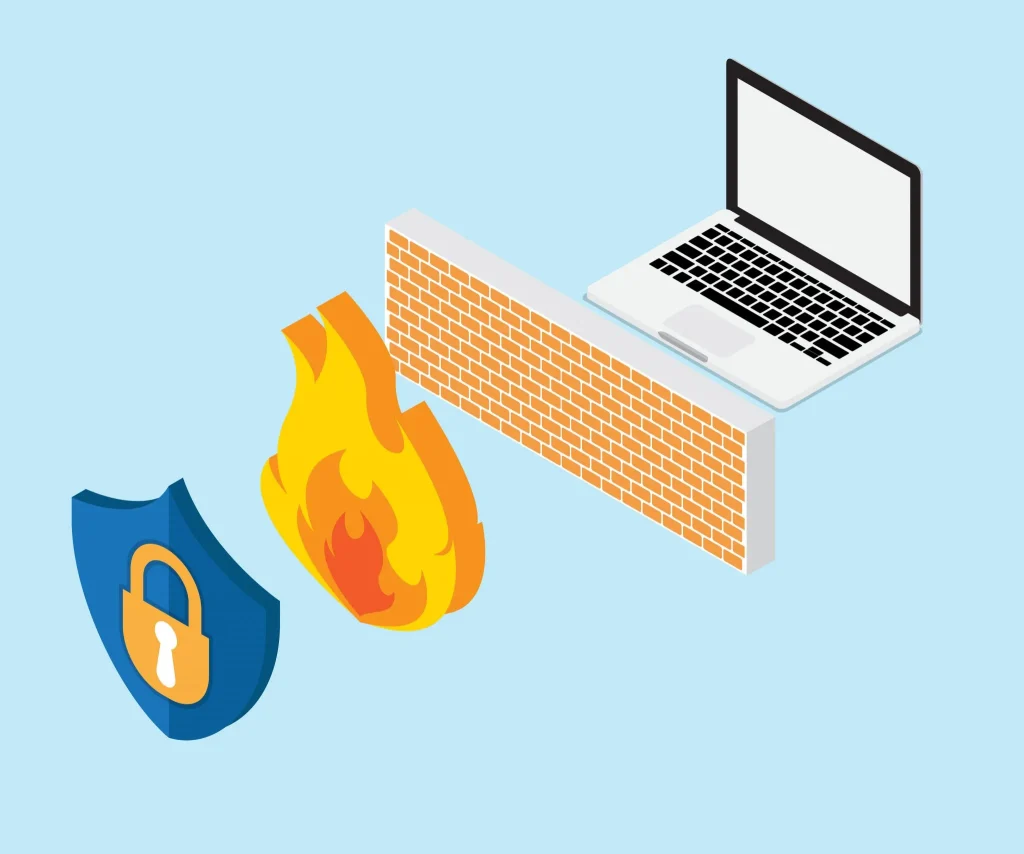
A firewall blocks unwanted access to your network. It acts like a gate that filters out harmful traffic before it reaches your system.
9. Monitor Your Network Activity
Keep an eye on strange logins or unusual data transfers. Early detection can stop small issues from turning into major damage.
10. Work With Cyber Security Experts
If you run a business, it helps to have a team that watches for threats every day. Their experience can help you respond faster when something feels wrong.
The Role Of Software Companies
Software companies play a major part in fighting these threats. Once they learn about a flaw, they work quickly to build a patch. This is why update notifications matter so much. They are not just routine messages. They often carry important fixes that close dangerous gaps.
Some companies also run reward programs called bug bounties. These programs pay researchers who report flaws responsibly. This approach helps companies find issues before hackers do. It creates a safer environment for everyone using their products.
Why You Should Not Ignore Cyber Security Basics
People often think cyber attacks only happen to others. They believe their data is too small to matter or their device is too ordinary to attract a hacker. This mindset creates real risk. Hackers don’t always chase big names. They often go after whoever seems easiest to break into.
Even simple habits make a big difference. Updating your software, using strong passwords, and staying alert to odd activity can block many threats before they start. These steps take little time, but they close the gaps hackers look for.
Think about it from a hacker’s point of view. They want quick wins. They scan for weak spots and move on if something looks too well-protected. This is why basic habits matter so much.
A few habits go a long way:
- Update your apps and operating system as soon as updates arrive.
- Use a different password for each account, not the same one everywhere.
- Turn on multi-factor authentication wherever it is offered.
- Avoid clicking links from unknown senders, even if they look harmless.
- Check your accounts often for any login attempts you don’t recognize.
Cybersecurity is not just for large companies with big budgets. It matters for every person who owns a phone, a laptop, or any smart device. Hackers don’t check your job title or your business size before attacking. They simply look for an open door.
Conclusion
A zero-day attack can feel scary because it strikes without warning. Hackers find flaws before anyone else knows they exist, giving them a clear advantage. This unknown nature makes these attacks hard to predict and even harder to stop right away. But understanding how they work is the first step toward staying safe.
You do not need to be a tech expert to protect yourself. Simple habits like updating software, using strong passwords, and staying alert to unusual activity can lower your risk by a lot. Businesses should go a step further by limiting access, training their teams, and working with experts who watch for threats daily.
No system can promise complete safety from every possible threat. But strong habits and quick action can reduce damage and stop small issues from growing into major problems. Staying alert and informed is the best defense anyone can build, whether you are protecting a personal device or running a large business.
FAQs
1. What makes a zero-day attack different from other cyber attacks?
A zero-day attack uses a flaw that nobody has fixed yet. Regular attacks often use known weaknesses that security tools can already detect and block. Since a zero-day flaw is new, there is no existing patch or defense ready. This gives hackers extra time to cause harm before anyone notices the problem.
2. Can antivirus software fully protect me from a zero-day attack?
Antivirus software helps a lot, but it cannot guarantee full protection. Some modern tools use behavior-based detection, which can catch unusual activity even without knowing the exact threat. Still, no tool is perfect. Combining antivirus protection with safe habits, like updates and strong passwords, gives you a much stronger shield.
3. How long does it usually take to fix a zero-day flaw?
The time varies a lot. Some companies release a fix within days, while others may take weeks, depending on how complex the flaw is. Once a fix, called a patch, becomes available, users should install it right away. Delaying updates leaves the door open for hackers to strike.
Author Bio:
Dinesh Lakhwani 

Dinesh Lakhwani, the entrepreneurial brain behind “TechCommuters,” achieved big things in the tech world. He started the company to make smart and user-friendly tech solutions. Thanks to his sharp thinking, focus on quality and the motto of never giving up, TechCommuters became a top player in the industry. His commitment to excellence has propelled the company to a leading position in the industry.
Popular Post
Recent Post

Iolo System Mechanic PC Cleanup Software: Hands-On Performance Review
PCs feel fast on the first day. Every click is quick. Apps open right away. With time, things slow down. Programs take longer to load. Files open slowly. Fans get loud even during light use. This happens to almost every computer, no matter how careful you are. The reason is clear. Junk files build up […]
Advanced SystemCare PC Cleanup Tool: A Detailed Review
You turn on your PC and wait. And wait. The same laptop that once opened apps in a snap now feels tired. This is not bad luck. It just happens over time. Files pile up. The registry gets messy. Old drivers stay installed long after they are useful. Junk data quietly eats up space on […]
Avast Cleanup PC Cleaner and Optimizer: Everything You Need to Know
A slow computer makes it hard to focus. Programs take too long to open. Free space keeps shrinking until the disk is almost full. This happens to most PC owners at some point. Even new machines can slow down after a while. That is the exact problem cleanup tools are built to solve. They comb […]

Fortect Software Review: The Ultimate PC & Mobile Cleaning, Optimization & Security Tool
Slow computers are a common problem for almost every Windows user. Well, yes! Over time, your PC picks up junk files. These files sit quietly in the background. They take up space and slow things down. Programs open slower. Windows takes longer to boot. Even simple tasks like opening a folder can feel sluggish. There […]
CCleaner PC Optimizer Review: A Complete Guide for Windows Users
If your computer has started to feel slow, you are not alone. Most Windows PCs slow down over time. Junk files pile up. The registry gets messy. Too many apps open when you start your PC. All this adds up and makes even a good machine feel tired. This is where a PC cleaner tool […]

5 Best PC Cleaners for Windows 11 & 10 | Top PC Optimizers
Remember when your PC felt fast? Every click was quick. Every app opened in seconds. Now it feels like a different machine. Windows takes forever to boot. Programs freeze for no reason. Even opening a browser feels like a chore. You are not alone in this. Almost every PC slows down over time. Files pile […]
Auslogics Duplicate File Finder: Full Review and User Guide
A computer quietly gathers clutter over time. This includes duplicate photos, repeated downloads, and forgotten backups hiding in random folders. This buildup slowly eats away at storage and can make even a fast PC feel sluggish. Manually finding and deleting duplicates is tedious. It means checking every folder, comparing file names, and guessing which copies […]

CCleaner Duplicate File Finder: Key Features, Pricing, Step-by-Step Guide and More
Every computer collects junk over time. Right? Well, yes! Photos often get copied twice. Documents get saved in two folders by mistake. Old downloads pile up and never get deleted. This slowly eats up your storage space, and most people do not even notice until their drive is almost full. That is where a duplicate […]

Duplicate File Finder Pro: A Complete Review, Everything You Should Know
Computers collect thousands of files over time. Well, yes! Many of them end up being duplicates created by backups, downloads, or accidental copies. These extra files take up valuable storage space and make it harder to keep everything organized. Finding and removing them manually can take hours. Right? Duplicate File Finder Pro is a tool […]

