











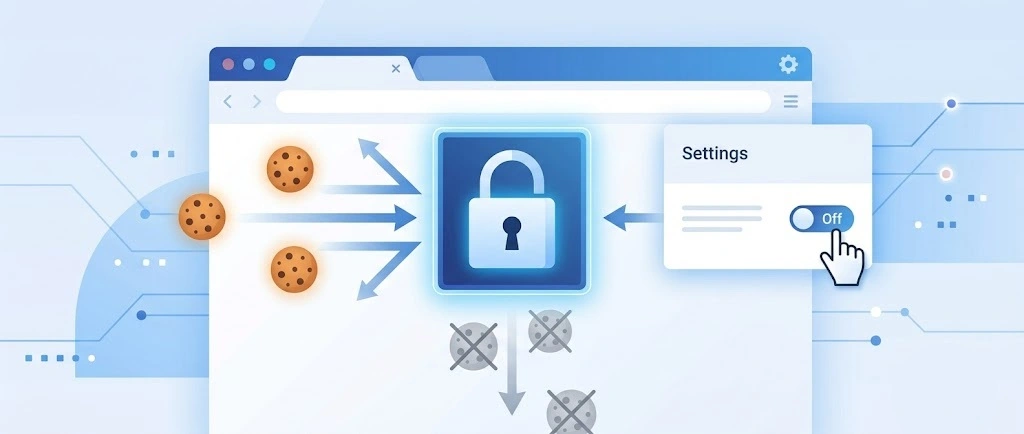
So, search for a pair of shoes once online. Close the tab. By evening, those same shoes are sitting on your news site, your video app, and even your recipe blog. Nobody placed them there by chance. A cookie did. Well, yes! Cookies are small files that websites place on your device while you browse. […]
5 Best Safari Extensions for Mac To Boost Productivity
Introduction:
If you’re someone who spends a significant amount of time browsing the web, you’ll know how crucial it is to have a seamless and productive online experience. Luckily, Safari, Apple’s default web browser, comes with a vast array of features and functionalities that cater to various needs. But why settle for just the default options when you can supercharge your productivity with the help of extensions?
In this article, we have listed the 5 best extensions for Safari to boost productivity. These powerful add-ons have been carefully curated to help you streamline your workflow, enhance your browsing experience, and make the most out of your time online.
5 Best Safari Extensions for Mac To Use in 2026
From advanced grammar checking tools and distraction-blockers to time-saving utilities you’re sure to find an extension that suits your needs and elevates your digital life.
1. Grammarly
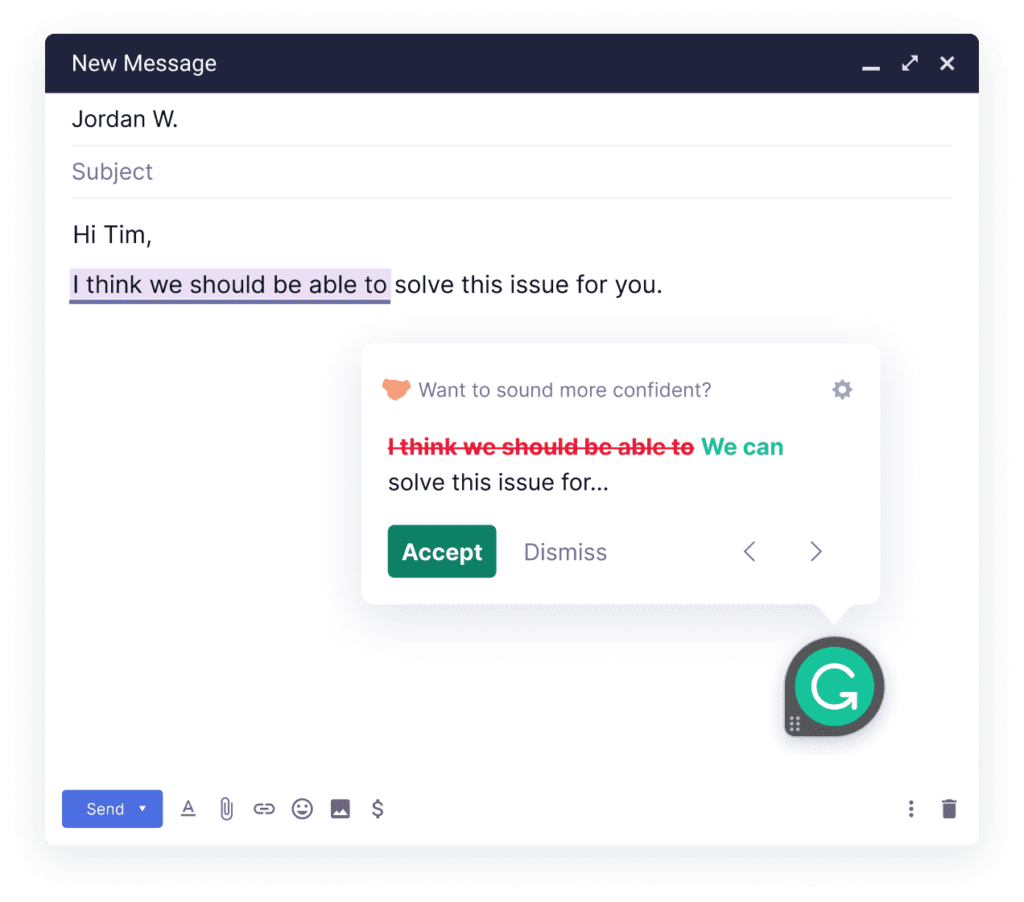
If you’ve ever struggled with typos, grammar mistakes, or clunky sentence structures while writing emails, documents, or even social media posts, Grammarly is your ultimate writing companion. This intelligent extension seamlessly integrates into Safari and works its magic across various platforms, ensuring that your writing is error-free and polished. From catching pesky spelling errors to offering insightful grammar suggestions, Grammarly’s artificial intelligence is there to save the day.
But that’s not all! Grammarly takes your writing skills to the next level by providing real-time feedback on tone and clarity. So, whether you’re crafting a professional email, a blog post, or a critical report, Grammarly guarantees that your message is communicated effectively and concisely.
Features:
- Offers real-time suggestions to eliminate errors in your writing.
- Helps fix complex grammar issues for polished content.
- Provides feedback to enhance the tone and clarity of your message.
- Seamlessly integrates into Safari for consistent support.
- Boosts efficiency and confidence for various writing tasks.
Pros:
- Real-time feedback for immediate corrections.
- Cross-platform integration with Safari.
- Plagiarism checker in the premium version.
Cons:
- Limited offline functionality.
- Some advanced features require a premium subscription.
2. DuckDuckGo Privacy for Safari
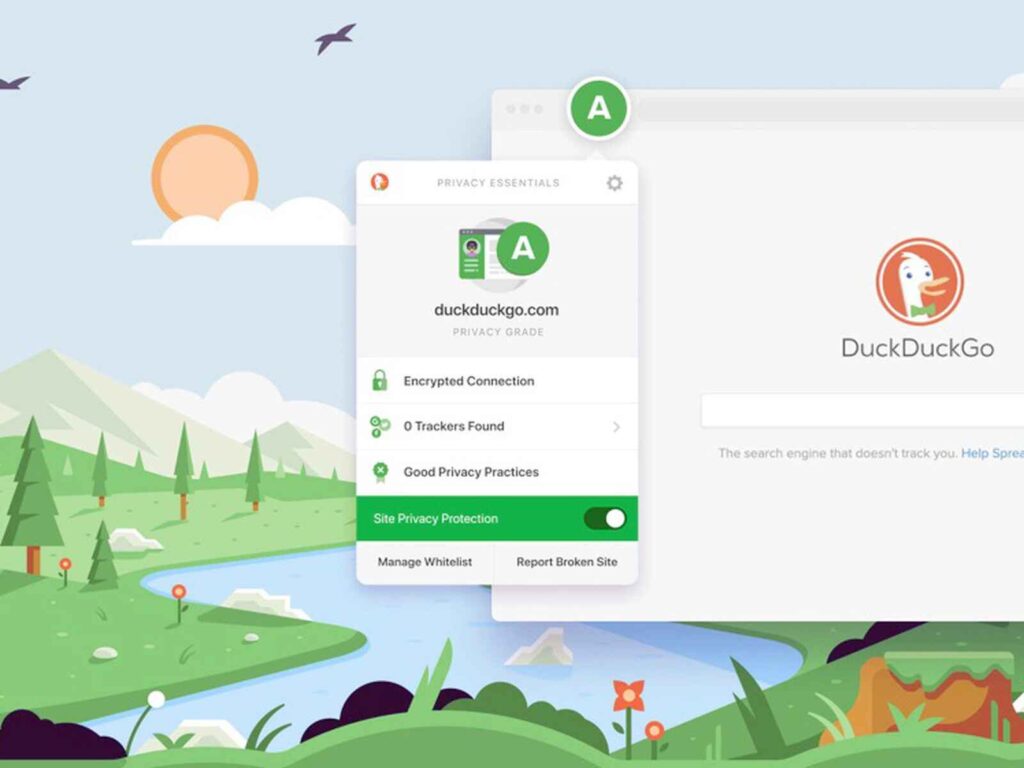
Next up on our list of best extensions for Safari is “DuckDuck Privacy for Safari.” In today’s digital age, online privacy is of utmost importance, and this powerful extension takes the protection of your personal information to the next level.
DuckDuck Privacy for Safari is your trusty shield against invasive trackers and intrusive advertisements. By blocking third-party trackers and removing cookies, it ensures that your browsing habits remain private and secure. No more worries about targeted ads following you around the internet!
But that’s not all – this extension also enhances your browsing speed by reducing the load times of web pages. Say goodbye to sluggish browsing and hello to a smoother, more efficient online experience.
Features:
- Blocks third-party trackers and removes cookies for enhanced online privacy.
- Eliminates intrusive advertisements for a cleaner browsing experience.
- Reduces web page load times, leading to faster and more efficient browsing.
Pros:
- Robust privacy protection against trackers and cookies.
- Ad blocking for a cleaner browsing experience.
- Faster web page loading for improved efficiency.
Cons:
- Some websites may display content improperly due to aggressive ad blocking.
- Certain site functionalities may be affected by privacy settings.
3. Quiet
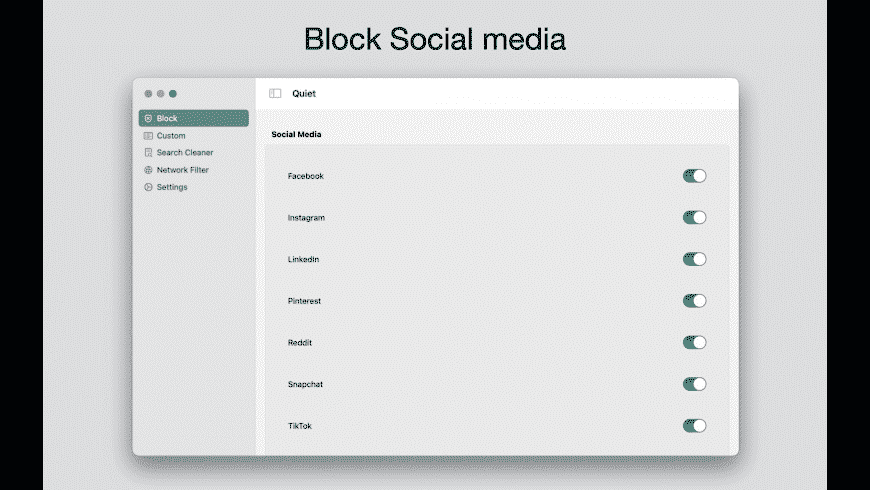
Our third featured one of the best Safari extensions for Mac comes Quiet.”Quiet,” is a productivity gem that helps you stay focused and undistracted while browsing the web. In a world filled with constant notifications and attention-grabbing websites, Quiet provides the perfect solution to reclaim your concentration and get more done.
Quiet lets you control website notifications, ensuring that only essential alerts reach you while silencing or blocking distracting pop-ups and notifications from other sites. This means no more interruptions during important tasks or work sessions.
Customizable and easy to use, Quiet empowers you to create a distraction-free browsing environment tailored to your needs. Boost your productivity and maintain a peaceful digital space with the help of Quiet – your key to a more focused and efficient online experience.
Features:
- Allows customization of website notifications for essential alerts only.
- Silences or blocks distracting pop-ups and notifications from other sites.
- Creates a distraction-free browsing environment for increased productivity.
Pros:
- Allows personalized control over notifications.
- Creates a more productive browsing environment.
Cons:
- May accidentally block some desired notifications.
- May not provide advanced customization options for all users.
4. PayPal Honey for Safari

Here comes our next pick on the list of best extensions for Safari. “PayPal Honey,” is a must-have tool for online shoppers and bargain hunters. If you love saving money while shopping, this extension will be your new best friend! PayPal Honey automatically scours the web for the best deals, discounts, and coupon codes, ensuring you never miss a chance to save. Whether you’re shopping for electronics, fashion, travel, or anything in between, PayPal’s Honey has got you covered.
During the checkout process, Honey applies the most relevant coupon codes to help you find the best price available. It’s like having a savvy shopping assistant right in your browser, always looking out for your wallet.
Features:
- Scours the web for the best deals, discounts, and coupon codes across various shopping categories.
- Automatically applies the most relevant coupon codes during checkout to maximize savings.
- Works with a vast range of online retailers, ensuring you find deals for all your favorite stores.
- Easy-to-use extension that simplifies the process of finding and applying discounts.
Pros:
- Effortlessly finds and applies the best deals and coupon codes.
- Works with a vast range of online stores for extensive savings.
- Easy-to-use interface enhances the shopping experience.
Cons:
- May not support all international regions or retailers.
- Potential OverSome deals might not be captured by the extension.
5. Keyword Search
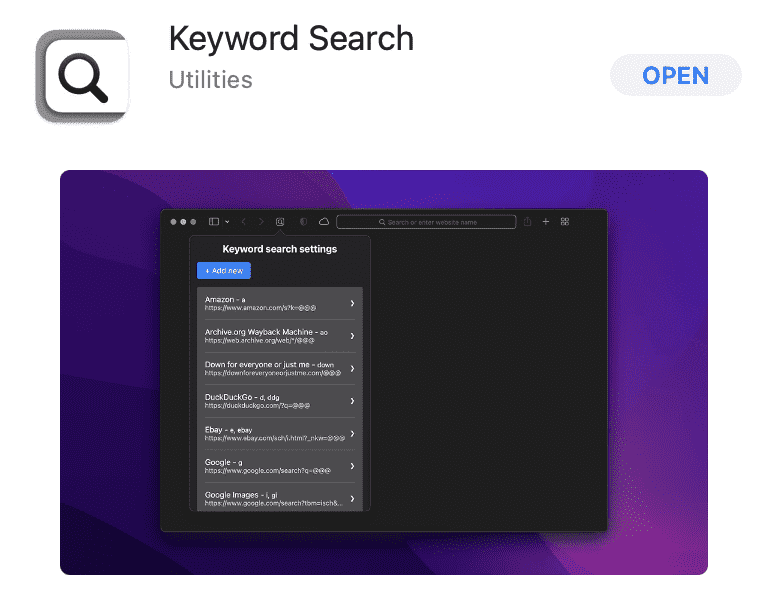
Do you often find yourself buried under an avalanche of open tabs while searching for specific information? Keyword Search revolutionizes the way you navigate the web by allowing you to search for specific terms or phrases within open tabs. No more endless scrolling or struggling to locate the right tab – simply type your keyword into the search bar, and let this extension work its magic.
With Keyword Search, you can effortlessly jump to the exact information you need, saving valuable time and effort. Say goodbye to tab chaos and hello to a more organized and efficient browsing experience.
Join the ranks of productive web explorers who rely on Keyword Search to streamline their research and effortlessly find what they need. Embrace the power of quick keyword searches and unlock a new level of productivity in your Safari browsing!
Features:
- Enables quick and easy searching for specific terms within open tabs.
- Helps you locate information faster, reducing the need for excessive tab navigation.
- Streamlines research and boosts browsing efficiency.
Pros:
- Simple and intuitive interface, making it easy for users to adopt and utilize effectively.
- Capable of searching keywords across multiple open tabs, facilitating broader research.
- Allows users to tailor the extension’s behavior to suit individual preferences.
Cons:
- May not offer advanced search capabilities compared to dedicated search tools.
- Only applicable to Safari browser users, not available for other browsers.
Conclusion
Here were the best extensions for Safari offering a myriad of possibilities to enhance your productivity on Mac. With tools to improve your writing, safeguard your privacy, eliminate distractions, find great deals, and streamline your research, you can take control of your online experience like never before.
Embrace these powerful extensions, and watch as your browsing efficiency soars to new heights. Here’s to a more focused, productive, and enjoyable digital journey ahead!
Author Bio:
Dinesh Lakhwani 

Dinesh Lakhwani, the entrepreneurial brain behind “TechCommuters,” achieved big things in the tech world. He started the company to make smart and user-friendly tech solutions. Thanks to his sharp thinking, focus on quality and the motto of never giving up, TechCommuters became a top player in the industry. His commitment to excellence has propelled the company to a leading position in the industry.
Popular Post
Recent Post
How To Disable Background Apps In Windows: 4 Quick Methods
A slow PC rarely gives a warning. One day, it simply takes longer to start. Apps open late. The fan runs loud, even when the screen is almost empty. Most people blame old hardware. Often, that is not the real reason. The real reason is hiding in plain sight. Windows keeps many apps active in […]
How to Activate Windows with a Product Key for Windows 11 & Windows 10
It always shows up at the worst time. You are halfway through a report, or about to join a video call. Then you spot it in the bottom right corner of the screen. Activate Windows. Go to Settings to activate Windows. Initially, an unactivated copy of Windows may seem like a minor inconvenience. Over time, […]

Is Easy Duplicate Finder Worth It? Honest Review
The photos folder looked normal at first glance. Then the storage warning popped up. One trip photo appeared four times. A tax PDF sat in three different folders. Two old setup files were still in Downloads, and each one was over 500 MB. Nobody plans this mess. Copies pile up slowly. A download runs twice. […]

Wise Duplicate Finder Review: Real Results from Wise Duplicate Finder
Read my honest Wise Duplicate Finder review. See features, pricing, pros and cons, and real PC test results. Find out if this free duplicate cleaner can free up your Windows storage.

How to Recover Deleted Files from Pen drive, USB Drive, SD Card
Introduction: On tech forums, you’ll often see posts like this: “I connected my pen drive to my laptop this morning, but the folder was empty. All my college project files had vanished. I don’t have a backup. Can someone help me?” Stories like this are very common. Pen drives, USB drives and SD cards are […]

How To Recover Files Deleted from the Recycle Bin [Windows 11]
Losing a file can happen in seconds. You clear your desktop, hit Delete, and empty the Recycle Bin. Then, just when you need that file again, it seems to have vanished. This guide will walk you through ways to restore files removed from the Recycle Bin. We will begin with simple fixes, then look at […]

Disk Drill Data Recovery Tool Explained: Full Review and Guide
It happens in a split second. You delete a folder by mistake. Your drive stops showing up. A photo album from your last trip just vanishes. And your stomach drops. Lost files feel personal. They are not just data. They are memories, work hours, and sometimes years of effort packed into a few gigabytes. When […]
Recover Deleted Files In Windows 11 With Software & Without
Introduction What is the first thing that goes through your mind the second an important file vanishes from a Windows 11 PC? For most people, it is a mix of panic and disbelief, followed by a frantic click through every folder that file could possibly be hiding in. It happens in a split second: one […]

EaseUS Data Recovery Wizard: Everything To Know
Data loss does not always come from a big disaster either. Most cases start small and boring. A drive gets formatted by mistake. A laptop freezes mid-save and restarts on its own. A memory card stops showing up after being pulled out too fast. None of these feel like emergencies at first, until you realize […]

