












Read my honest Wise Duplicate Finder review. See features, pricing, pros and cons, and real PC test results. Find out if this free duplicate cleaner can free up your Windows storage.
10 Best AI Video Editor for iPhone and Android
Introduction:
The integration of AI technology into the video editing field has unlocked endless possibilities, allowing even those new to editing to effortlessly achieve professional-quality results. Through advanced algorithms, AI editors can analyze video footage, identify patterns, and intelligently automate editing tasks that were once arduous and time-consuming. From enhancing video quality and stabilizing shaky footage to seamlessly applying transitions and suggesting creative effects, AI is revolutionizing the entire editing process, indeed.
In this blog post, we have listed the 10 best AI video editors for both iPhone and Android platforms. This article covers various aspects of ai-based video editors including features, user-friendly interfaces, and overall performance, providing you with invaluable insights to discover the perfect tool that will unleash your creative potential.
Whether you’re a content creator, a social media enthusiast, or simply seeking to enhance your video editing skills, these AI-powered video editing applications are poised to transform your approach to video editing.
10 Best AI Video Editors for iPhone and Android To Use
An AI video editor saves you from the hassle of manual editing and does the job with minimal effort. Here are the top video editors with AI features for iOS and Android.
1. YouCam Video
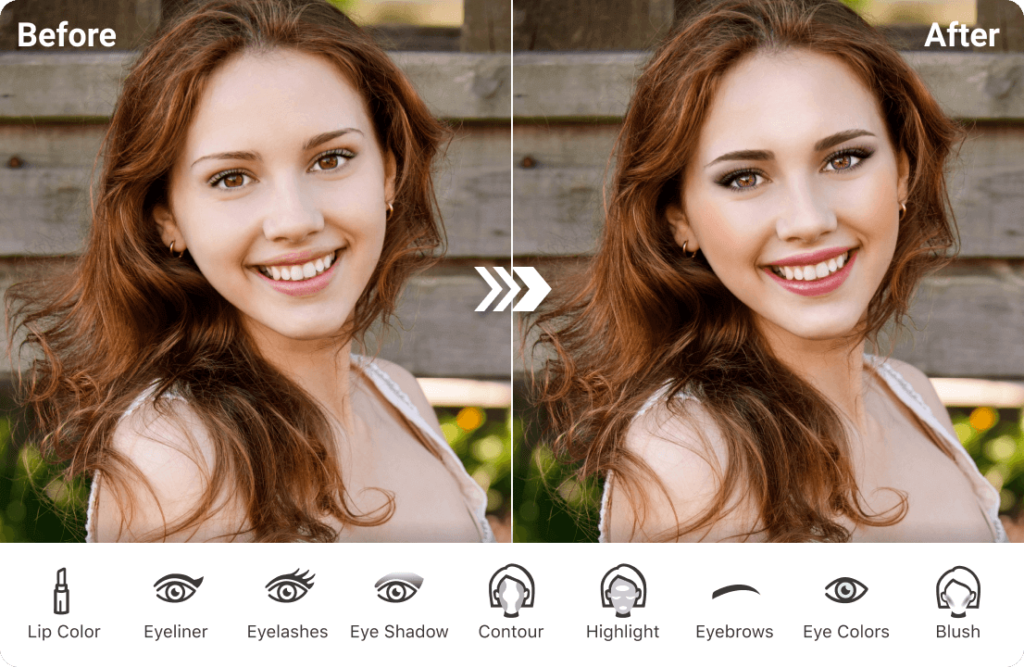
YouCam Video is a cutting-edge AI-powered video editing application that brings a whole new level of creativity and convenience to your video editing experience. Available for both iPhone and Android devices, YouCam Video offers a comprehensive set of features designed to enhance your videos and make them truly stand out.
With YouCam Video, you can effortlessly transform raw footage or selfies into stunning visual masterpieces. The app’s AI technology analyzes your videos, detects patterns, and automatically applies intelligent enhancements to improve video quality, stabilize shaky footage, and adjust lighting and colors for a professional finish. Say goodbye to the hassle of manual adjustments and let AI take care of the technicalities while you focus on unleashing your creative vision.
Features:
- AI face retouch capabilities for authentic visuals.
- AI-powered editing for automated enhancements, stabilization, and color correction.
- Extensive library of creative effects and filters.
- Finds effects in real-time for the perfect edit.
Pros:
- Powerful editing features.
- Intuitive user interface for seamless video editing.
- AI suggestions for creative effects save time and inspire creativity.
- Robust video editing capabilities suitable for both novice and experienced users.
Cons:
- Limited customization options for some effects and filters.
- Occasional performance issues on older devices.
Compatibility: iOS, Android.
Price: Free, offers in-app purchases.
2. Magisto
Magisto is an exceptional AI video editing platform that allows users to create professional-quality videos with just a few clicks effortlessly. This popular application combines the power of artificial intelligence with an intuitive interface, making it accessible to both beginners and experienced video creators.
The AI technology analyzes your videos, automatically selects the best moments, and intelligently applies editing techniques to enhance the overall quality. From color correction and stabilization to transitions and visual effects, Magisto ensures that every frame of your video looks polished and visually appealing.
Features:
- Magisto’s smart editor, driven by artificial intelligence, allows you to create professional-looking videos quickly. It
- Intelligently edits your media, incorporating stunning graphics, effects, filters, and music that weave together a compelling narrative.
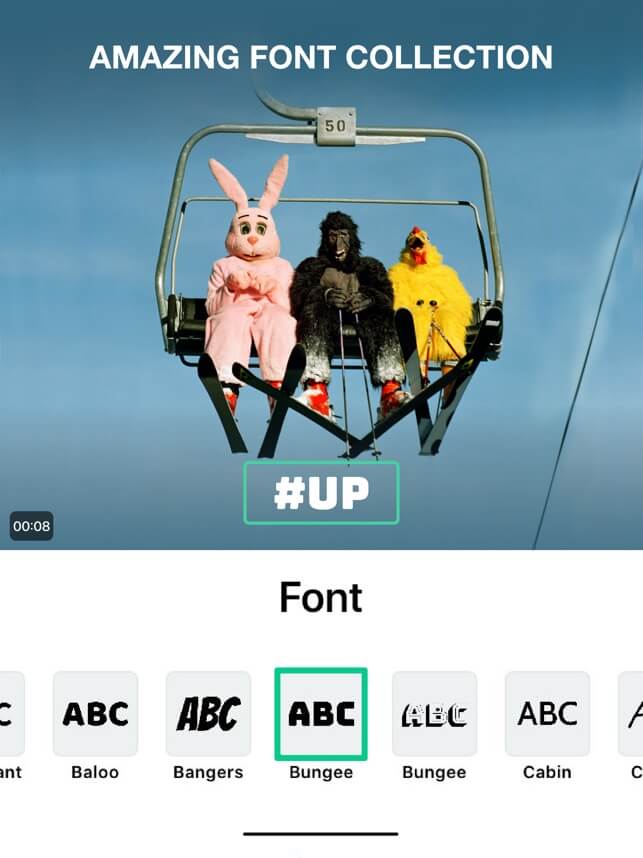
- Offers personalization features to add text, select fonts, adjust the orientation, and experiment with different colors to match your creative vision.
- Allows you to seamlessly share your scroll-stopping videos on social media platforms, messaging apps, email, or anywhere else you desire.
Pros:
- Moving photo slideshows and video collages can be created without video clips.
- Wide selection of ready-made templates for various occasions.
- Editing features include cutting, trimming, merging, and reordering clips.
- Customization options for text, fonts, orientation, and colors.
Cons:
- Some advanced features may require a paid subscription.
- Dependency on AI algorithms for automatic editing may result in occasional inconsistencies.
Compatibility: iOS, Android.
Price: Free, offers in-app purchases.
3. Lumen5

Lumen5 is a highly regarded AI video editor that simplifies the process of creating impressive videos. With its user-friendly interface, you can effortlessly generate high-quality videos in just a few clicks. The software offers a range of powerful editing features, including text overlays, transition effects, and motion graphics, allowing you to enhance your videos with captivating elements.
One notable aspect of Lumen5 AI video editing app is its extensive music and sound effects collection. You have the flexibility to add appealing audio from the app’s library or via YouTube links, ensuring your videos have the perfect soundtrack to captivate your audience. In addition, Lumen5 supports multiple languages, enabling you to create videos that cater to diverse viewership across the globe. This feature helps you expand your reach and connect with audiences from different linguistic backgrounds.
Features:
- Text overlays to convey messages and enhance storytelling.
- Transition effects for seamless scene transitions.
- Unique motion graphics capabilities for adding dynamic elements.
- Extensive library of music and sound effects for captivating audio.
- Support for multiple languages to reach global audiences.
Pros:
- Easy and intuitive video editing process.
- Ability to create videos in multiple languages expands audience reach.
Cons:
- While Lumen5 offers ready-made templates for quick video creation, users who prefer a more unique and personalized editing experience may find the template-driven approach limiting.
- Contains advertisements.
Compatibility: Android.
Price: Free, offers in-app purchases.
4. Adobe Premiere Rush
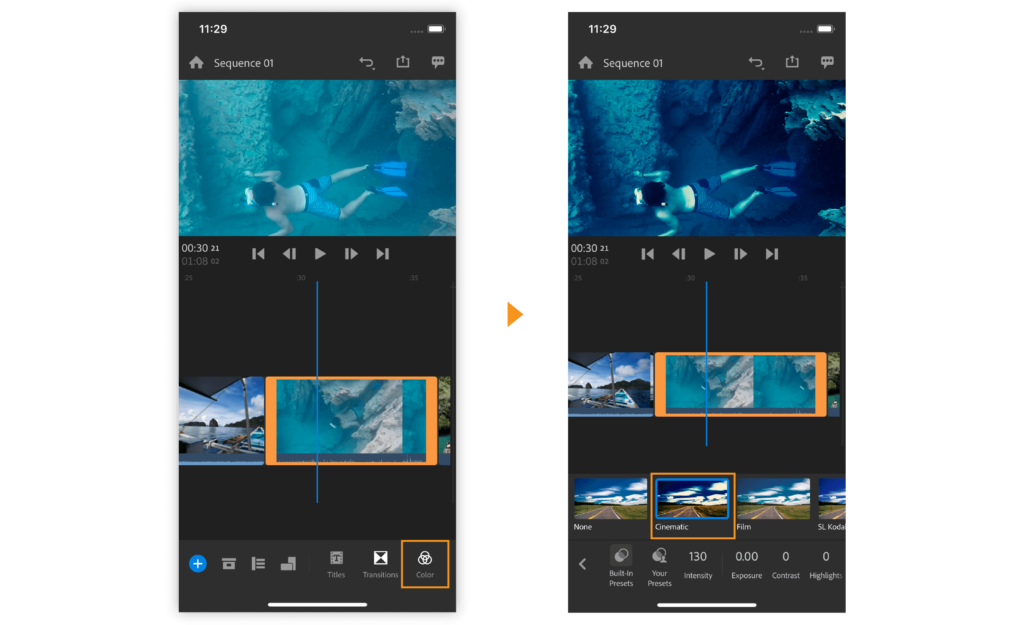
Adobe Premiere Rush is an impressive AI video editing app that harnesses the power of speech recognition to revolutionize the way you create engaging videos. With Adobe Premiere Rush, editing videos becomes a seamless and time-saving experience. Using cutting-edge AI technology and speech recognition, Adobe Premiere Rush takes the burden off your shoulders. Simply upload your video, choose a style that matches your vision, select a song from a curated list of backing tracks, and let the magic unfold.
It is one of the best AI video editors that automatically removes long pauses, generates accurate subtitles, and adds background music that perfectly complements your video. Within minutes, you’ll receive a fully edited video ready to be shared with the world.
Features:
- Style selection to give your videos a unique and professional look.
- Pre-curated backing songs for enhanced mood and atmosphere.
- Built-in camera functionality.
- Multitrack timeline.
- Customized animated titles.
Pros:
- Saves time and effort with AI-powered automatic editing.
- User-friendly interface for easy video creation.
- Royalty-free original soundtracks.
- Wide range of style options to suit various video themes.
Cons:
- Restricted flexibility in editing decisions due to automated process.
Compatibility: iOS, Android.
Price: Free, offers in-app purchases.
5. InVideo (Filmr)
InVideo (formerly known as Filmr) is an exceptional video editing tool that unlocks boundless creative possibilities for individuals at all skill levels, whether you’re a beginner or a seasoned movie director. The software boasts a user-friendly interface that is both simple and fast, allowing you to effortlessly edit and experiment with your videos. With its clean vertical design, InVideo offers an intuitive editing experience that inspires your creativity.
It also offers exclusive styles that can be applied to your videos, giving them a distinct and personalized look. Furthermore, you have precise control over the speed of your videos, allowing you to manipulate the tempo and rhythm to match your desired effect.
Features:
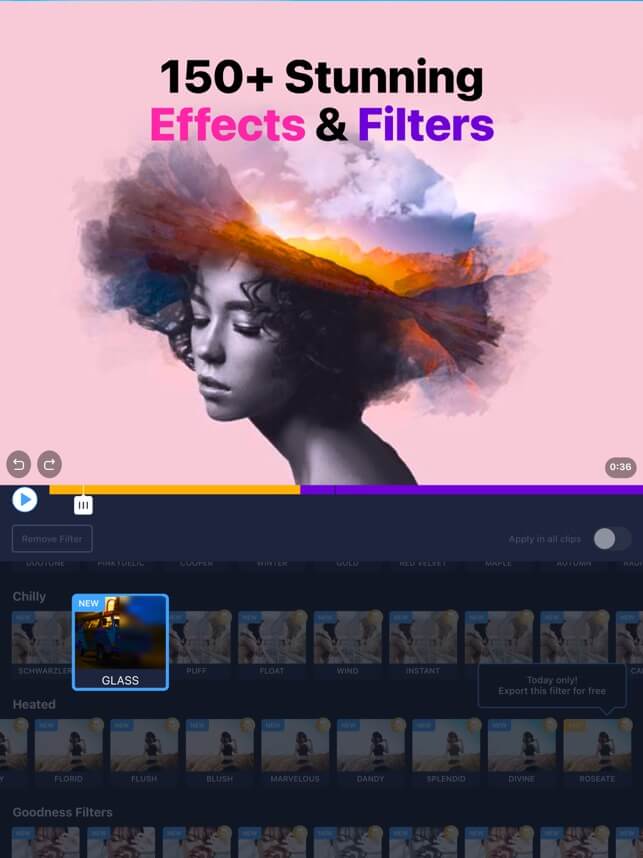
- Offers stunning effects such as Zoom, RGB, Retro, Sparkles, VHS, and many more.
- Exclusive video styles.
- Craft dynamic clips with smooth and seamless transitions.
- Create transitions with ease with the unique “Video In” feature.
Pros:
- Seamless transitions for smooth scene transitions.
- Exclusive styles that give videos a unique and personalized touch.
- Precise control over video speed and editing options like trimming, cropping, and flipping.
Cons:
- May require a learning curve for users unfamiliar with video editing tools.
- Advanced features may be available only in premium versions or subscriptions.
Compatibility: iOS, Android.
Price: Free, offers in-app purchases.
6. CapCut Video Editor
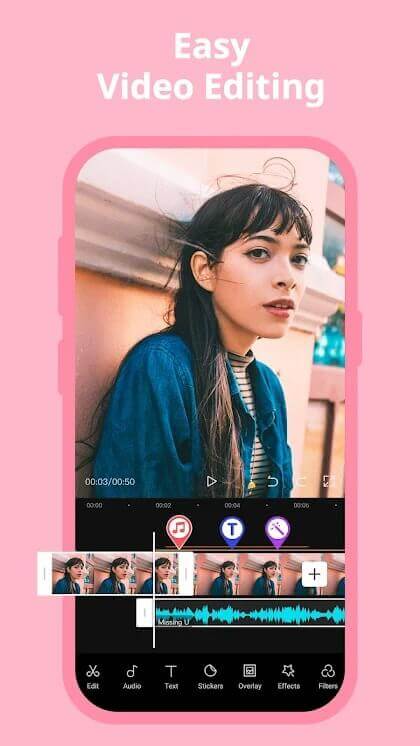
CapCut is an incredible AI video editing app that provides an intuitive and user-friendly experience and a wide range of exciting features. With CapCut, editing your videos becomes a seamless process, allowing you to add creative touches that make them truly exceptional. It also offers advanced tools such as keyframe animation, smooth slow-motion, chroma key, and stabilization. These features empower you to capture and refine moments with precision, ensuring your videos are visually captivating.
But that’s not all! CapCut takes it a step further by offering unique features like auto-captions, text-to-speech, motion tracking, and background removal. These additional capabilities allow you to create videos that stand out and engage your audience in new and exciting ways.
Features:
- Advanced tools like keyframe animation, smooth slow-motion, chroma key, and stabilization.
- Unique features include auto captions, text-to-speech, motion tracking, and background removal.
- Compatibility with popular social media platforms like TikTok, YouTube, Instagram, WhatsApp, and Facebook.
Pros:
- Extensive collection of free fonts and effects to add creative touches to your videos.
- Intuitive and user-friendly interface, making video editing accessible for beginners.
Cons:
- Might be slow and laggy at times.
- Certain features or effects may be available only in the premium version of CapCut.
Compatibility: iOS, Android.
Price: Free, offers in-app purchases.
7. Filmora
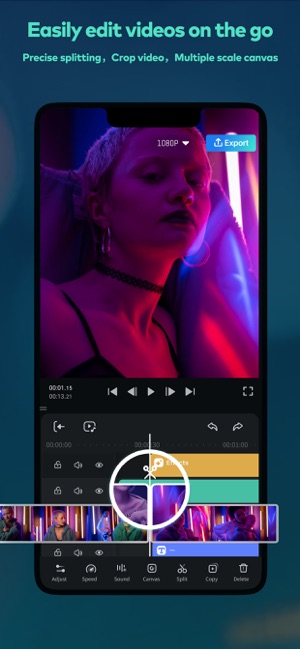
Filmora, formerly known as FilmoraGo, is an impressive one of the best AI video editor and movie maker apps designed for everyone, even those new to video editing. It offers a plethora of features that ignite your creativity and allow you to craft stunning videos with ease.
With Filmora, you can effortlessly trim your clips, add music, incorporate captivating transition effects, and sprinkle in text, emojis, and filters to make your videos genuinely remarkable. The included templates are a game-changer, helping you create your movies for popular platforms like TikTok, Instagram, YouTube, and more. Filmora is not only a time-saver but also ensures that you have a blast while creating high-quality videos.
Features:
- Easy-to-use video editor and movie maker.
- Trim clips, add music, apply transition effects and incorporate text, emojis, and filters.
- Wide range of creative options to make your videos visually stunning.
- Templates are available for quick and convenient movie creation.
Pros:
- Offers a wide range of features and tools to enhance your videos.
- Templates provide a quick and convenient way to create professional-looking movies.
- Allows customization with text, emojis, and filters for added creativity.
Cons:
- The free version may have limitations or watermarks on exported videos.
- Occasional performance issues or lags, especially with larger video files.
Compatibility: iOS, Android.
Price: Free, offers in-app purchases.
8. InShot
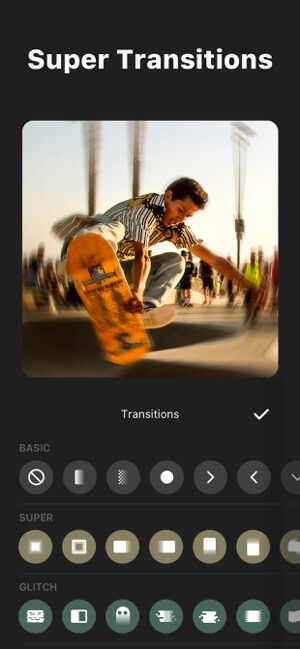
InShot is an innovative video editor that harnesses the power of artificial intelligence to effortlessly transform your videos into captivating works of art. Its advanced AI technology integrates seamlessly with a user-friendly interface, providing powerful editing tools and features.
Enhance the visual appeal of your videos by effortlessly incorporating music, text, and transitions. InShot’s intelligent AI algorithms carefully analyze your footage, automatically making adjustments to optimize the quality and streamline the editing process. Explore a plethora of features with InShot’s AI video editor, including background blur, motion tracking, and text-to-speech functionality.
Features:
- Advanced AI technology for automatic adjustments.
- Powerful editing tools and features.
- Music, text, and transition options.
- Background blur, motion tracking, and text-to-speech functionality.
Pros:
- Easy to use, even for beginners.
- Quick and efficient video editing process.
- Extensive library of filters and effects.
- Offers lots of fun sound effects to add life to your videos.
Cons:
- May not have the same level of precision and control as professional desktop editing software
- Availability may vary across different platforms and devices.
Compatibility: iOS, Android.
Price: Free, offers in-app purchases.
9. LumaFusion
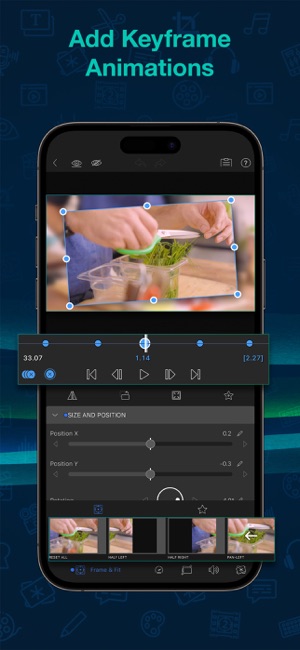
Experience a whole new level of multicam editing designed specifically for touch devices. With LumaFusion Multicam Studio, you can effortlessly synchronize up to 6 media sources into a single track, revolutionizing the switching process. Say goodbye to tedious manual adjustments and let Multicam Studio handle the technicalities while you focus on crafting your story.
Seamlessly integrated with LumaFusion, Multicam Studio is available as an in-app, one-time purchase. Enjoy the convenience of accessing powerful multicam editing capabilities right within your LumaFusion workflow.
Features:
- Offers professional editing tools like magnetic timeline, insert/overwrite, link/unlink clips, and track control (lock, hide, mute).
- Dozens of transitions to choose from.
- External monitor preview with AirPlay or HDMI.
- Markers and notes for organization.
- Efficient clip management with cut, copy, and paste clips.
Pros:
- Powerful editing capabilities.
- Mobile convenience.
- External monitor support.
- Intuitive interface.
Cons:
- Limited effects and plugins compared to other video editing apps.
Compatibility: iOS, Android.
Price: Free, offers in-app purchases.
10. GoPro Quik
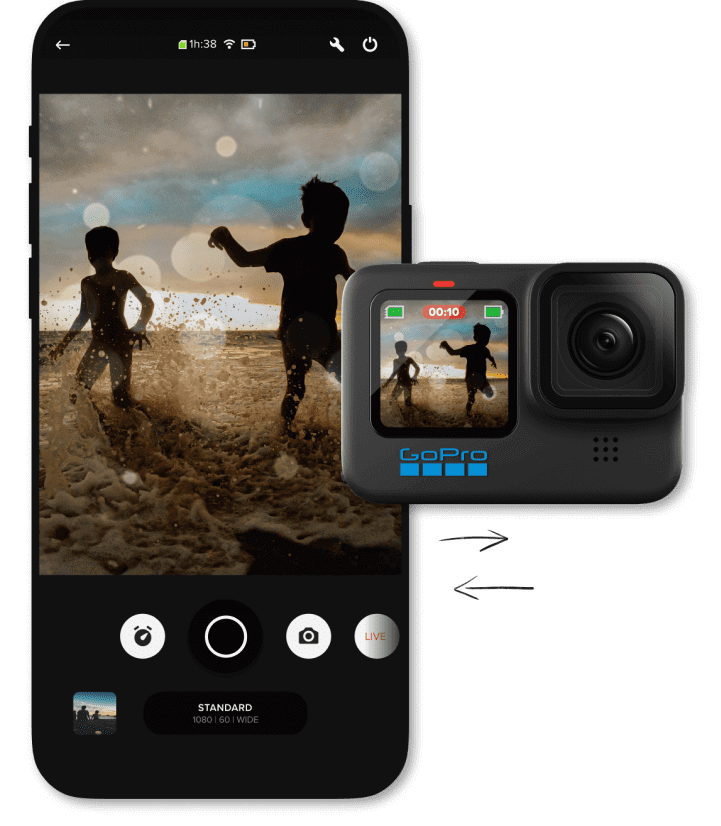
GoPro Quik is an app that intelligently selects your best shots, synchronizes them with music, applies cinematic transitions, and generates a shareable video. It streamlines the editing process by automatically creating engaging and professionally styled videos, allowing you to showcase your adventures in a captivating way with minimal effort.
While Quik automatically creates videos, you can also personalize them by adjusting the pace, adding text, and choosing from a variety of filters and effects. While Quik automatically creates videos, you can also personalize them by adjusting the speed, adding text, and choosing from a variety of filters and effects.
Features:
- Customization options for pace, text, filters, and effects.
- Easy sharing options.
- Multi-platform availability.
- Integration with GoPro cameras.
Pros:
- Quick and effortless video creation
- User-friendly interface
- Professional-looking videos with minimal effort
- Wide selection of licensed music
Cons:
- Limited manual control for advanced editing.
- Dependency on GoPro cameras for optimal integration.
Compatibility: iOS, Android.
Price: Free, offers in-app purchases.
Conclusion
AI-powered video editors have revolutionized the editing process, bringing efficiency, creativity, and accessibility to iPhone and Android users. These 10 best AI video editors leverage artificial intelligence to automate tasks, enhance video quality, and provide advanced editing features.
By harnessing the power of AI, users can create stunning videos with ease, saving time and effort while unlocking their creative potential. Embracing AI in video editing is not just a trend but a vital tool that empowers individuals to transform their videos into captivating masterpieces, making the editing process more intuitive, efficient, and enjoyable.
Author Bio:
Dinesh Lakhwani 

Dinesh Lakhwani, the entrepreneurial brain behind “TechCommuters,” achieved big things in the tech world. He started the company to make smart and user-friendly tech solutions. Thanks to his sharp thinking, focus on quality and the motto of never giving up, TechCommuters became a top player in the industry. His commitment to excellence has propelled the company to a leading position in the industry.
Popular Post
Recent Post

How to Recover Deleted Files from Pen drive, USB Drive, SD Card
Introduction: On tech forums, you’ll often see posts like this: “I connected my pen drive to my laptop this morning, but the folder was empty. All my college project files had vanished. I don’t have a backup. Can someone help me?” Stories like this are very common. Pen drives, USB drives and SD cards are […]

How To Recover Files Deleted from the Recycle Bin [Windows 11]
Losing a file can happen in seconds. You clear your desktop, hit Delete, and empty the Recycle Bin. Then, just when you need that file again, it seems to have vanished. This guide will walk you through ways to restore files removed from the Recycle Bin. We will begin with simple fixes, then look at […]

Disk Drill Data Recovery Tool Explained: Full Review and Guide
It happens in a split second. You delete a folder by mistake. Your drive stops showing up. A photo album from your last trip just vanishes. And your stomach drops. Lost files feel personal. They are not just data. They are memories, work hours, and sometimes years of effort packed into a few gigabytes. When […]

Recover Deleted Files In Windows 11 With Software & Without
Introduction What is the first thing that goes through your mind the second an important file vanishes from a Windows 11 PC? For most people, it is a mix of panic and disbelief, followed by a frantic click through every folder that file could possibly be hiding in. It happens in a split second: one […]

EaseUS Data Recovery Wizard: Everything To Know
Data loss does not always come from a big disaster either. Most cases start small and boring. A drive gets formatted by mistake. A laptop freezes mid-save and restarts on its own. A memory card stops showing up after being pulled out too fast. None of these feel like emergencies at first, until you realize […]

Recuva Data Recovery Tool: Is it Actually Worth it?
When I first tried Recuva Data Recovery, I wanted to see if it could really bring back lost files. The tool is free, small in size, and promises quick recovery, which made me curious enough to test it on my own PC. The setup was fast, and the wizard guided me step by step. I […]

GetData Recover My Files Data Recovery Tool: Honest Review
A hard drive error brings a special kind of silence. Well, yes! The screen freezes, then a message appears saying the drive can’t be found or must be formatted. In that moment, years of photos and work files feel at risk. It never happens at a good time. Coffee spills near a laptop, a memory […]

Windows File Recovery: A Complete Review [Tried & Tested]
Imagine this. You spend hours perfecting a video project. You hit save. Then your laptop freezes, reboots, and when the screen comes back. The file is gone. Your stomach sinks. It’s not just you. Lost files happen all the time. A dropped hard drive, a bad update, an accidental delete, or a corrupted partition can […]

5 Best Data Recovery Software For Windows 11 and Windows 10
Introduction: A crashed drive can ruin a whole day. One minute your photos, work files, and tax records sit safe on your PC. The next minute they are gone. A power cut, a bad update, or one wrong click can wipe out years of memories and months of work in seconds. That sinking feeling is […]

