












Losing a file can happen in seconds. You clear your desktop, hit Delete, and empty the Recycle Bin. Then, just when you need that file again, it seems to have vanished. This guide will walk you through ways to restore files removed from the Recycle Bin. We will begin with simple fixes, then look at […]
10 Best Battery Saving Apps for iPhone and iPad
Today, we’re focusing on a common challenge faced by iPhone and iPad users: battery life. We all know the frustration of a drained battery just when we need our devices the most. Fortunately, there’s a plethora of battery-saving apps available that can help us optimize power consumption and extend our usage time.
In this blog post, we’ll explore the 10 best battery-saving apps for iPhone and iPad, each designed to squeeze every last drop of power from your device. Whether you’re a heavy user or simply want to make your battery last longer, these apps are here to save the day so that you can use your devices for a longer time.
How to Choose the Best Battery Saving App for iPhone and iPad
Battery-saving apps vary in what they actually help with. Some focus on monitoring battery health, while others track usage patterns or charging behavior. Choosing the right app depends on what kind of battery issues you want to manage.
- Battery Health Insights
Apps should clearly show battery condition, capacity changes, and long-term wear. - Usage Tracking
Detailed breakdowns help identify which apps drain the most power. - Charging Information
Good apps show charging speed, cycles, and unplugging timing to reduce overcharging. - Accuracy of Data
Reliable readings matter more than visual design or animations. - Ease of Use
A simple layout makes it easier to check battery status quickly. - System Compatibility
The app should support the latest iOS and iPadOS versions without glitches. - Background Impact
Battery tools should consume minimal power themselves. - Notifications and Alerts
Smart alerts help prevent deep discharge or unnecessary full charges.
Top 5 Battery Saving Apps Comparison
The apps below approach battery saving from different angles, such as health tracking, charging analysis, and real-time monitoring. This comparison helps match each tool to its best use case.
| App Name | Best For | Key Function | Ease of Use | Standout Feature |
| Battery HD+ | Real-time battery stats | Usage and charge tracking | Easy | Detailed time-remaining estimates |
| Battery Life Doctor Pro | Battery health monitoring | Capacity and wear analysis | Easy | Clear health reports |
| Ampere Battery Charging Check | Charging behavior | Charge speed monitoring | Moderate | Live charging data |
| Battery Health | Long-term battery condition | Health and cycle tracking | Very easy | Clean and minimal interface |
| Battery Life | Daily usage insights | Drain analysis | Easy | App-specific battery use |
Things Users Commonly Ask Before Installing Battery Saving Apps
Do battery-saving apps actually improve battery life on iOS?
These apps do not directly control iOS power settings, but they help by showing usage patterns, charging habits, and battery health. This awareness allows users to adjust habits that improve battery longevity.
Are battery health readings from apps accurate?
Most apps rely on system-reported data, so accuracy is generally good. However, readings can vary slightly depending on iOS updates and device models.
Do these apps work on both iPhone and iPad?
Yes, most battery monitoring apps support both devices. Features may differ slightly depending on hardware and iPadOS limitations.
Can battery apps harm battery performance?
No, as long as the app is lightweight and well-designed. Reputable apps use minimal background activity and do not interfere with system charging processes.
10 Best Battery Saving Apps for iPhone and iPad
1. Battery HD+
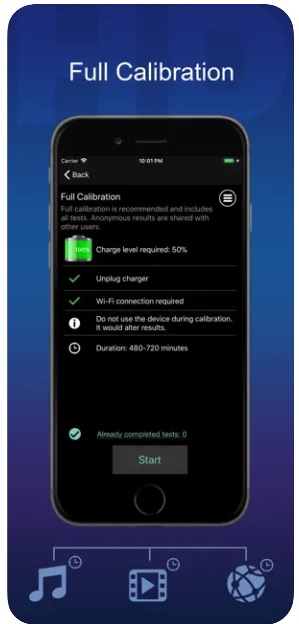
Imagine having your very own personal battery assistant right at your fingertips. Well, that’s exactly what Battery HD+ offers. It goes beyond the basic battery indicator on your device, providing you with all the essential information about your device’s battery health, usage patterns, and estimated remaining time.
The app’s user-friendly interface presents your battery’s performance through easy-to-understand graphs and charts, making it a breeze to track and analyze your usage habits. It’s like having that friendly voice in your ear, always there to guide you toward smarter battery management.
But that’s not all – Battery HD+ takes its assistance to the next level. If you’ve indulged in a gripping game, jamming to your favorite tunes, or engrossed in a movie marathon, Battery HD+ instantly notifies you with a real-time estimate of how many hours you have left for usage in these scenarios and more.
Features:
- Detailed battery health information.
- Usage patterns and statistics in the form of graphs and charts.
- Offers estimated remaining time for different activities.
- Charge alerts.
- Custom color themes.
- User-friendly interface with graphs and charts.
Pros:
- Available in the form of a widget for quick access.
- Easy-to-understand interface for quick insights.
- Full calibration with the device for accurate results.
Cons:
- Lack of integration with other battery-saving features or settings on the device.
- Contains ads.
Price: Free
2. Battery Life Doctor Pro
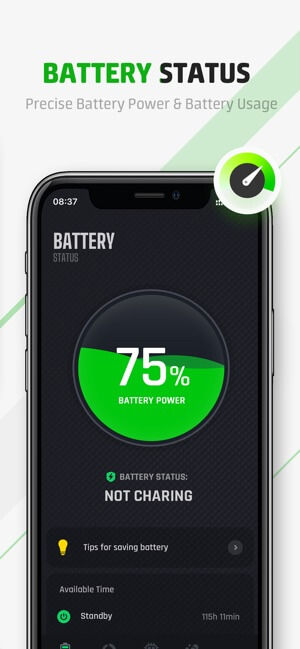
Battery Life Doctor Pro is the ultimate app for optimizing the battery life of your iPhone and iPad. It provides a comprehensive set of features to help you understand and enhance your device’s battery performance.
This battery saving app for iOS offers advanced battery optimization tools that allow you to customize and fine-tune various settings to maximize efficiency. You can choose from different battery-saving modes tailored to your specific needs and preferences. These modes intelligently adjust device settings, such as brightness, network connections, and background processes, to conserve battery power without sacrificing functionality.
Features:
- Accurate battery health assessment and diagnostics.
- Real-time battery usage monitoring.
- Customizable battery-saving modes.
- Checks the memory and storage status of your iPhone/iPad.
- Background app management to reduce power consumption.
- Notification and reminders for battery maintenance
Pros:
- Attractive charging animations.
- Offers professional tips for battery management.
- Deletes similar photos and videos.
Cons:
- Some advanced features may require in-app purchases.
- The user interface can be overwhelming for novice users.
Price: Free, offers in-app purchases.
3. Ampere Battery Charging Check
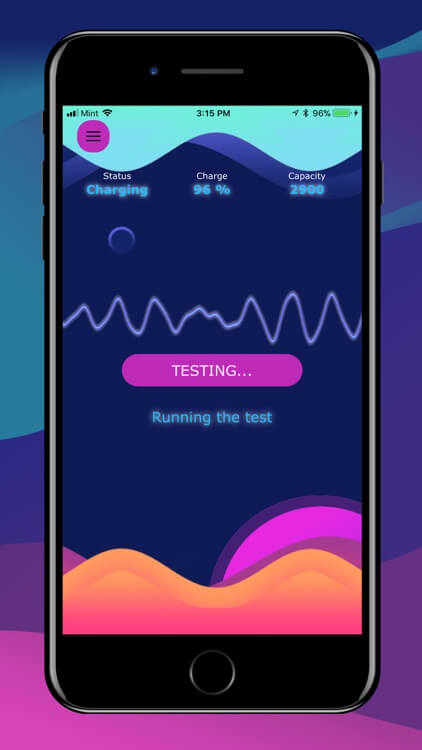
Ampere battery saving app for iPhone is a handy app that keeps you in the loop with real-time information about your battery’s charging status, empowering you to make informed decisions and get the most out of every charge. Wondering which charger or cable is the fastest? Ampere has you covered. It measures the charging speed of different accessories and provides you with detailed insights. Now you can confidently choose the chargers that deliver lightning-fast results every time.
Ampere records your charging sessions, so you can track your charging history and analyze patterns over time. With intuitive graphs and statistics at your fingertips, you can understand how your charging habits impact battery health and overall performance.
Features:
- Accurately measures how fast your device’s battery is charged.
- Compares different chargers, wireless chargers, and cables for detailed analysis.
- Offers remaining time usage for activities like web surfing, games, watching videos, and so on.
- Real-time monitoring of battery charging status, current, voltage, and temperature.
Pros:
- Helps identify fast and reliable chargers and cables.
- Enables tracking and analysis of charging habits.
- Gives insights into battery health based on charging patterns.
- User-friendly interface for easy monitoring and analysis.
Cons:
- Updates and bug fixes may not be as frequent as desired.
- Results may be affected by external factors such as ambient temperature or background processes.
Price: Free, offers in-app purchases.
4. Battery Health
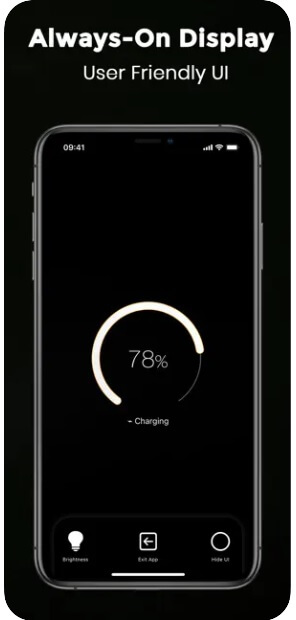
Battery Health is the ultimate app for keeping a close eye on the health and performance of your device’s battery. It provides you with in-depth statistics and graphical representations of your battery’s health trends over time. Track changes in capacity, monitor degradation and gain a clear understanding of how your battery is performing.
The app also offers timely notifications and alerts for critical changes in battery health. This feature ensures that you are promptly informed about any significant deterioration or issues that may arise, allowing you to take appropriate action.
Features:
- Real-time monitoring of battery health status.
- Detailed statistics on battery capacity and degradation.
- Graphical representation of battery health trends over time.
- Notifications for critical battery health changes.
- Tips and recommendations for improving battery longevity.
Pros:
- Enables you to track the impact of specific apps or activities on battery health.
- Supports proactive battery maintenance to prolong overall lifespan.
- A User-friendly interface makes it easy to navigate and understand battery data.
Cons:
- Advanced features may require a premium version or in-app purchases.
- The free version contains ads.
- Limited support or documentation for troubleshooting issues.
Price: Free, offers in-app purchases.
5. Battery Life
Launched in 2014, Battery Life is a revolutionary application that provides you with a comprehensive overview of your device’s battery performance, displaying runtimes, and internal and external battery data, and keeping you well-informed about corresponding battery charges.
With Battery Life, you can truly understand how your battery is performing and make informed decisions accordingly. It is one of the top battery saver apps designed dedicatedly for iOS and iPadOS that effortlessly boosts smart battery management.
Features:
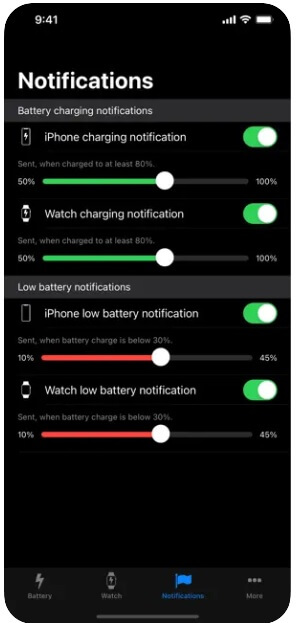
- Tracks and displays the history of battery charges, allowing you to monitor trends and patterns.
- Gains insight into paired devices as well.
- Allows you to set low-level battery notifications.
- Shows detailed information about battery runtimes, including usage time and standby time.
Pros:
- Lets you view battery level charge from your device as well as Apple Watch.
- Offers a handy widget extension.
Cons:
- Cluttered user interface.
- Lack of advanced features.
Price: Free, offers in-app purchases.
6. Charge
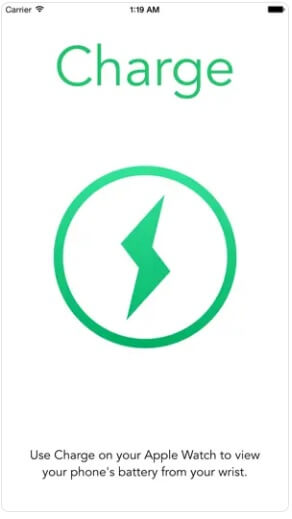
Charge is a handy app that provides you with instant access to your iPhone’s remaining battery life, charging status, and WiFi connection status. With Charge, you can conveniently check your iPhone’s battery information right from your Apple Watch, eliminating the need to fetch your iPhone for a quick battery check.
As long as your iPhone is paired with your Apple Watch, Charge provides you with easy access to your iPhone’s battery information directly from your wrist. No more hassle of retrieving your iPhone just to check the battery level.
Features:
- Displays iPhone’s remaining battery life
- Shows charging status
- Indicates the WiFi connection status
- Apple Watch integration for easy access
Pros:
- Convenient access to iPhone’s battery information from Apple Watch
- Saves time and effort by eliminating the need to check the iPhone
- Instantly see battery life, charging status, and WiFi connection status
Cons:
- Requires Apple Watch and iPhone pairing
- Limited to displaying battery, charging, and WiFi information
- No additional advanced features or customization options
Price: Free.
7. iStats
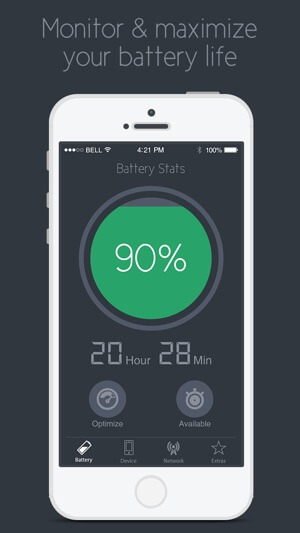
Here comes our next pick on our list of best battery saving apps for iPhone and iPad. With iStats by your side, you’ll have a deeper understanding of your iPhone’s performance than ever before. This incredible all-in-one app is your key to unlocking detailed insights into how your device operates. From optimizing your battery life to keeping tabs on network usage and understanding CPU performance, iStats has you covered.
But that’s not all – iStats keeps a close eye on your network and data usage too. It helps you monitor your data consumption, allowing you to identify any apps that might be gobbling up your precious data. Armed with this knowledge, you can make informed decisions and manage your usage effectively.
Features:
- Detailed insights into iPhone’s inner workings.
- Battery optimization tips.
- Network and data usage monitoring.
Pros:
- User-friendly interface.
- Free to download and use, offering valuable features at no cost.
Cons:
- Limited to iPhone devices.
- May not offer advanced customization options.
Price: Free.
8. Battery Saver
Battery Saver is the go-to app for staying on top of your device’s battery health and system status. It’s your trusted companion to optimize performance, extend battery life, and make informed decisions about your device.
Best of all, this battery saving app for iPad and iPhone comes with 100% free battery-saving tips to help you get the most out of your device. It is a simple, one of the best apps for saving battery on iOS that you can use without paying any cost.
Features:
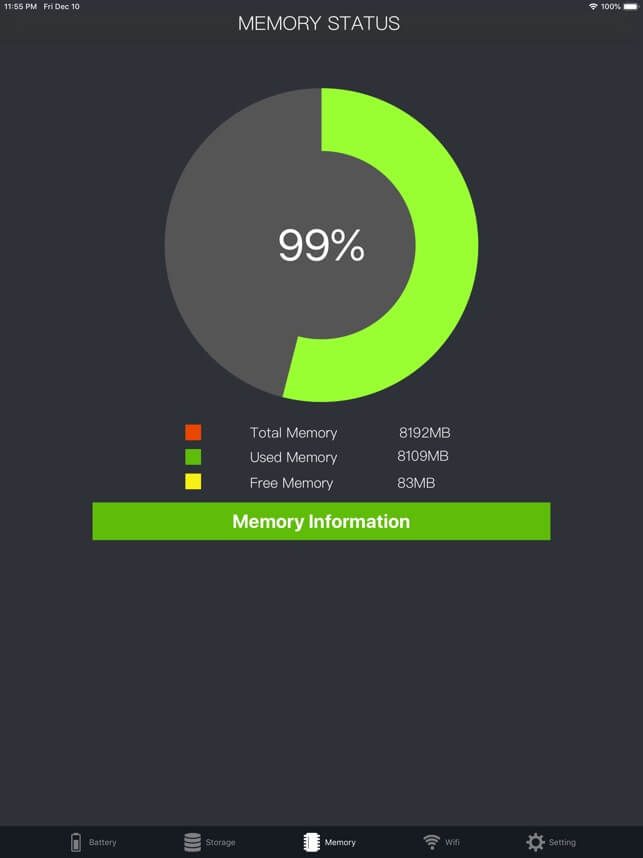
- Accurate battery percentage view.
- RAM usage and status monitoring.
- Disk space checking.
- Battery maintenance tips.
- Network usage status.
Pros:
- Offers tips for extending battery lifespan.
- Helps manage network usage effectively.
Cons:
- Limited to battery and system monitoring features.
- Lacks advanced customization options.
Price: Free.
9. Zen Battery
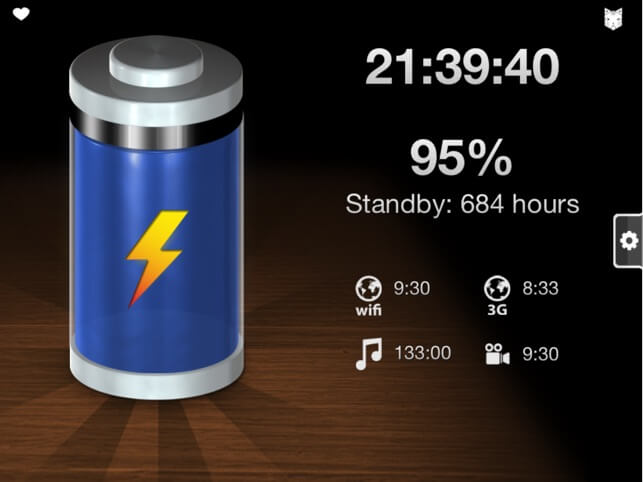
Zen Battery is a nifty battery saving app for iPhone and iPad that allows you to get a quick glance at how many hours are left for watching a video, listening to music, playing games, or browsing the web. It is one of the best iPhone and iPad apps for battery saving that takes your battery experience to a whole new level of tranquility. With its unique features, Zen Battery allows you to create a minimalist and peaceful display on your screen, focusing only on essential information.
You can hide or show icons on your screen with a simple touch. One touch reveals only the time and battery charge percentage, a second touch displays just the battery, and a third touch brings back all the original data. You can also Customize the color of the liquid inside the battery to match your unique personality and preferences. Choose the hue that brings you the most inner peace.
Features:
- Minimalistic display modes.
- Charge completion alert.
- Incremental display of times and percentages.
Pros:
- Attractive fluid animations to display battery levels.
- Personalized color options for individual preference.
- Gentle charge completion notification.
Cons:
- It may not offer advanced battery management features.
- Limited information and functionality compared to comprehensive battery apps.
Price: Free.
10. Full Power Battery +
Full Power Battery+ is another handy battery management app for iPhone and iPad. You can use this app. With its intelligent features and monochrome, user-friendly interface, this app empowers you to maximize your device’s battery life and optimize performance.
The app employs advanced algorithms to analyze your device’s battery usage patterns and intelligently optimize power consumption. It identifies and limits battery-draining apps and processes, ensuring every bit of power is utilized efficiently.
Features:
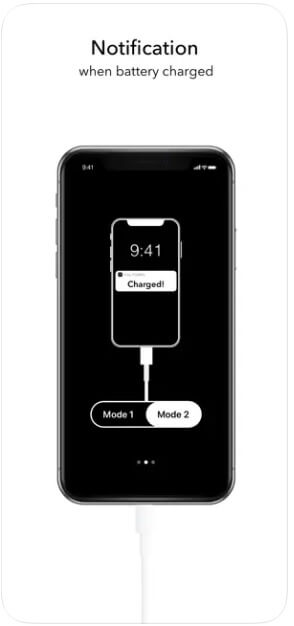
- Includes two different modes, one for foreground and the other for background.
- Automatically notifies you when the phone is charged at 100%.
- Sends a “Battery Doesn’t Charge” notification when the power is off.
Pros:
- Lets you customize sound signals.
- Intelligent battery optimization to maximize battery life.
- Attractive, minimalist user interface.
Cons:
- Compatibility may vary across different iOS versions or device models.
- Limited to battery management features, and may lack additional functionalities.
Price: Free, offers in-app purchases.
Author’s Tip
Battery apps are most useful when treated as learning tools rather than quick fixes. iOS already manages power efficiently, so the real benefit comes from understanding how your usage habits affect battery health over time. Regularly checking stats helps prevent habits that shorten battery lifespan.
Avoid installing multiple battery monitoring apps at once. Running several tools often leads to duplicate readings and unnecessary background activity. Pick one reliable app, learn its data, and pair it with simple habits such as controlled charging and app usage management.
Conclusion
Battery saving apps for iPhone and iPad focus more on awareness than automation. They help users understand health trends, charging patterns, and app-level drain rather than directly extending battery life with aggressive controls.
Apps like Battery HD+ and Battery Life work well for daily monitoring, while Battery Life Doctor Pro and Battery Health focus on long-term condition tracking. Choosing the right app depends on whether you want quick stats or deeper health insights. Used correctly, these tools support better charging habits and longer battery lifespan.
FAQs
Can battery-saving apps replace Apple’s built-in battery tools?
No. Apple’s system tools handle power management, while third-party apps add extra visibility and insights rather than direct control.
How often should I check battery health?
Once or twice a week is enough for most users. Constant monitoring does not improve battery life.
Is it safe to rely on these apps for charging decisions?
Yes, as long as you use the data as guidance. Avoid extreme charging habits and follow general battery care practices.
Author Bio:
Dinesh Lakhwani 

Dinesh Lakhwani, the entrepreneurial brain behind “TechCommuters,” achieved big things in the tech world. He started the company to make smart and user-friendly tech solutions. Thanks to his sharp thinking, focus on quality and the motto of never giving up, TechCommuters became a top player in the industry. His commitment to excellence has propelled the company to a leading position in the industry.
Popular Post
Recent Post

Disk Drill Data Recovery Tool Explained: Full Review and Guide
It happens in a split second. You delete a folder by mistake. Your drive stops showing up. A photo album from your last trip just vanishes. And your stomach drops. Lost files feel personal. They are not just data. They are memories, work hours, and sometimes years of effort packed into a few gigabytes. When […]

Recover Deleted Files In Windows 11 With Software & Without
Introduction What is the first thing that goes through your mind the second an important file vanishes from a Windows 11 PC? For most people, it is a mix of panic and disbelief, followed by a frantic click through every folder that file could possibly be hiding in. It happens in a split second: one […]

EaseUS Data Recovery Wizard: Everything To Know
Data loss does not always come from a big disaster either. Most cases start small and boring. A drive gets formatted by mistake. A laptop freezes mid-save and restarts on its own. A memory card stops showing up after being pulled out too fast. None of these feel like emergencies at first, until you realize […]

Recuva Data Recovery Tool: Is it Actually Worth it?
When I first tried Recuva Data Recovery, I wanted to see if it could really bring back lost files. The tool is free, small in size, and promises quick recovery, which made me curious enough to test it on my own PC. The setup was fast, and the wizard guided me step by step. I […]

GetData Recover My Files Data Recovery Tool: Honest Review
A hard drive error brings a special kind of silence. Well, yes! The screen freezes, then a message appears saying the drive can’t be found or must be formatted. In that moment, years of photos and work files feel at risk. It never happens at a good time. Coffee spills near a laptop, a memory […]

Windows File Recovery: A Complete Review [Tried & Tested]
Imagine this. You spend hours perfecting a video project. You hit save. Then your laptop freezes, reboots, and when the screen comes back. The file is gone. Your stomach sinks. It’s not just you. Lost files happen all the time. A dropped hard drive, a bad update, an accidental delete, or a corrupted partition can […]

5 Best Data Recovery Software For Windows 11 and Windows 10
Introduction: A crashed drive can ruin a whole day. One minute your photos, work files, and tax records sit safe on your PC. The next minute they are gone. A power cut, a bad update, or one wrong click can wipe out years of memories and months of work in seconds. That sinking feeling is […]

How To Update NVIDIA Drivers On Windows 11/10 PC
Learn how to update NVIDIA drivers on Windows 11/10 with simple methods, safety tips, and easy steps for smoother gaming and better PC performance.

Top AI Features Hidden Inside Windows 11
Explore the top AI features in Windows 11, from Copilot to Recall, plus safety tips and simple steps to use each tool the right way.

