











Antivirus is the one kind of software that people think about at only two moments. The first is right after installing it. The second is right after something goes wrong. In between, it runs quietly, and most users never check if it is doing a good job. That silence makes the choice harder. Windows 10 […]
Top 10 Best Authenticator Apps: Comparison Table
In today’s digital world, hacking and data leaks are common, even with solid security elements in place. One can still access a strong password with advanced software or hacking skills. Here, multifactor authentication (MFA) or two-factor authentication (2FA) is helpful for securely protecting social media, banking, and other personal data by giving an additional safety layer.
Many authenticator apps available in the market, like NordVPN, provide this additional security. We have compiled a list of the top 10 options we found, considering their integration and features. Let’s get started.
How We Have Made This List
Choosing the best authenticator apps requires more than popularity alone. We focused on real-world use, long-term reliability, and how well each app fits into daily login habits. The tools on this list were reviewed using practical criteria that matter to both personal and professional users.
• Security standards
We checked whether each app follows trusted authentication methods and protects code from unauthorized access.
• Ease of setup
Apps that take too long to configure or confuse new users were rated lower.
• Account recovery options
Losing a phone is common. We looked at how easily users can regain access to their accounts.
• Cross-device support
Apps that work across phones, desktops, and browsers scored higher.
• Backup and sync features
Secure backups help users avoid permanent lockouts.
• Offline functionality
We preferred apps that generate codes even without internet access.
• User interface clarity
Clear screens and readable codes improve everyday use.
• Brand trust and update history
Apps with consistent updates and a strong reputation ranked better.
Before you start, know the answers to these questions:
1. What happens if I lose my phone with my authenticator app
This is one of the biggest hidden risks. Without backups or recovery keys, users can lose access permanently. Apps with secure backup options reduce this risk, but users must enable them in advance.
2. Can authenticator apps lock me out during travel or emergencies
Some users worry about access when phones are lost, damaged, or out of battery. Offline code generation helps, but recovery planning is essential before relying fully on an authenticator.
3. Is using multiple authenticator apps a bad idea
Using more than one app can add confusion but also reduce risk. Some users keep a secondary authenticator or backup device for critical accounts to avoid lockouts.
Top 5 Authenticator Apps Comparison
To make selection easier, the table below compares the top authenticator apps based on usage style, platform support, and key strengths. Each of these tools serves a slightly different type of user.
| App | Best For | Platform Support | Key Strength | Notes |
| NordVPN Authenticator | Privacy-focused users | Mobile, desktop | Strong security focus | Works well with Nord accounts |
| Google Authenticator | Simple two-factor needs | Android, iOS | Fast and minimal | No advanced recovery tools |
| Microsoft Authenticator | Microsoft ecosystem users | Android, iOS | Passwordless login support | Deep system integration |
| Authy (Twilio) | Multi-device users | Mobile, desktop | Encrypted cloud backup | Useful for switching devices |
| LastPass Authenticator | Password manager users | Android, iOS | Push-based approvals | Works best with LastPass |
10 Best Authenticator Apps
Overall, a wide range of options is available from top service providers, promising high-quality privacy and protection with the apps. Here are the finest authenticator apps we found after careful evaluation.
1. NordVPN
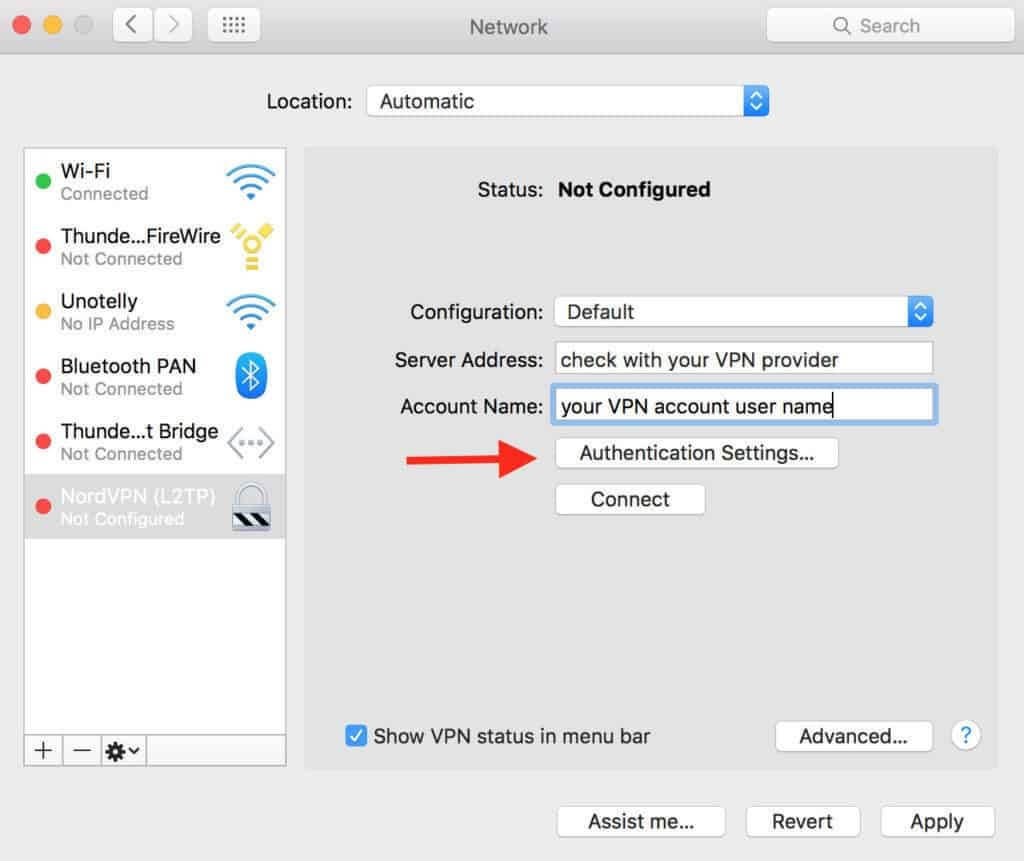
NordVPN is not a traditional authenticator tool, but it does offer stable and secure connections globally. This software is generally used for high-speed VPN links across various devices with unlimited bandwidth and a zero throttling guarantee. You can use one account to secure around six devices, including routers.
Here, you can apply MFA authentication for additional data safety. Security key is another option to enable MFA on NordVPN.
Compatibility: Windows, Linux, macOS, Android, iOS
Price: $4.92 per month
Features:
- Supports diverse security keys for USB access, like Yubikey 5 series, MultiPass FIDO K25, etc.
- Do not log private data for security during connections.
- Next-gen encryption protection.
- Multi-channel accessibility and protection.
Pros:
- Strong encryption protection
- MFA authentication support
- Connects and works with many devices/OS types
Cons:
- Not an authentication tool primarily
2. Google Authenticator
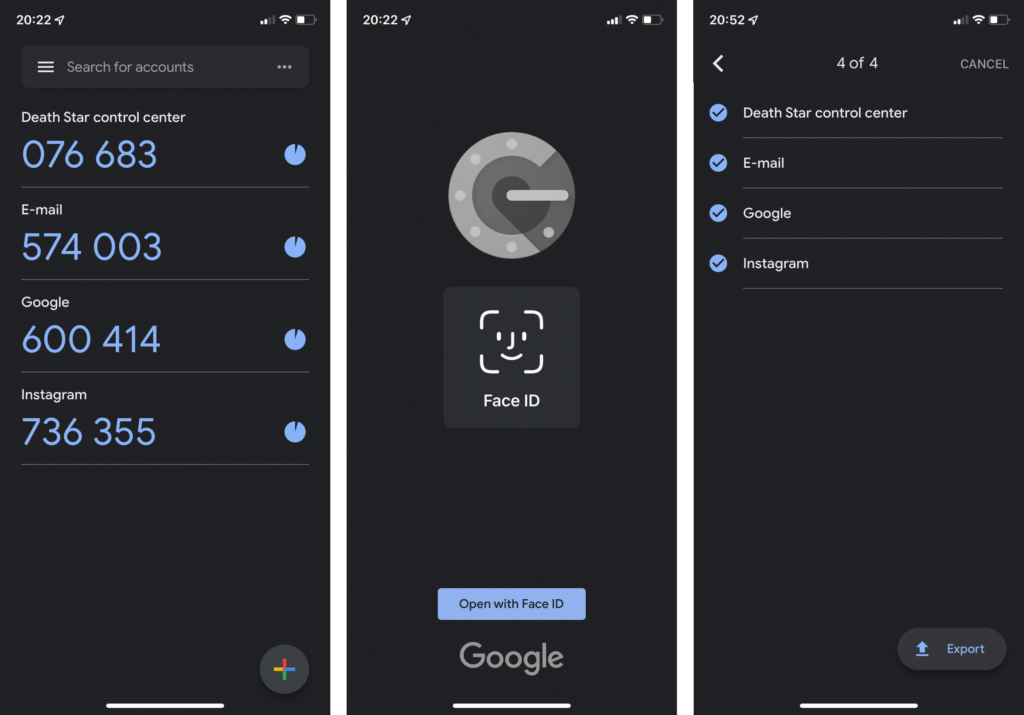
This is the best 2FA app among the available options that offer standard usage quality but robust security benefits. It allows you to set up the two-factor authentication mode with the built-in features alone.
Compatibility: iPhone and iPad
Price:
Features:
- Import data for account codes from old device
- Import/export all tokens in one turn
- You can use Touch ID/Face ID for app access on iOS devices
- Search by your token name in iOS versions
Pros:
- No account creation is necessary
- Simple interface
- Search by your token name on
Cons:
- Cannot hide codes
- Zero cloud sync/backup feature
3. Microsoft Authenticator
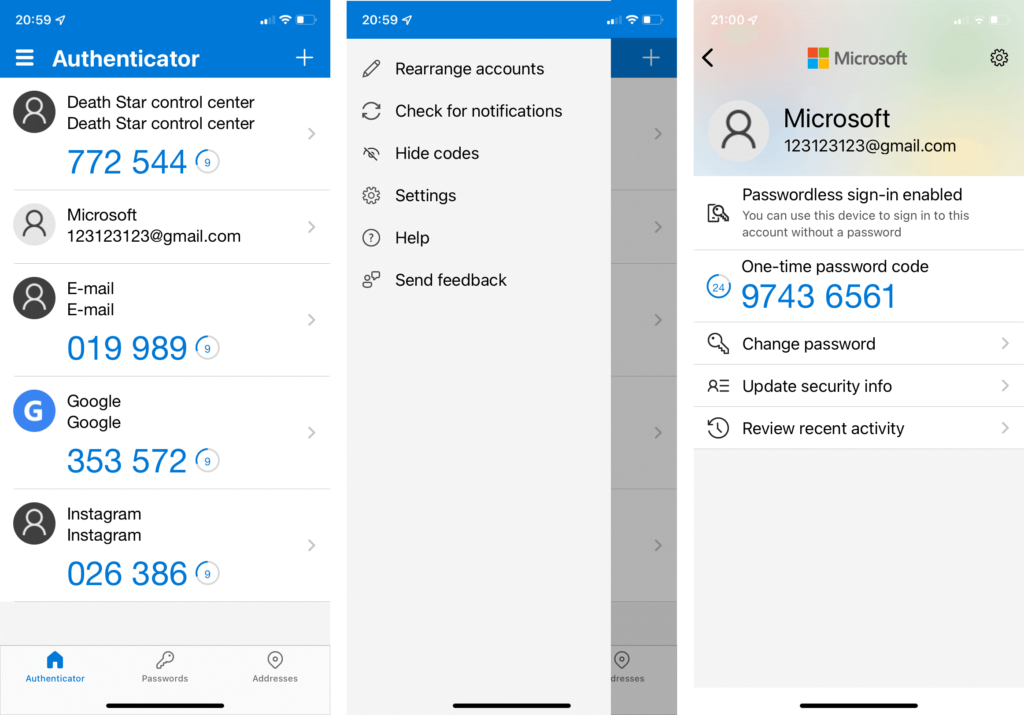
Another best 2FA app to use is Microsoft Authenticator. The applications include diverse, high-quality features like storing tokens into the cloud. You can hide codes and safeguard the app login with 2FA protection. You can easily log in and confirm your ID with one-tap ability if you use your Microsoft accounts regularly.
Compatibility: iOS, Android
Price: Free
Features:
- Face ID, fingerprint, PIN code-protected access
- Simple Microsoft account login process
- You can operate without having a Microsoft account if the cloud backup is disabled
- Cloud sync/backup feature
Pros:
- Simple to use
- Supports Apple Watch
- One-click function with Microsoft apps
Cons:
- Not open-source
- Large size
4. Authy (Twilio)
One of the best authenticator apps is Authy from Twilio. It is compatible with many operation systems and holds a comprehensive cross-platform structure. The application syncs well with different systems and is relatively easy to access and use.
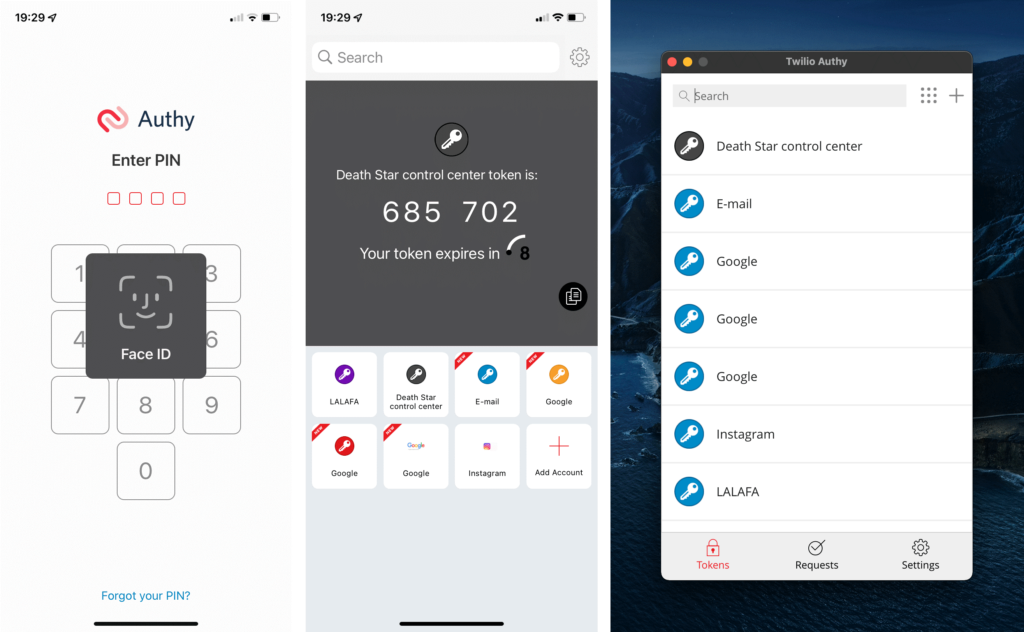
Compatibility: Android, iOS, Linux, Windows, macOS
Price: $0.09/authentication
Features:
- TouchID and Encrypted Backup protection.
- Simple process to set up 2FA using any account.
- Syncs with multiple device types.
- Backup data in case of account lockup.
Pros:
- Encrypted backup
- Support cryptocurrencies
- Compatible with Apple Watch
Cons:
- Works with phone number/SMS only
- Not open-source
5. LastPass Authenticator
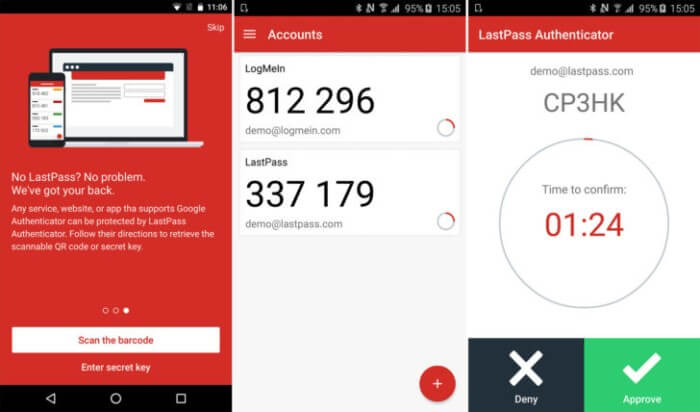
LastPass Authenticator is a suitable password management and security tool that provides a high-quality security structure. The installation process is simple, and it comes with MFA support for LastPass Account access. You can use the push notification you get after launching to directly authorized LastPass.
Compatibility: iOS, Android, Windows
Price: $3 per month
Features:
- 6-digit-code generation at every 30-second intervals
- Opt for the tap approval push notifications
- Automated QR code set up
- Works with other TOTP-compatible apps and services
Pros:
- Simple usability
- Can work with diverse services easily
Cons:
- No advanced features
6. DUO Mobile (Cisco)
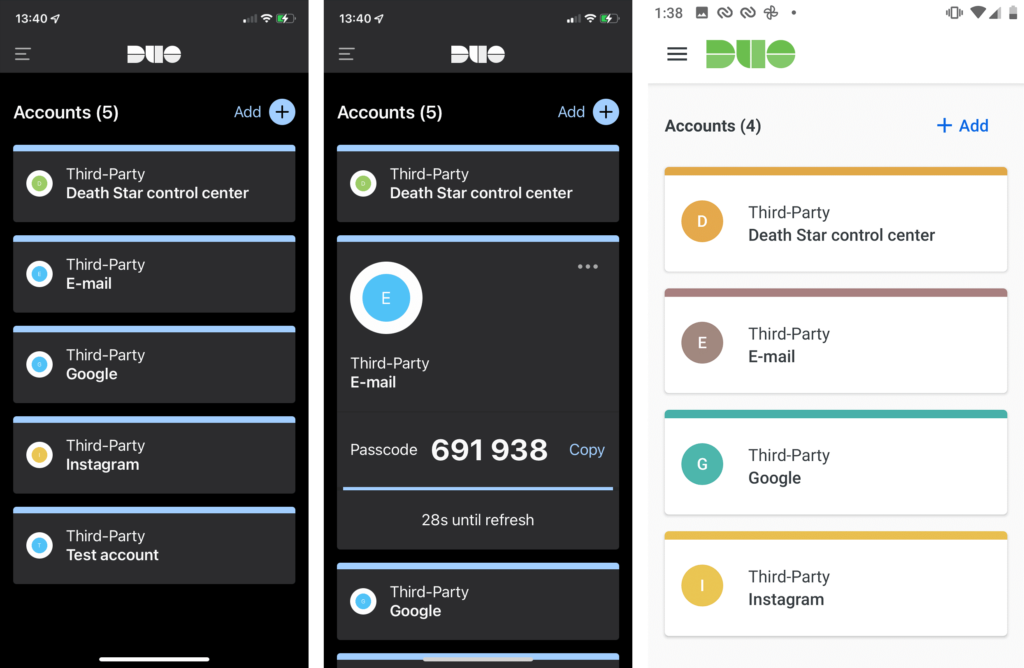
Duo Mobile is another of the top authenticator apps available and mainly caters to corporate application usage. You can expect high-quality enterprise-level features under this application. In addition, you can backup and store all your data through this app.
Compatibility: iOS, Android
Price: $3 per month per user
Features:
- One-tap push ability to authenticate ID.
- Multi-user deployment provisioning and options available
- You can screenshot the DUO interface on iOS but not Android.
- One-time passcode protection.
Pros:
- Mainly for corporate apps
- Backup Duo on Android using Google Drive and iCloud Keychain on iOS devices
Cons:
- Cannot screenshot the Android interface
7. WinAuth
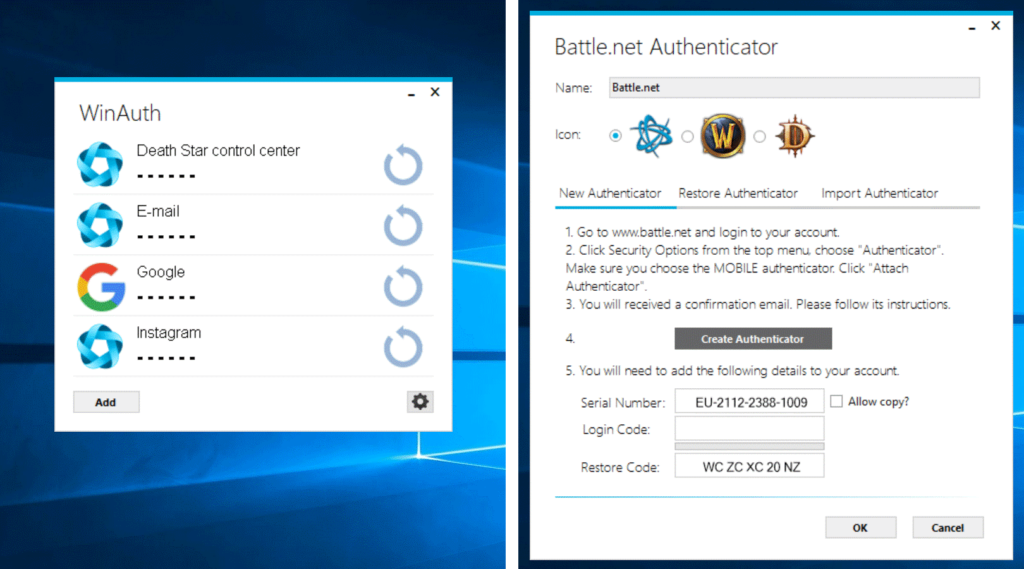
This authenticator app mainly targets gaming users and allows nonstandard token support for authentication. The compatible software options include Trion/Gamigo, Battle.net, and Steam games. It does support different standard tokens. Also, get personalized password protection for individual tokens and login access.
Compatibility: Windows
Price: Free
Features:
- Portable software with cloud storage/flash drive support
- It supports nonstandard tokens in came of gaming services
- Extra password protection for all tokens
- Scan QR code from your file, either on the internet or locally saved
Pros:
- Encrypt all stored data
- Hides code automatically after 10 seconds of inactivity
Cons:
- Only supports Windows
- Have to provide Steam username/password to WinAuth tool for Steam token generation; this risks safety.
8. FreeOTP
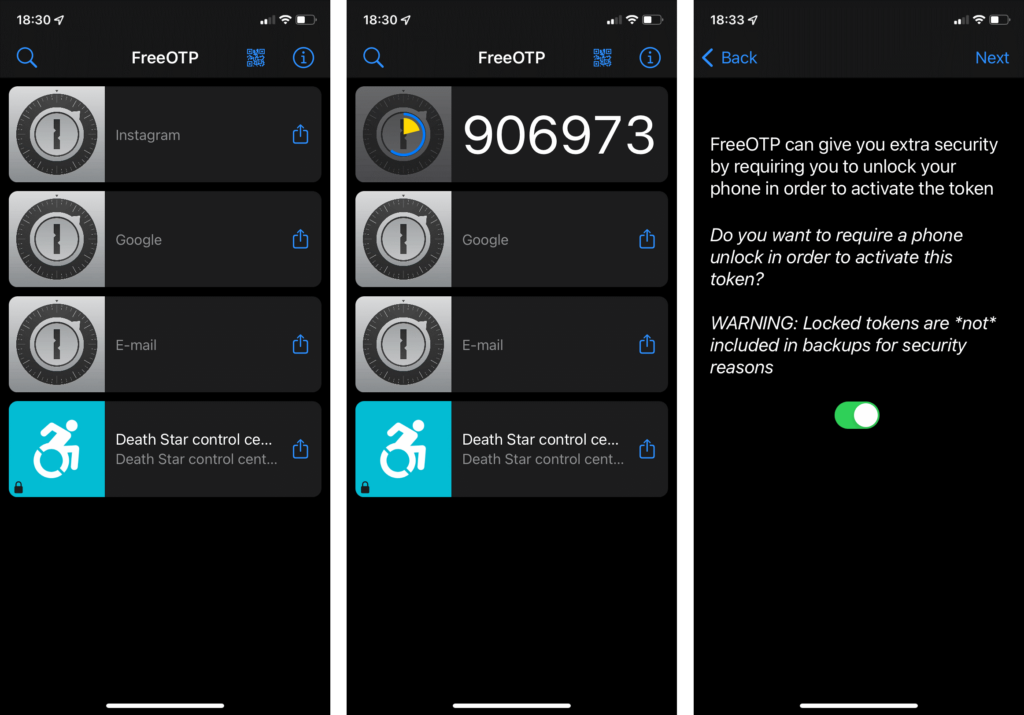
This is an open-source application for authentication functions with an ultra-minimalistic interface for easy usability. The iOS has a simper interface and QR-code scanning approach. Besides more manual token generation solutions, the Android version allows token creation via this approach and secret key.
Compatibility: Android
Price: Free
Features:
- Default hidden codes are available
- You can access without an account on this platform.
- The default setting includes hidden codes
- After 30 seconds of inactivity with the code, it hides automatically
Pros:
- Face ID/Touch ID access for iOS version
- Low storage requirement
- Search for token names through iOS
Cons:
- No access protection
- Cannot export/import tokens
9. Step Two
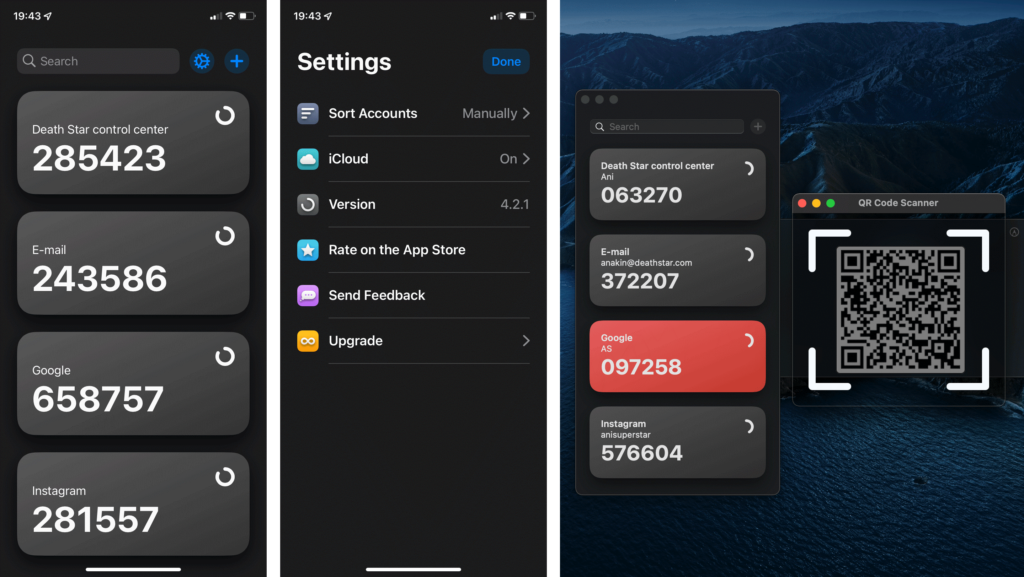
Step Two is a suitable authenticator app for iOS/macOS users with an easy-to-use interface and functionality. The settings via this app are simple, even with iCloud sync benefits. You can scan QR codes via the screen capture function. This requires user permission first.
Compatibility: macOS, iOS
Price: Free
Features:
- Standard features available
- Compatible with Apple Watch device
- It is easy to scan QR codes while using this software in the macOS version
- You can access it without an account
Pros:
- Can search using token names
- Users can operate it without an account
Cons:
- Screenshot permission necessary for QR scanning in macOS
- No access safety
10. OTH Auth
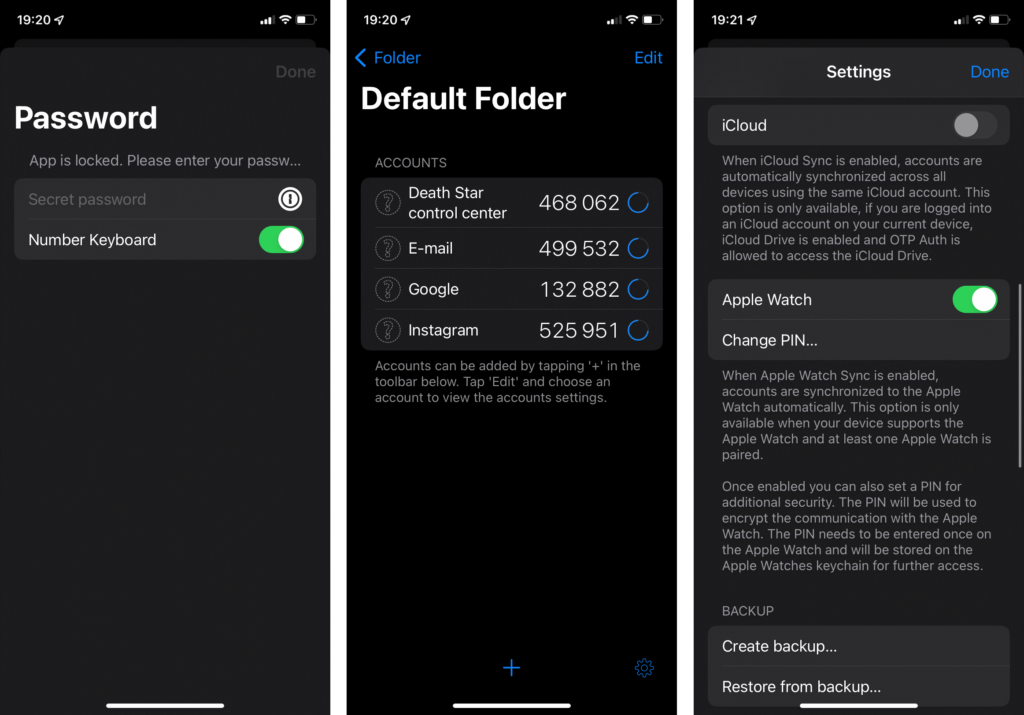
You can utilize the top-quality OTH Auth app as a macOS user. It supports 2FA authentication for different services and allows a systematic token organization system.
Compatibility: iOS
Price: Free
Features:
- You can view a token’s QR code or secret key easy
- Export every token to one file at the same time
- Supports Apple Watch access
- Folder system available to organize all token storage
Pros:
- Touch ID/Face ID and password protection for access
- iCloud backup/sync
Cons:
- Not available for Android or Windows
- Icon customization is a feature for the paid version only
Conclusion
Authenticator apps have become a basic security layer. Passwords alone are no longer enough, especially with growing phishing and account takeover risks. Apps like Google Authenticator and Microsoft Authenticator offer fast and reliable protection for everyday logins, while Authy and LastPass Authenticator provide extra comfort through backups and multi-device access.
The right choice depends on how you manage your accounts. Users who value simplicity may prefer lightweight tools, while those handling work accounts or multiple devices benefit from backup and recovery features. What matters most is using an authenticator consistently. Even a basic app adds far more protection than relying on passwords alone.
FAQs
1. What is an authenticator app used for
An authenticator app generates temporary login codes that add a second step to signing in. Even if a password is stolen, the account stays protected because the code changes every few seconds.
2. Are authenticator apps safer than SMS codes
Yes, authenticator apps are safer than SMS codes. Text messages can be intercepted or redirected, while authenticator codes stay on the device and expire quickly.
3. Can I use one authenticator app for all my accounts
Most services support standard authentication codes, so one app can handle many accounts. However, recovery features and backups depend on the app you choose.
Author Bio:
Dinesh Lakhwani 

Dinesh Lakhwani, the entrepreneurial brain behind “TechCommuters,” achieved big things in the tech world. He started the company to make smart and user-friendly tech solutions. Thanks to his sharp thinking, focus on quality and the motto of never giving up, TechCommuters became a top player in the industry. His commitment to excellence has propelled the company to a leading position in the industry.
Popular Post
Recent Post

Top 5 Lightest Antivirus Software To Protect Your PC
Introduction: Antivirus software helps protect Windows PCs from digital threats. It detects viruses, blocks ransomware, and alerts users about unsafe websites. However, some security tools consume too much RAM and CPU power. This can make everyday tasks feel slow. Older laptops and low-end PCs often face this problem. The computer may take longer to start. […]

How To Disable Cookies in Browser [Complete Guide]
So, search for a pair of shoes once online. Close the tab. By evening, those same shoes are sitting on your news site, your video app, and even your recipe blog. Nobody placed them there by chance. A cookie did. Well, yes! Cookies are small files that websites place on your device while you browse. […]

How To Disable Background Apps In Windows: 4 Quick Methods
A slow PC rarely gives a warning. One day, it simply takes longer to start. Apps open late. The fan runs loud, even when the screen is almost empty. Most people blame old hardware. Often, that is not the real reason. The real reason is hiding in plain sight. Windows keeps many apps active in […]

How to Activate Windows with a Product Key for Windows 11 & Windows 10
It always shows up at the worst time. You are halfway through a report, or about to join a video call. Then you spot it in the bottom right corner of the screen. Activate Windows. Go to Settings to activate Windows. Initially, an unactivated copy of Windows may seem like a minor inconvenience. Over time, […]

Is Easy Duplicate Finder Worth It? Honest Review
The photos folder looked normal at first glance. Then the storage warning popped up. One trip photo appeared four times. A tax PDF sat in three different folders. Two old setup files were still in Downloads, and each one was over 500 MB. Nobody plans this mess. Copies pile up slowly. A download runs twice. […]

Wise Duplicate Finder Review: Real Results from Wise Duplicate Finder
Read my honest Wise Duplicate Finder review. See features, pricing, pros and cons, and real PC test results. Find out if this free duplicate cleaner can free up your Windows storage.

How to Recover Deleted Files from Pen drive, USB Drive, SD Card
Introduction: On tech forums, you’ll often see posts like this: “I connected my pen drive to my laptop this morning, but the folder was empty. All my college project files had vanished. I don’t have a backup. Can someone help me?” Stories like this are very common. Pen drives, USB drives and SD cards are […]

How To Recover Files Deleted from the Recycle Bin [Windows 11]
Losing a file can happen in seconds. You clear your desktop, hit Delete, and empty the Recycle Bin. Then, just when you need that file again, it seems to have vanished. This guide will walk you through ways to restore files removed from the Recycle Bin. We will begin with simple fixes, then look at […]

Disk Drill Data Recovery Tool Explained: Full Review and Guide
It happens in a split second. You delete a folder by mistake. Your drive stops showing up. A photo album from your last trip just vanishes. And your stomach drops. Lost files feel personal. They are not just data. They are memories, work hours, and sometimes years of effort packed into a few gigabytes. When […]

