VideoSolo Video Converter Ultimate Review
Last updated on October 16th, 2025 at 3:40 pm
Looking for a state-of-the-art video converter tool?
You can find plenty of free and paid video converter tools, but not all are easy to use. Or you can say not all come packed with useful features like converting video/audio files between 200+ formats, allowing merging audio/video files, cropping unwanted parts, rotating video, and other similar features. Hence, today in this article we will review one of the best video converter tools offered by VideoSolo.
Available both as a trial and paid version, this video converter is compatible with Windows and Mac. So, without any further dela,y let’s discuss in detail this best video converter offered by VideoSolo.
| About the company: VideoSolo is a software company that offers robust and best multimedia solutions for every type of user. Using the tools provided by the company users can convert, play, and share their audio/video files. Now that we know what the company behind this video converter aims for, let’s read further about Video Converter Ultimate. First thing before introducing system requirements is to download Video Converter Ultimate. |
Overview of VideoSolo Video Converter Ultimate
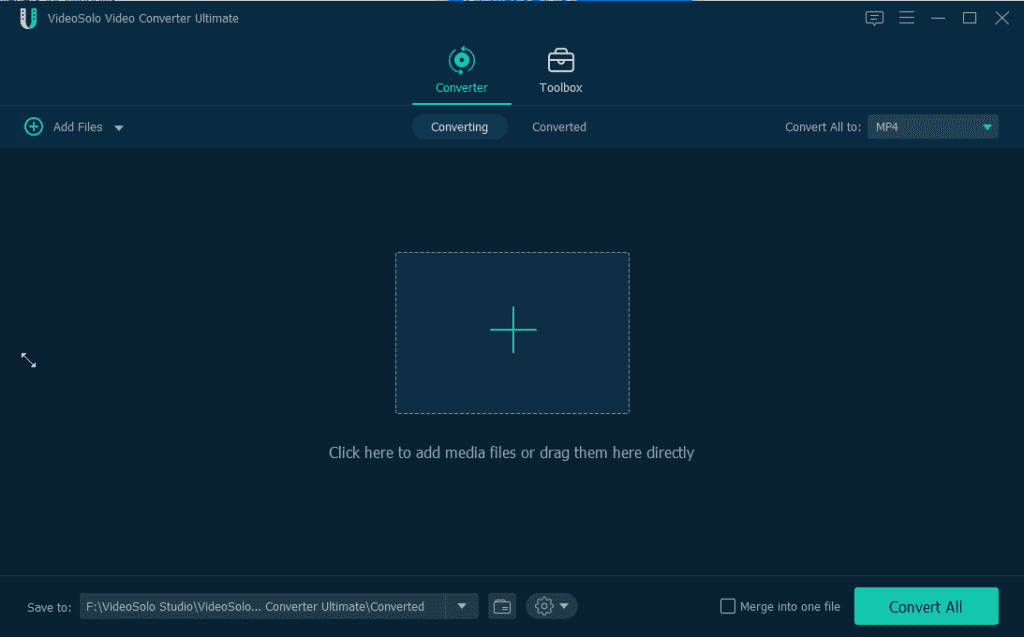
VideoSolo Video Converter is a versatile and easy to use video converter. The software can be referred to as an all-in-one video converter and compressor tool that offers features like watermarking, compressing video, editing metadata, creating GIF, and others. Its main attraction point is the number of supporting formats i.e. 200+. Moreover, using it you can convert videos into various formats, like MPEG, 3GP, FLV, MOV, MP4 MKV, and AVI..
Used worldwide by professionals and home users the tool is often praised for its customizable features like adjusting video output settings – bitrate, video encoder, frame rate, resolution, and other audio settings. Not only this, using VideoSolo Video Converter Ultimate you can edit audio tracks, add subtitles, filters, make 3D videos, enhance video, and do a lot more.
Main Features of VideoSolo Video Converter Ultimate
- Various Input and Output Format
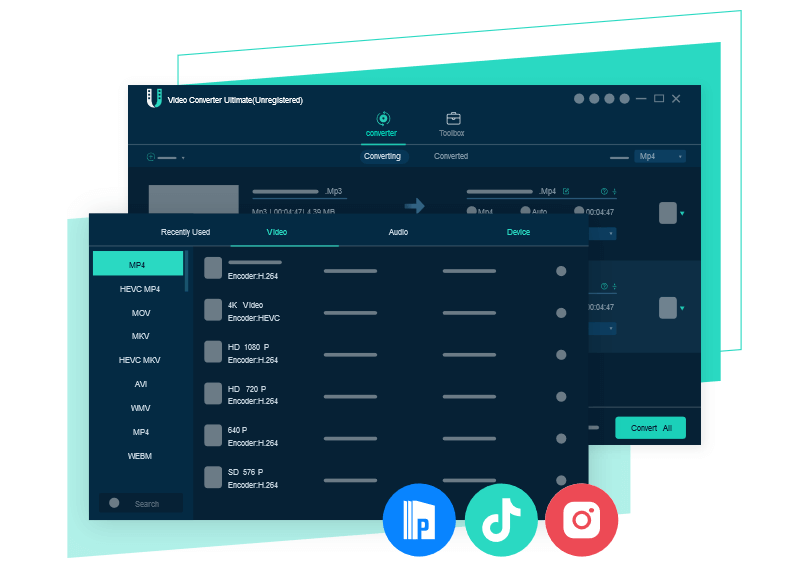
VideoSolo Video Converter Ultimate helps convert video/audio in virtually any format and for popular devices. The program supports 200+ formats, including MP4, MOV, AVI, MKV, FLV, and more video formats. In addition to this, it allows extracting audio to MP3, AAC, M4B, AIFF, FLAC, etc. This means you can convert your video to the format that pre-sets for the iPad, Instagram, PS4, TikTok, etc.
- Compatible with all kinds of Output Devices
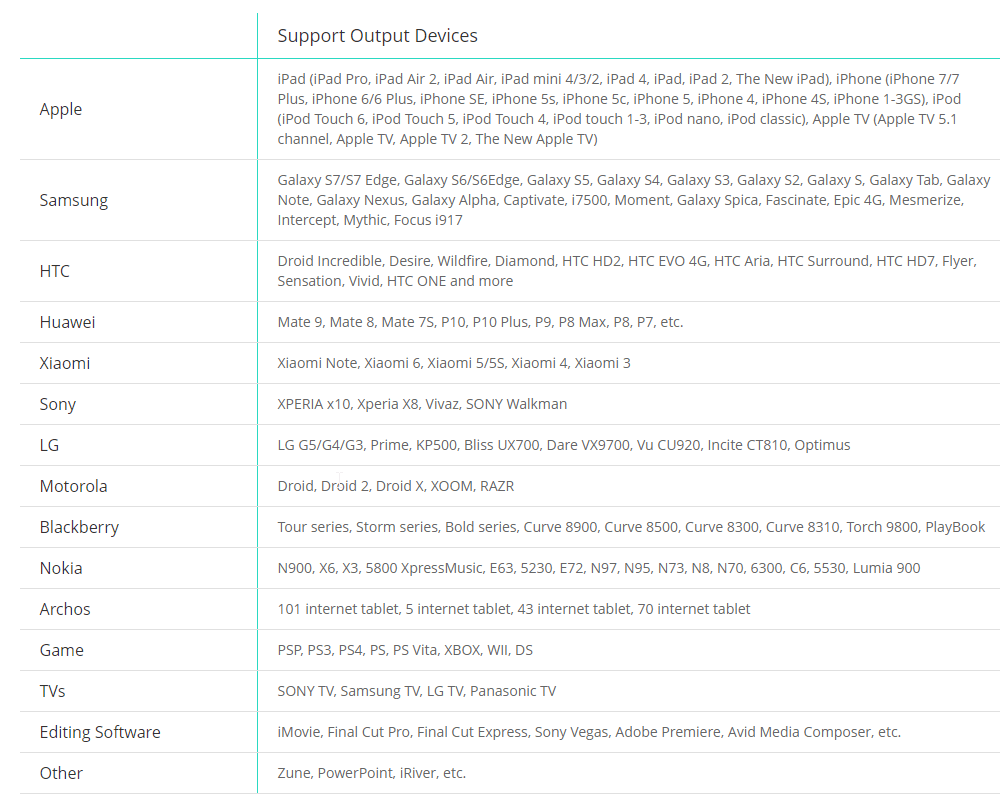
Helps convert video into an output format that can playback on Samsung, iPhone, HTC, Sony, Google, and other smartphones or portable devices.
- Customize Audio Tracks and Subtitles
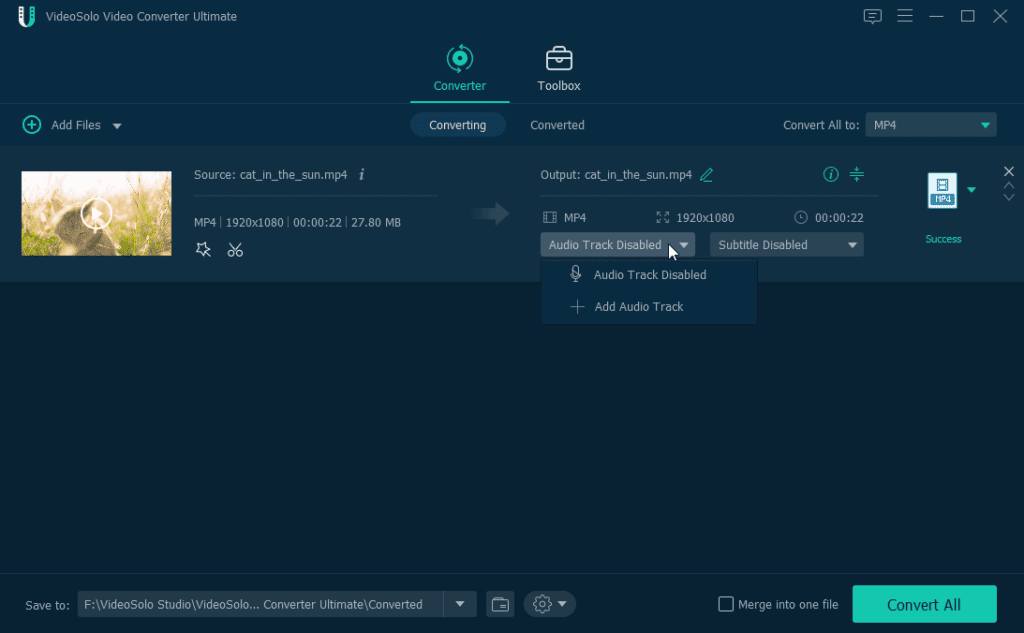
Using VideoSolo Video Converter Ultimate you can easily add Subtitle and Audio tracks. This means if you want to add credits at the end of the video you can easily do so. Not only this, you can add audio to your video and make it more interactive.
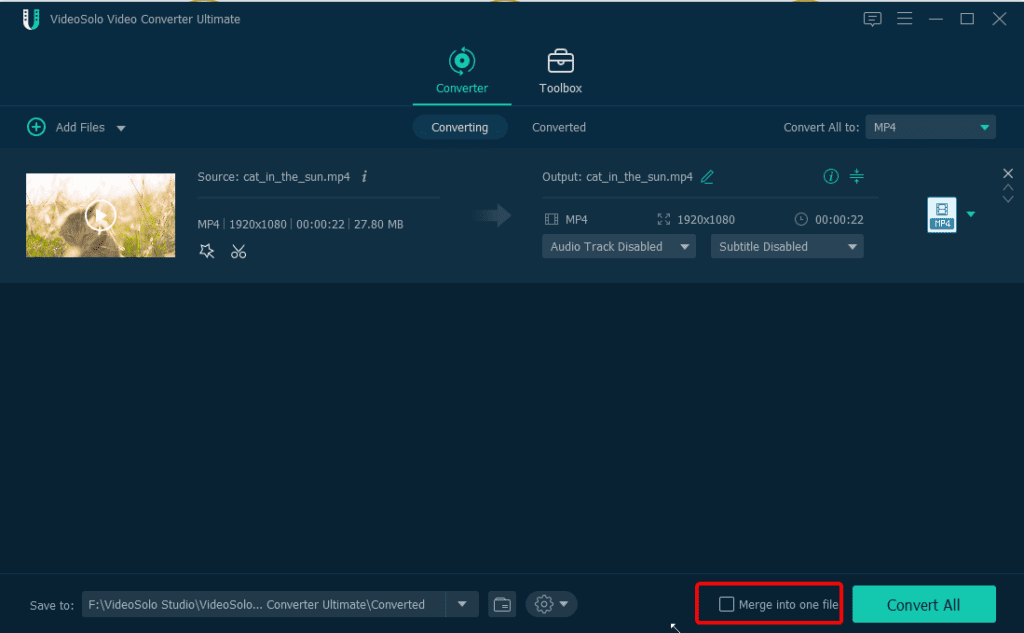
- Merge Multiple Videos
Put different segments together and merge them into one video or audio files. This feature helps create a new video from two existing videos. Say you have cut the video into clips, using the merge feature you can create a single complete video.
- Create Customized 3D video from 2D
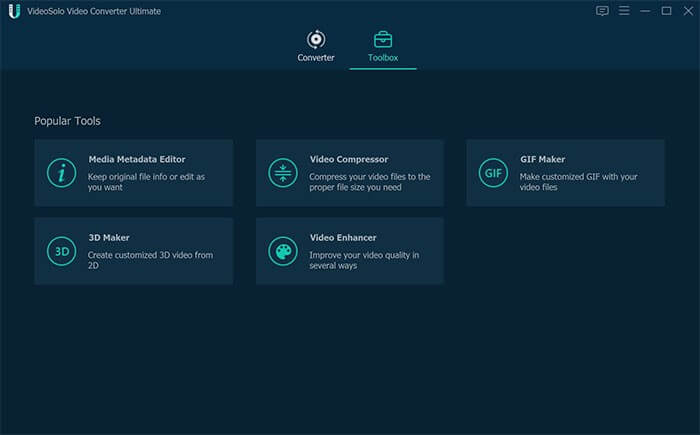
Want to convert a 2D video into 3D? Why install another tool to use Video Converter Ultimate. This fantastic tool under Toolbox option offers various features, amongst them 3D Maker is an option. Using it you can create customized 3D video from 2D.
- Batch Conversion
Convert multiple video and audio files at once. Simply select the videos to convert and click the Apply to All button.
Extra Functions
VideoSolo Video Converter Ultimate also works as a media metadata editor. Using it you can change the metadata and then can compress the video into the format of your choice. It also helps users to create customized 3D video from 2D, compress video and improve your video quality in several ways.
Difference between Full Version and Trial Version
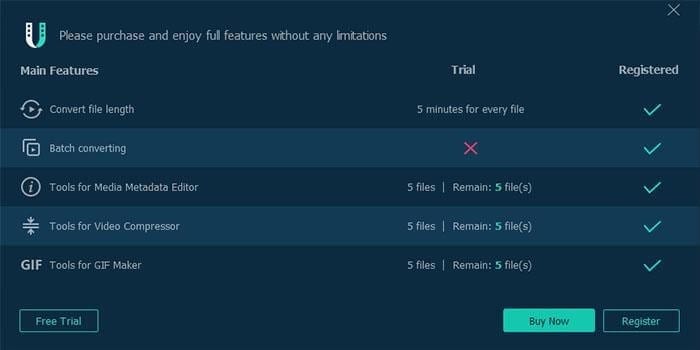
- In the trial version, you can convert only 5 minutes of files.
- Cannot do Batch Conversion.
- Can use Media Metadata Editor, Video Compressor, and GIF Maker
for 5 files, respectively.
VideoSolo Video Converter Ultimate Pros & Cons
Pros:
- A complete Video Converter and compressor tool
- No requirement to download and install additional software
- Great technical support
- Compatible with latest Windows 10 and Mac OS X
- Helps merge video files, edit audio tracks, rotate video, and a
lot more
Cons:
- No option to download video
How to convert video/audio using VideoSolo Video Converter Ultimate
Once downloaded this program, follow the steps to use Video Converter Ultimate.
- Launch the video converter
- Next, drag and drop the video/audio files to add video/audio
files to convert.
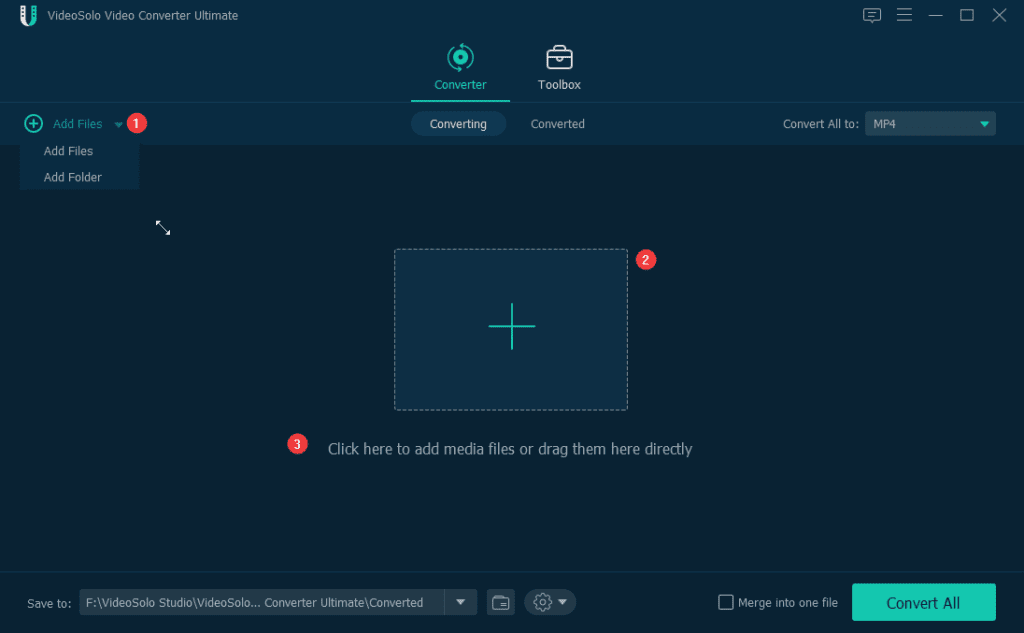
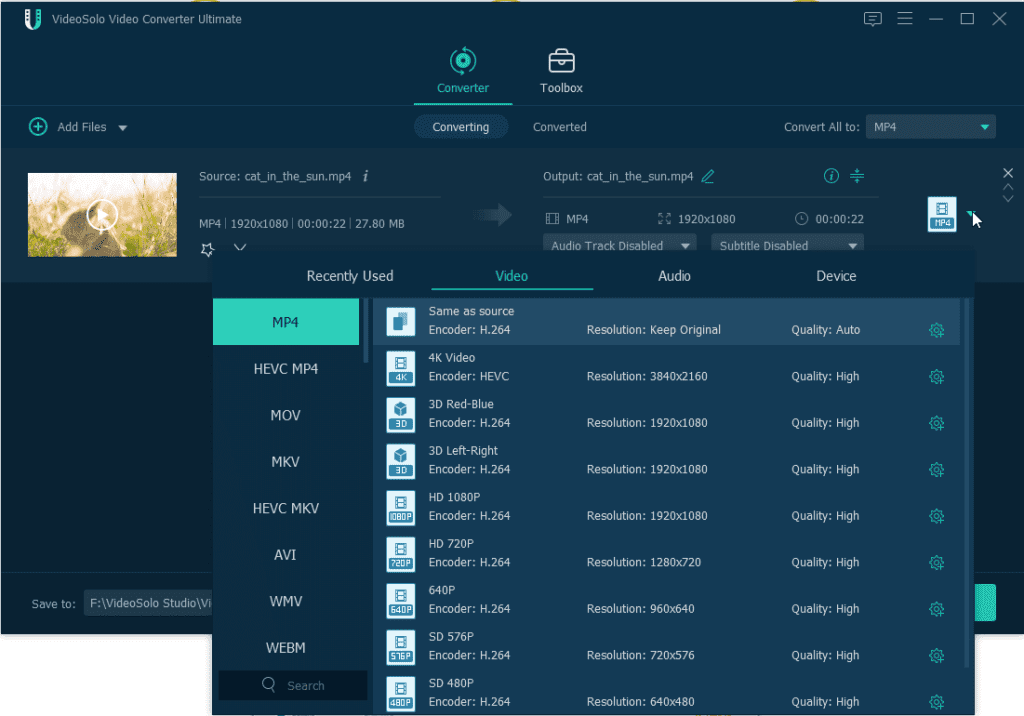
- Upon adding the video, select the output format. For this click
the down arrow next to Convert All > select the output format from 200+
popular video/audio formats.
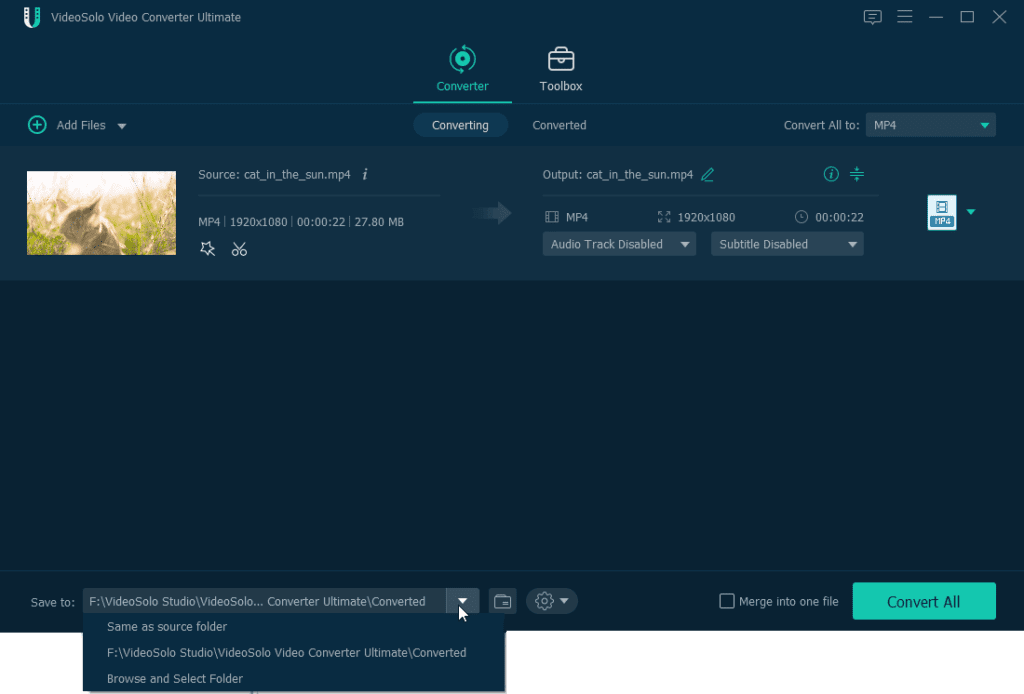
- Once the output format is selected, it’s time to convert the file. To do so, click Convert All. Before that, if you want to change the output folder Click the down arrow next to the Save to the option present at the bottom.
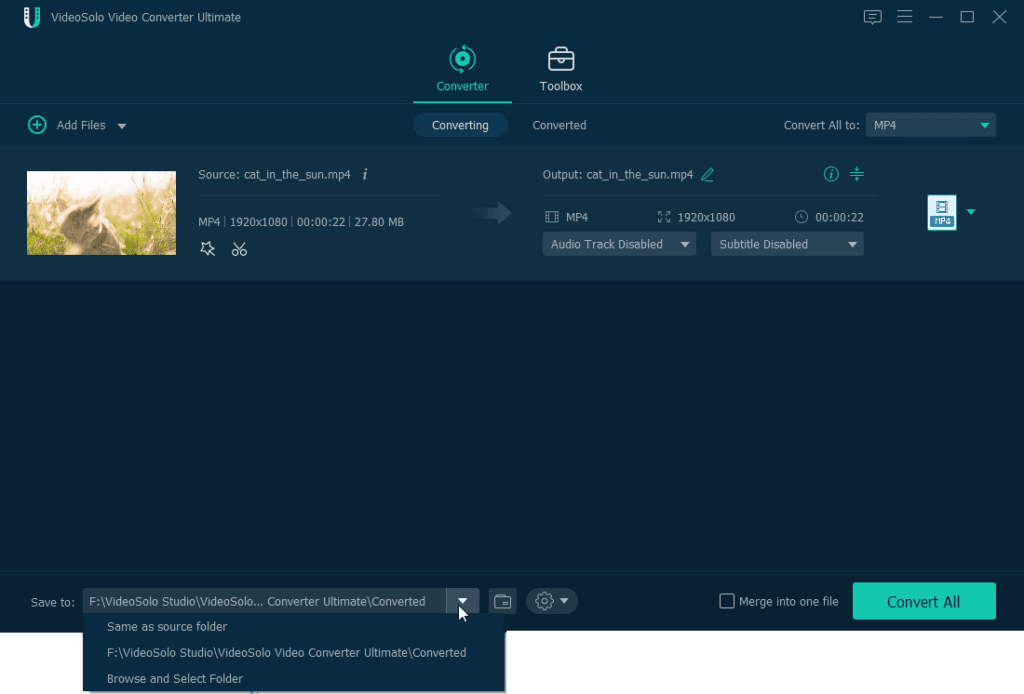
- Converted files will be saved to the default output folder. To see the converted file switch to the Converted section and click the Open Folder icon to find the converted files.
Pricing Plans
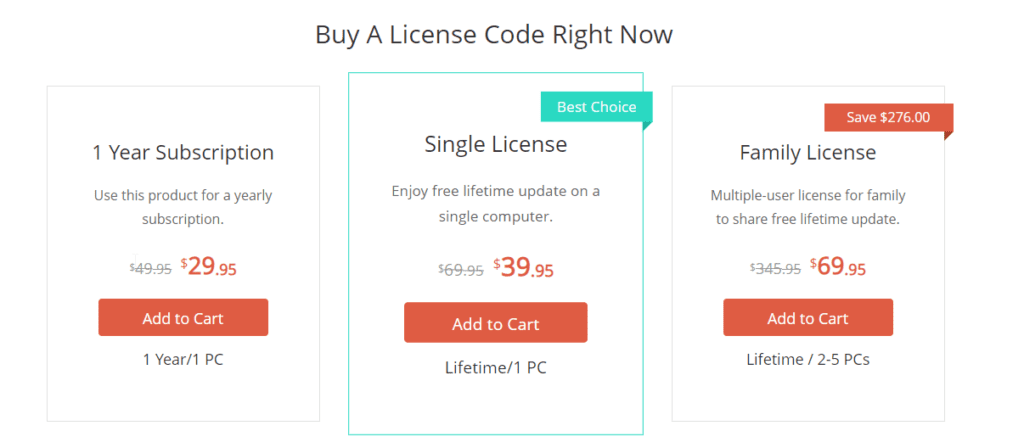
Video Converter Ultimate is available in the following plans:
- 1-Year Subscription $29.95
- Lifetime Single License $39.95
- Family License Lifetime 2-5
PCs $ 69.95
This is all, using these simple steps, you can use VideoSolo Video Converter Ultimate to convert, compress, change 2D to 3D create GIF, and more. This tool is worth giving a try, so, without any further delay if you are looking for the best video converter to convert like GoToMeetings recordings. This excellent video convertor will help give a different look to your video. Moreover, you can show your creativity and stand out as a professional using Video Converter Ultimate.
Author Bio:
Dinesh Lakhwani 

Dinesh Lakhwani, the entrepreneurial brain behind “TechCommuters,” achieved big things in the tech world. He started the company to make smart and user-friendly tech solutions. Thanks to his sharp thinking, focus on quality and the motto of never giving up, TechCommuters became a top player in the industry. His commitment to excellence has propelled the company to a leading position in the industry.
Popular Post











Recent Post

Resolving Microphone Detection Problems: Latest Guide [2026]
Microphones are important tools in daily life. People use them for office meetings, online classes, interviews, gaming, customer support, and content creation. When a system fails to detect a microphone, communication stops at once. This situation can cause stress and confusion. Many users believe the microphone is damaged. In reality, most problems are simple and […]

How To Switch To A Dark Background Theme In Windows [2026]
Most people spend many hours each day in front of a computer screen. Office work, online classes, editing, browsing, and streaming all require long screen time. A bright white background may look clean at first. However, over time, it can feel sharp and tiring. The strong contrast between white backgrounds and black text may cause […]

How to Switch From Local To Microsoft Account On Windows
Many users begin with a local account when they set up a new Windows computer. A local account works only on that single device. It stores settings, files, and preferences locally. It does not connect to online Microsoft services. For basic offline use, it works well. However, as digital needs grow, many users want better […]

How to Switch Windows 10 to a Local Account: Complete Guide
Windows 10 allows users to sign in with either a Microsoft account or a local account. When you set up a new computer, the system often suggests using a Microsoft account. This account connects your device to Microsoft services such as Outlook, OneDrive, and the Microsoft Store. It also syncs settings, themes, and passwords across […]

How To Change Default Apps For File Types In Windows
Windows is designed to make using your computer easy. One way it does this is by assigning default apps to different file types. This means when you open a file, Windows automatically opens it with a specific program. For example, photos may open with Photos, music with Groove Music, and PDFs with Edge. These default […]

How To Adjust The Mouse Pointer Speed: Complete Guide
Using a computer every day means you use the mouse a lot. The mouse pointer moves on the screen and helps you click, scroll, and select items. Many people never think about the speed of the mouse pointer. They have used the default setting for years. This can cause small problems over time. A slow […]

How to Change Mouse Scrolling Settings In Windows
A mouse is one of the most used computer tools. People use it every day. They scroll through emails. They scroll through documents. They scroll through websites and images. The movement becomes automatic. Most users do not notice it. That is why problems often go unnoticed. Scrolling problems show up slowly. At first, it feels […]

Keyboard Light Settings: Keyboard Lighting Control [Complete Guide]
Keyboards are no longer simple typing tools. Well, yes! Over time, they have evolved to include features that improve comfort, visibility, and overall experience. One of the most useful features today is keyboard lighting. It helps users work comfortably in low-light conditions. It also reduces strain when typing for long hours. Many users first notice […]

Customizing Pointer Appearance: Complete Guide
The way your mouse pointer looks on your computer may seem like a small detail. But customizing pointer appearance can make using your PC more comfortable and visually appealing. Many users do not realize that they can change the pointer size, color, and style to fit their needs. Whether you want a bigger pointer for […]

How To Choose a Computer Monitor: Monitor Buying Guide
Buying a monitor looks easy. Many people think all screens are the same. That belief causes regret later. A monitor is not just a display. It is a daily tool. You read on it. You work on it. You relax with it. Small problems become big over time. Poor brightness hurts eyes. Bad size causes […]

