Top 11 AI Content Detectors in 2026- A Comprehensive Review

Last updated on January 17th, 2026 at 6:24 pm
In today’s time, people utilize AI technology to improve their content faster and more efficiently. However, it is impossible to guarantee that the content these tools create is perfect and the tools themselves are infallible.
For example, when writing prose, a human writer typically adds emotional/contextual nuance to the content and follows through with their points with a coherent mindset. However, an AI-based tool may not correctly make such differences and provide content that, on the surface, is suitable to the context but not necessarily high-quality.
So, how do you know the difference? You can utilize the AI content detection software to study AI-made text and content. In this post, you will learn about the best choices.
Before You Start First Know the Answer to These Questions:
Q1. Why do different AI detectors give different results for the same text?
Each detector relies on its own scoring model, data set, and pattern signals. Some focus on predictability, others on sentence structure or repetition. Because AI writing tools also keep evolving, no detector reads text in exactly the same way. This is why one tool may flag a passage while another considers it human-written.
Q2. Is it safe to upload sensitive or unpublished content to these tools?
Not always. Some detectors store samples to improve their systems or for internal analysis. Before uploading private work, users should check data retention policies. Tools built for enterprises or academic use usually offer stricter privacy controls than free public checkers.
Q3. Should AI detection results be used as final proof?
They should not. Detection scores are probability-based, not factual judgments. Editors and teachers should treat them as indicators that guide review, not as evidence on their own. Human review is still necessary, especially for critical decisions.
Top 5 AI Content Detectors Comparison
AI content detectors have become essential as automated writing tools advance. In 2026, accuracy, ease of use, and detailed reporting set the best tools apart. This comparison highlights five leading detectors that help editors, teachers, and writers check whether text is original or machine-assisted.
The table below focuses on core strengths, supported formats, accuracy, and best use cases to help you choose the right fit for your needs.
| Feature | AI Detector Pro | Originality.ai | CopyLeaks | Writer AI Content Detector | Crossplag |
| Detection Accuracy | Very strong for mixed text | High with plagiarism insight | Strong across languages | Reliable with contextual cues | Good with academic content |
| Supported Formats | Docs, PDF, text blocks | Text, URL, CSV | Docs, URLs, integrations | Text only | Docs, text, LMS systems |
| Report Detail | Detailed score and flags | Deep analysis + plagiarism | Summary + risk level | Quick score only | Detailed with source links |
| Ideal For | Agencies and teams | Web publishers | Schools and enterprises | Quick checks | Research and education |
| Integration | API + plugins | API | LMS + API | Standalone web tool | LMS + API |
Best 11 AI Detection Tools to Use
There are multiple tool options available that provide AI detection support to users with various functional steps. To make sure you get the best user experience, we have listed 11 of the AI content detection software choices available that do the best work in this regard.
1. AI Detector Pro

AI Detector Pro is an advanced platform designed to detect content generated by AI content generation tools. It uses a specially trained AI neural network on custom hardware to identify patterns associated with GPT-based AI text writing. The system then calculates the probability that AI could have produced the text and provides a paragraph-by-paragraph AI detection report highlighting parts of the text most likely to have been shaped by AI.
Device compatibility: Web Based, Windows
Price: Basic- $13.99 and Unlimited- $24.99
Features:
- Evaluates the text by calculating the AI probability.
- Provides report with an in-depth analysis of the words and phrases used in the text.
- The report also reveals the probability score of the text produced via AI.
Pros:
- Highly accurate
- Detailed reports with real-time marking and score
- Advanced algorithms with inbuilt compatibility with other tools
Cons:
- Limited functions in the free version
- Only works in English data set
2. Originality.ai
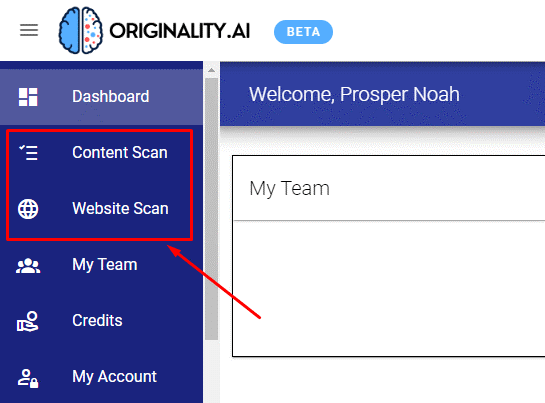
Originality.ai is a suitable AI text detector available online for high-quality content analysis in terms of AI use. The app itself provides accurate results to over 90% accuracy, even with GPT-3 made content.
It also works on different types of content, including emails, websites, and documents in cloud services.
Device compatibility: web-based, Chrome extension
Price: USD 0.01 cost per credit.
Features:
- Works on different websites for intensive AI detection.
- Predicts if the content it judges was written with GPT-J/GPT-2/GPT-3/GPT-NEO AI writing technology.
- Check for plagiarism usage in content.
- Efficiently works with email content.
Pros:
- Compatible with web content and Google Docs, among other documents.
- Very low-cost usage quality.
- It has above 90% success rate with AI detection.
Cons:
- Complete site scanning as a feature is yet to release.
- Sometimes, the processing speed is slow when you run AI and plagiarism detection in parallel.
3. CopyLeaks
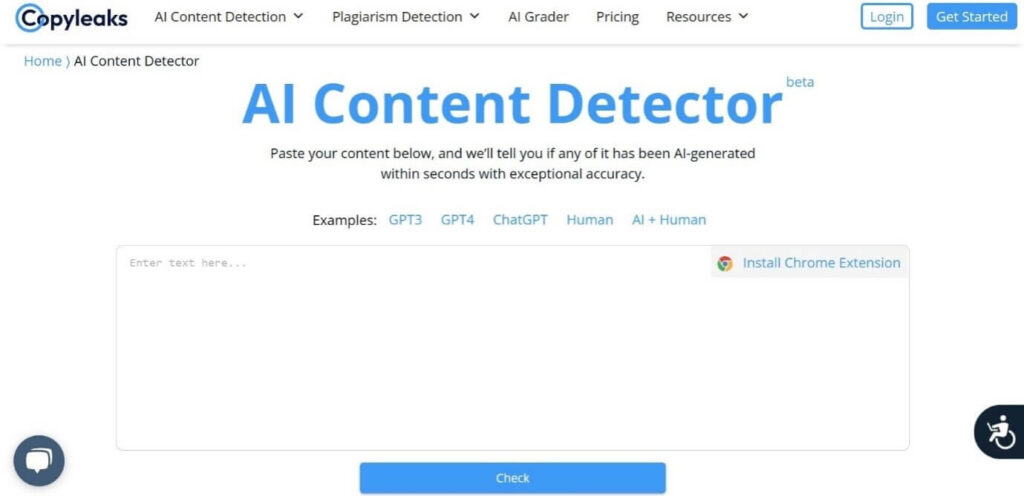
CopyLeaks is highly user-friendly in the context of AI text detection and can analyze massive amounts of AI-made content. It checks if the content was human written, created with ChatGPT, or other powerful tools of that manner.
Plus, you can use the extension version for online analysis.
Device compatibility: web-based
Price: 25 credits under the Free trial plan, Monthly- USD 9.99 (increases as per available credit amount)
Features:
- Speedy detection process after you enable it.
- It can detect AI-generated content via GPT-4, GPT-3, Jasper, etc.
- Detailed analysis of content.
- LMS and API integration is supported.
Pros:
- Chrome extension is available for instant detection while browsing.
- Simple UI with space to add the text for detection.
- Beginner-friendly controls.
Cons:
- Not many languages are supported.
- Text spinner-based changes take work to detect.
4. Writer AI Content Detector
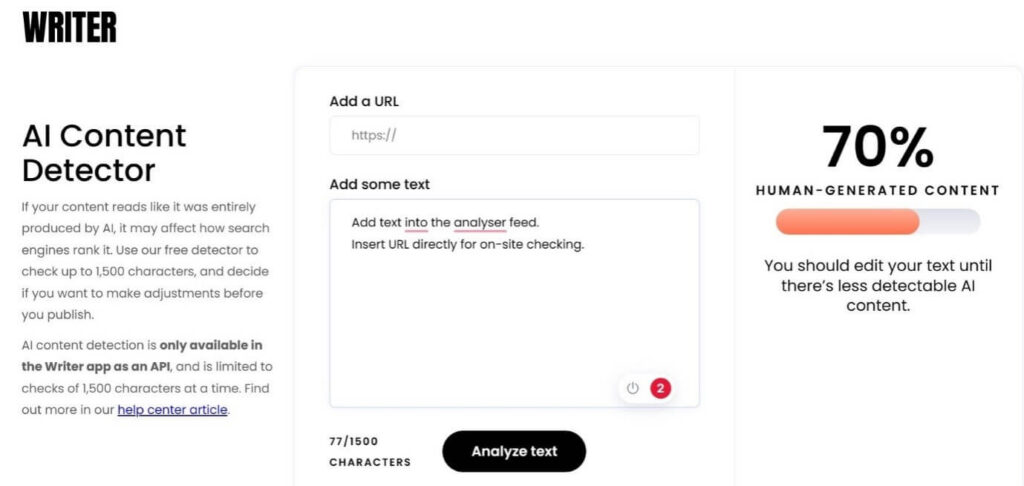
Writer’s AI content detection tool is one of the best in the world today regarding ease of use and detection quality. You can add 1500 characters or less content here and then analyze it.
Later, you can change the text after seeing the results immediately.
Device compatibility: web-based
Price: Free
Features:
- Add text to the analyzer feed.
- Insert URL directly for on-site checking.
- Make changes to the content as much as you need to.
- Speedy analysis process.
Pros:
- Make changes to the detected content.
- Smooth detection process.
- Simple UI design makes it easy to use for first-timers.
Cons:
- Only detects content with 1500 characters (with space) per batch.
- This is accessible as an API only.
5. Crossplag
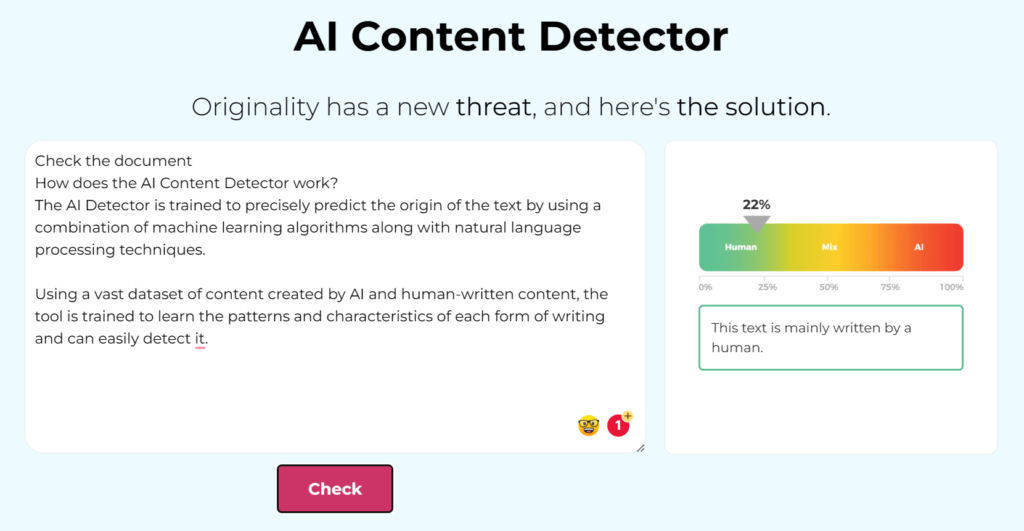
Another high-grade AI content detection software that you must utilize is Crosslag. It runs with NLP and machine learning mechanisms to study text and then predict its origin.
The algorithms here produced deductive reasoning after studying all content you add to provide results on whether AI is generated or otherwise.
Device compatibility: web-based
Price: Free
Features:
- Runs with precise and advanced MLP and main learning tools for AI text detection.
- Add different volumes of information into the analyzer for testing it.
- Multiple checking parameters are integrated here for content analysis.
- The accurate scoring bar for AI-content detection.
Pros:
- Super-fast detection process after you enable it.
- Simple to use for activating the scanning process.
- None of the analyzed data gets stored here.
Cons:
- If you add content below 200 characters, there are some detection issues.
- Only works with the English language.
6. Content at Scale
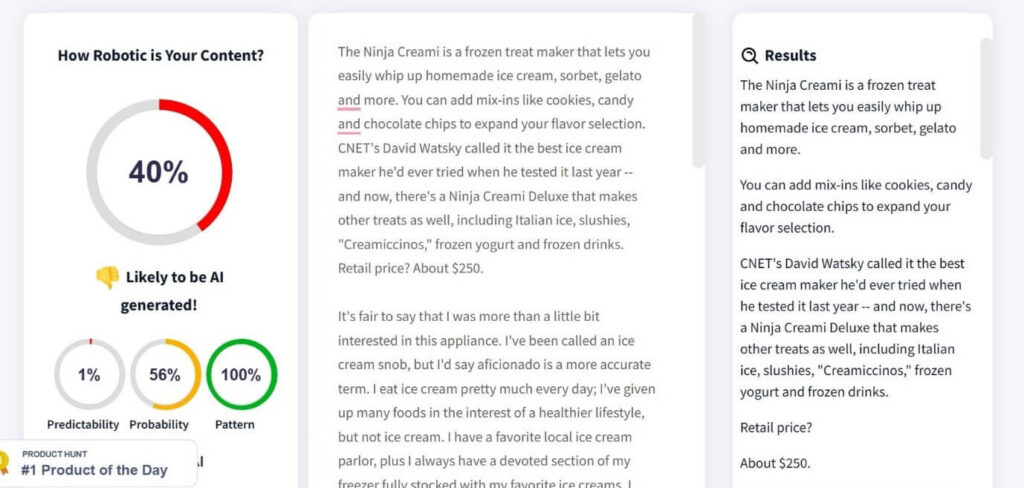
Want to use the best API content detector tool available online? The Content at Scale provides a capable tool for users to activate, with detailed report generation.
While the app is relatively costly, you will get accurate AI detection results in pattern recognition, probability, and predictability.
Device compatibility: web-based
Price: Solo- USD 250/month; Starter- USD 500/month; Scaling- USD 1000/month; Agency- USD 1500/month
Features:
- It can effectively detect AI content made with ChatGPT and other GPT types.
- Operates with NLP, SERP parsing, and algorithms related to semantic analysis.
- Suitable for long-term text detection.
- Supports up to 250,000 characters.
Pros:
- Get example texts to try out as well.
- Fast pasting and detection process.
- Relatively high accuracy level.
Cons:
- Super high costs.
- No free version is available here.
7. Compilatio
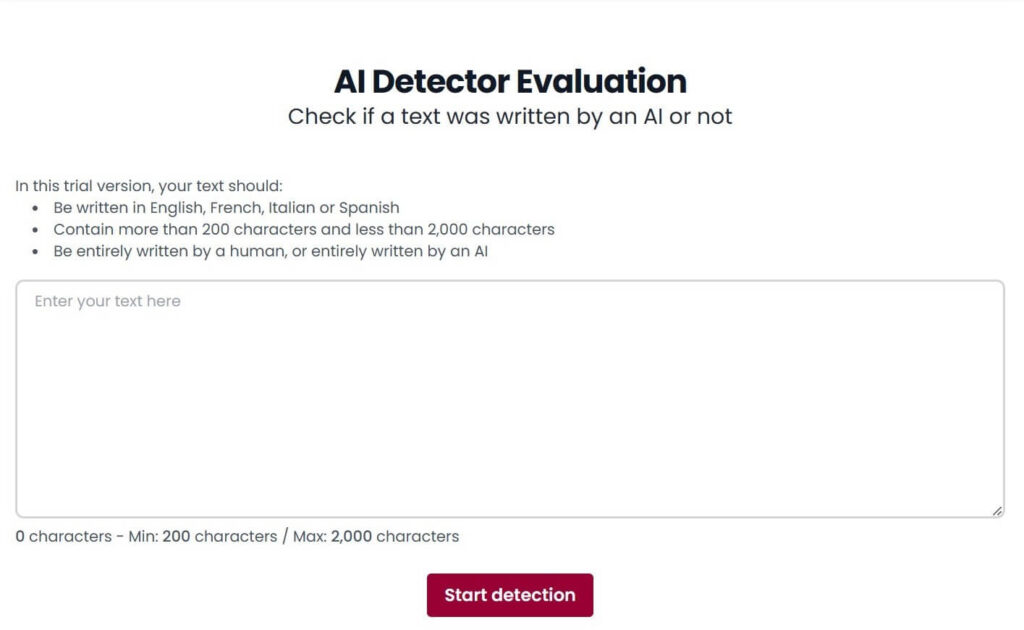
Compilatio is another high-quality free AI detector available online for high-grade verification of content quality. You can add text in English, Spanish, Italian, and French to this, then run the scanner.
Device compatibility: web-based
Price: Free
Features:
- Get AI-generated passage visualization support in the full version.
- Locate the section of the content where the AI-generated text is being noticed.
- Utilize the API version or access the internal LMS system for text analysis.
- Over 90% accuracy rate is possible.
Pros:
- Supports more languages than English.
- It can detect human or AI-generated content instantly.
- Supports entry of 2000 characters’ maximum.
Cons:
- Lesser-known languages are not detectable here, especially from Asian cultures.
- Reliability level could improve.
8. GPTZero
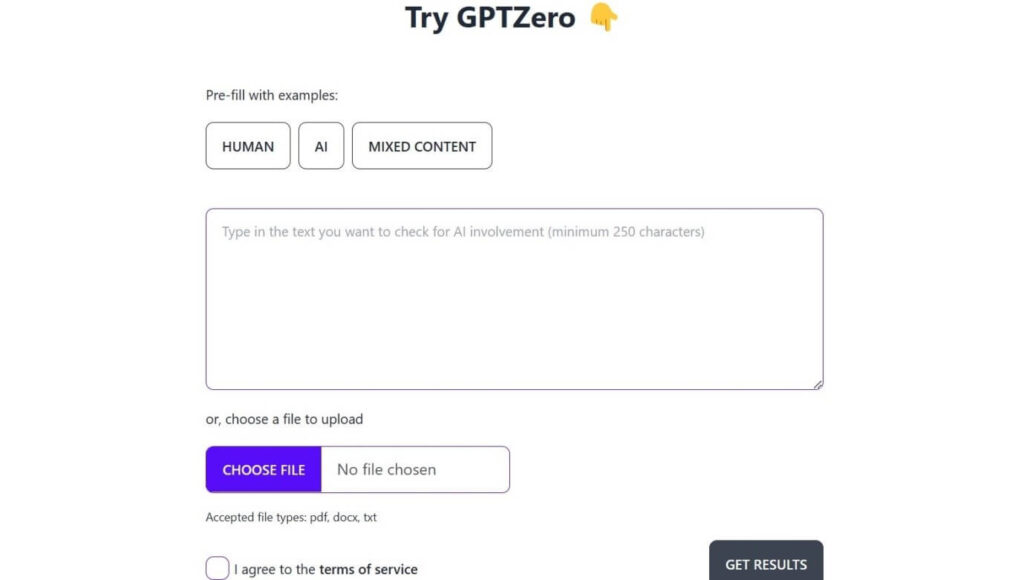
Regarding ease of use, GPTZero is one of the top choices to mention. It is easy to add the content you want to detect into the text field here, even by uploading the entire file.
It supports various document types and can separately and together detect AI and Human content overall.
Device compatibility: web-based
Price: Free
Features:
- Add a file from the device.
- TXT, DOC, and PDF file formats are supported.
- Detects both AI-human or Human/AI text versions.
- Pre-filled examples are available.
Pros:
- Type out the text or insert the file.
- Smooth analysis process.
- Instant activation for the detection.
Cons:
- A minimum limit of 250 characters is allowed.
- A terms and Condition agreement is necessary to activate first.
9. GLTR
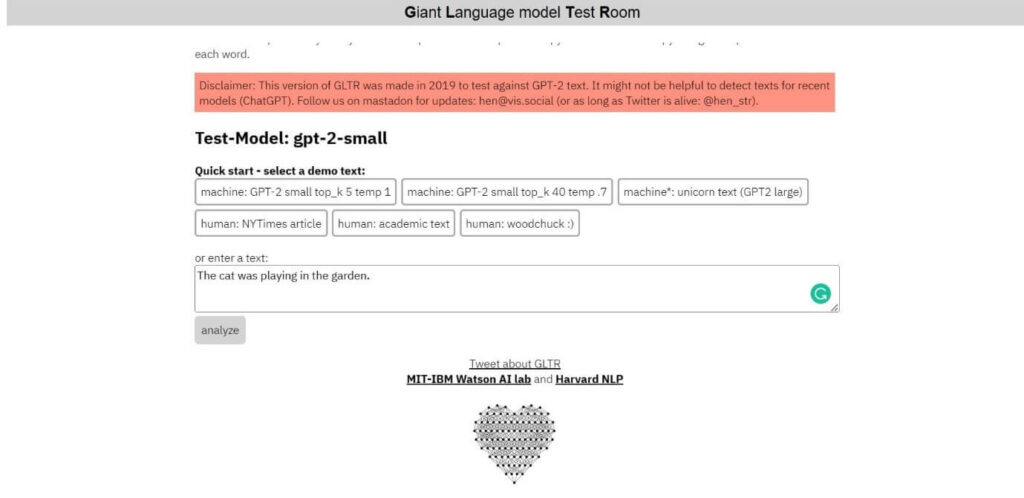
This online tool is one of the best and most user-friendly API content detector choices for AI-generated text detection. It was created specifically for GPT-2 content type analysis and had powerful capabilities.
It is simple to add the text you want to detect into this software and get the results quickly.
Device compatibility: web-based
Price: Free
Features:
- Add demo text for detection.
- Type out your content or copy-paste it.
- It detects diverse types of AI-generated content.
- Mainly for GPT-2 content.
Pros:
- Fast processing speed.
- Easy to activate for AI text detection.
- Accurate text detection.
Cons:
- Limited features are noticed here.
- Outdated functionality compared to many others.
10. Sapling AI Content Detector
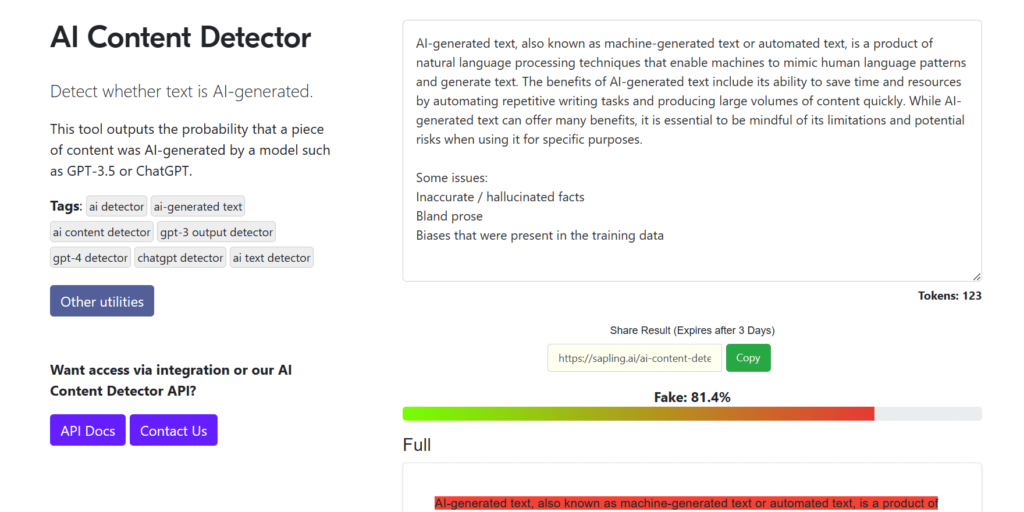
With Sapling AI, adding the text you want to analyze into the AI detector and expecting high-quality analysis is straightforward. It operates with token limits and provides the most accurate scoring for AI detection here after full-scale text detection.
The solution works best with long-form text content, so add your amount accordingly. Get the detected parts highlighted in red for easier visibility.
Device compatibility: web-based
Price: Free; Enterprise- custom cost; Pro- USD 25/month
Features:
- Get highlighted view of the detected AI content.
- Complete a comprehensive list of all detected issues.
- Detects text files as the tokens are applied.
- View the defective sections, which appear in red.
Pros:
- Type out the words to check or copy and paste them to the text field for detection.
- Fast analysis process.
- Compatible with ChatGPT content.
Cons:
- The result is shareable for three days and then deletes automatically.
- The accuracy level of shorter text sentences is low.
11. Hugging Face
Another easy-to-use API content detector that you must try out is Hugging Face. It comes with a wide range of detection tools to check the quality of content people create and how much of it is machine produced or otherwise.
It works on different types of content for massive high-scale AI detection.
Device compatibility: web-based
Price: Free, Pro- USD 9/month
Features:
- Classify images and text.
- Text classification processes are available for users.
- Get on-demand interference API support here.
- High-quality ML tool support for AI detection.
Pros:
- High-level community support here.
- Easy to access for AI detection.
- Works with different content and site types.
Cons:
- AutoTrain functionality in the high-quality version is powerful only if you upgrade.
- Limited benefits for Free users.
Author’s Tip
Test with real samples before you commit to one tool. Detectors may score the same text differently. Running several checks gives a clearer picture, especially if you publish academic or commercial content.
Use tools that go beyond a simple “AI or human” label. Those that display patterns, similarity scores, and source matches help you understand why a piece was flagged. That insight can guide edits and reduce false alarms.
Conclusion
To check the validity and accuracy of AI-generated content, you should utilize proper detection tools to find the errors correctly, with suggestive tips to fix them. The best API content detector options mentioned in this list are some of the best available in the market regarding this process, which is helpful, to the point, and simple to use. Learn more about such options and choose the right one that fits your needs.
FAQs
Q1. Can these detectors tell exactly which AI wrote the text?
Most tools estimate likelihood based on patterns rather than name the specific model. They report how confident they are that AI contributed, but precise model identification is rare.
Q2. Do detection scores vary by text length?
Yes. Short passages are harder to assess. Longer text gives more data points for analysis, so results tend to be more reliable when you run full paragraphs instead of sentences.
Q3. Are these tools free to use?
Some offer basic free checks but limit depth or daily use. Full features, detailed reports, and API access usually require a paid plan.
Author Bio:
Dinesh Lakhwani 

Dinesh Lakhwani, the entrepreneurial brain behind “TechCommuters,” achieved big things in the tech world. He started the company to make smart and user-friendly tech solutions. Thanks to his sharp thinking, focus on quality and the motto of never giving up, TechCommuters became a top player in the industry. His commitment to excellence has propelled the company to a leading position in the industry.
Popular Post











Recent Post

Artificial Intelligence Explained: Concepts, Terminology, Benefits, and Future Trends
Artificial Intelligence, or AI, is basically computers doing things that usually need a human brain. We’re talking about stuff like learning from experience, figuring out problems, understanding language, and making decisions. It’s not magic, just a lot of data, pattern-spotting, and math behind the scenes. Now, AI doesn’t actually think or feel like we do. […]

Resolving Microphone Detection Problems: Latest Guide [2026]
Microphones are important tools in daily life. People use them for office meetings, online classes, interviews, gaming, customer support, and content creation. When a system fails to detect a microphone, communication stops at once. This situation can cause stress and confusion. Many users believe the microphone is damaged. In reality, most problems are simple and […]

How To Switch To A Dark Background Theme In Windows [2026]
Most people spend many hours each day in front of a computer screen. Office work, online classes, editing, browsing, and streaming all require long screen time. A bright white background may look clean at first. However, over time, it can feel sharp and tiring. The strong contrast between white backgrounds and black text may cause […]

How to Switch From Local To Microsoft Account On Windows
Many users begin with a local account when they set up a new Windows computer. A local account works only on that single device. It stores settings, files, and preferences locally. It does not connect to online Microsoft services. For basic offline use, it works well. However, as digital needs grow, many users want better […]

How to Switch Windows 10 to a Local Account: Complete Guide
Windows 10 allows users to sign in with either a Microsoft account or a local account. When you set up a new computer, the system often suggests using a Microsoft account. This account connects your device to Microsoft services such as Outlook, OneDrive, and the Microsoft Store. It also syncs settings, themes, and passwords across […]

How To Change Default Apps For File Types In Windows
Windows is designed to make using your computer easy. One way it does this is by assigning default apps to different file types. This means when you open a file, Windows automatically opens it with a specific program. For example, photos may open with Photos, music with Groove Music, and PDFs with Edge. These default […]

How To Adjust The Mouse Pointer Speed: Complete Guide
Using a computer every day means you use the mouse a lot. The mouse pointer moves on the screen and helps you click, scroll, and select items. Many people never think about the speed of the mouse pointer. They have used the default setting for years. This can cause small problems over time. A slow […]

How to Change Mouse Scrolling Settings In Windows
A mouse is one of the most used computer tools. People use it every day. They scroll through emails. They scroll through documents. They scroll through websites and images. The movement becomes automatic. Most users do not notice it. That is why problems often go unnoticed. Scrolling problems show up slowly. At first, it feels […]

Keyboard Light Settings: Keyboard Lighting Control [Complete Guide]
Keyboards are no longer simple typing tools. Well, yes! Over time, they have evolved to include features that improve comfort, visibility, and overall experience. One of the most useful features today is keyboard lighting. It helps users work comfortably in low-light conditions. It also reduces strain when typing for long hours. Many users first notice […]

Customizing Pointer Appearance: Complete Guide
The way your mouse pointer looks on your computer may seem like a small detail. But customizing pointer appearance can make using your PC more comfortable and visually appealing. Many users do not realize that they can change the pointer size, color, and style to fit their needs. Whether you want a bigger pointer for […]

