NordLayer – Best Way to Safeguard your Network
Last updated on February 8th, 2025 at 3:21 am
A simple network protection tool with SaaS Security, Threat prevention & secure remote access.
Today businesses require more than a simple security solution & a VPN certainly helps in that. However, it lacks protection and security for clients’ remote workforces. This is why the need for the software that helps build modern secure remote access solutions is felt. Luckily, we have a solution for that, and it is known as NordLayer.
This post will explain all about this tool and why it is the go-to solution for your network solution needs.
What is NordLayer?
Formerly known as NordVPN Teams, NordLayer is a powerful VPN-based network access security solution that businesses of all sizes, from startups to large organizations, can use. The tool can be used as a business VPN manager; this means each individual will no longer have to handle their VPN configurations on their level.
With the help of NordLayer, they can maintain them from an online dashboard & can add new users with just a few clicks. This grants access to NordLayer’s high-quality VPN, including 30+ worldwide locations, powerful AES-256 encryption, built-in malware-blocking, kill switch, & an auto-connect feature guaranteeing the internet connection is secure.
To use NordLayer, you can either enter the username and password or can take benefit from the Single Sign-On (SSO) via Google, OneLogin, Azure, and Okta. It even supports two-factor verification (through SMS and email codes) for additional security.
Furthermore, enterprise users can implement robust Zero Trust & SASE-friendly technologies to safeguard network access.
Benefits of NordLayer
Allows launching dedicated servers, giving users the capability to create their private gateway.
Can divide users into teams providing each gateway, guaranteeing they have access to only their services.
IP allow-listing for protection.
Intelligent Distant Access to secure communication between any devices linked to the service.
Features:
- Network Access Control (IP Whitelisting)
- Biometric authentication
- Dedicated servers / Static IP functionality
- Single Sign-On (SSO) with Azure AD, OneLogin, Okta & G Suite
- Two-factor authentication (2FA) — for additional layered security
- Next-gen site-to-site tunneling
- Network Traffic Monitoring
- Threat-block malware protection (including DNS filtering)
- DDoS Protection
- Batch Permissions & Access
- Multi-User
| Pros | Cons |
| Simple to use user interface | Restricted central management |
| 2-factor authentication, biometrics, and SSO is provided | No monitoring available |
| Helps in creating custom gateways for each team | Only 33 countries in the list. |
| Dedicated IP and kill switch |
Pricing
$9 per user monthly if paid in advance
$7 annually.
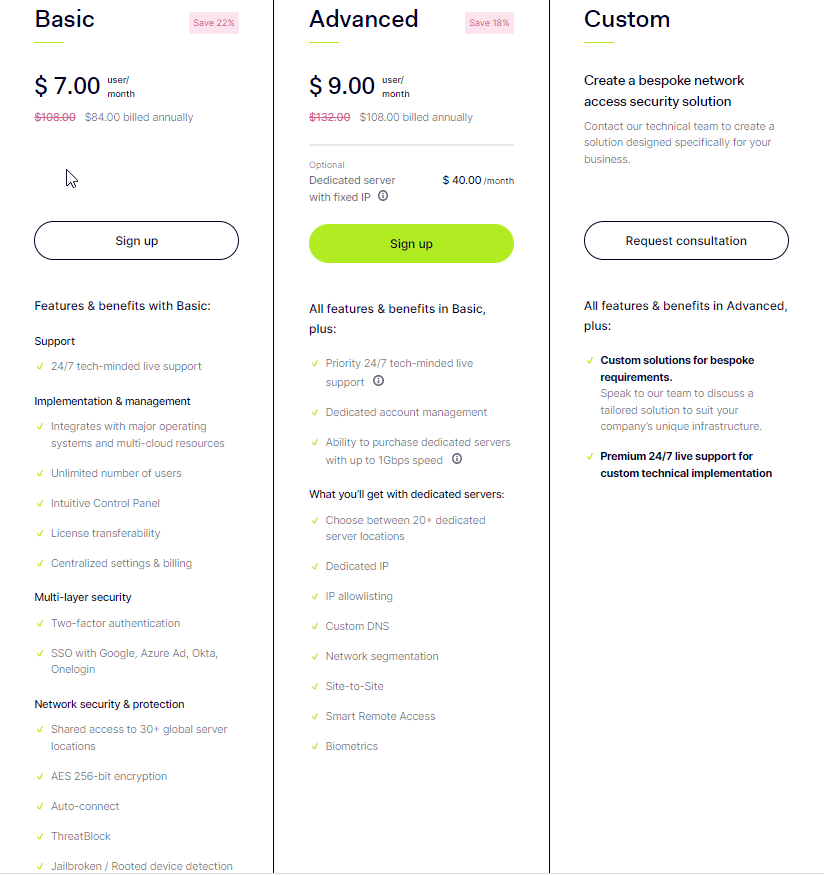
The price at which NordLayer is offered is fair and transparent. There are just two options available. NordLayer Basic comes with a comprehensive VPN, live support 24 hours a day, a central dashboard and administration tools, two-factor authentication, and single sign-on (SSO). It costs $9 per user monthly if paid in advance and $7 annually.
NordLayer Advanced includes priority support and specialized account management. Biometrics support adds another layer of security, while dedicated servers (for $40-$50 a month) offer dedicated IPs, IP allow-listing, site-to-site features, Smart Remote Access, and other features. It costs $11 per user monthly or $9 yearly.
There are no hidden charges; start with one user and add as many as required. NordLayer has a reasonable mid-range price; the billing is neatly centralized. You receive only one invoice, regardless of how many subscribers you have.
Licenses are also transferable, so you can quickly transfer the ownership to another.
Web-based dashboard
The online dashboard makes NordLayer the best; with its help, you can add members, manage your network, and keep track of everything that’s going on. Just enter your email addresses into a text field and click a button to send invites to staff.
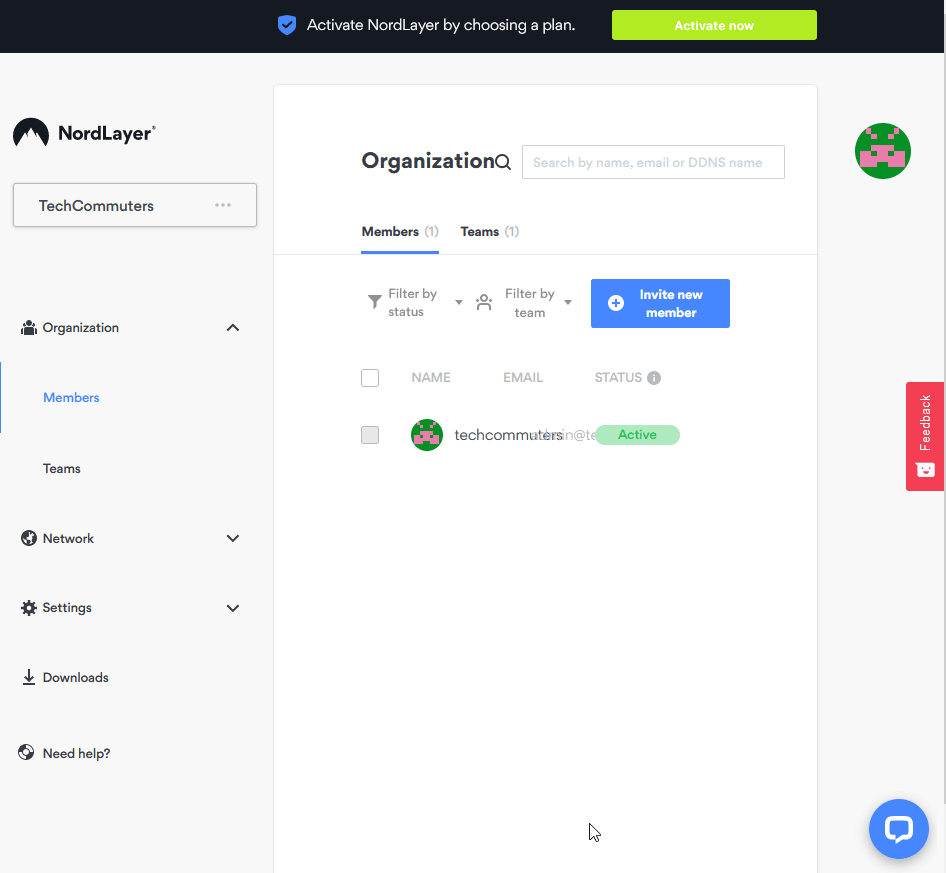
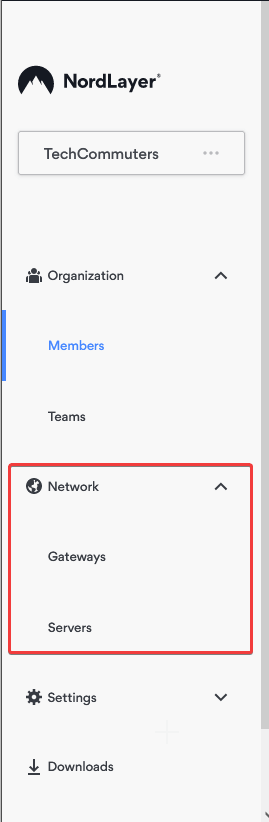
Teams can be used as a permissions system. However, if you have the Advanced plan, you can create custom gates, allocate dedicated servers, and select which teams have access to what.
People with a NordLayer Basic account can’t accomplish nearly as much. They only get limited to a few options: login method (email and password, Google, Azure, Okta, or OneLogin), two-factor authentication enforcement, biometric logins, automatic updates, and NordLayer’s ThreatBlock, its built-in malware-blocking system (which looks similar to NordVPN’s CyberSec underneath).
Apps
Although NordLayer uses the same technology as NordVPN, it offers its applications. These are simple, focusing on the essentials, thus reducing the need for training and assistance.
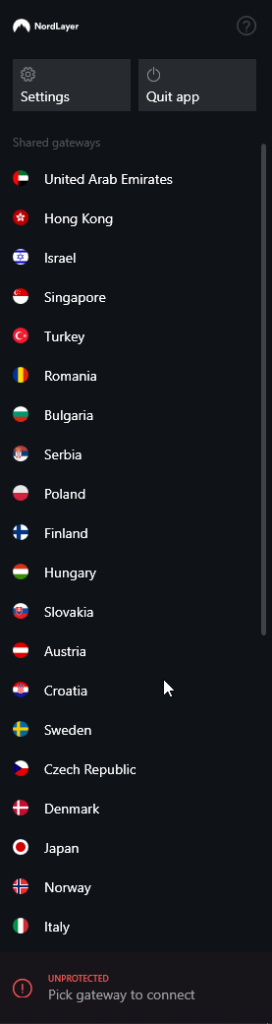
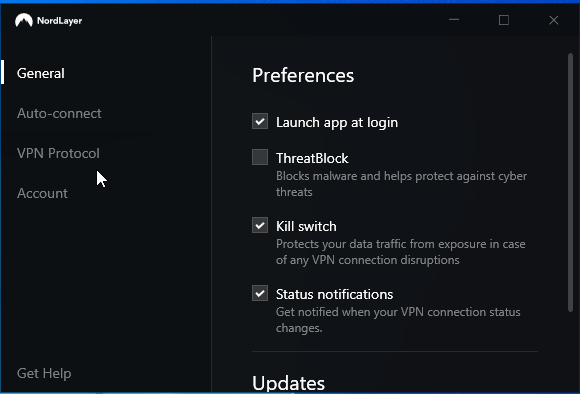
The Windows app is quite simple to use as it consists of a sidebar with a list of countries (or any custom gateways you’ve put up) and Settings and Quit App buttons. The software automatically launches at Windows startup, and the kill switch is switched on by default, thanks to well-chosen settings.
You may also enable the app to connect automatically when you reach untrusted Wi-Fi networks or access any other networks you define.
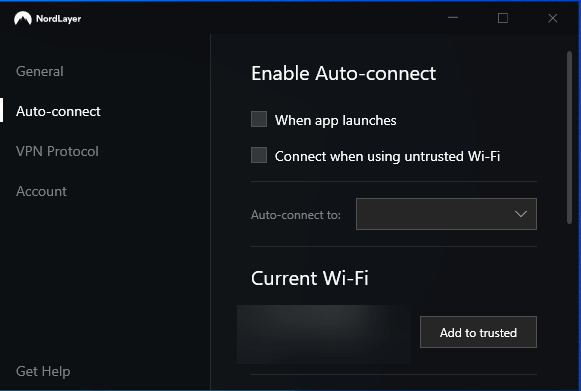
You can also choose between IKEv2, OpenVPN UDP, or TCP as a VPN protocol. Unfortunately, Nord Security’s own WireGuard-based NordLynx isn’t yet supported, so that speeds won’t be as fast as NordVPN. But, it’ll be implemented soon.
Performance
Although unblocking streaming services isn’t a top focus for NordLayer; it still works well.
Support
If you have any issues with the service, NordLayer support is available to assist you.
The online knowledge base is the first point of contact, which is relatively basic. Still, it covers the critical setup and troubleshooting concerns: installation on multiple systems, brief explanations of a few options, how to enhance VPN performance reliability, and handling a few other frequent difficulties.
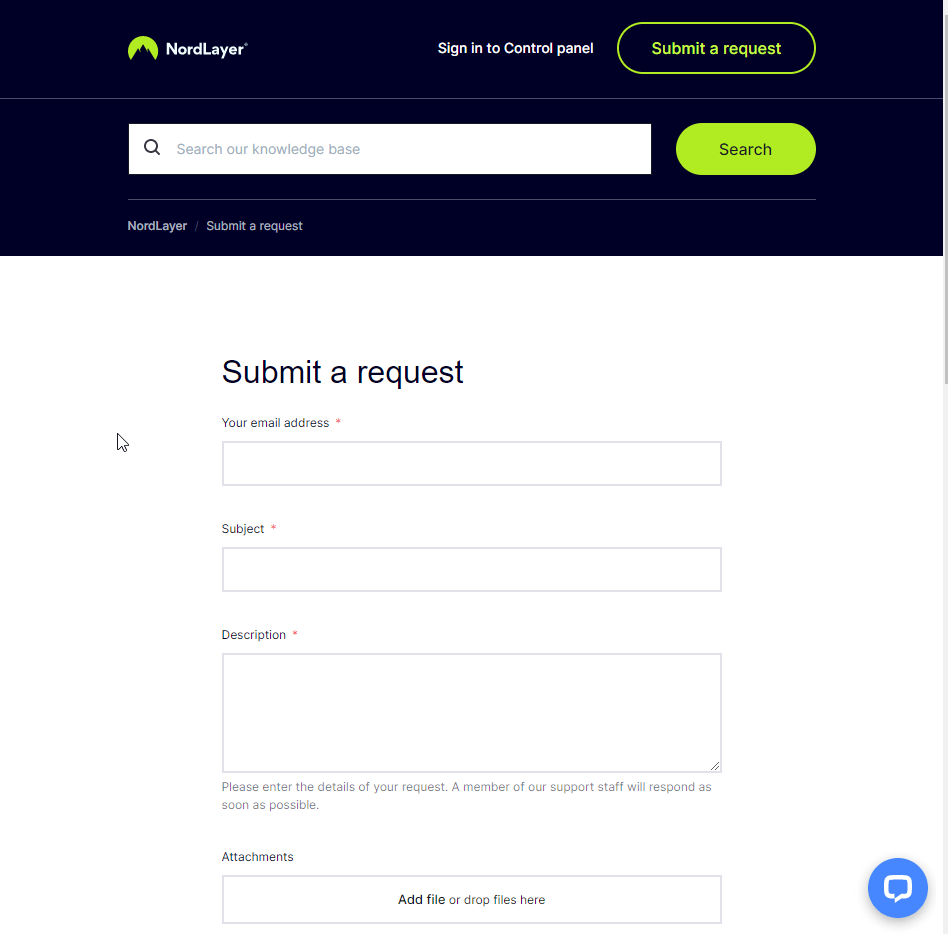
Fortunately, NordLayer’s customer service is always available. When you tap the Help icon in the app, you’ll be sent to a screen where you may ask a question, describe a problem, or explain your situation in general. You may also write an email, and the website offers live chat.
The verdict
NordLayer is an easy-to-use service with high-quality but straightforward tools that make securing team member access to your networks and the internet a breeze. However, it lacks the top competitors’ power, management, and monitoring capabilities, so test the service thoroughly before enrolling your entire firm.
Author Bio:
Dinesh Lakhwani 

Dinesh Lakhwani, the entrepreneurial brain behind “TechCommuters,” achieved big things in the tech world. He started the company to make smart and user-friendly tech solutions. Thanks to his sharp thinking, focus on quality and the motto of never giving up, TechCommuters became a top player in the industry. His commitment to excellence has propelled the company to a leading position in the industry.
Popular Post











Recent Post

Resolving Microphone Detection Problems: Latest Guide [2026]
Microphones are important tools in daily life. People use them for office meetings, online classes, interviews, gaming, customer support, and content creation. When a system fails to detect a microphone, communication stops at once. This situation can cause stress and confusion. Many users believe the microphone is damaged. In reality, most problems are simple and […]

How To Switch To A Dark Background Theme In Windows [2026]
Most people spend many hours each day in front of a computer screen. Office work, online classes, editing, browsing, and streaming all require long screen time. A bright white background may look clean at first. However, over time, it can feel sharp and tiring. The strong contrast between white backgrounds and black text may cause […]

How to Switch From Local To Microsoft Account On Windows
Many users begin with a local account when they set up a new Windows computer. A local account works only on that single device. It stores settings, files, and preferences locally. It does not connect to online Microsoft services. For basic offline use, it works well. However, as digital needs grow, many users want better […]

How to Switch Windows 10 to a Local Account: Complete Guide
Windows 10 allows users to sign in with either a Microsoft account or a local account. When you set up a new computer, the system often suggests using a Microsoft account. This account connects your device to Microsoft services such as Outlook, OneDrive, and the Microsoft Store. It also syncs settings, themes, and passwords across […]

How To Change Default Apps For File Types In Windows
Windows is designed to make using your computer easy. One way it does this is by assigning default apps to different file types. This means when you open a file, Windows automatically opens it with a specific program. For example, photos may open with Photos, music with Groove Music, and PDFs with Edge. These default […]

How To Adjust The Mouse Pointer Speed: Complete Guide
Using a computer every day means you use the mouse a lot. The mouse pointer moves on the screen and helps you click, scroll, and select items. Many people never think about the speed of the mouse pointer. They have used the default setting for years. This can cause small problems over time. A slow […]

How to Change Mouse Scrolling Settings In Windows
A mouse is one of the most used computer tools. People use it every day. They scroll through emails. They scroll through documents. They scroll through websites and images. The movement becomes automatic. Most users do not notice it. That is why problems often go unnoticed. Scrolling problems show up slowly. At first, it feels […]

Keyboard Light Settings: Keyboard Lighting Control [Complete Guide]
Keyboards are no longer simple typing tools. Well, yes! Over time, they have evolved to include features that improve comfort, visibility, and overall experience. One of the most useful features today is keyboard lighting. It helps users work comfortably in low-light conditions. It also reduces strain when typing for long hours. Many users first notice […]

Customizing Pointer Appearance: Complete Guide
The way your mouse pointer looks on your computer may seem like a small detail. But customizing pointer appearance can make using your PC more comfortable and visually appealing. Many users do not realize that they can change the pointer size, color, and style to fit their needs. Whether you want a bigger pointer for […]

How To Choose a Computer Monitor: Monitor Buying Guide
Buying a monitor looks easy. Many people think all screens are the same. That belief causes regret later. A monitor is not just a display. It is a daily tool. You read on it. You work on it. You relax with it. Small problems become big over time. Poor brightness hurts eyes. Bad size causes […]

