Top 8 Apps To Block Spam Calls On iPhone and iPad

Last updated on November 1st, 2025 at 5:07 pm
Currently, simply putting the spam numbers into the “Do not Call” list on your device would not work. Marketing agents worldwide use multiple sources to send spam calls to users, using unique numbers each time. At this time, you should use high-quality software like Avast to protect your iPhone or iPad device from phishing calls.
Besides this, we have looked through other options in the market as well. Here is a breakdown of the options we found.
How Spam Call Blockers Work?
Spam call blockers use a combination of real-time data analysis and crowd-sourced intelligence to identify and stop unwanted calls. These apps maintain massive databases of known spam numbers, which are constantly updated.
When a call comes in, the app checks the number against its database. If it’s flagged as spam, the call is blocked or sent to voicemail. Some apps also use machine learning to detect suspicious patterns, like frequent calls from unknown numbers or robocall behavior.
Advanced blockers go beyond simple number matching. They analyze call metadata, caller behavior, and even audio fingerprints to detect robocalls.
How to Choose the Best Call Blocker
Choosing the right spam call blocker depends on your needs, budget, and how aggressive you want the blocking to be. Look for apps that offer real-time protection, frequent updates, and compatibility with iOS. Consider whether you want extra features like voicemail transcription or SMS filtering.
- Database size: Larger databases catch more spam numbers.
- Real-time updates: Apps that update frequently are more effective.
- Call screening: Some apps let you screen unknown calls before answering.
- Custom blocklists: Ability to block specific numbers or area codes.
- Voicemail handling: Features like transcription or forwarding.
- SMS protection: Blocks spam texts in addition to calls.
- Privacy policy: Ensure the app doesn’t misuse your contact data.
- Cost: Free vs. premium features—choose based on your budget.
Comparison Table: Top 5 Spam Call Blockers for iPhone and iPad
Here’s a quick comparison of five leading spam call blockers to help users decide.
| App Name | Key Features | Price | SMS Protection | Voicemail Tools | Unique Advantage |
| Avast Call Blocker | Spam call filtering, Do Not Disturb integration | Free/Paid | No | Basic forwarding | Trusted brand with strong privacy focus |
| RoboShield | Real-time spam detection, customizable blocklists | Paid | Yes | Voicemail forwarding | Deep customization options |
| Robokiller | Spam bots, audio fingerprinting, SMS blocking | Paid | Yes | Visual voicemail | Answers spam calls with bots |
| TrueCaller | Caller ID, global spam database, SMS filtering | Free/Paid | Yes | Basic voicemail | Large user base and crowd-sourced data |
| Malwarebytes Mobile Security | Scam call blocking, malware protection | Paid | No | None | Combines call blocking with antivirus |
8 Top-Rated Spam Call Blockers for iPhone and iPad
Unknown spam calls harm users differently, from a basic-level hindrance to dangerous cyber fraud issues. It is essential to use robust, secure, and reliable software to handle call blocking activity accurately. Here are the best spam call blockers we have compiled after thorough research.
1. Avast Call Blocker
This software under Avast Antivirus is the best option for antivirus and malware protection for different devices. For example, you can use it to quickly control the number of spam calls you get on your iPhone or iPad. Avast runs a unique spam detection algorithm that continuously protects the system from unwanted calls.
The software has an intuitive and lightweight design with high-quality cybersecurity benefits and community support.
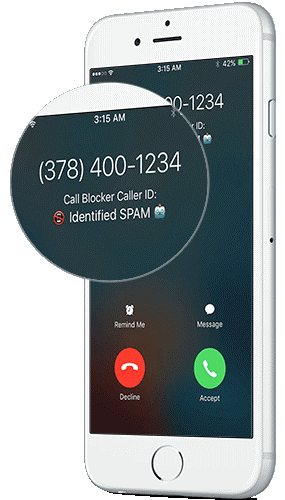
Compatibility: Mac and Android
Price: $ 4.19/month
Features:
- Automated call blocking features
- Notifies users about any spam call in case they answer
- Access to a widescale database and public information portal for spam number listing
- Build a blocklist for unwanted calls
Pros:
- Higher privacy potential guaranteed
- Smoother usability and listing
- Multiple antivirus protection benefits are available
Cons:
- It is only available on Premium and Ultimate plans
- Multi-device support is available only under the Premium (Multi-Device) pack
2. RoboShield
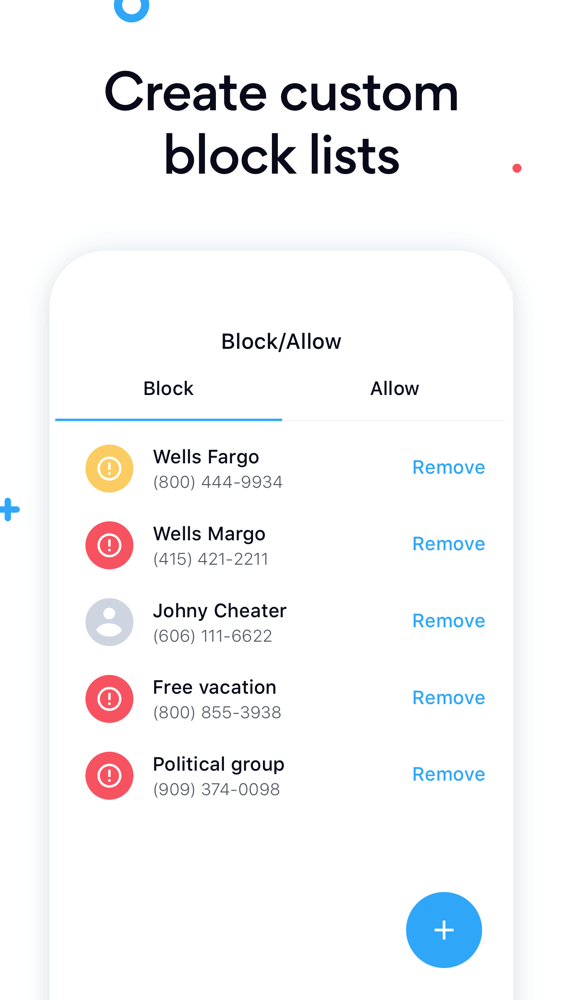
Another suitable option for call management and blocking wrong interactions for iPhone and iPad users is Roboshield. This software under Pango works to identify different robot-voice calls, scam calls automatically, and spam calls easily.
This is best for getting rid of unsolicited and unwanted telemarketer calls that come with pre-recorded messages. These spams aim to steam user information and funds, so use Roboshield to avoid such interactions.
Compatibility: iOS
Price: $12.99
Features:
- You can easily find out the identity of diverse spam calls
- The lookup feature makes it simpler to find unknown numbers and block/report them automatically
- The unified database for spam gets updated regularly
- Robocalls fall automatically under the Do Not Call list
Pros:
- Blocks out spams, scamps, and robocalls.
- User-friendly interface.
- Easy to install into devices.
Cons:
- Not available for Android users
- Not available globally
3. Robokiller
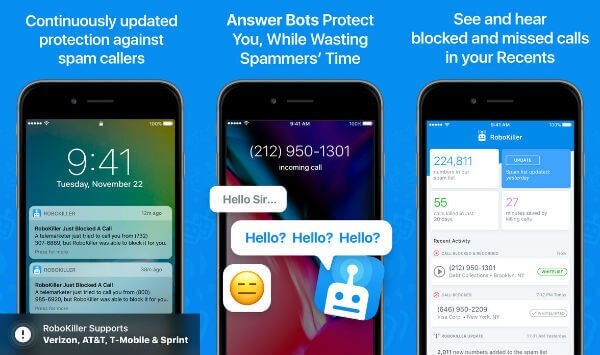
When it comes to the best software options available for protection against unwanted calls, Robokiller is a suitable option; It has an intuitive and high-quality block listing capability to put all spammers in one list for easier blocking.
In case of any spam attempts, Robokiller can keep the scammers busy with the automated Answer Bots. Users, after that, can focus on their work with the Answer Bots communication with them and keep them busy.
Compatibility: Android, iOS
Price: $24.99 per year
Features:
- The software analyses and records unique voice patterns of all users
- RoboKiller can record spam calls
- Easy checking to see which calls have the same owner/fingerprint
- Block out unwanted calls through RoboKiller
Pros:
- Set personalized allow and block lists for calls
- Spam texts get filtered out
- Robocall blocking features detect and inform about fake local numbers calls
Cons:
- Not free
- Answer Bots may show inaccuracy issues
4. TrueCaller
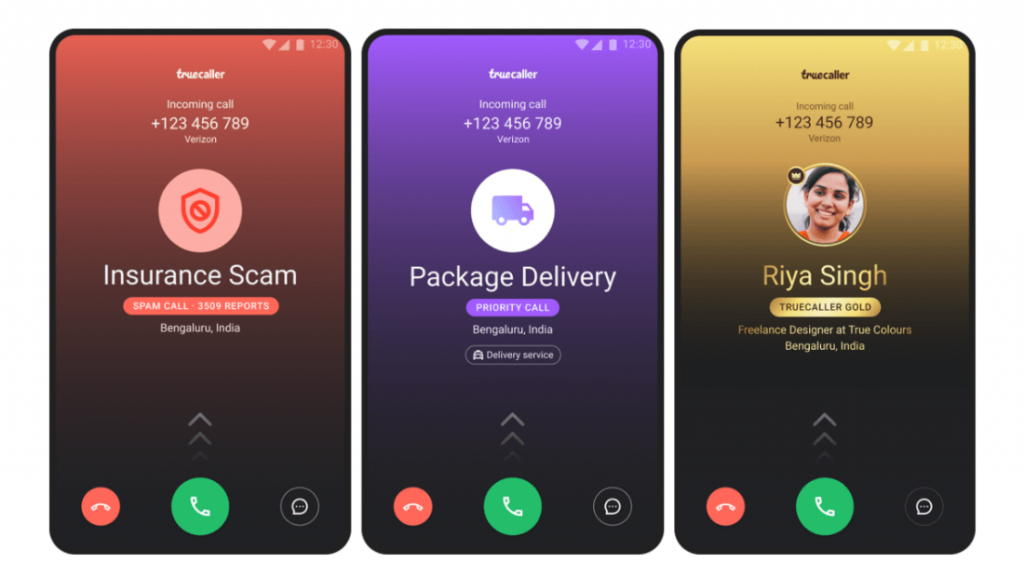
TrueCaller is one of the most well-known and trustworthy applications available for number identification and tracking. This is a top-quality caller ID application with an innovative design that makes it easier for users to access and use it regularly.
The software is one of the best options available for quick and efficient protection from SMS and call harassment. You can block calls and spam after checking the caller’s name here.
Compatibility: Android, iOS
Price: $4.49 per month
Features:
- Users can check and identify the names of the unknown calls coming through
- Clean and straightforward inbox structure for more accessible SMS organization
- Block numbers that are spam numbers
- Direct messenger feature for quick conversations through Truecaller
Pros:
- Intuitive new design
- Simple navigation
- Multiple calling, messaging and blocking features
Cons:
- Some users noticed security issues
- Difficult to update username
5. Malwarebytes Mobile Security
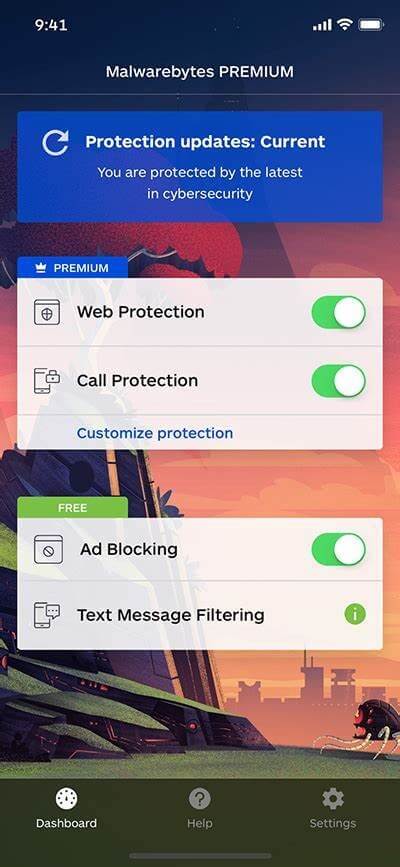
This particular tool is perfect for antivirus and malware protection as much as it is for voice call tracking and spam protection. The software is accessible through different devices and includes high-quality technologies. As a result, they ensure the best protection from cyber threats, like phishing calls and malicious website/link access.
You can download and use this software for faster and cleaner iPhone and iPad usage and expect optimized protection.
Compatibility: iOS and Android
Price: $3.33 per month
Features:
- Forwards all fraud texts to the unified junk tab in the software
- The tool easily blocks out different ad trackers and ads on Safari directly
- Safeguards against brute force installation or access
- Advanced protection features like anti-spyware, antimalware, ransomware, and antivirus
Pros:
- Easy to use
- Multi-platform support
- Simple usage quality
Cons:
- The trial version does not include many features
- Not free to use
6. YouMail Voicemail App
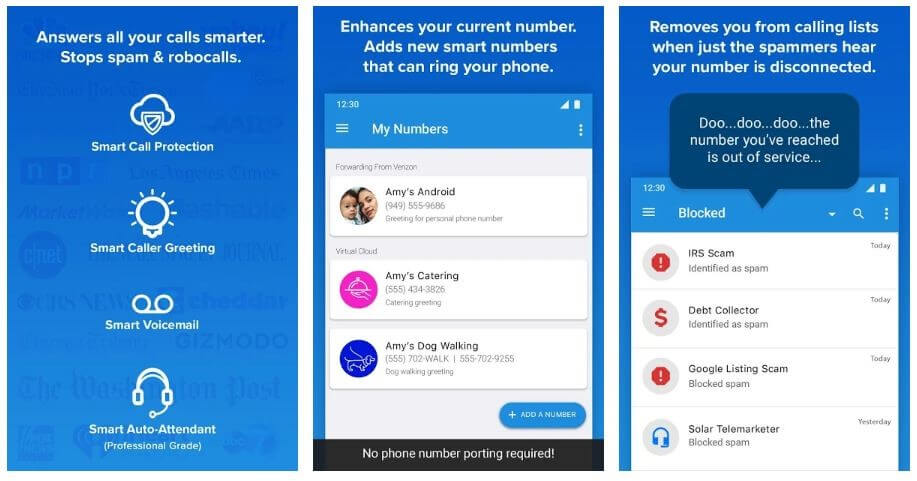
Among the different software solutions available for protection against unwanted callers, YouMail is a suitable alternative. The application is best for voicemail management. Users get automated notifications on any new voicemail that comes up in text messages or emails.
This app allows users to send messages easily between team members or their families. The voicemail forwarding function takes seconds to complete.
Compatibility: Android, iOS
Price: $5.99 per month for plus membership
Features:
- Instant transcription of voicemails after users receives them in the inbox
- Manage diverse voicemails in one location
- Push notifications for any new message or alert instantly
- Protection from scam voicemails and robocalls with advanced filtering functions
Pros:
- Multi-device compatible
- Easy to use for professional and personal usage
- Transcription of calls for reference
Cons:
- Only the first 15 seconds of call transcription are available for reading for free plan users
- Machine transcription may show faults
7. Nomorobo
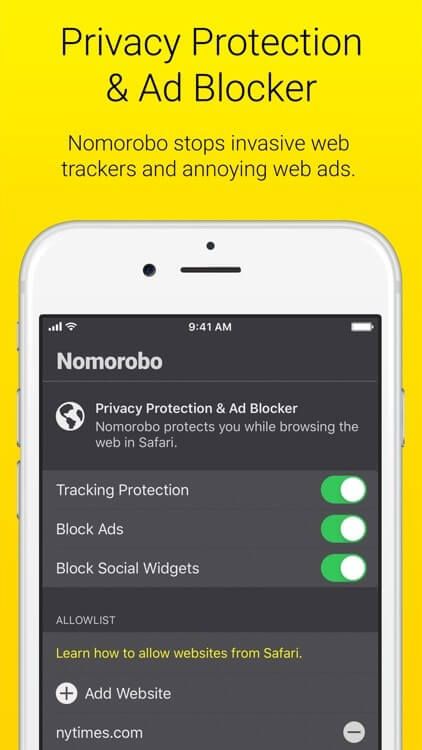
One of the top applications available for unified protection from unwanted phone calls is Nomorobo. This software comes with a 14-day extended trial period in the beginning. iPhone users can try out the app after downloading it through the iOS App Store and benefit from its simple and intuitive app interface.
You can expect a responsive and top-quality user experience while using Nomorobo for call and text blocking. The blocked calls shift to the voicemail, or the software simply sends the user an alert.
Compatibility: iOS, Android
Price: $1.99 per device, per month
Features:
- The application comes with an adblocker feature
- Integrated tool to look up different phone numbers
- Blocks and detects spam calls and texts automatically
- Anti-tracking is available for web browsing
Pros:
- Free trial available
- Flexible service quality
- Easy to install and use
Cons:
- Android version is not the best
- Inconsistency in the user interface might appear
8. Hiya
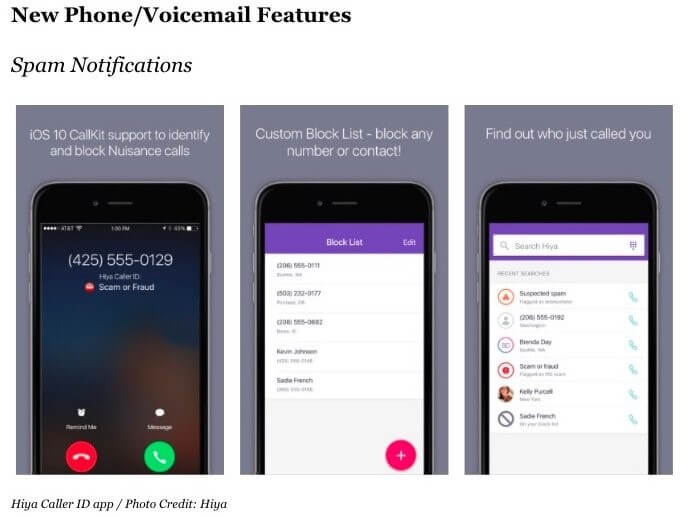
Hiya is one of the best software available in the current period for protecting iOS users from unwarranted and unnecessary spam messages and calls. In addition, for companies running big teams that need to connect to different customers, hiya integration allows for a smoother and stress-free call connection.
You can use this platform to block fraudulent callers and avoid daily spam messages.
Compatibility: Android, iOS
Price: $3.99 per month
Features:
- Different versions available like Hiya Connect, Hiya App, and Hiya Protect
- Businesses can prove their validity and avoid being marked as spam
- High-quality voice analysis functions for better protection from voice phishing attempts
- Real-time and global data access for easier caller identification management
Pros:
- Best for tech partners, businesses, and carriers equally
- Secure call management
- Protection from scam/spam calls
Cons:
- Speed issues may appear
- Primarily suitable for business users
Conclusion
Go through the available options thoroughly to know which is most compatible with your device. Many of these come with high-quality features, while some excel in diversity, like the Avast Antivirus Software. You can use it on different OS types besides iOS and get additional antivirus and antimalware support.
If you have more such queries, please go through our site. We have covered many diverse topics related to iOS software options and more.
FAQs
1. Can spam call blockers stop all unwanted calls?
No blocker is 100% effective, but top apps significantly reduce spam. They rely on large databases and real-time updates to catch most known scams. However, new spam numbers can slip through until reported and added to the system.
2. Do these apps affect battery life or phone performance?
Most modern call blockers are optimized for iOS and run efficiently in the background. They use minimal resources and don’t noticeably impact battery life. Apps with heavy features like voicemail transcription may use slightly more power.
3. Is it safe to give these apps access to my contacts and call logs?
Reputable apps follow strict privacy policies and only use data to improve spam detection. Always review the app’s privacy terms before granting access. Avoid apps that request unnecessary permissions or lack transparency.
Author Bio:
Dinesh Lakhwani 

Dinesh Lakhwani, the entrepreneurial brain behind “TechCommuters,” achieved big things in the tech world. He started the company to make smart and user-friendly tech solutions. Thanks to his sharp thinking, focus on quality and the motto of never giving up, TechCommuters became a top player in the industry. His commitment to excellence has propelled the company to a leading position in the industry.
Popular Post











Recent Post

How To Change Default Apps For File Types In Windows
Windows is designed to make using your computer easy. One way it does this is by assigning default apps to different file types. This means when you open a file, Windows automatically opens it with a specific program. For example, photos may open with Photos, music with Groove Music, and PDFs with Edge. These default […]

How To Adjust The Mouse Pointer Speed: Complete Guide
Using a computer every day means you use the mouse a lot. The mouse pointer moves on the screen and helps you click, scroll, and select items. Many people never think about the speed of the mouse pointer. They have used the default setting for years. This can cause small problems over time. A slow […]

How to Change Mouse Scrolling Settings In Windows
A mouse is one of the most used computer tools. People use it every day. They scroll through emails. They scroll through documents. They scroll through websites and images. The movement becomes automatic. Most users do not notice it. That is why problems often go unnoticed. Scrolling problems show up slowly. At first, it feels […]

Keyboard Light Settings: Keyboard Lighting Control [Complete Guide]
Keyboards are no longer simple typing tools. Well, yes! Over time, they have evolved to include features that improve comfort, visibility, and overall experience. One of the most useful features today is keyboard lighting. It helps users work comfortably in low-light conditions. It also reduces strain when typing for long hours. Many users first notice […]

Customizing Pointer Appearance: Complete Guide
The way your mouse pointer looks on your computer may seem like a small detail. But customizing pointer appearance can make using your PC more comfortable and visually appealing. Many users do not realize that they can change the pointer size, color, and style to fit their needs. Whether you want a bigger pointer for […]

How To Choose a Computer Monitor: Monitor Buying Guide
Buying a monitor looks easy. Many people think all screens are the same. That belief causes regret later. A monitor is not just a display. It is a daily tool. You read on it. You work on it. You relax with it. Small problems become big over time. Poor brightness hurts eyes. Bad size causes […]

How To Get Help With File Explorer in Windows 11 [Complete Guide]
File Explorer is one of the most important tools in Windows 11. It is used to open folders, view files, and manage stored data. Almost every action on a Windows computer depends on it in some way. When users open documents, save downloads, or organize photos, File Explorer is always involved. Because it is used […]

How To Fix A Frozen Computer: Complete Guide [Windows 11/10]
A frozen computer is one of the most common problems Windows users face. The screen stops responding. The mouse pointer does not move. Keyboard inputs do nothing. You may hear the fan running loudly. Sometimes the system looks alive, but nothing works. This situation often happens when you are busy or working on something important. […]

How to Upgrade Computer RAM: Complete Guide
Upgrading RAM is one of the simplest ways to improve a computer. It helps the system feel faster and smoother. Apps open quicker. Browsers handle more tabs. Games and tools run with less delay. Many users search for how to upgrade computer RAM because it gives real results without high cost. You do not need […]

How To Clean Your Computer Keyboard: Complete Guide
A computer keyboard is touched more than almost any other device you own. It is used during work, study, gaming, and casual browsing. Fingers carry natural oils, sweat, and dirt. Small food crumbs fall between keys without notice. Dust settles each day slowly. Over time, this creates a hidden layer of grime. Many users do […]

