5 Best Gaming Microphones To Use in 2026
Last updated on December 26th, 2025 at 1:30 am
As the gaming industry continues to evolve, one thing remains constant: the need for clear and crisp communication during intense gaming sessions. Whether you’re coordinating strategies with your teammates or streaming your gameplay to an eager audience, having a top-notch microphone for gamers is essential. With 2026 in full swing, we’ve compiled a list of the most efficient gaming microphones available to elevate your gaming experience to new heights.
Whether you’re a casual gamer or a professional streamer, this guide will help you find the perfect microphone to enhance your gaming adventures and ensure your voice is heard loud and clear.
Comparison Table: 5 Best Gaming Microphones in 2026
In 2026, gamers want clear sound. A good mic helps your voice sound better. It should be easy to use and have no delay. Whether you are new or experienced, the right mic makes a big difference.
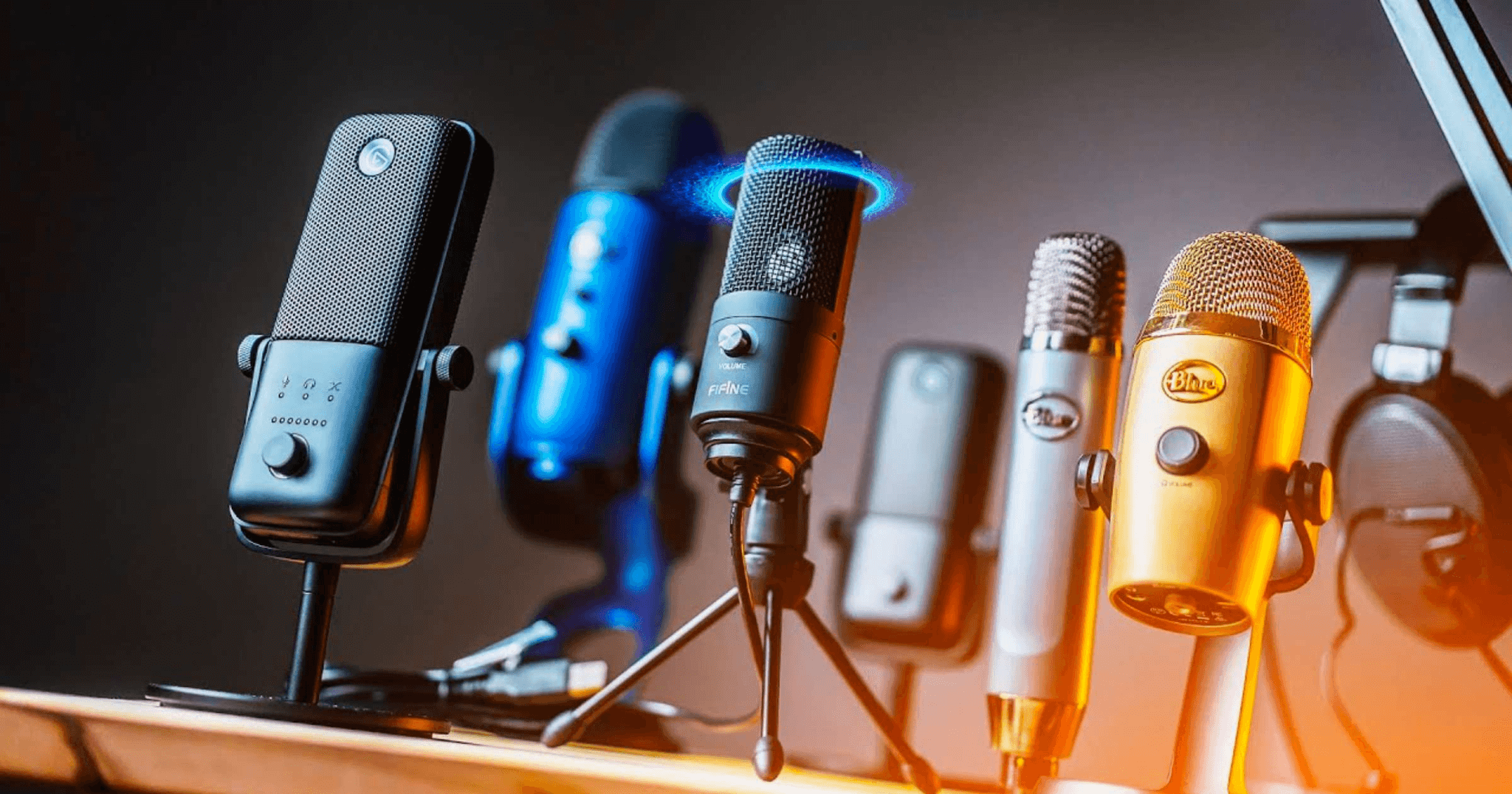
These five mics are great choices: Razer Seiren X, FIFINE 669B, Shure MV7, HyperX SoloCast, and Logitech Blue Yeti X. They sound good, look nice, and work well.
| Microphone | Connectivity | Polar Pattern | Key Features | Price Range (USD) | Best For |
| Razer Seiren X | USB | Supercardioid | Built-in shock mount, compact design, low-latency monitoring | $85–$100 | Streamers & gamers |
| FIFINE 669B | USB | Cardioid | Metal build, plug-and-play, budget-friendly | $30–$40 | Beginners & casual gamers |
| Shure MV7 | USB/XLR | Dynamic (Cardioid) | Touch panel controls, voice isolation tech, dual connectivity | $250–$280 | Podcasters & pro streamers |
| HyperX SoloCast | USB | Cardioid | Tap-to-mute sensor, 24-bit/96kHz recording, compact and portable | $60–$70 | Solo streamers & mobile setups |
| Logitech Blue Yeti X | USB | Multiple patterns | LED metering, Blue VO!CE effects, high-res recording | $160–$180 | Versatile creators |
What are the Criteria for Selecting a Gaming Microphone?
Some common factors to consider when choosing a microphone are listed below:
- Sound quality and clarity: A high-quality microphone should provide clear and crisp audio, ensuring your voice is captured accurately without distortion or background noise.
- Noise cancellation and background noise reduction: Look for microphones that have built-in noise-canceling features to minimize unwanted background noise, such as keyboard clicks or room ambiance. This is especially important for multiplayer gaming or streaming, where clear communication is crucial.
- Connectivity options and compatibility: Consider the connectivity options of the microphone and ensure it is compatible with your gaming setup. USB microphones are often favored for their simplicity and plug-and-play functionality, while XLR microphones offer more professional-grade audio and require additional equipment.
- Durability and build quality: Gaming sessions can get intense, and a microphone that is durable and well-built can withstand the rigors of extended use. Look for microphones made from sturdy materials and with a solid construction that can handle everyday wear and tear.
At last, you can choose a microphone that best suits your needs and enhances your gaming or streaming experience.
5 Best Gaming Microphones to Use in 2026
1. Razer Seiren X
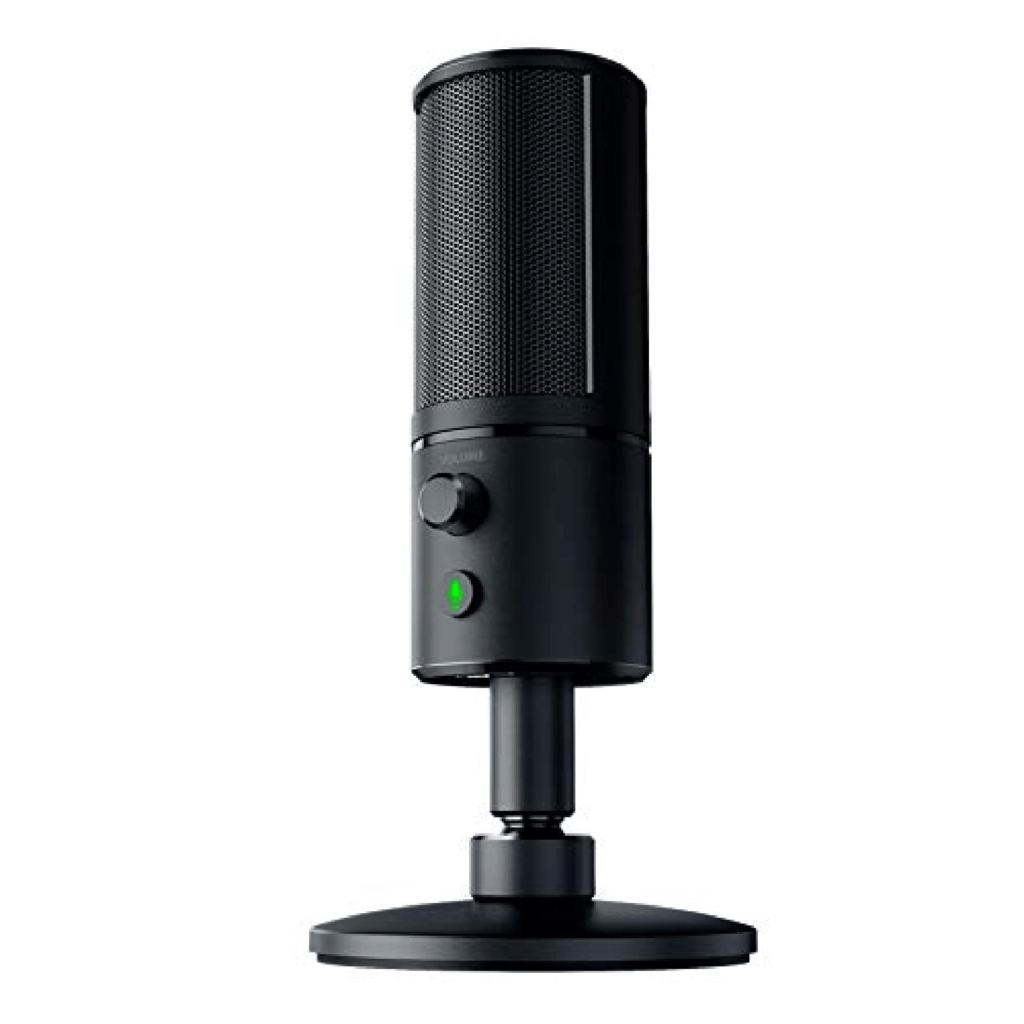
The Razer Seiren X is a popular gaming microphone known for its high-quality audio performance and user-friendly design. It is specifically designed for gamers, streamers, and content creators who prioritize clear and professional-grade sound for their recordings and live streams.
One of the standout features of the Razer Seiren X is its condenser microphone, which captures audio with exceptional clarity and detail. The microphone utilizes a super-cardioid pickup pattern, which means it focuses on capturing sound directly in front of it while reducing background noise from the sides and rear. This helps ensure that your voice comes through clearly, even in noisy gaming environments.
Features:
- Ultra-precise pickup pattern.
- Shock resistant.
- Delivers a superior audio broadcasting experience.
- Zero latency monitoring.
Pros:
- Excellent sound quality.
- Easy setup process.
- Compact and portable.
- Efficiently minimizes background noises.
Cons:
- Might pick up some ambient noise occasionally.
- Limited customization options.
Compatibility: Windows, macOS, PlayStation 4, PlayStation 5.
Price: $61.48
2. FIFINE 669B USB Metal Condenser
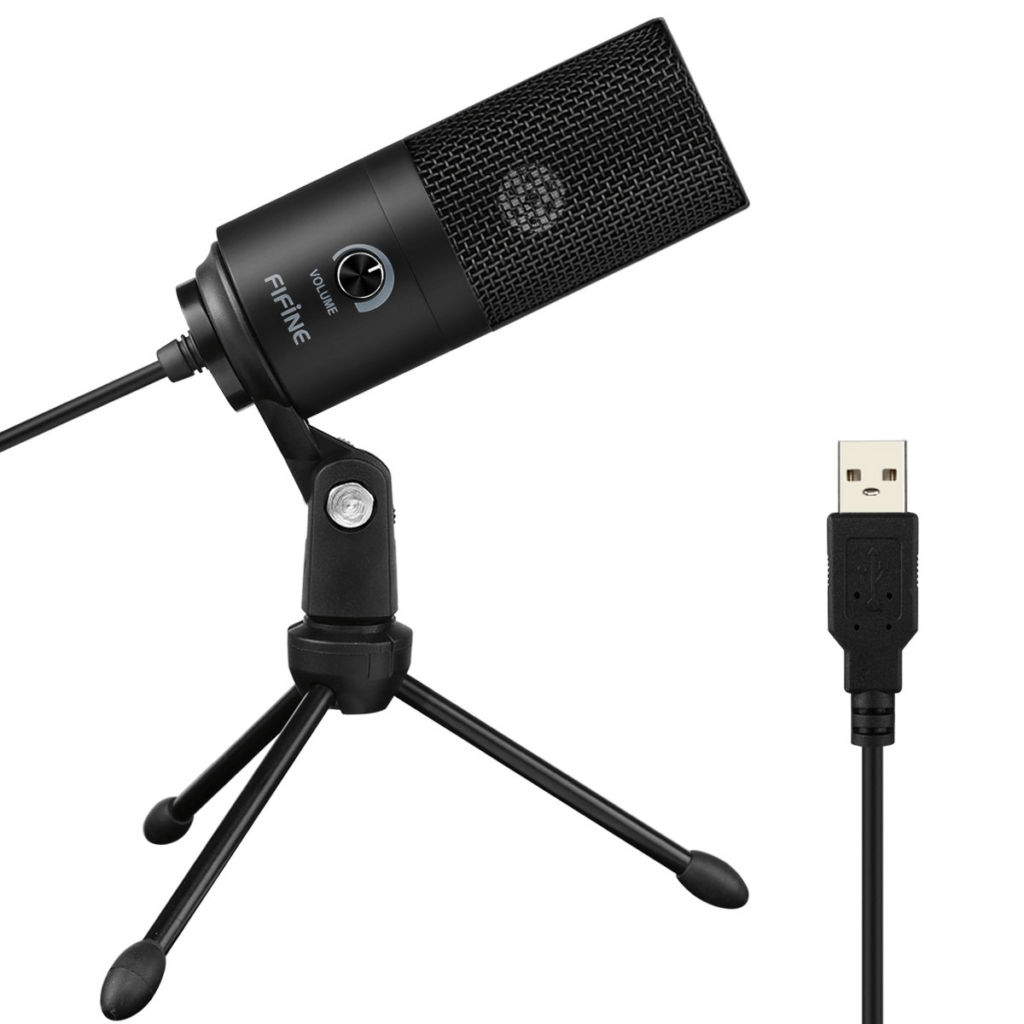
If you are looking for an affordable gaming microphone that fits your budget, then FIFINE Metal Condenser is an ideal pick. It is a versatile microphone suitable for various recording purposes like gaming, streaming, podcasting, and voiceovers.
One notable feature of the Fifine Metal Condenser microphone is its robust build quality. Constructed with a metal body, it offers sturdiness and minimizes handling noise and vibrations. This ensures reliable performance, even during frequent use and transportation.
When it comes to audio quality, the Fifine Metal Condenser microphone excels in delivering clear and precise sound reproduction. Its condenser capsule captures vocals and instruments with accuracy, resulting in professional-grade audio.
Features:
- Plug-and-play USB connectivity for easy setup and compatibility with various devices.
- Adjustable microphone stand and pivoting head for flexible positioning.
- Integrated headphone output for real-time monitoring.
- Clear and accurate sound reproduction with a condenser capsule.
- Wide frequency response range for capturing a broad range of frequencies.
Pros:
- Sturdy metal construction.
- Easy adjustable control and mount.
- Solid build quality ensures longevity and reliability.
- Affordable price point.
Cons:
- Not compatible with Xbox One.
- USB connection limits compatibility with certain devices or audio interfaces.
Compatibility: Windows, macOS, PlayStation 4, PlayStation 5.
Price: $32.99
3. Shure MV7 Podcast Microphone
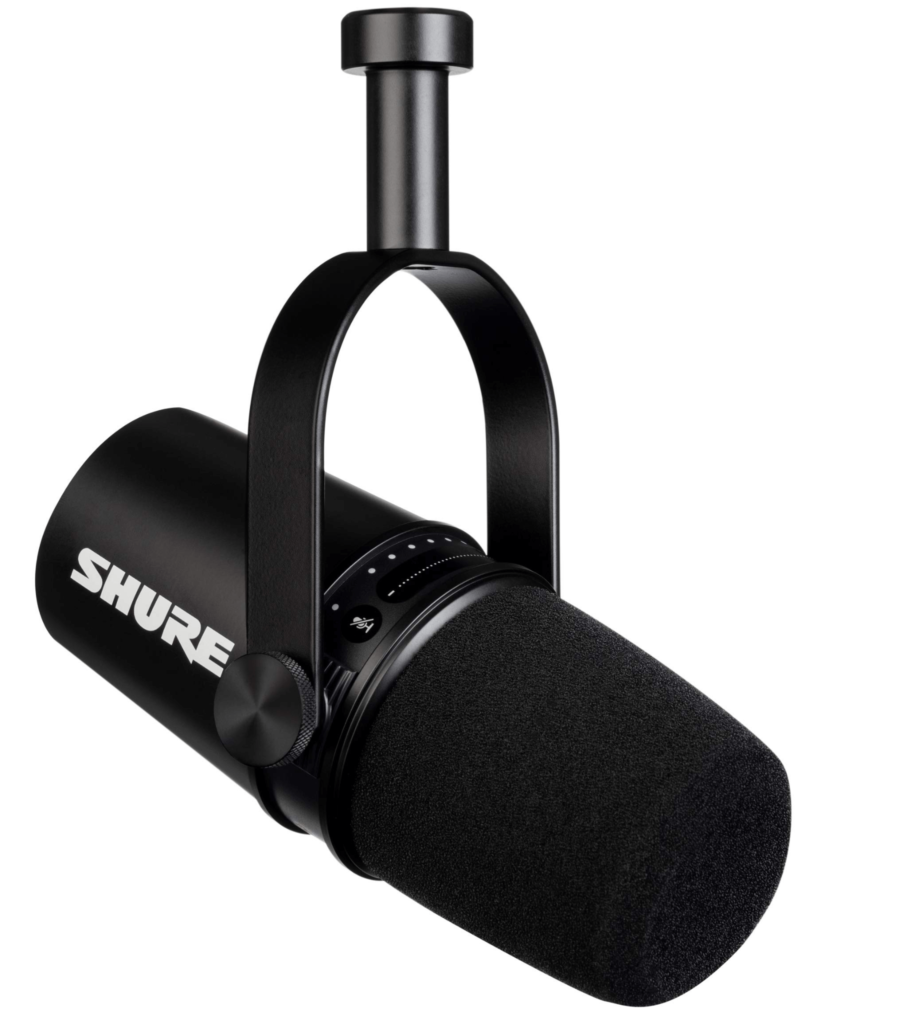
Inspired by the renowned SM7B, this dynamic microphone offers versatility with both USB and XLR outputs. Whether you’re a content creator, podcaster, or musician, the MV7 is designed to deliver exceptional audio performance on any platform.
With the MV7, you have the flexibility to connect via USB or XLR, allowing you to integrate with computers and professional audio interfaces seamlessly. The USB connection provides plug-and-play convenience, while the XLR output enables you to take advantage of the microphone’s full potential in a studio setup. It is one of the finest gaming microphones that comes power-packed with features, including the innovative Auto Level Mode. This intelligent feature automatically adjusts your vocal tone and maintains a consistent distance from the microphone, giving you a hassle-free recording experience.
Features:
- Utilizes a dynamic microphone capsule, providing excellent sound quality.
- Dual output options (USB, XLR).
- Integration with ShurePlus MOTIV app.
- Auto level mode.
- Customizable sound signature.
- Built-in headphone monitoring.
- Integrated pop filter that reduces vibrations and handling noise, resulting in cleaner recordings.
Pros:
- Stylish and ergonomic design.
- Compatible with popular recording software such as Audacity, GarageBand, and Adobe Audition.
- Built-in touch panel controls.
Cons:
- Slightly expensive compared to other products in the segment.
- A wide range of customization options will only be accessible when signed in with the ShurePlus MOTIV desktop app.
Compatibility: Windows, macOS, Android, and iOS.
Price: $249
4. HyperX SoloCast
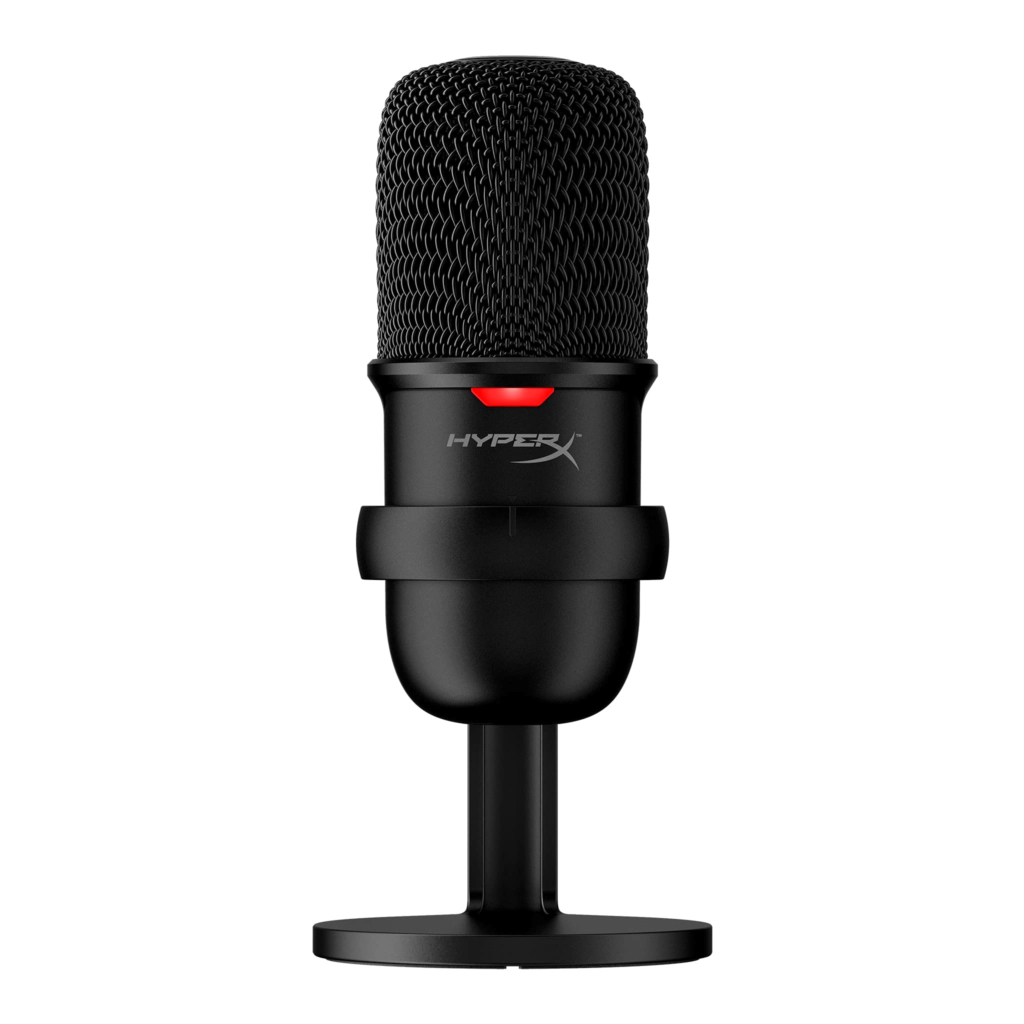
The HyperX SoloCast USB gaming microphone is a compact and user-friendly option designed specifically for gamers and streamers. With its easy plug-and-play functionality and high-quality audio performance, the SoloCast aims to enhance your gaming experience and communication with your audience.
Features:
- Utilizes a cardioid pickup pattern, capturing sound from the front while minimizing background noise from the sides and rear.
- Equipped with a condenser microphone, the SoloCast delivers clear and detailed sound reproduction.
- Built-in tap-to-mute sensor.
Pros:
- Easy setup.
- High-quality sound.
- Offers a hassle-free way to mute the microphone
- Budget-friendly.
Cons:
- Does not offer XLR or other output options
Compatibility: Windows, Mac, PS4, PS5, Xbox, USB Audio interfaces.
Price: $59.99
5. Logitech Blue Yeti X
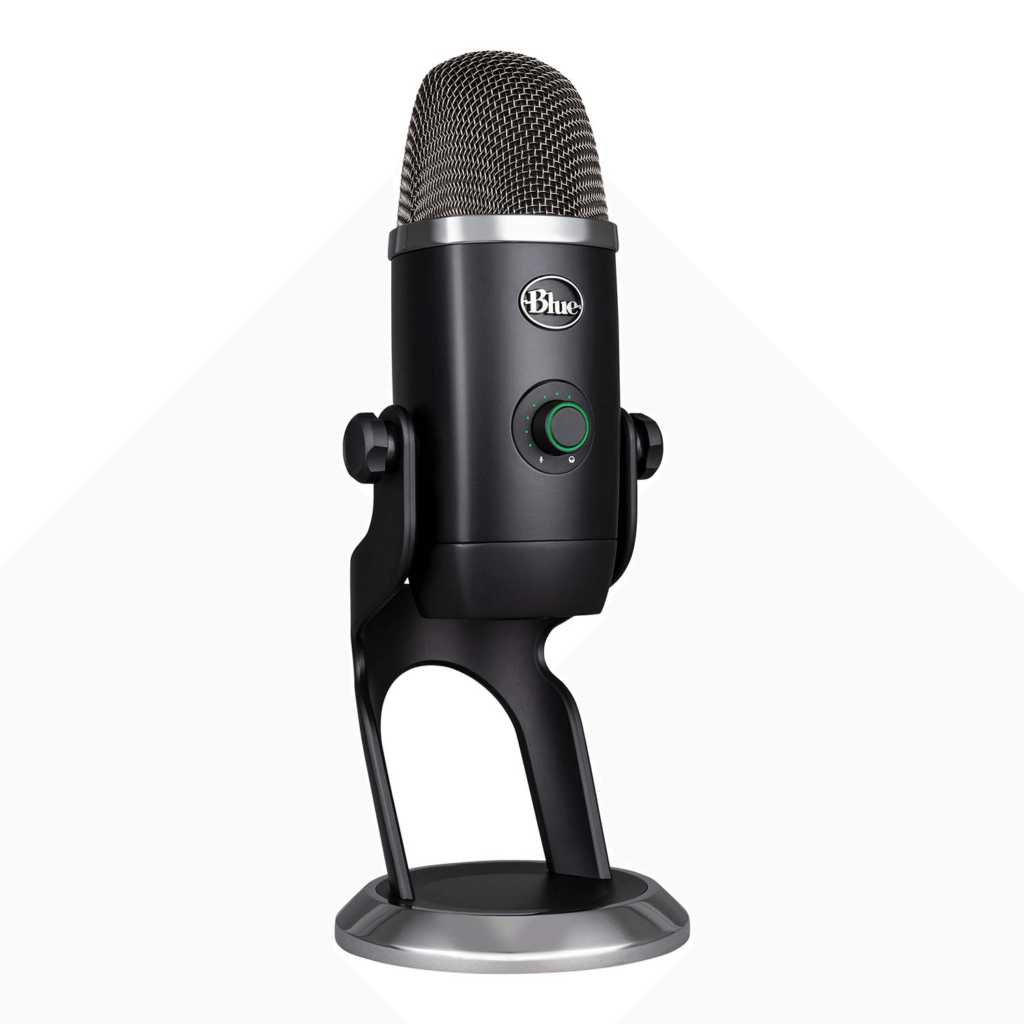
Here comes another pick on our list of best gaming microphones to use in 2026. With its unmatched versatility and exceptional sound quality, the Logitech Blue Yeti X is the gold standard among professional-grade USB microphones. This microphone ensures high-quality audio for your recordings and broadcasts because it was designed with gamers, streamers, podcasters, and content creators in mind.
The advanced four-capsule condenser array in the Yeti X allows for an impressive variety of pickup patterns, including cardioid, bidirectional, omnidirectional, and stereo. This enables you to adjust the microphone’s sensitivity and directionality to suit different recording scenarios, whether you’re hosting a podcast interview, streaming a gaming session, or recording vocals in a studio environment.
Features:
- Versatile pickup patterns.
- Advanced LED metering that provides real-time visual feedback of your audio levels.
- Supports a 24-bit/48 kHz audio resolution, offering studio-quality sound for professional-grade recordings.
- Broadcast filters and effects.
- Built-in shock mount for a cleaner sound.
Pros:
- Stylish design and robust build quality.
- Exceptional sound quality.
- Intuitive controls.
Cons:
- Blue Yeti X is relatively larger and heavier compared to some other USB microphones.
- The Yeti X relies solely on USB connectivity and does not offer XLR output.
Compatibility: Windows, Mac, PlayStation, Xbox, and streaming platforms like YouTube and Twitch.
Price: $139.99
Conclusion
Any of these top gaming microphones will improve your gaming experience and allow you to interact with your audience in a way that has never been possible. Prioritizing sound quality, versatility, compatibility, and convenience is essential when choosing a microphone for gamers to use in 2026. Every microphone mentioned in this blog has special qualities and advantages that suit various tastes and requirements.
FAQs:
Are USB microphones better for gaming than XLR microphones?
USB microphones are more convenient and easier to set up for gaming purposes. XLR microphones offer more professional-grade audio quality but require additional equipment like audio interfaces.
Can I use a gaming microphone with a console?
Yes, many microphones are compatible with gaming consoles like PlayStation and Xbox. However, check for compatibility and any necessary adapters for proper connectivity.
Do I need any additional software to use a microphone?
Most microphones can be used without additional software. However, some models may have companion software that offers additional features and customization options.
Author Bio:
Dinesh Lakhwani 

Dinesh Lakhwani, the entrepreneurial brain behind “TechCommuters,” achieved big things in the tech world. He started the company to make smart and user-friendly tech solutions. Thanks to his sharp thinking, focus on quality and the motto of never giving up, TechCommuters became a top player in the industry. His commitment to excellence has propelled the company to a leading position in the industry.
Popular Post











Recent Post

How to Switch Windows 10 to a Local Account: Complete Guide
Windows 10 allows users to sign in with either a Microsoft account or a local account. When you set up a new computer, the system often suggests using a Microsoft account. This account connects your device to Microsoft services such as Outlook, OneDrive, and the Microsoft Store. It also syncs settings, themes, and passwords across […]

How To Change Default Apps For File Types In Windows
Windows is designed to make using your computer easy. One way it does this is by assigning default apps to different file types. This means when you open a file, Windows automatically opens it with a specific program. For example, photos may open with Photos, music with Groove Music, and PDFs with Edge. These default […]

How To Adjust The Mouse Pointer Speed: Complete Guide
Using a computer every day means you use the mouse a lot. The mouse pointer moves on the screen and helps you click, scroll, and select items. Many people never think about the speed of the mouse pointer. They have used the default setting for years. This can cause small problems over time. A slow […]

How to Change Mouse Scrolling Settings In Windows
A mouse is one of the most used computer tools. People use it every day. They scroll through emails. They scroll through documents. They scroll through websites and images. The movement becomes automatic. Most users do not notice it. That is why problems often go unnoticed. Scrolling problems show up slowly. At first, it feels […]

Keyboard Light Settings: Keyboard Lighting Control [Complete Guide]
Keyboards are no longer simple typing tools. Well, yes! Over time, they have evolved to include features that improve comfort, visibility, and overall experience. One of the most useful features today is keyboard lighting. It helps users work comfortably in low-light conditions. It also reduces strain when typing for long hours. Many users first notice […]

Customizing Pointer Appearance: Complete Guide
The way your mouse pointer looks on your computer may seem like a small detail. But customizing pointer appearance can make using your PC more comfortable and visually appealing. Many users do not realize that they can change the pointer size, color, and style to fit their needs. Whether you want a bigger pointer for […]

How To Choose a Computer Monitor: Monitor Buying Guide
Buying a monitor looks easy. Many people think all screens are the same. That belief causes regret later. A monitor is not just a display. It is a daily tool. You read on it. You work on it. You relax with it. Small problems become big over time. Poor brightness hurts eyes. Bad size causes […]

How To Get Help With File Explorer in Windows 11 [Complete Guide]
File Explorer is one of the most important tools in Windows 11. It is used to open folders, view files, and manage stored data. Almost every action on a Windows computer depends on it in some way. When users open documents, save downloads, or organize photos, File Explorer is always involved. Because it is used […]

How To Fix A Frozen Computer: Complete Guide [Windows 11/10]
A frozen computer is one of the most common problems Windows users face. The screen stops responding. The mouse pointer does not move. Keyboard inputs do nothing. You may hear the fan running loudly. Sometimes the system looks alive, but nothing works. This situation often happens when you are busy or working on something important. […]

How to Upgrade Computer RAM: Complete Guide
Upgrading RAM is one of the simplest ways to improve a computer. It helps the system feel faster and smoother. Apps open quicker. Browsers handle more tabs. Games and tools run with less delay. Many users search for how to upgrade computer RAM because it gives real results without high cost. You do not need […]

