Top 10 Best ES File Explorer Alternatives In 2026
Last updated on December 27th, 2025 at 1:48 am
The most popular program among these choices has been the ES File Explorer for a long time. It is an excellent application for organizing files and programs, with many additional capabilities. This software has remained a typical pick for Android users. However, it was discovered to be installing spyware on their devices.
So, unfortunately, the Google Play Store has prohibited this popular file organizer software. Users of these applications are left with little choice but to seek alternatives due to the restrictions. So, to assist you with a new file manager, we have compiled the top ES File Explorer alternatives.
How We Curated This List: Our Selection Strategy
Choosing the best file manager apps to replace ES File Explorer in 2026 wasn’t just about popularity. It was about performance, privacy, and user experience. We evaluated dozens of contenders across platforms, tested their features, and considered real-world feedback to ensure our recommendations are genuinely useful for everyday users.
Here’s what guided our selection:
- Security First: We prioritized apps that don’t compromise user privacy or data integrity.
- Performance & Speed: Fast file indexing, smooth navigation, and minimal lag were key.
- Feature Set: Support for cloud storage, FTP, file compression, and media playback added major points.
- User Interface: Clean, intuitive design with customizable views made apps more appealing.
- Regular Updates: Active development and bug fixes ensured long-term reliability.
- Cross-Platform Support: Apps that work across Android, iOS, and even desktop environments scored higher.
- Advanced Tools: Dual-pane browsing, root access, and encryption features were considered bonuses.
- User Reviews & Ratings: We factored in community feedback from app stores and forums.
Top 5 ES File Explorer Alternatives Compared
To help you decide faster, we’ve compared the top five alternatives side-by-side. Each app brings something unique to the table—from Google’s simplicity to Solid Explorer’s power-user features. Here’s how they stack up:
| App Name | Key Features | Pros | Cons |
| Files by Google | Smart cleaning, offline sharing, cloud backup | Lightweight, ad-free, easy to use | Limited advanced tools |
| Solid Explorer | Dual-pane, encryption, cloud integration | Highly customizable, powerful features | Paid version required for full access |
| Astro File Manager | Cloud manager, media viewer, storage analyzer | Great for cloud users, clean UI | No root access |
| Explorer | Simple file browsing, folder shortcuts | Lightweight, fast, no bloat | Basic interface, lacks cloud support |
| FileMaster | File transfer, media player, privacy vault | All-in-one utility, good for media files | Ads in free version |
Best 10 Alternatives to ES File Explorer
Many people look for alternatives because ES File Explorer is not currently accessible on the Google Play Store. So, if you’re looking for anything similar, you’ve come to the perfect spot. We will discuss some of the most excellent alternatives. Continue reading and check it out.
1. Files By Google
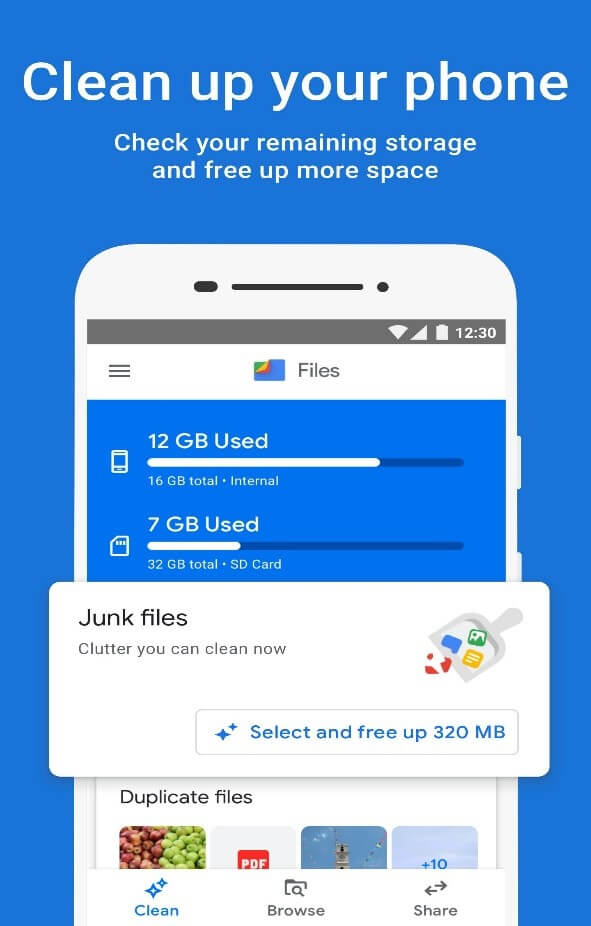
Files by Google is among the greatest ES File Explorer alternatives on the market, and it deserves to be. Google’s file management program is well-known for its intelligent identification of storage trash. It finds and displays the garbage files which need to be removed from the device. Aside from that, Files by Google contains all of the standard file management functionality necessary in a file manager program.
Compatibility: Android 5.0 and higher
Price: Free
Features:
- Allows you to clear up space in a faster and simpler way.
- Use Files to determine how much space is available.
- Use Files to retain adequate storage to keep it working smoothly.
- Offer recommendations for files to delete to clear space.
Pros:
- Save time and discover files more quickly.
- Simple file managing and viewing.
- Offline file sharing.
Cons:
- Not possible to uninstall or deactivate it.
- Not appropriate for moving or transferring files.
2. Solid Explorer
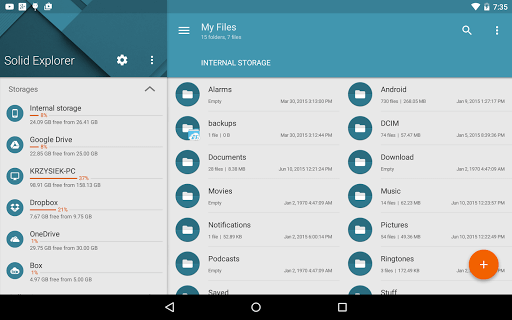
Solid Explorer is the nearest competitor. It is sometimes regarded as the most acceptable option because it has nearly all of the capabilities present in the ES File Explorer. The app is free for 14 days, after which you can subscribe to a premium plan. It has a well-organized fast access panel to various files and storage devices. The software may be completely customized.
Compatibility: Android, iOS, Windows, and Web browsers
Price: 14 days free trial; Paid add-on
Features:
- Provides access to files saved and arranges them automatically.
- Store chosen files in a safe folder after encrypting them using powerful AES.
- Assists you in determining which files consume the most space.
- Major cloud providers and network protocols are supported.
Pros:
- The user interface is clean and seamless.
- Includes SMB/FTP and dual-pane capabilities.
- Could Integration.
Cons:
- No native players or viewers.
- There is just a 14-day free trial.
3. Astro File Manager
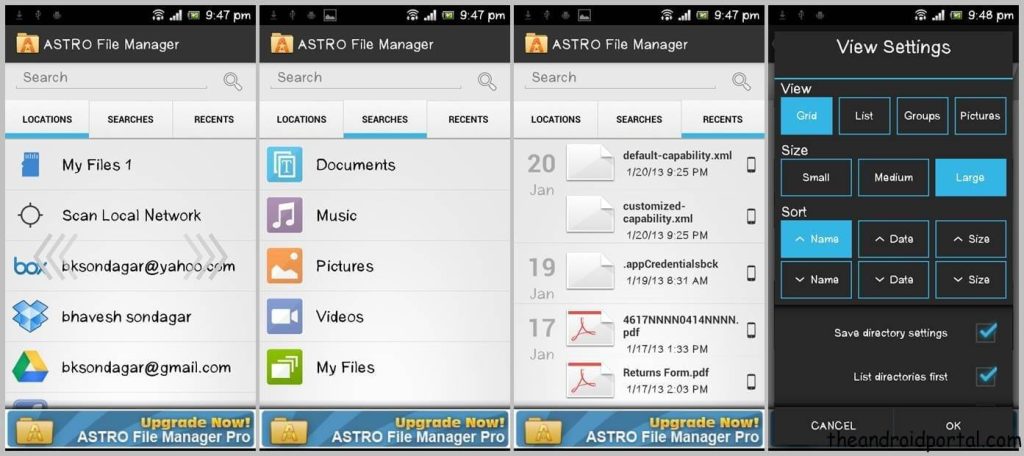
Astro File Manager is among the other ES file explorer alternatives. It is free and has a plethora of features to meet the demands of everyone. The software enables you to browse, backup, manage and move files quickly and easily. It gives precise storage space data to aid you in keeping your smartphone decluttered, and its data arranged logically.
Compatibility: Android, iOS, Linux, Windows
Price: Free
Features:
- Offers convenient and quick access to a variety of files and documents.
- Assist in the removal of garbage files and other unwanted data.
- Capacity to maintain cloud storage and synchronize data.
- The built-in archiver supports compressing and decompressing files.
Pros:
- Sort and categorize files based on their size.
- Free Storage Cleaner
- Management of native and cloud storage.
Cons:
- No Customization
- No possibility to open the directory via path.
4. Explorer
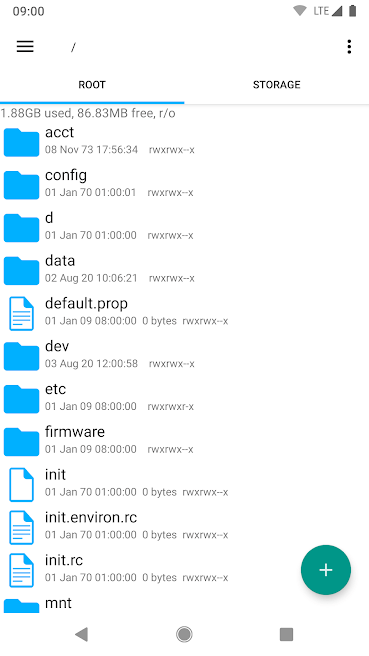
Explorer is incredibly light and has a user interface that is both seamless and straightforward. It comes with a tabbed user interface and enables users to travel between destinations by clicking or swiping on a tab. Aside from ordinary file management, this alternative solution also enables you to manage files saved on cloud platforms like Box, Google Drive, Dropbox, and others.
Compatibility: All Devices
Price: Free
Features:
- Clicking/ swiping on a tab lets you easily travel between different locales.
- It has several themes and a built-in text editor.
- Zip or tar files should be created and extracted.
- In the background, conduct long-running processes (like copying or moving files).
Pros:
- Make shortcuts to files and directories.
- Sets of customizable icons
- Provides a search function
Cons:
- Fueled by advertisements.
- Sometimes, specific icons seem hazy.
5. FileMaster
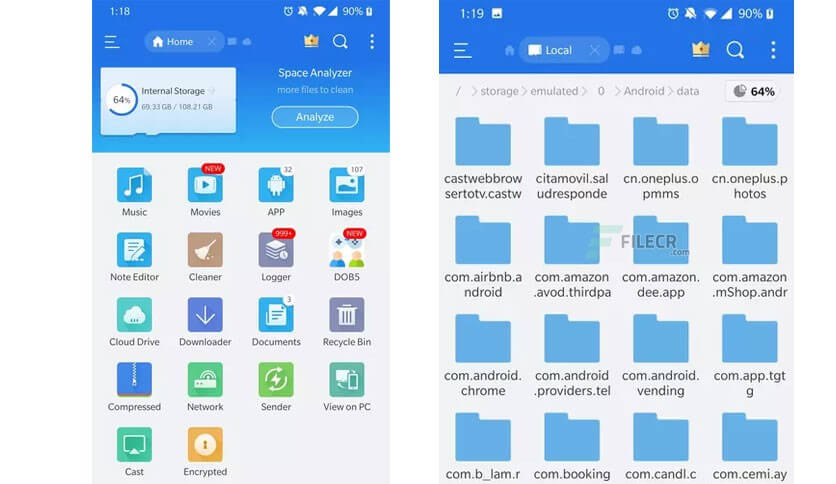
If you’re seeking all-in-one system and file management applications for your smartphone, FileMaster is the solution. It can assist you in quickly optimizing your smartphone. This ES file manager alternative may help you improve your phone with its effective app manager, junk cleaner, CPU cooler, and vital file management. It also includes a file transfer tool.
Compatibility: Android, iOS, Windows 7/8/10
Price: Free
Features:
- To restore space, it clears the apps and system cache junk files.
- Remove any leftover garbage files from removed programs.
- Cool the CPU by detecting and closing programs that may cause temperature rises.
- Automatically scan running applications, memory card contents, and other apps.
Pros:
- Increases processing speed.
- All files are categorized.
- Battery saver to analyze battery use.
Cons:
- Takes a long time to display the contents of the folder.
- Display several advertisements.
6. MiXplorer Silver File Manager
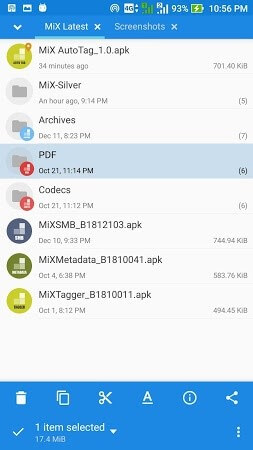
MiXplorer Silver File Manager is among the few popular file managers with a plethora of functionality. In addition, it offers so many capabilities that even users who have been using ES File Explorer for decades may become overwhelmed. It includes a contemporary user interface, including a fantastic bottom-bar panel. You may use new files or folders to make multitask and tabs.
Compatibility: Windows 7/8/9, Mac, Android
Price: $5.50
Features:
- The dual-panel allows you to transition between two jobs smoothly.
- It can compress and unzip files and supports various file types.
- You may also connect to the root directory and use cloud services.
- Added support for the FTP and SMB protocols.
Pros:
- The user interface is simple and full of features.
- FTP or SMB support is provided.
- Cloud integration and dual-paneling.
Cons:
- Sometimes loading issues occur.
- In-app purchases.
7. Amaze File Manager
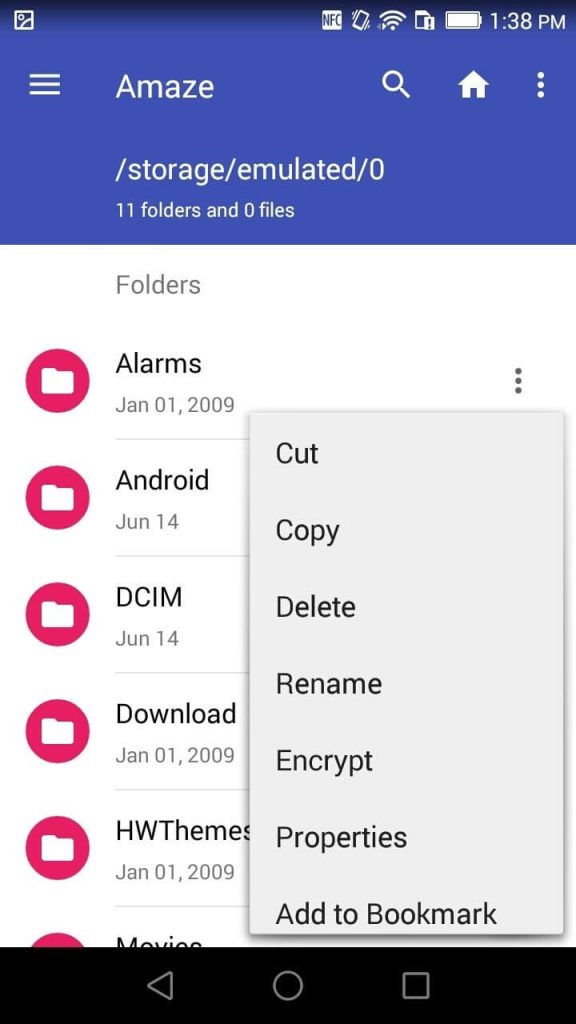
The makers of Amaze File Manager built it with the simplicity of use in consideration. It is a 100% free app with no advertisements. You may examine files in grid or list format and execute simple operations. Cut, delete, copy, compress, extract, and other basic features are conveniently available. Plus, it can extract and compress files. There are several themes with their own set of fascinating icons.
Compatibility: Android
Price: Free
Features:
- Enables you to backup and remove applications.
- Allows you to rush across various storage media and directories.
- Provides FTPS and FTP support
- Work on many tabs simultaneously and support for drag-and-drop motions.
Pros:
- Open Source, sleek, and lightweight app.
- Support for cloud services.
- Cloud service assistance.
Cons:
- Often falls.
- Slow files are moving.
8. File Commander
File Commander is among the other popular ES file explorer alternatives. It is a feature-rich file management tool. Plus, it has standard functionality like file categorization, network file sharing, cloud sync, USB OTG compatibility, file compression, and some other additional capabilities. The Premium edition includes additional features like file hiding and encryption, a storage analyzer, a recycle bin, file bookmarking, etc.
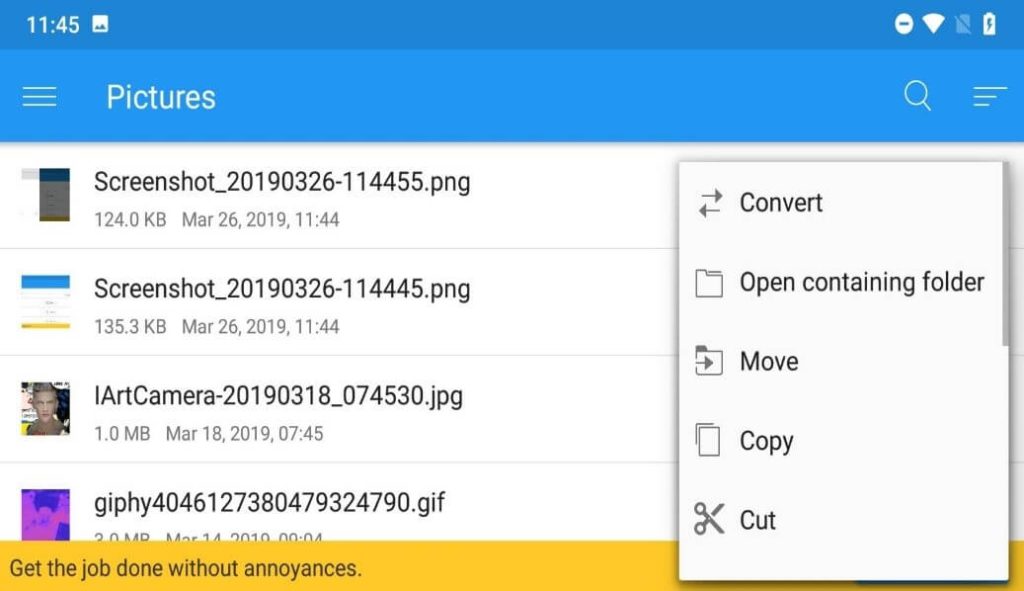
Compatibility: Android, Windows, Linux, FreeBSD.
Price: Free with ads; $29.99/ year
Features:
- The home screen may be customized, with many pre-set categories
- DropBox, Box, OneDrive, and Google Drive supported cloud services.
- Supports USB-OTG for managing external files.
- PC, FTPs, FTP, and remote file transfer are all supported.
Pros:
- App with several features.
- Allows for PC file transmission.
- Integration with the cloud.
Cons:
- Too many advertisements.
- Transferring files takes longer.
9. Total Commander
Total Commander is among the earliest file managers for Android users. It is free of adverts and adware, making it a viable alternative to ES File Explorer. The best thing is that Total Commander is entirely free, which is incredible. The user interface is a little old-fashioned, but you get a dependable file manager that can manage everything. Plus, it may be used to access rooted system files.
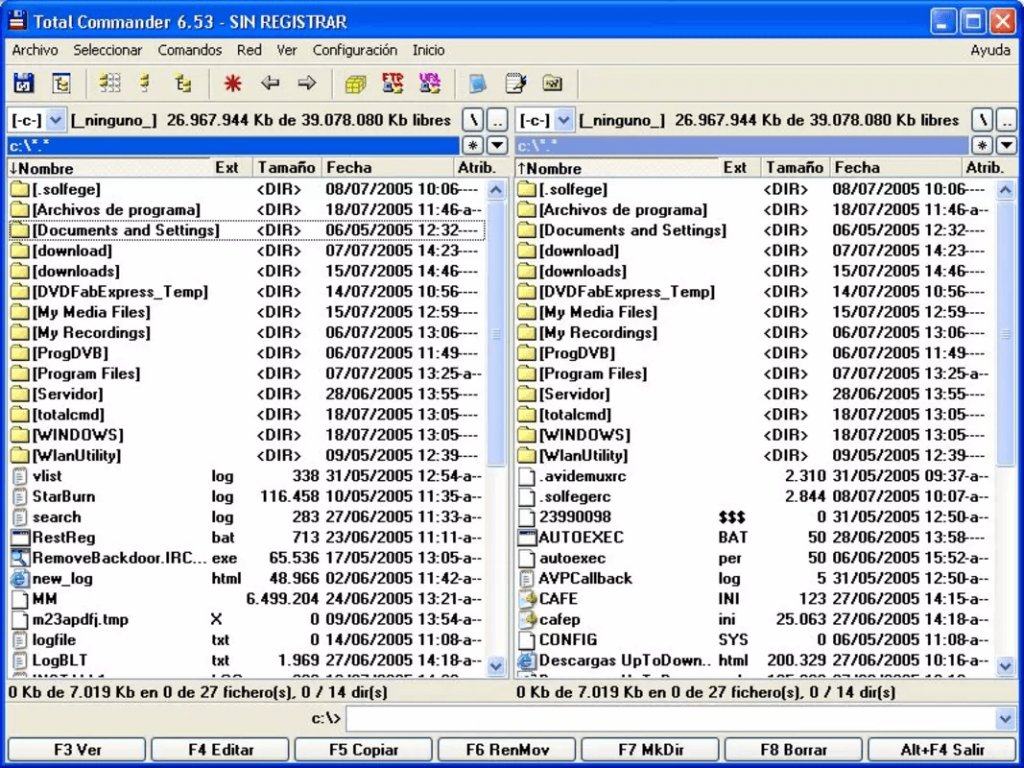
Compatibility: Android, Windows
Price: Free Mobile Version
Features:
- Configurable button bar for performing various activities.
- Enhancement for the visually handicapped.
- It is compatible with rooted devices.
- Make customizable buttons for carrying out various operations and running commands.
Pros:
- File manager that has been tried and tested
- Brings all of the necessary characteristics
- RAR and ZIP files are supported.
Cons:
- Sometimes it fails to copy or transfer files.
- Custom configuration necessitates a significant amount of time.
10. FX File Explorer
FX File Explorer is our last alternative to ES File Explorer with a sleek and easy-to-use material designed User Interface. The software is free to download, but an in-app payment unlocks a few extra features. Like other file management programs, FX File Explorer has the standard feature set that includes a video player, an image viewer compatibility for several file archiving, cloud services, etc.
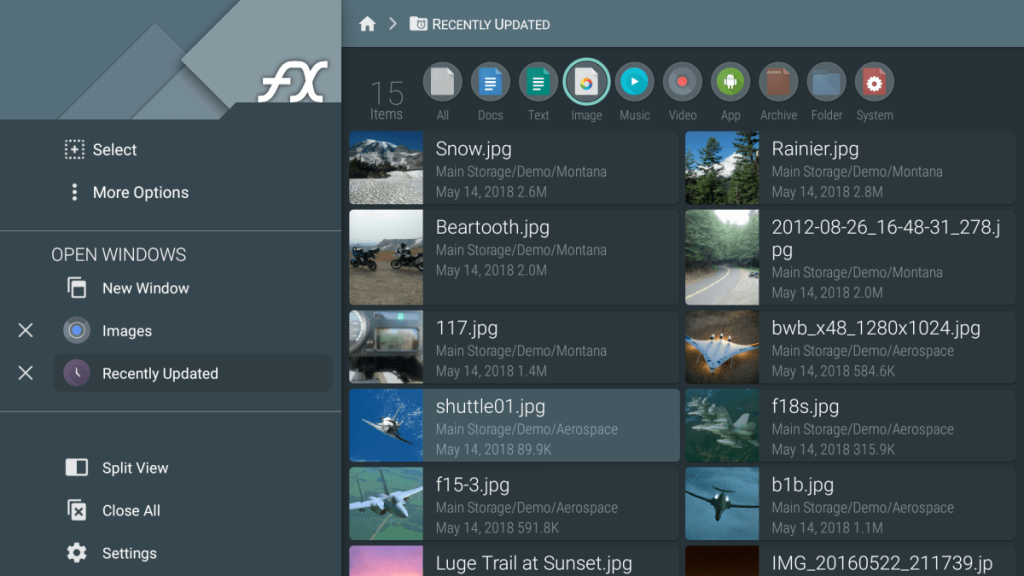
Compatibility: Windows, Android, iOS.
Price: Free app with some in-app purchases.
Features:
- Ability to access cloud sites and network with a single password.
- Execution of shell scripts and viewing of binary (hex) files.
- Support for remote file transmission and cloud storage.
- Using a web browser, you may transmit and handle files and documents.
Pros:
- It conveniently categorizes the device’s storage.
- The home screen may be personalized.
- Capabilities for cloud access
Cons:
- Incapable of locating a way to SMB server.
- It had a more excellent design before the Material Design revamp.
Final Thoughts: Why These Alternatives Matter
ES File Explorer was once the gold standard, but its decline left a gap that needed filling. These alternatives aren’t just substitutes—they’re upgrades. Whether you want simplicity or advanced control, there’s an app here for you.
In 2026, file management is more than just moving folders. It’s about privacy, speed, and seamless integration with your digital life. Choose the one that fits your workflow—and enjoy a clutter-free experience.
FAQs:
1. Why was ES File Explorer removed from app stores?
ES File Explorer was removed due to concerns over data privacy, bloatware, and unethical practices like click fraud. These issues led to its ban from the Play Store, prompting users to seek safer alternatives.
2. Which alternative is best for power users?
Solid Explorer is ideal for power users. It offers dual-pane navigation, encryption, root access, and cloud integration. Its flexibility and depth make it perfect for those who want full control over their file system.
3. Are these alternatives safe to use? Yes, all apps listed have strong reputations for security and transparency. We avoided apps with questionable permissions or hidden malware. Always download from official sources like Google Play or the App Store for maximum safety.
Author Bio:
Dinesh Lakhwani 

Dinesh Lakhwani, the entrepreneurial brain behind “TechCommuters,” achieved big things in the tech world. He started the company to make smart and user-friendly tech solutions. Thanks to his sharp thinking, focus on quality and the motto of never giving up, TechCommuters became a top player in the industry. His commitment to excellence has propelled the company to a leading position in the industry.
Popular Post











Recent Post

How to Switch Windows 10 to a Local Account: Complete Guide
Windows 10 allows users to sign in with either a Microsoft account or a local account. When you set up a new computer, the system often suggests using a Microsoft account. This account connects your device to Microsoft services such as Outlook, OneDrive, and the Microsoft Store. It also syncs settings, themes, and passwords across […]

How To Change Default Apps For File Types In Windows
Windows is designed to make using your computer easy. One way it does this is by assigning default apps to different file types. This means when you open a file, Windows automatically opens it with a specific program. For example, photos may open with Photos, music with Groove Music, and PDFs with Edge. These default […]

How To Adjust The Mouse Pointer Speed: Complete Guide
Using a computer every day means you use the mouse a lot. The mouse pointer moves on the screen and helps you click, scroll, and select items. Many people never think about the speed of the mouse pointer. They have used the default setting for years. This can cause small problems over time. A slow […]

How to Change Mouse Scrolling Settings In Windows
A mouse is one of the most used computer tools. People use it every day. They scroll through emails. They scroll through documents. They scroll through websites and images. The movement becomes automatic. Most users do not notice it. That is why problems often go unnoticed. Scrolling problems show up slowly. At first, it feels […]

Keyboard Light Settings: Keyboard Lighting Control [Complete Guide]
Keyboards are no longer simple typing tools. Well, yes! Over time, they have evolved to include features that improve comfort, visibility, and overall experience. One of the most useful features today is keyboard lighting. It helps users work comfortably in low-light conditions. It also reduces strain when typing for long hours. Many users first notice […]

Customizing Pointer Appearance: Complete Guide
The way your mouse pointer looks on your computer may seem like a small detail. But customizing pointer appearance can make using your PC more comfortable and visually appealing. Many users do not realize that they can change the pointer size, color, and style to fit their needs. Whether you want a bigger pointer for […]

How To Choose a Computer Monitor: Monitor Buying Guide
Buying a monitor looks easy. Many people think all screens are the same. That belief causes regret later. A monitor is not just a display. It is a daily tool. You read on it. You work on it. You relax with it. Small problems become big over time. Poor brightness hurts eyes. Bad size causes […]

How To Get Help With File Explorer in Windows 11 [Complete Guide]
File Explorer is one of the most important tools in Windows 11. It is used to open folders, view files, and manage stored data. Almost every action on a Windows computer depends on it in some way. When users open documents, save downloads, or organize photos, File Explorer is always involved. Because it is used […]

How To Fix A Frozen Computer: Complete Guide [Windows 11/10]
A frozen computer is one of the most common problems Windows users face. The screen stops responding. The mouse pointer does not move. Keyboard inputs do nothing. You may hear the fan running loudly. Sometimes the system looks alive, but nothing works. This situation often happens when you are busy or working on something important. […]

How to Upgrade Computer RAM: Complete Guide
Upgrading RAM is one of the simplest ways to improve a computer. It helps the system feel faster and smoother. Apps open quicker. Browsers handle more tabs. Games and tools run with less delay. Many users search for how to upgrade computer RAM because it gives real results without high cost. You do not need […]

