Top 10 Software to Scan Documents In 2026 [Complete Guide]
Last updated on December 28th, 2025 at 1:59 am
Scanning documents is now part of daily life. People use it to save papers, share files, and stay organized. Whether you work in an office, run a business, or study at school, scanning helps you keep things neat and easy to find.
In 2026
, scanning software have become smarter. It can read text from images, save files to the cloud, and even protect your data. But with so many choices, picking the right one can be hard. That’s why we made this list to help you find the best tools for your needs.
How We Picked the Best
We tested many scanning tools. We looked at how easy they are to use, what features they offer, and how well they work. We also read user reviews and checked expert advice.
Here are the things we looked for:
- OCR (Optical Character Recognition): This lets the software read text from scanned images. It helps you copy, search, and edit the text.
- Easy to Use: The software should be simple. Clear buttons and menus make scanning faster.
- File Types: Good software works with many formats like PDF, Word, JPG, PNG, and more.
- Cloud Save: You should be able to save files to Google Drive, Dropbox, OneDrive, or other cloud services.
- Batch Scanning: This means you can scan many pages at once. It saves time.
- Security: Some tools let you lock files with passwords or encrypt them for safety.
- Works on Many Devices: The best tools work on Windows, Mac, and mobile phones.
- Good Price: We looked for tools that give good value. Some are free, some offer trials, and some are paid.
Quick Comparison: Top 5 Document Scanning Tools
Here’s a table to help you compare the five top scanning tools. It shows how they perform in key areas.
| Feature | Adobe Acrobat DC | ABBYY FineReader | Kofax OmniPage | Readiris | PaperScan |
| OCR Quality | Excellent | Excellent | Very Good | Good | Good |
| Easy to Use | Yes | Yes | Okay | Yes | Yes |
| File Types | Many | Many | Many | Many | Some |
| Cloud Save | Yes | Yes | Limited | Yes | No |
| Batch Scan | Yes | Yes | Yes | Limited | Yes |
| Security | Strong | Strong | Good | Basic | Low |
| Works On | All devices | All devices | Windows only | All devices | Windows only |
| Price | High | High | High | Medium | Free & Paid |
This table helps you see which tool fits your needs. If you want strong OCR and cloud save, Adobe or ABBYY are great. If you want a free option, PaperScan is a good start.
Eliminating the paperwork is a crucial part of the digitization process for any business. Hence, many businesses plan to seek the help of document scanning software in converting the papers into electronic copies. It becomes much easier to manage electronic forms and files compared to the pile of papers that require sufficient space and security.
Best and Top Ten Document Scanning Software
So, today we bring you the tested and best-detailed review of the top ten software available in the market to scan documents. These programs are ideal for not only converting files but also saving electronic copies in multiple formats for quick retrieval.
1. Adobe Acrobat DC
Adobe is a popular name when it comes to opening documents on mobile devices and systems. It has multiple features and associated benefits under one roof and is ideal for small businesses and big businesses.
Compatibility: Windows, Mac
Price: $20 for pro subscription
Features:
- It can create PDFs from Microsoft Office applications, photos, emails, and other document formats.
- It improves added security, standardized templates, and dedicated passwords to save sensitive files.
- It further offers reverse conversions from PowerPoint, Excel, and Word.
Pros:
- It has all the required tools and capabilities that are needed for any company to manage their documents.
- It can be seamlessly integrated into many other software applications for smooth workflows.
- It can be used in multiple departments to convert PDF files.
Cons:
- It is costly for startups and small businesses.
2. Abbyy FineReader
It is one of the leading software for document scanning and hence is the top choice on our list. The company has proven expertise in offering multiple enterprise-level products, and hence this software is coming from the best professionals.
Compatibility: Windows and Mac
Price: $29.99 per month
Features:
- It uses the powerful optical character recognition (OCR) technology that drives all features of this software.
- It offers functions like annotating, commenting, etc., on all PDFs to make them ready for use.
- It can save time on proofreading, back-checking, and text changes between different document versions.
Pros:
- It is a simple-to-use tool with minimalist buttons and options in the interface.
- It is ideal for handling bulk documents as well as single documents.
- It offers support to multiple languages.
Cons:
- It may not suit the requirements of startups and small businesses.
3. Kofax OmniPage
Powered by the leading technology, it is rich in multiple features and hence suits the needs of multiple businesses.
Compatibility: Windows and Mac
Price: $149 for the standard version
Features:
- It uses OCR technology for quick and effective scanning of multiple documents.
- It offers a digital library of PDF files.
- It supports multiple software platforms, including the in-house Power PDF tool, WordPerfect, Corel, PowerPoint, Word, etc.
Pros:
- It offers high-quality scanning of documents for precise data storage.
- It is easy to use software and is ideal for all types of businesses.
- It offers quick integration to multiple devices.
Cons:
- It may be a bit costly for businesses that have seasonal data requirements.
4. Readiris
It is a popular tool that quickly copies, converts, and edits multiple documents. It is used globally and comes as a single product for managing different document needs.
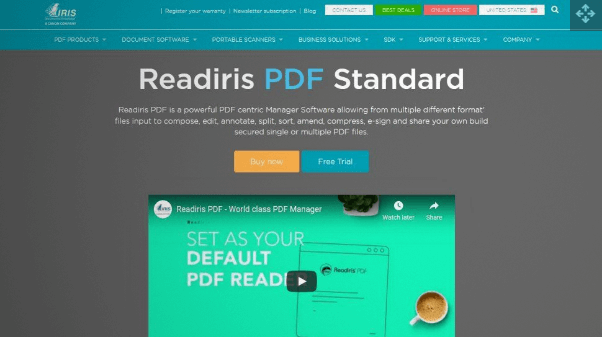
Compatibility: Windows and Mac
Price: $129 for centric manager software
Features:
- It uses OCR technology for quick conversion and editing documents.
- It can convert PDFs, texts, pictures, Word files, Excel files, PowerPoint, indexed PDFs, etc.
- It offers quick conversion of books into audio and Wav files.
Pros:
- It is available in different suites to match the needs of startups, small and big businesses.
- Any business can go for Readiris as it supports more than 138 languages and hence is used globally.
- It is a selected product that supports the scanning and conversion of documents in multiple formats, including audio.
Cons:
- It doesn’t offer PDF compression.
5. PaperScan
It is another top option in the document scanning software and is popular as the universal software. It is an ideal solution for upgrading the existing system software to add comprehensive features.
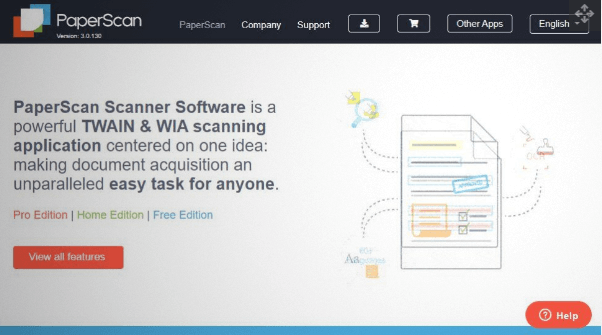
Compatibility: Windows and Mac
Price: $79 for Home Edition
Features:
- It offers batch processing, color editing tools, annotations, automatic blank page removal, etc.
- It facilitates the quick organization of the scanned files for ready use.
- It further offers post-processing tools like border removal, color adjustments, filter options, hole punch removal, rotation, etc.
Pros:
- It is the ideal software when companies are looking for additional useful features in the existing systems.
- It is an affordable solution for startups, small businesses, etc., and offers multi-lingual support.
- It offers multiple editing, saving in different formats, etc., and other tools for overall smooth functioning.
Cons:
- It doesn’t offer support to the cloud.
6. ScanSpeeder
It can perform scanning, editing, and archiving photos. It is a perfect tool for the new bees in technology.
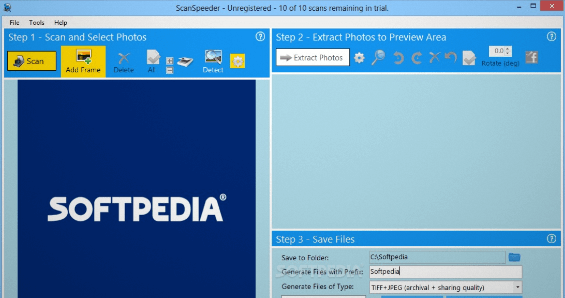
Compatibility: Windows and Mac
Price: $39.95 for pro edition
Features:
- It offers quick segregation for files and photos and straightens them.
- It can automatically tag photos with related information.
- It can restore faded photos and can add text.
Pros:
- It is easy to use software with a minimalist interface.
- It can scan multiple photos at once.
- The company offers a dedicated customer service team for handling multiple issues of customers.
Cons:
- The latest features are available in the pro version of the software only.
7. VueScan
Hamrick Software was founded in 1991 by Ed Hamrick. Our first product was VuePrint, an easy to use JPEG viewer for Windows that for many years was the recommended image viewer for AOL, with more than 100,000 users. It is another document scanning software that can handle documents, slides, films, photos, etc. It is a preferred choice of many businesses that want to retrieve their old scanners.
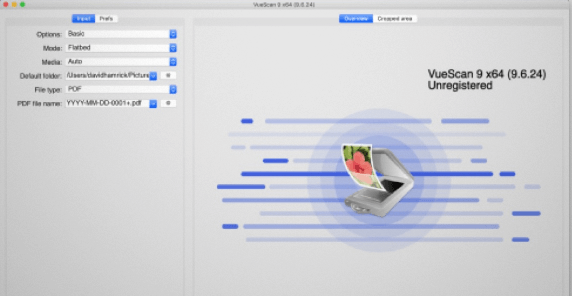
Compatibility: Windows, Mac, Linux, etc.
Price: $29.95 standard edition
Features:
- It easily works on film, flatbed, and documents.
- It is ideal for single and multiple documents and works well for small size documents.
- It works on OCR and offers automatic color detection.
Pros:
- It is available in multiple customization options.
- It can be seamlessly integrated with older software versions.
- It offers high-quality output and can calibrate colors.
Cons:
- It has a complex interface that may be difficult to understand for beginners.
8. NAPS2 Document Scanner
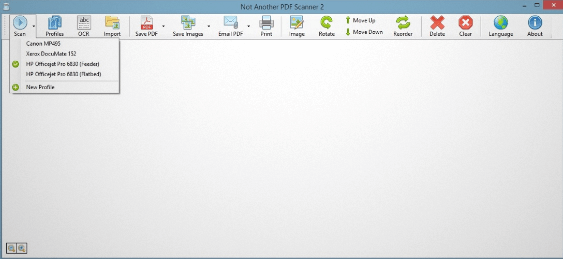
It is a powerful tool that can scan and arrange the resultant documents properly. It comes as a collection of multiple tools.
Compatibility: Windows and Mac
Price: Free
Features:
- It offers a single-click process for quick scanning and saving documents.
- It supports formats like PNG, PDF, JPG, JPEG, etc.
- It works on dedicated OCR technology and is available in more than 100 languages.
Pros:
- It offers a minimalist design interface and is highly user-friendly software.
- It supports multiple scans and different image formats.
- It is ideal for small and big businesses.
Cons:
- It lacks advanced features when compared to other available options.
9. CloudScan Scanner Software
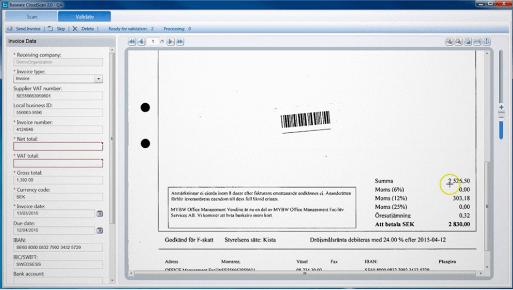
It is a document scanning software that comes with wireless and remote scanning capabilities. It can scan pictures and documents. Very convenient and friendly menu permits getting essential results with few clicks and still providing the option to select required parameters.
Compatibility: Windows and Mac
Price: Free
Features:
- It can quickly edit scanned documents and can develop hard copies of the final documents.
- It can save multiple documents in different formats like PDF/ TIFF, etc.
- It offers one-click functionality for exporting and scanning documents.
Pros:
- It offers quick use with no detailed setup and comes with a graphical user interface.
- It offers page manipulations and image enhancement to generate high quality documents and images according to business requirements.
- It can be installed on a single device and used on multiple devices simultaneously.
Cons:
- CloudScan lacks advanced features.
10. FileHold
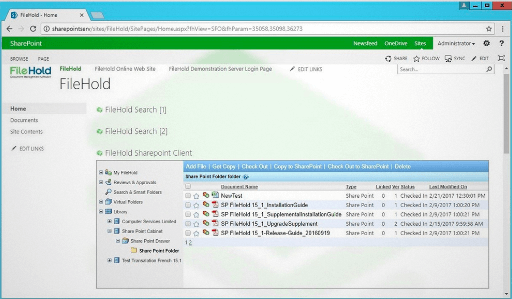
FileHold Express is designed for organizations that have 5 to 20 users. Express has a low-cost point of entry and, with a simple license change, can be upgraded to FileHold Enterprise. It offers viewing, approving, and storing multiple documents. It helps increase the operational efficiency of the regular business functions.
Compatibility: Windows and Mac
Price: Available on request only.
Features:
- It facilitates data mining by offering support to metadata capturing.
- It offers quick document linking and document tracking.
- It has a dedicated document viewer to check multiple documents.
Pros:
- It offers a simple-to-use interface and has a minimalist design.
- It is ideal for storing electronic documents.
- It offers easy search, in-built functions, and powerful API configurations.
Cons:
- There is no availability of the workflow designer.
Conclusion
Document scanning is no longer just for offices. Everyone can use it—from students to business owners. It helps you keep your files safe, easy to find, and ready to share.
When choosing a tool, think about what you need. Do you scan often? Do you need to edit text? Do you want to save files to the cloud? Use this guide to pick the tool that works best for you. A good scanner saves time and makes your work easier.
FAQs
1. What is OCR and why do I need it?
OCR means the software can read text from scanned images. It helps you search, copy, and edit the text. This is useful for turning paper into digital files you can work with.
2. Can I scan documents with my phone?
Yes. Many apps let you scan using your phone camera. You can save files, use OCR, and upload to the cloud. Some popular apps are Adobe Scan, CamScanner, and Microsoft Lens.
3. Is free scanning software good enough?
Free tools work well for basic scanning. But they may not have strong OCR or cloud save. If you scan a lot or need more features, a paid tool is better.
Author Bio:
Dinesh Lakhwani 

Dinesh Lakhwani, the entrepreneurial brain behind “TechCommuters,” achieved big things in the tech world. He started the company to make smart and user-friendly tech solutions. Thanks to his sharp thinking, focus on quality and the motto of never giving up, TechCommuters became a top player in the industry. His commitment to excellence has propelled the company to a leading position in the industry.
Popular Post











Recent Post
Gmail Not Syncing With Outlook (How To Fix)
When your company can utilize Microsoft products such as Outlook but also choose to use Gmail, there is no better option than to sync both. Are you facing difficulties in conducting Gmail and Outlook synchronization? Or, do you face the “Outlook 365 not syncing with Gmail” issue? You may experience difficulties synchronizing some or all […]

10 Best Wi-Fi Analyzer Apps for Mac
Comparison table of top five Wi-Fi analyzer apps for Mac Sr. No. Name of product Compatibility Pricing 1 Wi-Fi Scanner MacOS 10.7 and later 19.99USD 2 KisMac MacOS 10.6 and later Free 3 Mac Wireless Diagnostics Tool MacOS 10.14 and later Free 4 Wi-Fi Explorer Pro 3 MacOS 10.13 and later 19.99USD 5 Homedale MacOS […]

How to Remove Watermark from Photo
A watermark is a symbol or signature that is imprinted on an image. These are often translucent and do not hinder the viewers from enjoying the photo. Watermarking photographs can help safeguard the owner’s copyright by preventing others from using the image without consent. If you are looking for the appropriate approach for how to […]

10 Best Free VR Games 2026 for Windows 10/11
Virtual reality gaming has reached new heights in 2026. More people can now enjoy amazing VR experiences without spending money on games. Free VR games offer the same thrills as paid ones. They let you explore new worlds and have fun adventures. 2026 is one of the best times to be a VR gamer, and […]
Reasons To Choose Azure In 2026: Everything You Need To Know
Throughout the digital transformation, businesses have been encompassing the most revolutionary paces. Every sector and industry has tapped into the power of cloud and remote storage options for their business resources. In other words, businesses have chosen centralized and more holistic business solutions that cover up their entire data resources no matter the number of […]
Top 10 Software to Scan Documents In 2026 [Complete Guide]
Scanning documents is now part of daily life. People use it to save papers, share files, and stay organized. Whether you work in an office, run a business, or study at school, scanning helps you keep things neat and easy to find. In 2026 , scanning software have become smarter. It can read text from […]
10 Best Free & Paid YouTube Intro Maker
Social networks and video streaming services enhance the video content on the internet. With customers spending their maximum hours viewing YouTube videos every day, the marketplace is becoming more competitive. Therefore, YouTube producers require all the assistance to stand forth in the market. This is where a highly produced video introduction can make a huge […]
10 Best Download Manager for Windows 11
Downloading files on your Windows 11 system is one of the common functions for different users. Hence, many people look for dedicated download manager software for Windows 11 that facilitates error-free and quick downloads. While all Windows 11 browsers come with an in-built download manager, not all are as effective as they are marketed to […]
How To Check Screen Time On android?
Digital Well-being is an essential health aspect that you need to take care of. It is very important to understand that mobile phones should not be used so much that it becomes a threat to your social life. Additionally, with several applications that are interesting, you could get addicted to using your mobile. However, to […]

What Is Onion over VPN and How Does It Work?
Security and privacy are the two main challenges of any modern digitized system. While data is vulnerable during the transfer from one system to another, unauthorized access compromises the privacy of the crucial information. Hence, the IT world is struggling to develop modern tools and technologies that add an extra layer to the existing security […]

