Top 10 Best Audio Mixer Software in 2026
Last updated on February 11th, 2026 at 10:23 am
Introduction
The process of music production does not only revolve around recording instruments and vocals before releasing them. It is important to mix and master them carefully, adjusting the range and pitch of each clip and combining multiple instrumental tracks. Furthermore, one should rectify flaws, stabilize shaky sections, and remove unnecessary audio in the background.
While producers usually do these tasks in the music studio, you can opt for an all-in-one audio mixer software instead. Some, like EaseUs Video Editor, offer a variety of functions and uses, ensuring an optimal music-mixing experience.
In this post, we compile a list of the top 10 such software choices available.
How to Choose the Best Audio Mixer Software
Audio mixer software serves different needs, from quick volume balancing to full multi-track production. Choosing the right tool depends on how much control you require and the type of audio you work with most often.
- Type of Audio Projects
Decide whether you are mixing music, podcasts, voiceovers, or video audio, as not all tools suit every workflow. - Multi-Track Support
Good mixer software should handle multiple audio tracks smoothly without lag or crashes. - Ease of Use
A clean interface with clear controls helps beginners work faster and reduces setup time. - Audio Effects and Filters
Built-in equalizers, compressors, and noise reduction tools improve sound quality without extra software. - Precision Controls
Fine adjustment of volume, pan, and timing matters when producing professional-level audio. - File Format Compatibility
Support for common formats like MP3, WAV, and AAC ensures flexibility during import and export. - System Performance
Efficient software uses system resources wisely, especially during long mixing sessions. - Export Quality Options
Control over bitrate and sample rate helps match the final output to publishing needs.
Top 5 Audio Mixer Software Comparison
The tools listed below represent a range of audio mixing solutions, from simple editors built into video software to advanced digital audio workstations used by professionals.
| Software | Best For | Mixing Complexity | Audio Effects | Learning Curve |
| EaseUS Video Editor | Basic audio mixing for videos | Low | Limited but simple | Very easy |
| Filmora | Content creators and YouTubers | Low to medium | Built-in presets | Easy |
| Adobe Audition | Professional audio production | High | Advanced and detailed | Steep |
| Audacity | Free multi-track editing | Medium to high | Wide range | Moderate |
| Reaper | Advanced music and sound design | Very high | Highly customizable | Steep |
Things Users Commonly Ask Before Picking Audio Mixer Software
Do I need professional audio mixer software for simple projects?
Not always. For basic voice recordings or video audio, tools like EaseUS Video Editor or Filmora are usually enough. Professional software becomes important when you need precise control, advanced effects, or complex multi-track work.
Is free audio mixer software reliable?
Yes, some free options like Audacity are reliable and widely used. While they may lack polish or premium effects, they provide strong core features for editing and mixing audio.
Can audio mixer software improve poor recordings?
Mixer software can enhance audio using filters and noise reduction, but it cannot fully fix badly recorded sound. Good source quality always makes a big difference.
10 Best Audio Mixer Software in 2026
We looked through many of the options that are available online for audio and video mixing. Out of the ones we researched and tried out, the following are the top 10 types of audio-video mixers we found with the best functions and output. Learn about them in detail now.
1. EaseUs Video Editor
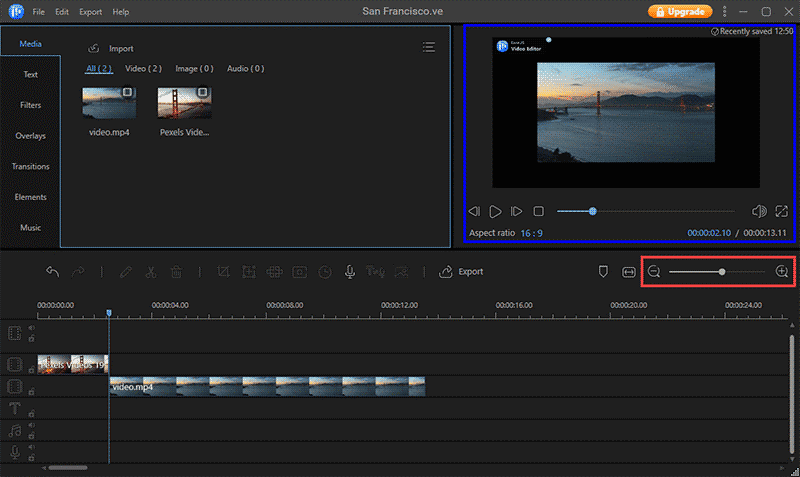
EaseUS Video Editor is a useful video mixer software. But it works well as music mixing software, where users can expertly combine more than one sound clip into a cohesive soundtrack.
You can adjust different aspects of the sound quality, like the volume and pitch, and adjust the speed of the voice playback. Preset effects are also available here for video and audio editing.
Platform Compatibility: Windows
Price: Trial- Free, Full- USD 17.97.
Main Features:
- It has professional-level editing functions like pitch speed adjustment, the volume of audio, etc.
- Easily adjust video specifications like saturation, brightness, contrast, etc.
- One-click integration of voiceover recording functions.
- More than 50 different preset effects are available.
Pros:
- Rotate and merge video/audio clips with some steps.
- Adjust video and sound depth, speed, etc., in alignment.
- Supports multiple formats in output and input versions, like MP4, MP3, AVI, AAC, etc.
Cons:
- Not primarily for music mixing or mastering.
- The free trial version does not allow video saving and export in 1080p.
Best Software for Users: Easy-to-use audio mixer software with optimized expert-level features for music producers and DJs at any level.
2. Filmora
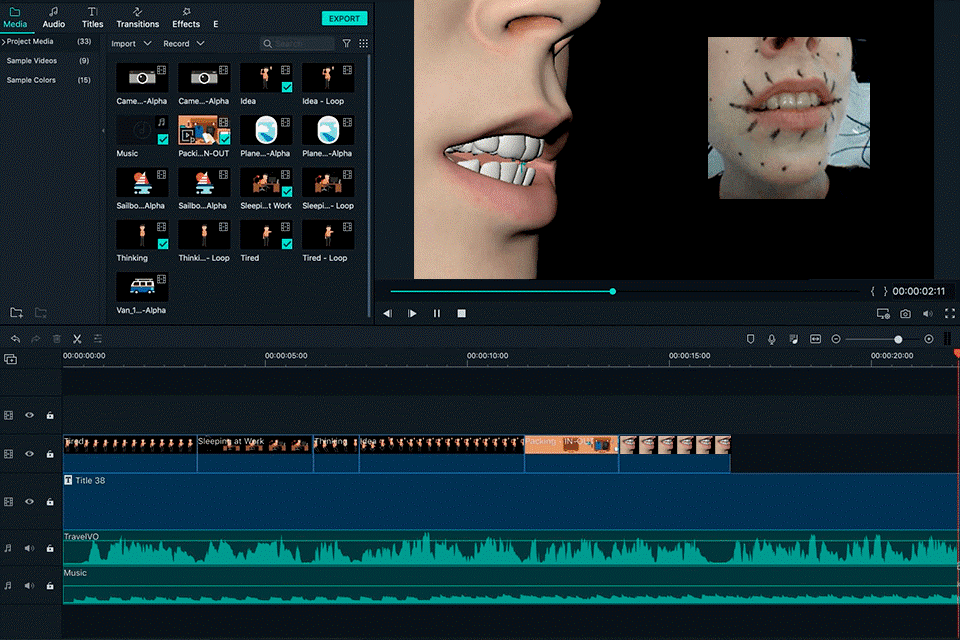
Filmora works as well as a video mixer software for track mixing. It comes with all of the standard editing features of audio clips, like trimming, pasting, merging, rotating, etc. Then, you can add more than one sound to one single track and adjust its decibels, depth, and specifications.
It is easy to add voiceovers or preset royalty-free tracks while mixing through this video mixer software.
Platform Compatibility: Windows, Mac.
Price: Perpetual Plan- USD 79.99, Annual Plan- USD 49.99, Monthly Plan- USD 9.99.
Main Features:
- One-tap synchronization of audio files with video playback.
- Speech-to-text and vice versa functions are available here.
- See changes in pitch and frequencies through an audio visualizer.
- Detect silent parts/unwanted noises and remove them.
Pros:
- Users can access Wondershare Drive with 1 GB of storage guaranteed even at the lowest pan.
- Helpful community and customer support with tutorials and chatbots.
- A wide range of royalty-free tracks is available for commercial use.
Cons:
- Advanced functions like keyframing and speed ramping are paid benefits only.
- It is necessary to upgrade GPU drivers/graphics cards on some device types.
Best Software for Users: All-in-one video mixer software with strong audio mixing functions is usable for small-scale and highly experienced music producers.
3. Adobe Audition
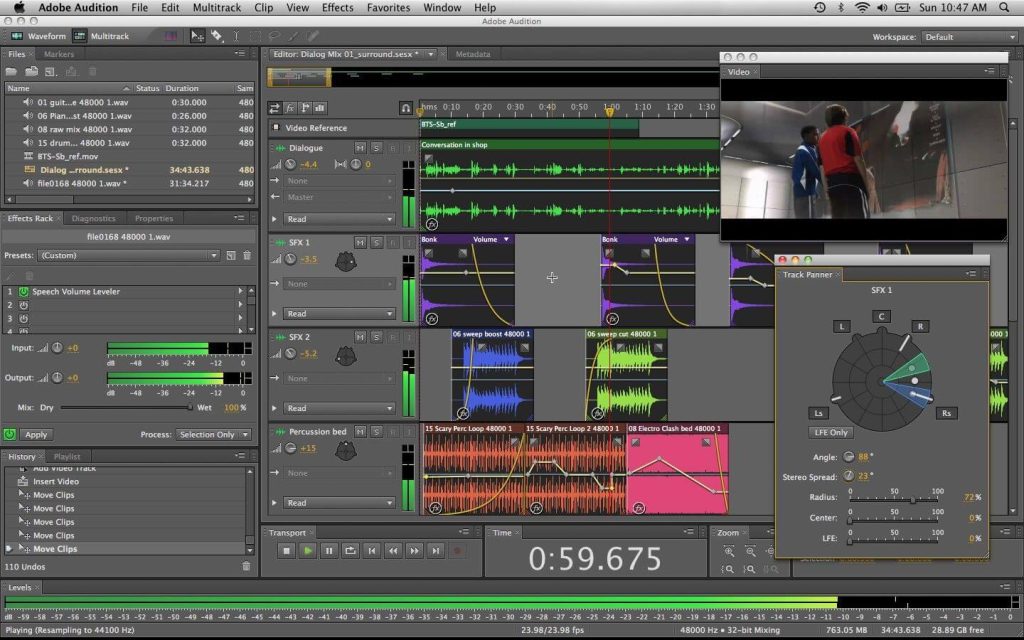
Adobe Audition is a desktop-based software for editing and recording high-quality studio-like audio tracks. In addition, users here get access to their Creative Cloud-based applications so that they can add assets to their projects.
It is easy to make changes to the audio files, either by customizing their sound quality or adding royalty-free elements available in the Adobe library.
Platform Compatibility: Windows.
Price: Starts at USD 20.99.
Main Features:
- The multitrack editing function allows the layering of different music clips.
- Use the Waveform editor for controlling audio-based amplitude levels, etc.
- Polish and add different tracks via this editor directly.
- With Spectral Frequency Display, you can omit background sounds, hisses, beeps, and other unwanted clips.
Pros:
- Works with third-party plugins, tools, and hardware for recording.
- You can visually see sound waves and edit tracks accordingly.
- More than 50 different effects/transitions are available.
Cons:
- Every pricing plan supports a specific number of devices.
- Access to Adobe assets like XD, Photoshop, InDesign, etc., is unavailable to Audition desktop users.
Best Software for Users: It is useful for educational and music mixing training.
4. Audacity
Audacity is another top software for tracking editing that any professional-level and beginner-level music editor can use. It is simple to check and view the frequency of the audio tracks and create new sound clips.
You can edit, save, and share multiple files through this software at a time.
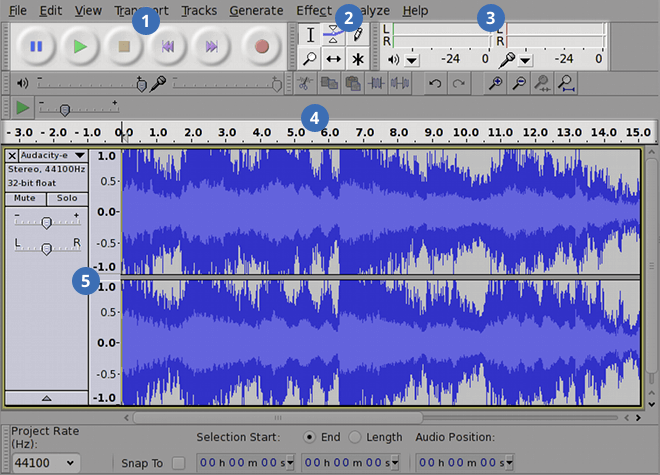
Platform Compatibility: Windows, Mac
Price: Free
Main Features:
- Through Spectrogram mode, track the spectrum window for a concise audio frequency analysis.
- It works with multiple plugins like Audio Unit (only for Mac users, though), VST, LV2, and LADSPA.
- Top-notch dithering and resampling for sample format conversions.
- Supports import/export of several files simultaneously.
Pros
- It allows multitrack support.
- Get unlimited changes to redo and undo audio editing changes.
- Advanced editing functions, like usable keyboard shortcuts.
Cons:
- Crashes are common in the Mac software version.
- In addition, the design and navigations in the UI here require some upgrades.
Best Software for Users: Those who want an open-source video audio mixer for tracking editing can utilize Audacity.
5. Reaper
Reaper is a strong music editing and mixing software with diverse, high-quality functions and tools. Users can try it out for creating dynamic soundtracks through an all-in-one digital studio for individual or commercial use, broadcasting, sound design, and more.
This software is valuable for creating precision-rich audio files and streaming/sharing them across multiple platforms.
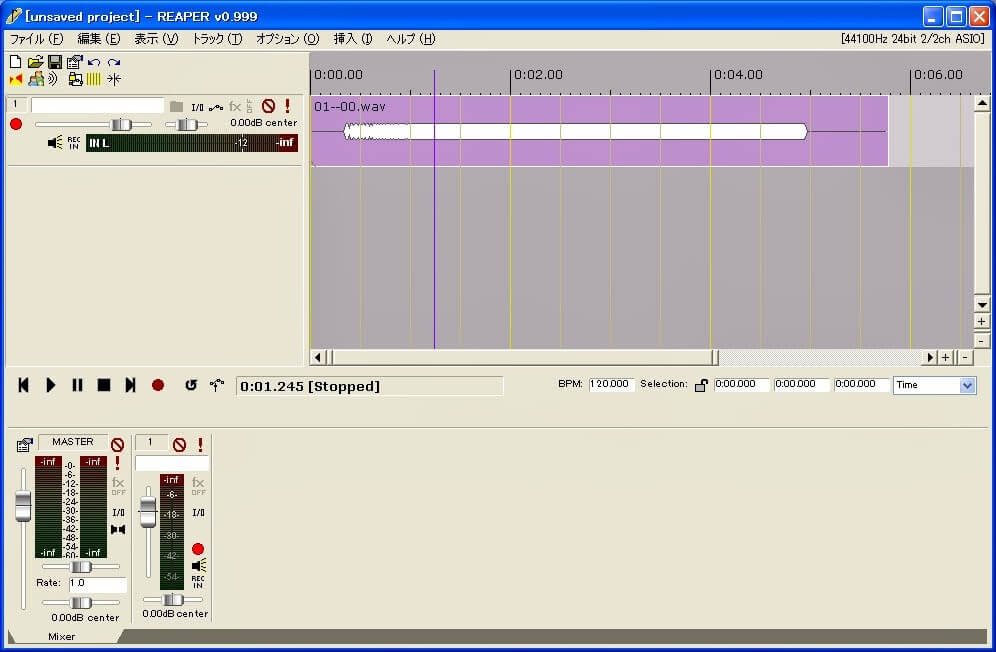
Platform Compatibility: Windows, Linux, Mac.
Price: Discounted license- USD 60, Commercial license- USD 225.
Main Features:
- Thorough MIDI-based software and hardware support are available.
- Tightly coded and fast-loading potential in this audio video mixer.
- 64-bit support for audio processing internally.
- Robust MIDI/audio routing with support for multi-channel access.
Pros:
- Inclusive forum for finding information content and sharing information.
- Multiple studio-quality effects are available for MIDI and audio processing.
- Supports third-party virtual instruments and plugin effects.
Cons:
- User-entered bitrates do not work if they are out of range during the rendering process.
- During editing, video processing works only with RGB, YUY2, YV12, YUY2, and RGB colorspaces.
Best Software for Users: Experts like game developers, music producers, and other commercial-based editors can use this as a digital studio for music mastering.
6. Mixxx
Mixxx is one of the best available audio mixer software options that new DJs, professional-level production experts, and any music mixing enthusiasts can use. With this software, DJs can use it to add beats, adjust audio specifications, and sort their diverse library into well-organized playlists and crates.
It is easy to add effects to the tracks, handle crossfade and equalizer controls, and more.
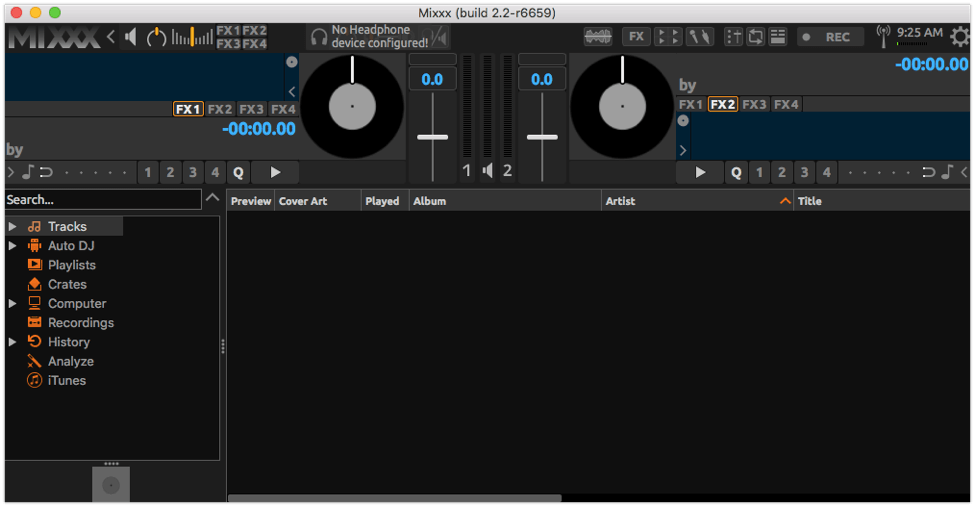
Platform Compatibility: Windows, Mac, Linux, Ubuntu.
Price: Free
Main Features:
- Record audio tracks and even live broadcast the tracks.
- Four types of customized skins and layouts.
- Integrate songs from the iTunes library into the mixed track.
- Supports up to 64 different sampler decks.
Pros:
- Community support is available for finding and sharing useful elements like keyboard mapping.
- Auto DJ is available with automatic crossfading benefits.
- Recordings save automatically after making them for quicker access.
Cons:
- Crashes are common under development snapshots.
- Upgrading to the newest software can cause issues.
Best Software for Users: Music production experts and DJs can use this software for the diversified editing, mastering, and mixing functions available.
7. FL Studio
FL Studio is a top audio mixer software that users can opt for to create well-sounding tracks and recordings. Users can use 83 to 107 preset effects and instruments while operating this software. The number of these benefits that are available to users varies as per the pricing plan they choose.
Users can prepare and use audio clips for editing, like dragging clips into tracks to mix. However, this is only available for higher-cost users, like Producer plan users.
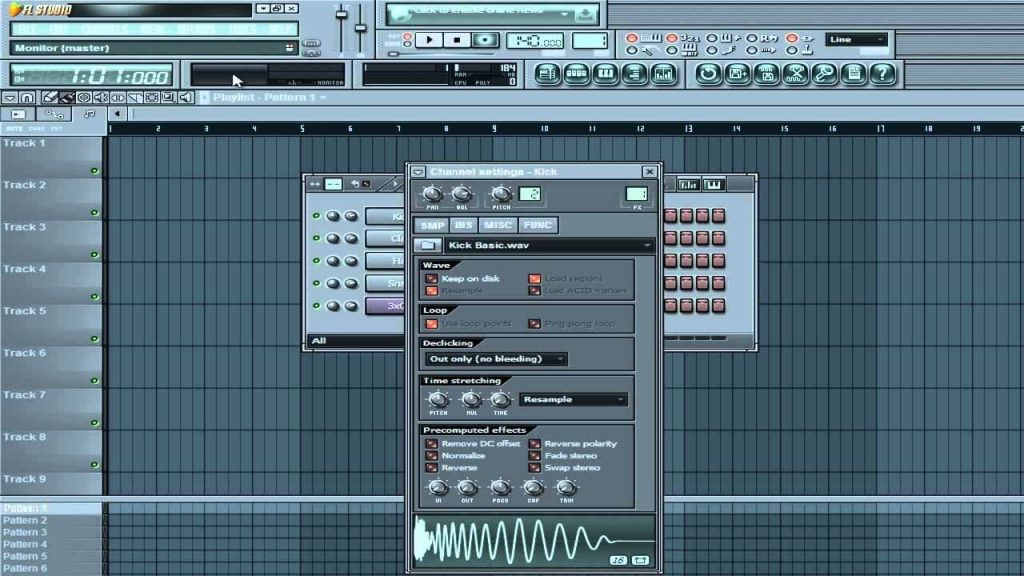
Price: Fruity- USD 99, Signature- USD 299, Producer- USD 199, All Plugins Edition- USD 499
Main Features:
- Advanced music editing functions like sidechain control and plugin delay compensation.
- Extensive plugins and FX effects are available for custom editing.
- Functions like playlist making, editing tracks, recording tracks directly, etc., are available for all users except those using the Fruity plan.
- Standard audio editing functions available like merge, compression, etc.
Pros:
- Advanced automation functionality assures quick mixing and output of audio files.
- Many samples, presets, and loops are available.
- Users can expect lifetime updates for their software for free.
Cons:
- Technical support is not available for trial version users or pre-purchase FL Studio users.
- Fruity plan users cannot edit audio files.
Best Software for Users: Users training in music production can use FL Studio for personal learning and user experience.
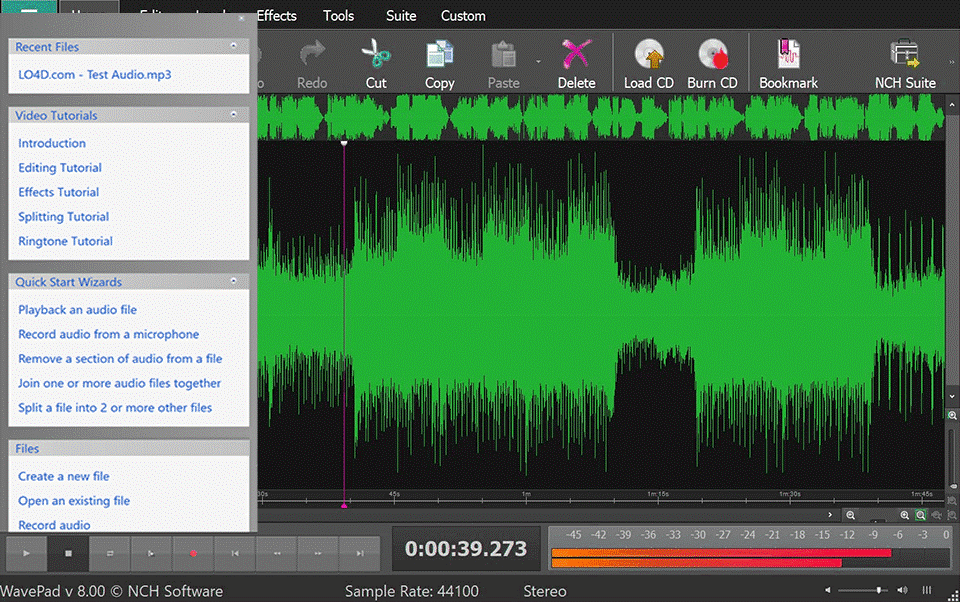
8. WavePad
Users can opt for WavePad for their audio editing work due to the strong functions available. You can cut, paste, copy, insert, auto-trim, compress, and do many other changes to audio tracks. It is simple to adjust pitch and volume with this software as well.
WavePad had VST and DirectX plugin support, which offers more effects and tools to the users here.
Platform Compatibility: Mac, Windows
Price: Free
Main Features:
- Batch processing is available for editing multiple files simultaneously.
- Support modern audio editing functions like FFT and spectral analysis.
- Restore track quality with click pop sound removal and noise reduction functions.
- Enhance sound sections with features like amplification/echo effect.
Pros:
- Standard audio video mixer functions, like cutting, and trimming, are available.
- It supports multiple audio formats, like MP3, AU, WMA, GSM, WAV, FLAC, AMR, AIF, VOX, and MID.
- Users can scrub, bookmark, and search sections well for accurate editing.
Cons:
- Multi-tracking support is not active.
- Commercial use is not accepted.
Best Software for Users: Home-based users wanting to practice music mastering and mixing can use this.
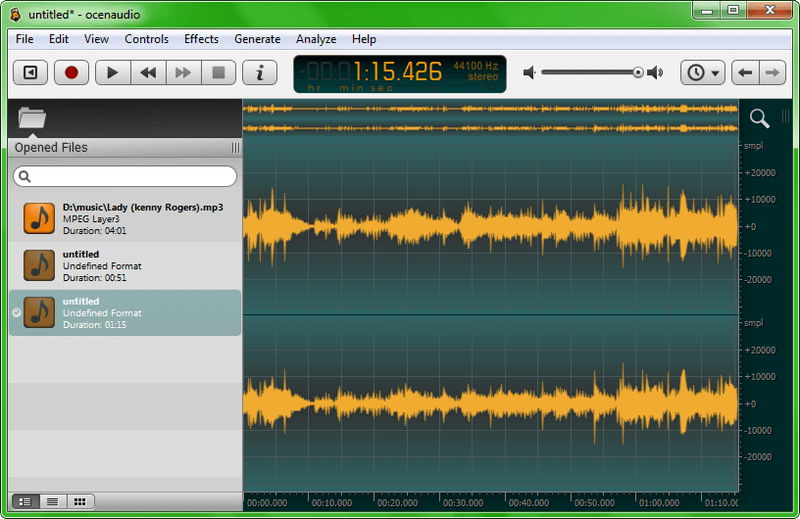
9. Ocenaudio
Ocenaudio is a simple, cross-platform audio editor that producers and beginner-level users can operate to analyze and edit audio files. It supports different formats and even includes advanced functions like audio manipulation analysis.
It works with different operating systems and has a strong personalized Ocen framework with the necessary tools available for editing. You can manually make changes or use automated tools.
Platform Compatibility: Windows, Linux, Mac
Price: Free
Main Features:
- VST plugins are supported for configuration.
- Specialized QT library store tools and software are helpful for cross-platform development.
- The Ocen framework supports comprehensive audio analysis, editing, and manipulation.
- Select several sections in one track for simultaneous editing.
Pros:
- Watch a preview of audio tracks during effects addition.
- Miniature audio frequency and effects view during editing.
- Record and edit large hours-long tracks in the software.
Cons:
- The deprecated OS-centric versions would not get new updates.
- Not the easiest tool to understand for complete beginners.
Best Software for Users: Professionals who want cross-platform and user-friendly music mixing software.
10. HyaWave
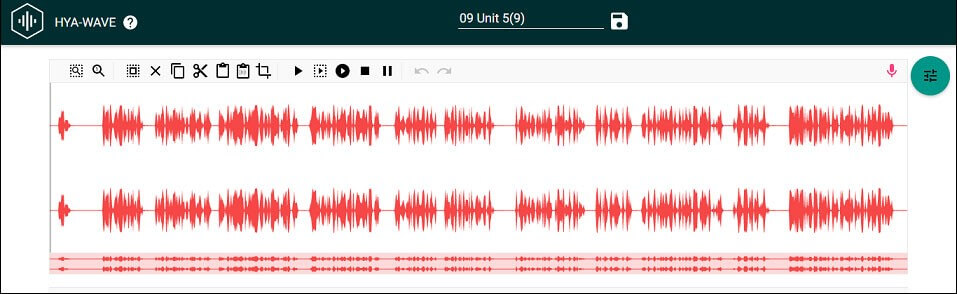
HyaWave is an online-based sound editor that users can operate to cut clips and merge them to form a smooth audio track. It is easy to use and accessible from most browsers across different operating systems.
Users can record their audio directly onto the software with the preset recording tool available here. Then, it is simple to adjust the tonal balance, pitch, and other settings.
Platform Compatibility: web-based
Price: Free
Main Features:
- Advanced features are available, like audio wave exploration.
- Users can use the online editor and access/save via cloud integration.
- Trimming, cropping, and pasting clip sections in real time is simple.
- Customize pre-recorded clips or record new tracks.
Pros:
- It is accessible across different platforms, operating systems, and browsers.
- Easily drag audio clips and drop them into new tracks.
- Simplified keyboard controls for easier editing control.
Cons:
- Only email support is available.
- It has no native app version, saves progress easily, or lacks modern features.
Best Software for Users: Professionals and music mixing experts can use this simple online editor for streaming support.
Author’s Tip
When selecting audio mixer software, think long term instead of focusing only on current needs. Beginners often start with simple tools, but may outgrow them quickly. If you plan to work on regular audio projects, choosing software with room to grow saves time later.
Another overlooked factor is workflow comfort. Keyboard shortcuts, timeline navigation, and real-time previews affect daily productivity more than feature lists. Spend time adjusting settings and learning core tools rather than switching software often.
Conclusion
All of the software options mentioned are high-level options for audio editing. Some, like EaseUS Video Editor and Wondershare Filmora are platforms that also support video editing. Mixxx and WavePad are other robust software options with strong functions, while HyaWave is a good choice for online-based users with no personal PC system.
FAQs
What is the difference between an audio mixer and a full DAW?
An audio mixer focuses on balancing and adjusting sound levels, while a DAW offers full recording, editing, mixing, and mastering capabilities.
Can I mix audio for videos using these tools?
Yes. Software like Filmora and EaseUS Video Editor is designed specifically for video projects, while professional tools also support video and audio tracks.
Is Reaper suitable for beginners?
Reaper is powerful but not beginner-friendly at first. New users may need time to learn the interface, but the flexibility makes it worthwhile for advanced projects.
Whatever your reason for using music mixer software, choose the right option for the best experience.
Author Bio:
Dinesh Lakhwani 

Dinesh Lakhwani, the entrepreneurial brain behind “TechCommuters,” achieved big things in the tech world. He started the company to make smart and user-friendly tech solutions. Thanks to his sharp thinking, focus on quality and the motto of never giving up, TechCommuters became a top player in the industry. His commitment to excellence has propelled the company to a leading position in the industry.
Popular Post











Recent Post

How to Switch Windows 10 to a Local Account: Complete Guide
Windows 10 allows users to sign in with either a Microsoft account or a local account. When you set up a new computer, the system often suggests using a Microsoft account. This account connects your device to Microsoft services such as Outlook, OneDrive, and the Microsoft Store. It also syncs settings, themes, and passwords across […]

How To Change Default Apps For File Types In Windows
Windows is designed to make using your computer easy. One way it does this is by assigning default apps to different file types. This means when you open a file, Windows automatically opens it with a specific program. For example, photos may open with Photos, music with Groove Music, and PDFs with Edge. These default […]

How To Adjust The Mouse Pointer Speed: Complete Guide
Using a computer every day means you use the mouse a lot. The mouse pointer moves on the screen and helps you click, scroll, and select items. Many people never think about the speed of the mouse pointer. They have used the default setting for years. This can cause small problems over time. A slow […]

How to Change Mouse Scrolling Settings In Windows
A mouse is one of the most used computer tools. People use it every day. They scroll through emails. They scroll through documents. They scroll through websites and images. The movement becomes automatic. Most users do not notice it. That is why problems often go unnoticed. Scrolling problems show up slowly. At first, it feels […]

Keyboard Light Settings: Keyboard Lighting Control [Complete Guide]
Keyboards are no longer simple typing tools. Well, yes! Over time, they have evolved to include features that improve comfort, visibility, and overall experience. One of the most useful features today is keyboard lighting. It helps users work comfortably in low-light conditions. It also reduces strain when typing for long hours. Many users first notice […]

Customizing Pointer Appearance: Complete Guide
The way your mouse pointer looks on your computer may seem like a small detail. But customizing pointer appearance can make using your PC more comfortable and visually appealing. Many users do not realize that they can change the pointer size, color, and style to fit their needs. Whether you want a bigger pointer for […]

How To Choose a Computer Monitor: Monitor Buying Guide
Buying a monitor looks easy. Many people think all screens are the same. That belief causes regret later. A monitor is not just a display. It is a daily tool. You read on it. You work on it. You relax with it. Small problems become big over time. Poor brightness hurts eyes. Bad size causes […]

How To Get Help With File Explorer in Windows 11 [Complete Guide]
File Explorer is one of the most important tools in Windows 11. It is used to open folders, view files, and manage stored data. Almost every action on a Windows computer depends on it in some way. When users open documents, save downloads, or organize photos, File Explorer is always involved. Because it is used […]

How To Fix A Frozen Computer: Complete Guide [Windows 11/10]
A frozen computer is one of the most common problems Windows users face. The screen stops responding. The mouse pointer does not move. Keyboard inputs do nothing. You may hear the fan running loudly. Sometimes the system looks alive, but nothing works. This situation often happens when you are busy or working on something important. […]

How to Upgrade Computer RAM: Complete Guide
Upgrading RAM is one of the simplest ways to improve a computer. It helps the system feel faster and smoother. Apps open quicker. Browsers handle more tabs. Games and tools run with less delay. Many users search for how to upgrade computer RAM because it gives real results without high cost. You do not need […]

