10 Best Animation Apps for Android and iOS in 2026
Last updated on December 27th, 2025 at 2:59 am
Do you want to create attractive animations to adorn your websites or applications’ visuals? YES, you can easily do that—without even hiring a professional animation expert. You see, people, there are a plethora of animation apps for Android and iOS available that can enable you to create enticing animations without any technical or creative skills. Excited? Then, let us make it more fun by sharing the ten best apps for animation on Android and iOS with you all!
5 Best Animations Apps for Android to Be Creative in 2026
When our team searched for the best animation apps for Android on Play Store, they got stumbled by a wave of amazing apps—and each app was better than the other one. So, after debating for hours, we selected the best five animation apps for Android:
1. FlipaClip
Play Store Rating – 4.4/5
Number of Installs – 10,000,000
OS Requirements – Android 4.4 or higher
In-app Purchase – Yes
Price – Free
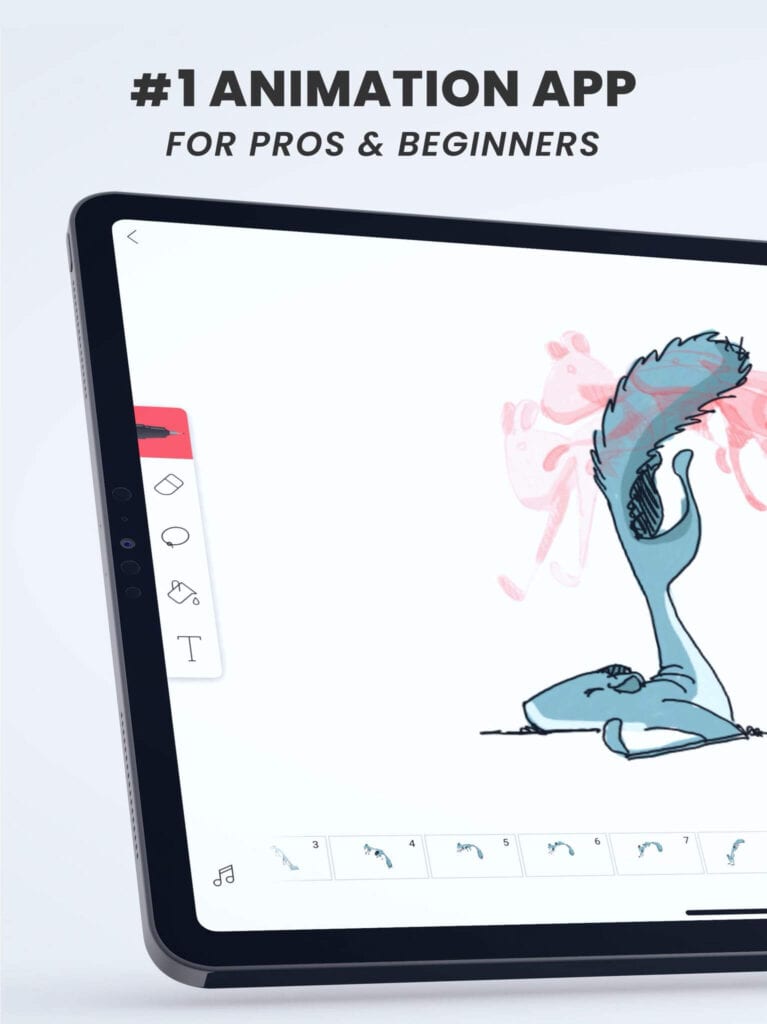
FlipaClip has made frame by frame animation creation easy and fun. FlipaClip provides various character controlling and initiative options to draw your heart out whether you want to create storyboards, cartoons, sketches, or movies. Plus, you can easily share your creations with your friends and family through YouTube, Instagram, and other social networks. This is an Editorial choice Play Store app that makes animation creation buttery smooth.
Exciting Features
- With different Art Drawing features, you can custom paint canvas such as Brushes, Lasso, Fill, Eraser, Ruler shapes, along with pressure-sensitive stylus support.
- You can create three-layered animations with the free version, but you can upgrade the app and create multiple layered animations.
- Animating frame-by-frame is super easy with an intuitive animation timeline and practical tools like onion skin and animation frame viewers.
- You can save your animated videos as gifs or MP4 or even share them on social media platforms.
Pros
- Multilingual support.
- Prize-winning video-making contests.
- Simple platform.
Cons
- In case you lose your app, there’s no backup facility.
2. Toontastic
Play Store Rating – 4.1/5
Number of Installs – 10,000,000+
OS Requirements – Android 5 or higher
In-app Purchase – No
Price – Free
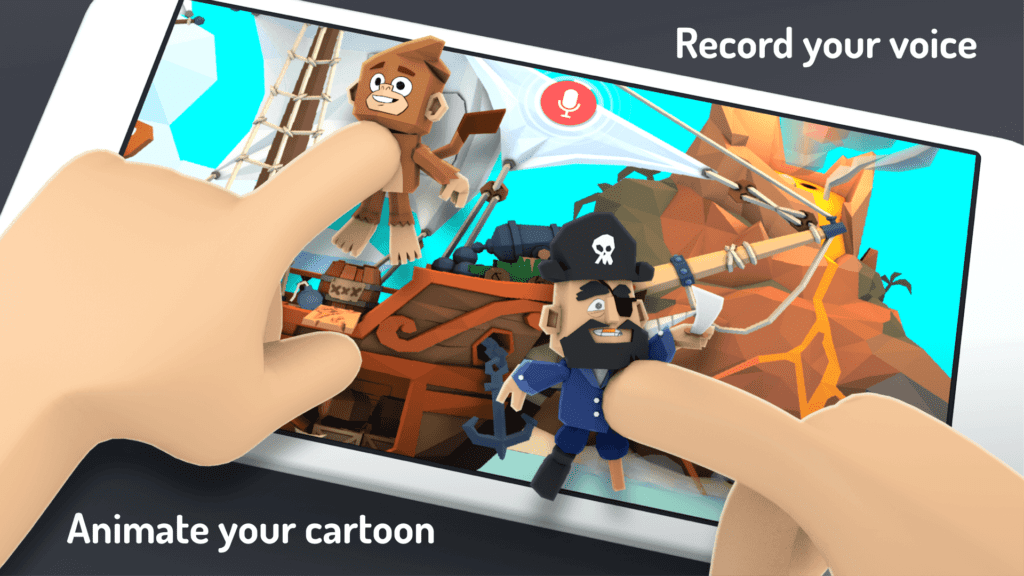
Toontastic 3D is a parent’s favorite animation app for Android that can make your kid a little cartoon creator. This app lets you move characters anywhere on the screen and record your voice on any device to narrate a beautiful story. It is a fantastic app to flow your creative juices free and create intellectual stories, video game designs, family albums, and whatnot. Toontastic has received numerous awards, including the Parents’ Choice Gold Award, the 2017 BolognaRagazzi Digital Award for ‘Best Kids App of the Year’, and many more.
Exciting Features
- It has a vast character toolkit to narrate an adventurous story with swashbuckling pirates, transforming robots, nefarious villains, and many more characters.
- Three-dimensional characters can be easily designed with powerful 3D tools.
- App has three classic story arcs—Short Story, Classic, & Science Report.
- You can import photos and soundtracks from third-party apps or your personal library.
Pros
- Versatile storytelling tools.
- Easy to use.
Cons
- Not much graphic variety.
- Bit childish.
3. PicsArt Animator
Play Store Rating – 3.7/5
Number of Installs – 5,000,000+
OS Requirements – Android 4.0.3 or higher
In-app Purchase – Yes
Price – Free
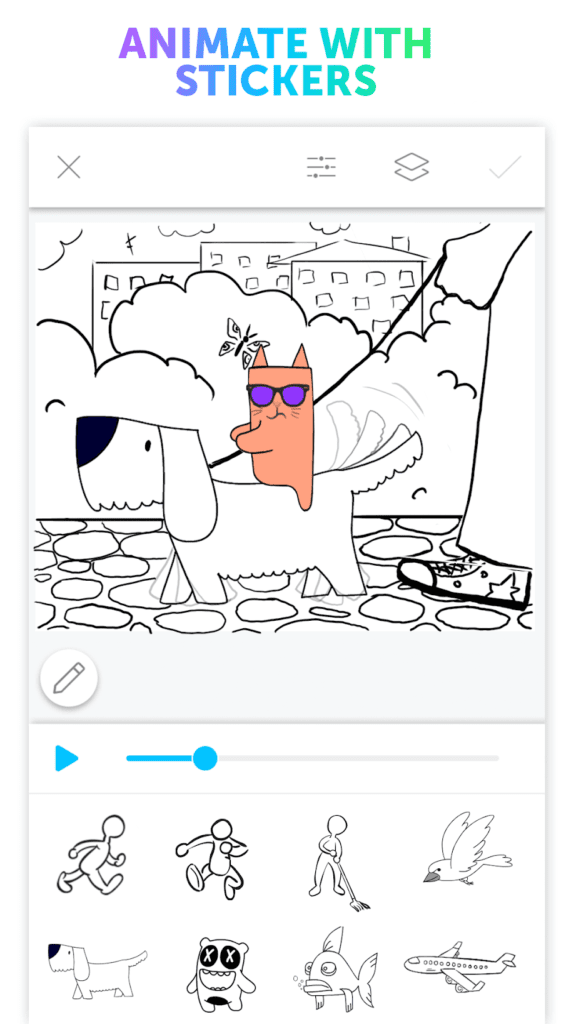
PicsArt Animator is the best entertaining Play Store of 2017 developed by PicsArt. It is a cartoon creator slash animation app for Android users to make funny doodles, animated videos, and attractive gifs within a few clicks. If you wish to create professional-like animations without technical hindrance, this app has a variety of features to help you out, such as duplicate frames, fully equipped drawing tools, multiple layers, animated stickers, Emoji Me features, and much more.
Exciting Features
- You can make custom animations with the help of various animated stickers and frameworks.
- Advanced animation creation is possible with quick integration.
- You can control the size of your animations to easily share on your social media accounts like YouTube, Instagram, etc.
- With the Emoji Me feature, you can customize your emoji and share it with your friends and family.
Pros
- Complete entertaining app.
- The voiceover is superb.
Cons
- Doesn’t support an audio library.
- Drawing without a phone pen is hard.
4. I Can Animate
Play Store Rating – 3.6/5
Number of Installs – 100,000+
OS Requirements – Android 4.3 or higher
In-app Purchase – Yes
Price – Free
I Can Animate is an easy to use animation app for Android by Kudlian Software Technologies. With this app, you can bring Brick models to life and flourish your creative side. You can give a push to your Brick Animator career by creating amazing short animated videos and uploading them on your YouTube channel. Whether you want to create funny videos with your friends or your professional portfolio, you can animate with this tool.
Exciting Features
- Everything that you require to design professional looking animations are available at your fingertips.
- You can extend the functionality of the app by purchasing various clip arts, management, and other tools.
- Capture against a green screen is a superb feature that allows your character to fly or locate anywhere—a deserted island or under the sea.
- You can import soundtracks from audio libraries or record your own voice.
- The app can create Ultra High Definition movies with four times full HD resolutions.
Pros
- Variety of in-app purchases.
- Realistic character building.
Cons
- Soundtrack features need improvement.
- Not frequent updates.
5. StickDraw
Play Store Rating – 3.5/5
Number of Installs – 1,000,000+
OS Requirements – Varies with Devices
In-app Purchase – No
Price – Lite free version and Pro for $1.99.
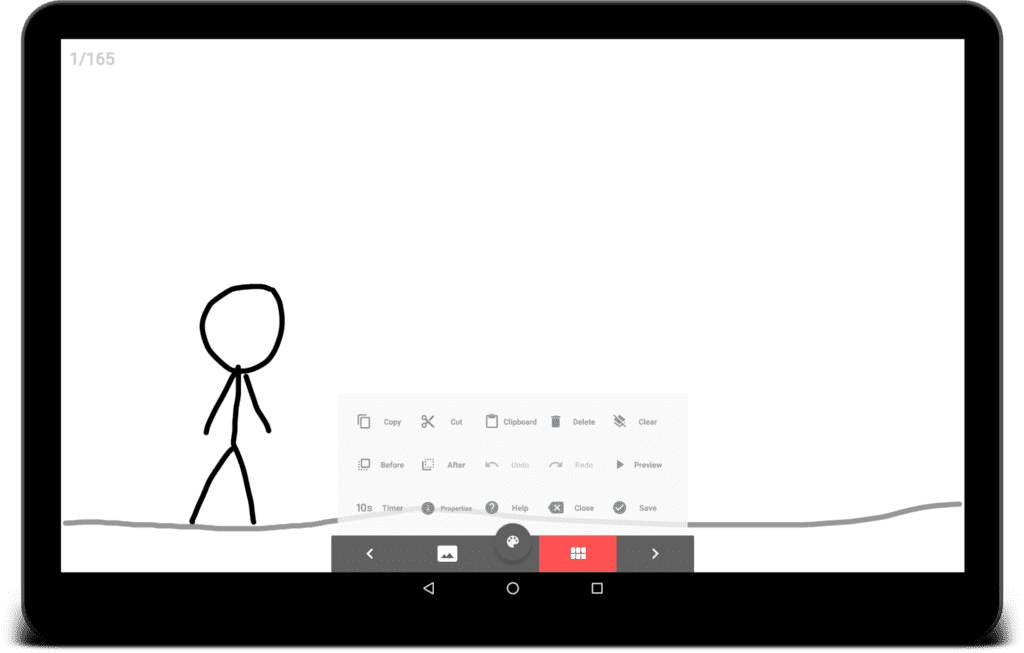
StickDraw is a phenomenal stop motion animation creator app for Android users. If you want to doodle stick figures and characters with a moment of your fingertip, StickDraw is the app for you. With multiple frames and motion elements, you can get your animations ready within a few minutes. Moreover, if you like the free app features, you can easily upgrade to the Pro version for just $1.99.
Exciting Features
- You can draw with your hands and easily design unique figures.
- There are plenty of different graphic styles available to be more creative, including freeform, line, rectangle, circles, and many more.
- You can export your stick characters to gifs or MP4.
- Advanced copy and paste further simplify the animation’s designing process.
Pros
- Easy to use.
- Great user interface.
Cons
- Finger stimulation needs improvement.
- Limited animation tools.
Top 5 Animation Apps for iOS to Be Creative in 2026
Since we were exploring the Google Play Store for the best animation apps, how can we leave our iPhone users behind? Not possible, so here are the best apps for animation on iPhone in 2026:
1. Folioscope
App Store Rating – 4.8/5
Number of Installs – N/D
OS Requirements – iOS 9.0 or higher
In-app Purchase – Yes
Price – Free
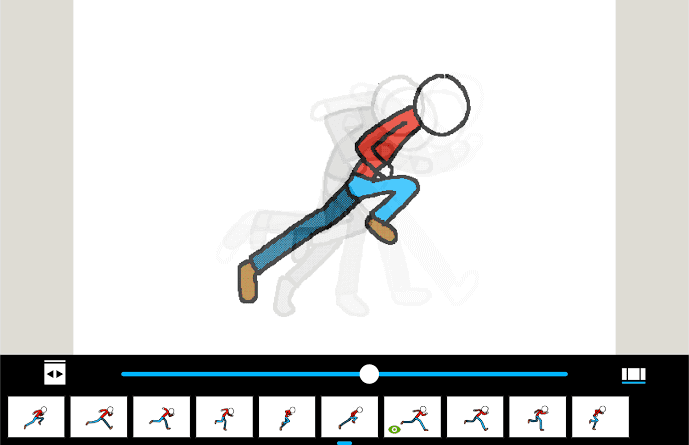
Folioscope is the App Store recommended drawing and animation app for iOS users. The app can create terrific frame by frame animations in a few clicks that you can use to participate in the various themed contests hosted on the platform. Your kids can create an animated flipbook with numerous inspiring tools and become a little storyteller. Overall, it is an app to draw, animate, sketch, design, and learn new things.
Exciting Features
- Social media sharing is possible within the app on YouTube, Facebook, Instagram, and other popular platforms.
- It is a complete creative kit to make animes, cartoons, comics, pixel art, mangas, and flipbooks.
- The must-try animation tools are onion skin, frames viewer, back/forward animation control, zoom in/out, and so much more.
- It is an animator community where you can create your profile, share your work with other artists, and get inspired by other people’s work.
Pros
- Incredible export tools.
- Communal support.
- Easy to use.
- No watermark.
Cons
- Lack of color and background variations.
- Crashes on some iOS versions.
2. PixaMotion
App Store Rating – 4.7
Number of Installs – 1,000,000+
OS Requirements – iOS 11.0 or higher
In-app Purchase – Yes
Price – Free with in-app purchase.
When you are looking for an animation app for your iPhone to make live photos and wallpapers with moving backgrounds and themes, the PixaMotion photo and video animator can help you. The main highlight of the app is adding motions to images and videos. So, it is not just an animator; it is a motion editor.

Exciting Features
- With Motion Stills, you can easily create Animated GIFS.
- Users can also create loop videos with amazing live filers and share them on their social media accounts.
- You can design eye-catching personalized backgrounds for your iPhone.
Pros
- Incredible backgrounds.
- Still Motion is a very nice feature.
Cons
- The basic version has limited options.
3. Animation Desk
App Store Rating – 4.3/5
Number of Installs – 1,000,000+
OS Requirements – iOS 9 or higher
In-app Purchase – Yes
Price – Free basic plan but Pro version $29.99/year with 500G Kidan Cloud Storage.
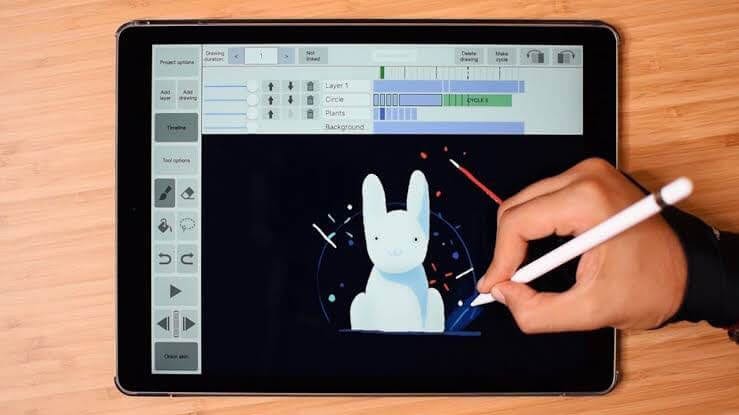
Animation Desk is a frame-to-frame animation app for iOS to create animated videos and images from scratch. The app is available in multiple formats, including for both iPhones and iPads. When you want to use an award-winning animation tool, Animation Desk is your app as it has received numerous awards and recommendations, including Featured by Yahoo Tech, TechCrunch, iTunes Home Page, and more.
Exciting Features
- The app has advanced drawing tools such as Onion skin, Layers, personalized color palette, Brushes, Erasers, and perfect stimulation with Apple Pencil.
- You can easily create interactive animations with multiple Frame tags and Ruler tools.
- A complete storyboard can be created by combining multiple animations and a soundtrack.
- With this app, you can export videos, PSD layers, PDF, GIF, and other different aspects of ratio.
Pros
- Easy to use.
- Multiple export features.
Cons
- Poor interface.
- Limited features in the free version.
4. Stop Motion Studio
App Store Rating – 4.3/5
Number of Installs – 10,000,000+
OS Requirements – iOS 10 or higher
In-app Purchase – Yes
Price – Free with in-app purchase worth $2-$10.
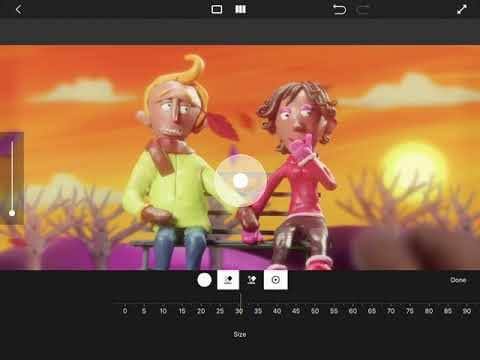
With Stop Motion Studio, you can create beautiful movies like Wallace or Gromit and upload them on your YouTube channel. It is a simple to use animation app for iPhone users to design deceptive animated Lego movies. Using the animation guide, you can easily juggle between hundreds of frames and produce your first animation movie.
Exciting Features
- You can produce your own music using the built in music, sound effects, import songs from your music library, or record your own voice.
- With the Rotoscoping feature, you can import video clips from your personal library and draw over them.
- Green Screen allows you to change the screen background to fly or appear your characters anywhere.
- You can enhance your movie’s quality by tweaking it with different backgrounds, foregrounds, fade effects, and aspect ratios.
Pros
- Ease to undo your mistakes.
- Plenty of background frames.
Cons
- Cannot select all frames at once.
- If you deleted a picture by mistake, there’s no way to retrieve it back.
5. SketchBook Motion
App Store Rating – 2.6/5
Number of Installs – 50,000,000+
OS Requirements – iOS 10.0 or higher
In-app Purchase – No
Price – Free with upgrade option for $29.99. Also, seven days free trial for the full version available.
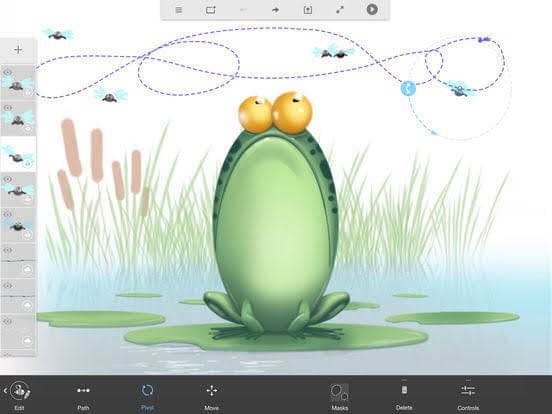
“Bring Life to Your Images”—with this motto, SketchBook Motion turning out to be a good animation app for iOS that allows you to create beautiful animated scenes. With this tool, you can add lively effects to your still illustrations. You can combine multiple motions together and bring out desired emotions in your animations.
Exciting Features
- You can tell a lively story by adding animated gestures or effects.
- Images can be imported from your device, or you can draw using your fingers or Apple Pencil.
- You can convert your animations into iMessage stickers, MP4, and Gifs.
- When you want to create complex animations with lively features, the app has the right keyframes for you.
Pros
- Free trial.
- Emotion gestures are highly appreciative.
Cons
- Only save up to 3 scenes without a subscription.
- Lots of glitches.
Let’s Be Creative
With these awesome animation apps for Android and iOS, you can easily narrate your visual stories. The animation programs have made it easy to animate and draw a finger with one flicker that even a four-year-old can now create beautiful animations. So, we won’t hold you any longer and let you churn out your creative flow with the best animation tools.
Author Bio:
Dinesh Lakhwani 

Dinesh Lakhwani, the entrepreneurial brain behind “TechCommuters,” achieved big things in the tech world. He started the company to make smart and user-friendly tech solutions. Thanks to his sharp thinking, focus on quality and the motto of never giving up, TechCommuters became a top player in the industry. His commitment to excellence has propelled the company to a leading position in the industry.
Popular Post











Recent Post

Resolving Microphone Detection Problems: Latest Guide [2026]
Microphones are important tools in daily life. People use them for office meetings, online classes, interviews, gaming, customer support, and content creation. When a system fails to detect a microphone, communication stops at once. This situation can cause stress and confusion. Many users believe the microphone is damaged. In reality, most problems are simple and […]

How To Switch To A Dark Background Theme In Windows [2026]
Most people spend many hours each day in front of a computer screen. Office work, online classes, editing, browsing, and streaming all require long screen time. A bright white background may look clean at first. However, over time, it can feel sharp and tiring. The strong contrast between white backgrounds and black text may cause […]

How to Switch From Local To Microsoft Account On Windows
Many users begin with a local account when they set up a new Windows computer. A local account works only on that single device. It stores settings, files, and preferences locally. It does not connect to online Microsoft services. For basic offline use, it works well. However, as digital needs grow, many users want better […]

How to Switch Windows 10 to a Local Account: Complete Guide
Windows 10 allows users to sign in with either a Microsoft account or a local account. When you set up a new computer, the system often suggests using a Microsoft account. This account connects your device to Microsoft services such as Outlook, OneDrive, and the Microsoft Store. It also syncs settings, themes, and passwords across […]

How To Change Default Apps For File Types In Windows
Windows is designed to make using your computer easy. One way it does this is by assigning default apps to different file types. This means when you open a file, Windows automatically opens it with a specific program. For example, photos may open with Photos, music with Groove Music, and PDFs with Edge. These default […]

How To Adjust The Mouse Pointer Speed: Complete Guide
Using a computer every day means you use the mouse a lot. The mouse pointer moves on the screen and helps you click, scroll, and select items. Many people never think about the speed of the mouse pointer. They have used the default setting for years. This can cause small problems over time. A slow […]

How to Change Mouse Scrolling Settings In Windows
A mouse is one of the most used computer tools. People use it every day. They scroll through emails. They scroll through documents. They scroll through websites and images. The movement becomes automatic. Most users do not notice it. That is why problems often go unnoticed. Scrolling problems show up slowly. At first, it feels […]

Keyboard Light Settings: Keyboard Lighting Control [Complete Guide]
Keyboards are no longer simple typing tools. Well, yes! Over time, they have evolved to include features that improve comfort, visibility, and overall experience. One of the most useful features today is keyboard lighting. It helps users work comfortably in low-light conditions. It also reduces strain when typing for long hours. Many users first notice […]

Customizing Pointer Appearance: Complete Guide
The way your mouse pointer looks on your computer may seem like a small detail. But customizing pointer appearance can make using your PC more comfortable and visually appealing. Many users do not realize that they can change the pointer size, color, and style to fit their needs. Whether you want a bigger pointer for […]

How To Choose a Computer Monitor: Monitor Buying Guide
Buying a monitor looks easy. Many people think all screens are the same. That belief causes regret later. A monitor is not just a display. It is a daily tool. You read on it. You work on it. You relax with it. Small problems become big over time. Poor brightness hurts eyes. Bad size causes […]

