10 Best Free Android Cleaner Apps for Phone & Tablets [2026]
Last updated on December 23rd, 2025 at 4:25 pm
A clean and optimized Android device performs better, lasts longer, and runs faster. With time, caches, residual files, and unneeded data can clutter up your Android smartphone or tablet and slow it down. That’s why having a quality cleaner app is essential.
The Google Play Store has hundreds of Android cleaner and optimization apps to choose from. But which ones are safe and truly effective? Here we review the 10 best free Android cleaner apps based on quality, performance, user ratings, and ease of use.
How have we made This List?
This list is based on practical testing, performance checks, and long-term user value. Each app was reviewed for real usefulness, not quick fixes. The aim was to find tools that improve everyday phone handling and give steady results without stressing the device.
Top Factors Considered:
• Storage cleaning ability: Checked how well the app removes junk files, cache, and leftover data without touching important system items.
• Memory optimization: Observed how the app handles background tasks, frees memory, and improves app responsiveness during regular use.
• Battery impact: Reviewed whether the cleaner drains extra battery or works in a controlled manner while running in the background.
• User interface quality: Looked for designs that feel simple, clear and easy for anyone to navigate without confusion.
• Privacy and data handling: Checked if the app requests only the needed permissions and avoids collecting unnecessary personal data.
• Update frequency: Considered whether the app receives regular improvements that keep it stable on modern Android versions.
• Extra tools and utilities: Noted any helpful additions such as file control, CPU cooling, storage analysis or app management.
• Overall stability: Measured how reliably the app runs on different Android phones, including older devices with limited resources.
Before You Start, Know The Answer To These Questions:
Will a cleaner app remove something important from my phone
Many users worry about this but do not ask openly. Most well-built cleaners target temporary files and unused data, not personal content. Still, it helps to check what the app plans to delete before confirming. Apps like SD Maid or CCleaner usually show clear item lists, so the user stays in control.
Is it safe to keep a cleaner running in the background all the time
People often avoid asking this because it feels technical. A cleaner that constantly runs can use battery or memory if it is designed poorly. The reliable apps balance their background work and only act when needed. If the phone feels warm or slow, the user can disable background access without losing the main features.
Do I really need a cleaner app if Android already has built-in storage tools
Readers may hesitate to ask this because it sounds like a basic question. Built in tools remove simple junk and offer storage hints, but they do not give deeper control or advanced options like detailed scanning, file oversight, or system-level cleaning. A dedicated cleaner becomes useful for users who want clearer insights and extra tools.
Comparison Table: Top 5 Android Cleaners
These apps stand out due to steady performance and practical features. The table below shows how each one differs so readers can choose what matches their needs.
| App Name | Key Strength | Extra Tools | Best For |
| CCleaner | Strong junk removal and easy controls | App hibernation, storage viewer | Users who want a simple and trustworthy cleaner |
| AVG Cleaner | Good memory cleaning and device boost | Battery tools, photo optimizer | Phones that slow down during daily use |
| File Manager | File control and accurate storage sorting | Folder management, quick transfers | Users who want cleaning plus strong file handling |
| SD Maid | Deep cleaning with strong internal scanning | System analysis, advanced control | Users who prefer detailed cleaning with technical options |
| All In One Toolbox | Wide range of small but useful utilities | Speed boost, CPU tools, plugin support | Anyone who wants many tools inside one app |
10 Best Free Cleaners for Android Phones and Tablets To Try
1. CCleaner
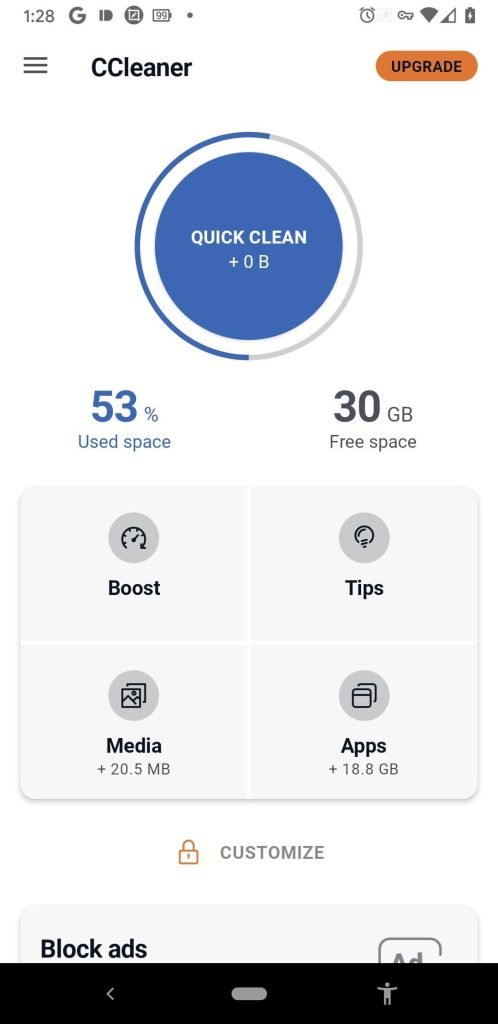
CCleaner is a hugely popular all-in-one cleaner and optimization tool. With its simple taps to scan and clean your device, CCleaner provides a streamlined way to remove junk files, erase browsing histories, clear app caches, and free up valuable storage space. Trusted by over 100 million users, it delivers robust cleaning capabilities in an easy-to-use package.
Key features:
- One-tap device cleaning and optimization
- Removes app cache, download folders, log files, and residual clutter
- Browser cleaning erases browsing history, cookies, site data, and more
- Registry cleaning to fix system errors and crashes
- Simple, user-friendly interface
Pros:
- Comprehensive cleaning of many data types
- Very fast and efficient
- Cleaner and optimizer all-in-one
- Safe for beginners
Cons:
- Requires manual scans to clean and optimize
- Contains ads (premium version doesn’t)
CCleaner is one of the best free Android cleaner apps for quickly freeing up storage space and removing unnecessary clutter from your device.
2. AVG Cleaner
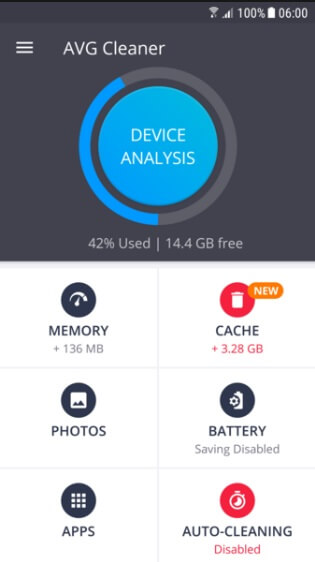
From leading security brand AVG comes an excellent optimization app called AVG Cleaner. This free cleaning app for Android phones and tablets goes beyond just removing junk files to dig deeper into speeding up your Android’s overall performance. AVG Cleaner hibernates apps, kills battery-draining background processes, and monitors your device’s real-time condition. With AVG’s decades of digital security expertise, you can trust this cleaner to make your device run faster and smoother.
Key features:
- One-touch device cleanups
- Junk file removal frees up storage
- Removes app cache to reclaim space
- Kills background tasks and battery drain
- App hibernation to stop resource drain
- Simple menus and options
Pros:
- Very fast cleaning process
- Hibernates apps to optimize battery
- More robust than storage cleaners
- Trusted brand name for security
Cons:
- Contains ads (no paid ad-free version)
- Aggressive suggestions to install other AVG apps
For efficiently cleaning junk files and optimizing your Android’s performance, AVG Cleaner is one of the best options. The app hibernation feature also helps extend battery life.
3. File Manager
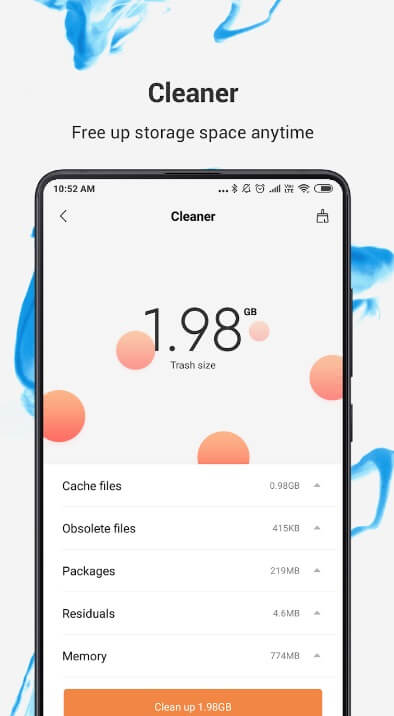
File Manager by Xiaomi combines a fully-featured file explorer with excellent phone cleaning abilities. Easily browse your Android’s folders and files to see what’s hogging space. Then delete large files, clear app caches, remove duplicate photos, and compress data with just a tap. File Manager simplifies freeing up storage while also giving you full control over your device’s files.
Key features:
- File Explorer gives access to all device folders and files
- Sorts files by type, size, date modified, and more
- Easily delete unwanted photos, videos, APK files
- Remove cache, large files, and duplicate images
- Compress files to save storage space
- Profiles for work, home, gaming, and cleanup
Pros:
- File manager and phone cleaner together
- Handy file compression tool
- Filters make finding files easy
- A recycle bin is available to recover deleted items
Cons:
- Some ads are present
- Lacks registry cleaners or app optimizers
For Android users wanting file access and cleaning abilities combined, File Manager by Xiaomi is a leading option. The intuitive interface makes both tasks easy.
4. SD Maid
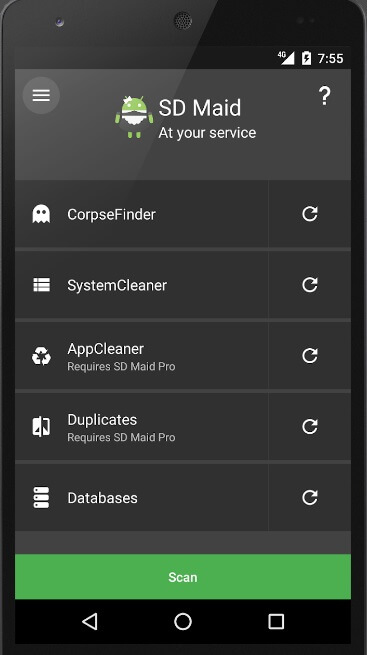
SD Maid offers advanced automation and cleaning features for power users. Dig deep into your Android system to remove clutter at the source. Schedule regular cleanups, hibernate pesky apps, and uninstall bloatware with this customizable optimizer. SD Maid provides unparalleled control over monitoring and improving your device’s performance.
Key features:
- Explorer with color-coded file types
- Uninstaller removes bloatware and big apps
- App control to freeze, delete cache, data
- Automated tasks to regularly clean and optimize
- Duplicates files finder
- Sophisticated search tools
Pros:
- Excellent automation options
- Deep system cleaner and optimizer
- Uninstaller perfect for removing bloatware
- Great for tech-savvy users
- No ads in the interface
Cons:
- Complex with a steep learning curve
- Manual scans only, no one-tap cleanups
With robust cleaning abilities paired with automation features, SD Maid is a top choice for Android experts wanting granular control over device optimization. It does have a learning curve but offers great power.
5. All-In-One Toolbox
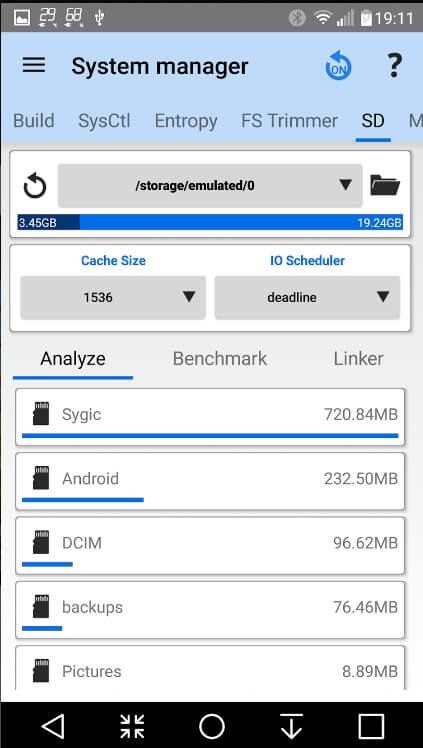
Here comes the next pick on our list of best free Android cleaner apps. As its name implies, All-In-One Toolbox is a multifunction cleaner and device maintenance utility. It combines excellent phone boosting and junk removal with other handy tools. Speed up your Android, analyze battery and app usage, access files, lock down apps, and more with this comprehensive utility app. All your optimization needs are covered with the All-In-One Toolbox.
Key features:
- One-tap boost to clean and speed up the device
- App manager uninstalls, stops, and freezes apps
- Comprehensive cleaning of cache, junk, and residual files
- Battery saving modes and CPU cooling
- File explorer, app locker, cache cleaner
Pros:
- Excellent all-in-one functionality
- Very fast junk cleaner and device booster
- Handy app freezer, analyzer, and search
- Streamlines Android device maintenance
Cons:
- Too many features may overwhelm some
- Contain ads (no paid ad-free version)
For Android users wanting a powerful cleaner along with many useful utilities, the All-In-One Toolbox is a great single solution. It simplifies optimizing your device.
6. Files By Google
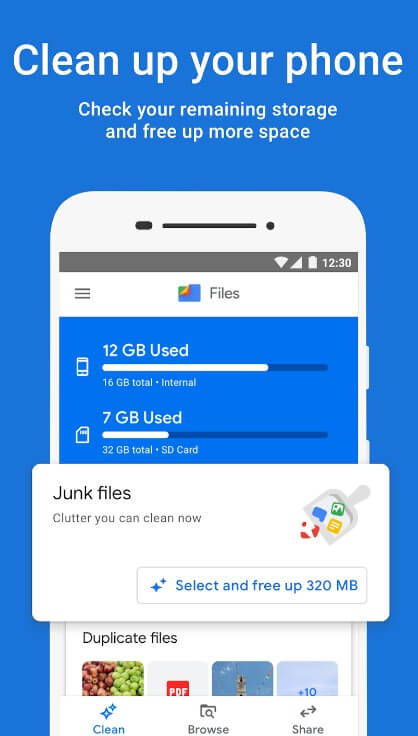
From Google itself comes Files By Google, a streamlined file manager and device cleaner. Browse your files easily, clear out junk, reclaim space, and monitor storage on this trusted app. Tap to boost performance or use the customizable cleanup widget. Files By Google provides a quality cleaner and file explorer directly from the source.
Key features:
- One-tap cleanups for fast device optimization
- Removes caches, large files, duplicate images
- File manager with easy sorting and searching
- Phone and SD card storage analyzer
- Safe and trustworthy from Google
Pros:
- Simple, easy-to-use interface
- Trusted Google brand app
- Excellent file manager built-in
- Widget for one-tap cleanups
Cons:
- Lacks deep registry cleaners
- Less powerful than third-party apps
Files By Google can prove to be one of the best free Android cleaner apps if you are looking for a quality cleaner and file manager directly from the source. While it lacks some advanced features, it’s a solid option.
7. Super Clean Master
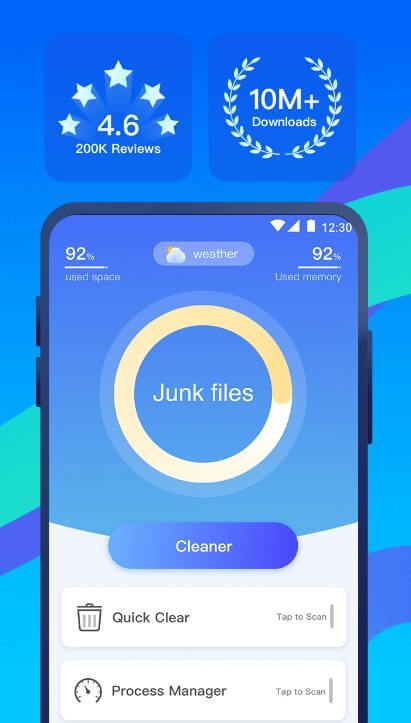
With over 1 billion downloads globally, Clean Master lives up to its name as a hugely popular Android optimization tool. Quickly clear out junk files, erase app caches, reclaim space, and stop background app processes with the tap of a button. Clean Master combines great core cleaning functions with optional extras like battery saving, making it widely used worldwide.
Key features:
- One-tap cleanups and device boosting
- Junk removal frees up storage space
- App manager to stop, uninstall, and analyze
- Game booster to optimize gaming performance
- Battery saver and SIM card manager
Pros:
- Top downloaded cleaner globally
- Very fast app with a small footprint
- Game booster is useful for gamers
- Easy to use for beginners
Cons:
- Too many extra utilities and offers
- Privacy concerns over Cheetah Mobile
While a very fast Android cleaner for phones and tablets, Clean Master pushes many extra services and utilities during the process. But the actual core cleaner works excellently.
8. WiseCleaner
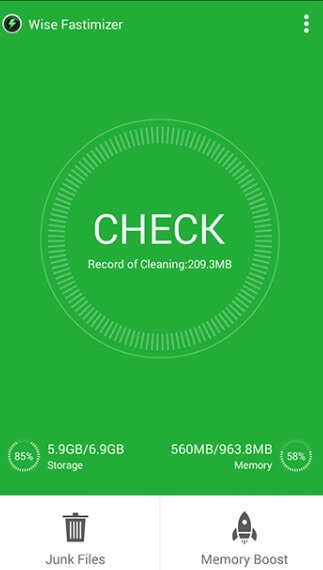
For a lightweight yet powerful cleaner, WiseCleaner is a top choice. Despite its small size, WiseCleaner packs excellent cleaning power. It removes junk files, clears caches, and monitors your device usage with minimal battery impact. WiseCleaner’s optional tools, like device info and battery saving, add functionality. But at its core remains top-notch clutter removal to speed up performance.
Key features:
- One-tap jumping boosts for fast cleaning
- Junk cleaner deeply removes clutter
- App manager for uninstalling and stopping
- Hardware device info and battery saver
- Floating widget for quick cleanups
Pros:
- Very fast cleaner with a small app size
- Extra tools like battery saver
- Minimal, ad-free interface
- Good for low-end devices
Cons:
- Lacks deep registry cleaners
- Needs a separate installation for extra tools
WiseCleaner lightweight cleaner for Android tablets and phones, has a tiny footprint but cleans powerfully. It’s perfect for low-end Android devices and runs very fast. The optional tools are useful too.
9. 1Tap Cleaner
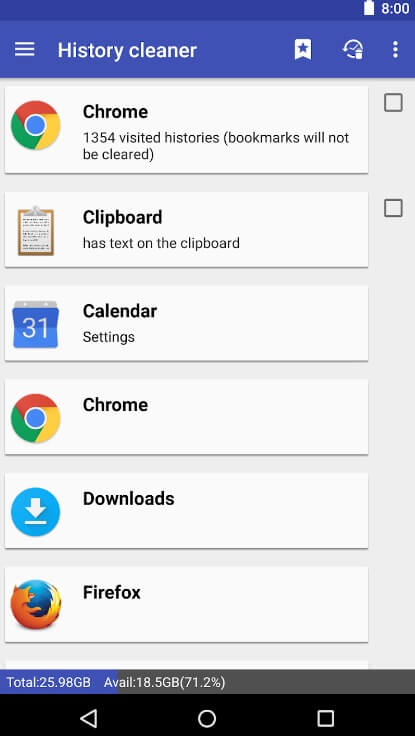
For the ultimate simplicity, 1Tap Cleaner lives up to its name with a single button for device cleaning. Sometimes, simple is best. 1Tap Cleaner provides fast Android cleaning with just a single button. Tap to quickly boost your phone’s speed and storage by erasing junk files and cache data. Despite its barebones interface, 1Tap Cleaner is the best app to clean Android smartphones and tablets as it offers great lightweight optimization power.
Key features:
- Literally, a single button to clean your device
- Removes junk, residual files, and caches
- Frees up storage space on phone and SD card
- Completely ad-free, no upsells or nagging
Pros:
- Incredibly simple interface
- Very fast cleaner with a small app size
- Perfect for casual or new users
- Zero ads or upsells
Cons:
- Lacks any extra features or tools
- No customization options
1Tap Cleaner delivers an incredibly streamlined Android cleaning experience. With just a single button, anyone can optimize their phone quickly.
10. Norton Clean
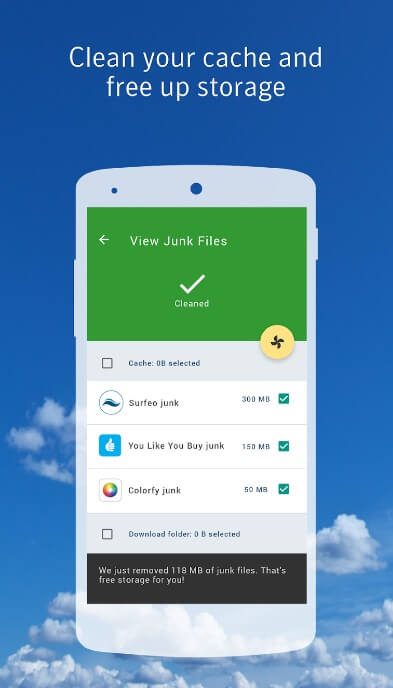
Norton Clean is a free phone optimization app by the leading security company Norton. It provides effective junk file removal to speed up your Android device. Norton Clean digs deep to remove junk files that accumulate over time and clutter your phone. It frees up valuable storage space in the process for faster performance.
With Norton’s decades of security expertise, you can trust this app to safely clean and optimize your Android smartphone and tablets. It provides robust junk removal in a streamlined, user-friendly package.
Key features:
- One-tap cleanups to quickly boost phone performance
- Removes residual and cache files that slow your device
- Identifies the largest and most unnecessary files
- Scans both internal phone storage and external SD card
- Easy-to-use interface perfect for beginners
Pros:
- One-tap cleanups for a fast performance boost
- Trusted security brand Norton
- Removes junk files and residual clutter
- Small app size is great for low storage
- Scans internal storage and external SD card
Cons:
- Lacks extra tools like an app uninstaller
- No battery saving or gaming features
- Basic interface with no customization
- Only focuses on junk removal
- Contains some ads
Conclusion
Boosting your Android’s performance doesn’t need to be costly. These 10 best free Android cleaner apps provide premium phone cleaning and optimization abilities completely free.
For all-around cleaning power plus extras, CCleaner and AVG Cleaner are top choices. Those wanting file management too should try File Manager by Xiaomi. And toolkit apps like All-In-One Toolbox simplify optimization.
Lightweight yet efficient options include WiseCleaner and Norton Clean. While 1Tap Cleaner provides the utmost simplicity.
With regular use of these excellent free Android cleaner apps for smartphones and tablets, you’ll enjoy a clutter-free device that runs fast and smoothly. Your phone’s battery life will improve as well.
FAQs:
Q 1: Do these cleaner apps actually speed up my Android device?
Yes, the top-rated cleaner apps featured in this article do effectively optimize and speed up your Android smartphone or tablet. By removing junk files, clearing app caches, deleting unneeded data, and freeing up storage space, these apps declutter your device and allow it to run faster and smoothly. The cleaner apps clean what’s slowing your Android down.
Q 2: Are Android cleaner apps safe to use?
The Android cleaner and optimizer apps recommended in this article are safe to use when downloaded from the legitimate Google Play Store. Stick to well-known, top-rated apps like CCleaner, AVG Cleaner, Files by Google, etc. These apps only remove unnecessary clutter data, not any important files. However, it’s wise to create backups before cleaning, just in case.
Q 3: How often should I run a cleaner app on my Android?
A good rule of thumb is to run your Android Cleaner app about once a week for regular maintenance. Some people run quick cleans daily for maximum optimization. Cleaner apps like CCleaner and AVG Cleaner have widgets that allow one-tap cleans whenever you notice performance lagging. For the best device speed, clean your Android routinely to prevent the buildup of junk files over time.
Author Bio:
Dinesh Lakhwani 

Dinesh Lakhwani, the entrepreneurial brain behind “TechCommuters,” achieved big things in the tech world. He started the company to make smart and user-friendly tech solutions. Thanks to his sharp thinking, focus on quality and the motto of never giving up, TechCommuters became a top player in the industry. His commitment to excellence has propelled the company to a leading position in the industry.
Popular Post











Recent Post

How To Adjust The Mouse Pointer Speed: Complete Guide
Using a computer every day means you use the mouse a lot. The mouse pointer moves on the screen and helps you click, scroll, and select items. Many people never think about the speed of the mouse pointer. They have used the default setting for years. This can cause small problems over time. A slow […]

How to Change Mouse Scrolling Settings In Windows
A mouse is one of the most used computer tools. People use it every day. They scroll through emails. They scroll through documents. They scroll through websites and images. The movement becomes automatic. Most users do not notice it. That is why problems often go unnoticed. Scrolling problems show up slowly. At first, it feels […]

Keyboard Light Settings: Keyboard Lighting Control [Complete Guide]
Keyboards are no longer simple typing tools. Well, yes! Over time, they have evolved to include features that improve comfort, visibility, and overall experience. One of the most useful features today is keyboard lighting. It helps users work comfortably in low-light conditions. It also reduces strain when typing for long hours. Many users first notice […]

Customizing Pointer Appearance: Complete Guide
The way your mouse pointer looks on your computer may seem like a small detail. But customizing pointer appearance can make using your PC more comfortable and visually appealing. Many users do not realize that they can change the pointer size, color, and style to fit their needs. Whether you want a bigger pointer for […]

How To Choose a Computer Monitor: Monitor Buying Guide
Buying a monitor looks easy. Many people think all screens are the same. That belief causes regret later. A monitor is not just a display. It is a daily tool. You read on it. You work on it. You relax with it. Small problems become big over time. Poor brightness hurts eyes. Bad size causes […]

How To Get Help With File Explorer in Windows 11 [Complete Guide]
File Explorer is one of the most important tools in Windows 11. It is used to open folders, view files, and manage stored data. Almost every action on a Windows computer depends on it in some way. When users open documents, save downloads, or organize photos, File Explorer is always involved. Because it is used […]

How To Fix A Frozen Computer: Complete Guide [Windows 11/10]
A frozen computer is one of the most common problems Windows users face. The screen stops responding. The mouse pointer does not move. Keyboard inputs do nothing. You may hear the fan running loudly. Sometimes the system looks alive, but nothing works. This situation often happens when you are busy or working on something important. […]

How to Upgrade Computer RAM: Complete Guide
Upgrading RAM is one of the simplest ways to improve a computer. It helps the system feel faster and smoother. Apps open quicker. Browsers handle more tabs. Games and tools run with less delay. Many users search for how to upgrade computer RAM because it gives real results without high cost. You do not need […]

How To Clean Your Computer Keyboard: Complete Guide
A computer keyboard is touched more than almost any other device you own. It is used during work, study, gaming, and casual browsing. Fingers carry natural oils, sweat, and dirt. Small food crumbs fall between keys without notice. Dust settles each day slowly. Over time, this creates a hidden layer of grime. Many users do […]
Computer Mouse Buying Guide for Beginners and Advanced Users
Buying a mouse looks easy at first. Many people think all mouse work the same way. Well, that idea often leads to regret later. A mouse affects comfort, speed, and daily work. It matters for office tasks, gaming, design, and study. The right choice reduces strain and improves control. The wrong one feels annoying every […]

