











There are times when you’re listening to your favorite song. And when you hear the verse or chorus that you love the most, you wish you could set it as a ringtone for your iPhone. There are also times when you’re at a public place, and a phone starts to ring that sounds just similar […]
5 Best Adobe Flash Player Alternatives / Replacements
Adobe Flash Player once ruled the internet, powering games, animations, and rich media experiences. But as technology evolved, Flash couldn’t keep up with modern security and performance standards.
In 2026, users need reliable replacements to access legacy content and Flash-based applications. This article explores five top alternatives that offer compatibility, safety, and ease of use across platforms.
Comparison Table: Top 5 Flash Player Replacements
Flash Player is gone. Many websites still need Flash support. New tools now fill that gap. Below is a quick comparison of the top five options.
| Tool | Platform Support | Key Features | Pros | Cons |
| Microsoft Silverlight | Windows, Android, iOS | .NET-based, rich media apps | High-quality streaming, browser integration | Complex setup, outdated tech |
| Ruffle | Windows, macOS, Linux, Browsers | Rust-based, open-source emulator | Safe, modern, easy to use | Limited ActionScript 3 support |
| Gnash | Linux, BSD | GNU Flash player, open-source | Lightweight, free | Poor compatibility with newer Flash files |
| Photon Flash Player & Browser | Android, iOS | Built-in browser, Flash support | Mobile-friendly, fast | Ads, limited desktop support |
| FlashFox – Flash Browser | Android | Flash-enabled browser | No plugins needed, fast loading | Outdated UI, occasional crashes |
5 Best Adobe Flash Player Alternatives to Use
Taking Adobe Flash Player’s shortcomings in mind, we have selected the best Flash players to use. With TechCommuters’s stamp of approval, you can move on to the following five best Adobe Flash Player alternatives:
1. Microsoft Silverlight
Software Rating: 4/5
Compatible OS: Windows, Android, and iOS
Developer(s): Microsoft
Price: Free
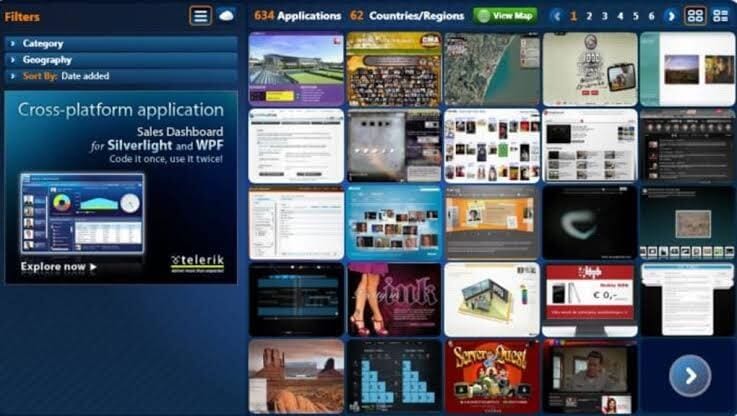
Microsoft Silverlight is a silver-lined Adobe Flash Player alternative. It is a great development tool for producing engaging and innovative user experience web and mobile applications. This is a free plugin supported by the .NET framework and compatible with all the leading devices, web browsers, and operating systems. Using the Silverlight plugin, you can dramatically enhance your video streaming capabilities.
Sparkling Features
- It can offer an interactive video streaming experience for both on-demand and live.
- Silverlight supports multiple formats and devices.
- You can customize Silverlight’s behavior by making selections in the app’s control panel.
- It can integrate with your browser and other video streaming apps.
- You can explore elevated video quality with it.
Pros
- Highly integrated app.
- Improves video streaming quality.
- Easy to configure.
Cons
- It can cause browsers to crash.
- Too much complicated platform.
- Video streaming isn’t a primary function.
2. Ruffle
Software Rating: 3.5/5
Compatible OS: Windows, Linux, macOS, Chrome, Firefox
Developer(s): Mike Welsh, kmeisthax, Nathan “Dinnerbone” Adams, Callum Thomson
Price: Free
Ruffle is the best Adobe Flash Player alternative written in Rust. It is a stand-alone application for all modern operating systems. The Ruffle can address the Adobe security concerns by leveraging the modern browser sandbox and memory safety from Rust. It can avoid security crashes in all the leading web browsers and operating systems. Ruffle is the GNU project, so it’s both a free and open-source flash media player.
Sparkling Features
- Ruffle is available for desktop as well as web clients.
- Users can simply download the web version of Ruffle and can watch flash content without extra configuration.
- The media player can polyfill content automatically and seamlessly upgrade websites that still rely on flash content.
- It is an open-source project, so if you can suggest or want to contribute to Ruffle development, you are welcome to do that.
Pros
- Free and open source.
- Multiple platform support.
- Automatically detect flash content.
Cons
- Outdated flash content support.
- Underdevelopment phase.
3. Gnash
Software Rating: 3.5/4
Compatible OS: BSD, Linux, and Microsoft Windows
Developer(s): Rob Savoye, Sandro Santilli, Bastiaan Jacques, Benjamin Wolsey, Zou Lunkai, Tomas Groth, Udo Giacomozzi, Hannes Mayr, John Gilmore, Markus Gothe.
Price: Free
Gnash media player is the best and free Adobe Flash Player alternative for playing SWF files. It is a stand-alone player for desktops as well as a plugin for several browsers. Gnash is part of the GNU project, which makes it a free and open-source flash player. The software supports most of the SWF v7 features along with SWF v8 and v9, excluding SWF v10 which makes it the perfect replacement of Adobe Flash Player.

Sparkling Features
- Adobe offers an outdated version of its flash player for Linux on IA-32 and AMD64. On the contrary, Gnash’s architecture supports x68, MIPS, ARM, and PowerPC, including BSD-based operating systems.
- It can play SWF files up to version 7 and 80% of ActionScript 2.0.
- Gnash provides some awesome features not available on Adobe player, including the capacity to extend the ActionScript classes, dynamic file access system, and more.
- One of Adobe player’s major setbacks is security, which Gnash’s extension mechanism can easily manage.
- Gnash video supports playback of FLV format and allows streaming from YouTube, MySpace, and other similar websites.
Pros
- Free and open source.
- High-level security configuration.
- Possibility to extend the ActionScript classes.
- MySQL support.
Cons
- Outdated software.
- Highly technical for beginners.
4. Photon Flash Player and Browser
Software Rating: 3.4/5
Compatible OS: Windows, macOS, iOS, Android
Developer(s): Appsverse Inc
Price: Free with in-app purchase. Full lifetime version for $9.99.
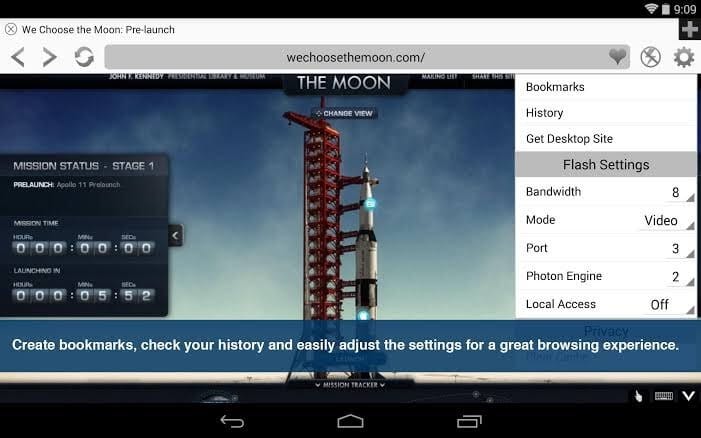
Photon Flash Player and Browser is a powerful Adobe Flash Player alternative that contains built-in Flash Player plugin support and online video streaming features. Its leading-edge technology facilitates fast web browsing due to JavaScript support. Photon doesn’t only support flash videos but also Flash games and websites. You can receive flash speed on your tablets and phones.
Sparkling Features
- Multiple tabs support searching and type on an intelligent URL bar.
- You can play and browse videos plus live TV full screen.
- Incognito and private browsing support allow you to erase browsing history with every session.
- Photon supports multiple web browsers, including Safari, Firefox, Internet Explorer and Chrome.
- It can play FLV and SWF video formats.
- With dynamic bandwidth, you can adjust your video stream bandwidth and save data bandwidth.
Pros
- Different optimization modes.
- Cool three navigation modes.
- Easy to use.
- Accessible on all the devices.
Cons
- Ads disturbance.
- Expensive tool.
5. FlashFox – Flash Browser
Software Rating: 2.6/5
Compatible OS: Windows, Android, and Web Portals
Developer(s): Möbius Networks
Price: Free with ads. Premium version for $9.99 per year.
FlashFox is a robust Adobe Flash Player alternative to play flash videos on mobile web browsers. It is the fastest Adobe Player-enabled browser that you can download on your Android devices. With this browser, you can directly play flash videos from the web without any other flash player’s requirement. The browser offers all the basic web browsing features like history, recent tabs, bookmarks, and more.

Sparkling Features
- It is a super-fast flash browser that can quickly access, search and load flash videos.
- You can keep your favorite videos at your fingertips with easy-to-use tabs, smart searching, and multiple other features.
- With extensive security settings and the Do Not Track feature, you can browse safely and privately.
- It is enabled with end-to-end web experience from HTML5 to Flash enables sites.
Pros
- Fast browser.
- Easy to use.
- Privacy and security.
- Great UI.
Cons
- Based on Adobe Flash Player.
- Too many popup ads.
Conclusion
While Flash may be gone, its legacy lives on through these powerful replacements. Whether you’re a developer, gamer, or casual browser, there’s a tool here to suit your needs.
Choosing the right alternative depends on your device, usage, and preference. From open-source emulators to mobile-friendly browsers, these tools ensure Flash content remains accessible in a secure and modern way.
FAQs:
Q1: Why was Adobe Flash Player discontinued?
Adobe ended support due to security flaws and the rise of modern standards like HTML5. Flash was vulnerable and resource-heavy, making it obsolete for today’s web.
Q2: Is it safe to use Flash Player alternatives?
Yes, most alternatives are safer and more efficient. Tools like Ruffle use modern programming languages and sandboxing to avoid security risks.
Q3: Which alternative is best for mobile users?
Photon and FlashFox are ideal for mobile. They offer built-in Flash support and smooth browsing on Android and iOS devices.
Author Bio:
Dinesh Lakhwani 

Dinesh Lakhwani, the entrepreneurial brain behind “TechCommuters,” achieved big things in the tech world. He started the company to make smart and user-friendly tech solutions. Thanks to his sharp thinking, focus on quality and the motto of never giving up, TechCommuters became a top player in the industry. His commitment to excellence has propelled the company to a leading position in the industry.
Popular Post
Recent Post
Dr.Fone – System Repair (iOS) Review: Fixes Your iOS Devices?
Dr.Fone is a complete utility software hub. It has Data Recovery, System Repair, Screen Unlock, Phone Manager, and many other tools for iOS users. However, today, the TC team would like to share Dr.Fone – System Repair (iOS) tool review with our readers and disclose many new things about the program. So, let’s check out […]

RecoverXData Recovery Review
Data is essential for all; be it a home user or professional, all want to keep their data safe. However, due to unforeseen situations, primarily due to human error, we lose important data. This is when data recovery tools come to play. Using them, you can get deleted or missing files back. But with so […]
Fix – Windows 11 Bluetooth Not Working [Updated Guide]
Introduction Is Bluetooth on Windows 11 giving issues? You have come to the right place. In this post, we will discuss how to fix Windows 11 Bluetooth not working. Generally, the Bluetooth problems are caused due to some software issues, but they can also be related to hardware malfunctioning. Therefore, before we get into details, […]

How to Reset Network Settings on Windows 11
Are you facing connectivity issues? Follow these instructions to reset network settings on your Windows 11 and fix the connectivity problems. The network settings on the PC manages internet connectivity. However, in some cases, due to outdated network adapters and incompatible configuration issues like slow connection and dropped connection, no wireless connectivity occurs. If you […]
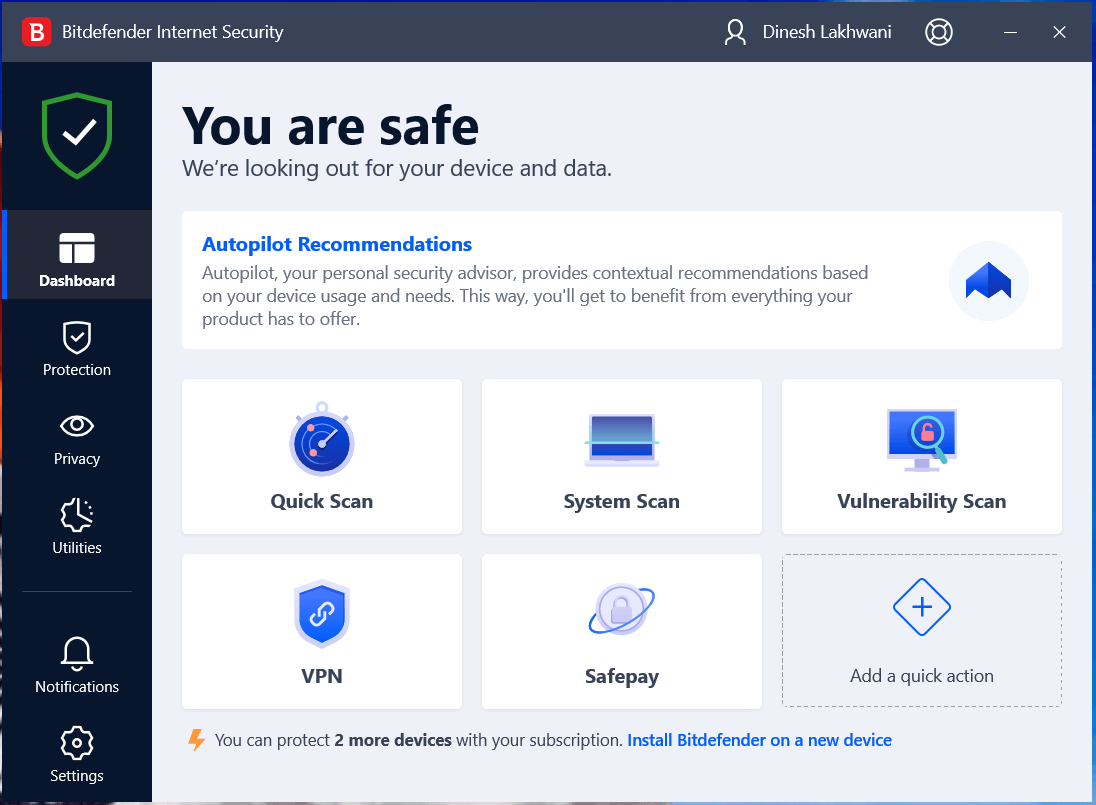
Bitdefender Internet Security Review
As the cybersecurity needs of users are growing, Bitdefender has come up with comprehensive Internet security software that is designed to keep you safe 24/7. Bitdefender Internet Security is a one-stop solution for all your security needs. We’ve got a chance to test this powerful tool and to check its compatibility with other security solutions […]
How to Uninstall Cortana from Windows 11
Is Microsoft’s digital assistant bothering you? Do you want to uninstall it? You’ve come to the right place; here, we will explain removing Cortana on Windows 11. Although Microsoft doesn’t give a straightforward way to uninstall it, there are still ways. Why Uninstall Cortana? It is not like Microsoft’s cloud-based digital assistant; Cortana takes too […]

What is brand risk protection and why does it matter?
Today’s security professionals have become familiar with the idea that every organization has an attack surface that describes its global exposure to threats against internal and cloud applications, devices, users, and data. The attack surface grows as greater connectivity, cloud applications and myriad new types of device are adopted as an organization expands its digital […]

How to Use VPN on Synology NAS
We all want to secure our remote access for daily needs & projects. But how to get it done is a big question. Using a VPN this problem can be easily solved as it creates an encrypted tunnel to secure network connection. Acronym for Virtual Private Network (VPN) hides IP addresses allowing users to navigate […]

5 Best Label Designing and Printing Software
Be it product branding or marketing; labels play a significant role in selling a product. In fact, the label helps to distinguish your products from others. Therefore, the designing and printing of your product label need to be perfect. And for this, we will talk about the best 5 label designing and printing software. Using […]

