13 Best Free Train Game Apps for iOS in 2026

Last updated on December 28th, 2025 at 2:11 am
The train journey is a wholesome experience. Getting to know different places, meeting new people, lazy talks, speed rush, and so much more. Now, imagine what if you get all the train experience while sitting at your home?
Cool, right? By playing train games on your iOS gadgets, you can ride, drive, or perform stunts on a train. On the App Store, various train games for iOS are available to simulate a realistic train experience. But, we won’t let you search through countless options to find a great game. Because we have already selected the best ten train simulator games iOS.
13 Best Train Simulator Games for iOS/iPhone Users — Get Onboard People
Train games are exciting, informative, and stimulating. Keeping this criterion in mind, we have reviewed different train games for iOS and selected the best ten for you.
1. Rail Maze: Train Puzzler
App Store Rating: 4.6/5
Compatible iOS: iOS 9.0 or higher
Appropriate Age: 4+
Game Size: 34.2 MB
Languages: English, French, Russian, Hindi, Italian, German, Spanish
Price: Free with in-app purchases.
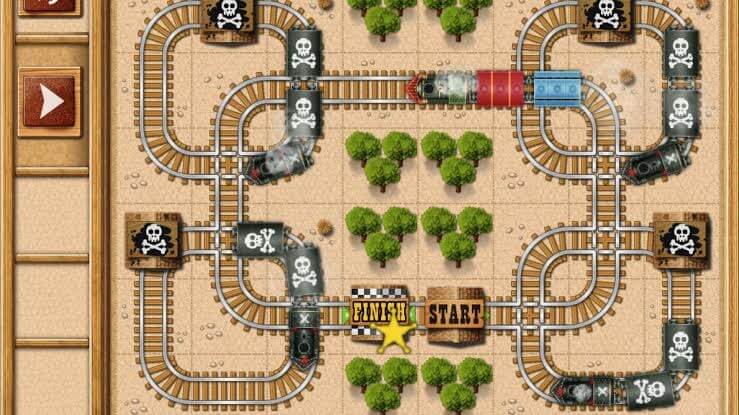
Rail Maze is a full action-packed train game for iOS. You can solve train puzzles, explode obstacles, build railroads, and escape pirate trains within one game. There are more than 100 challenges and unique puzzles present inside the game that will fully keep you engaged.
Additionally, frequent bombs explode, and pirates on trains keep on providing you with unlimited excitement. Rail Maze is a perfect cocktail of puzzles, simulators, and adventure games.
Speedy Features
- You have super fun four game modes to play — Labyrinth, Build Railroad, Snake, and Longest Railroad.
- Rail Maze doesn’t have a dull moment; in between 100+ puzzles, bombs, pirate attacks, tunnels, and super long trains, you always have something to do.
Pros
- Dynamic puzzle game.
- Sharp graphics.
- Enchanted music.
- Interesting gameplay.
Cons
- Extremely addictive.
2. Train Station 2: Rail Strategy
App Store Rating: 4.5/5
Compatible iOS: iOS 11.0 or higher
Appropriate Age: 4+
Game Size: 271.7 MB
Languages: English, Catalan, Danish, Swedish, Turkish, German, and more.
Price: Free with in-app purchases.
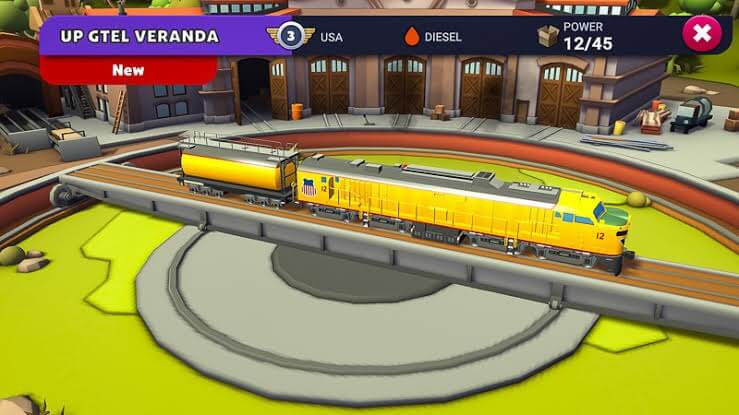
Are you a train collector or enthusiast? Then, you are going to have a blast playing Train Station 2. The game lets you build your own railway empire while facing many surprises, achievements, and thrilling challenges.
It is the best train simulator game iOS because you can receive famous real-life train experience in it. From updating trains to earning rewards, the gameplay never bores you.
Speedy Features
- Wholesome train experience including meeting with interesting contractors, maintaining rail logistics, and coordinating and dispatching trains.
- A variety of regions to explore as new events are added every month.
- Let’s you team up with other train enthusiasts and work together.
- Compete with your friends in leaderboards and collect resources and rewards.
Pros
- Exceptional graphics.
- Good storyline.
- Constantly adds new events.
Cons
- Gets boring after some time.
- Limited trains and dispatchers.
- Slow gameplay.
3. Railbound
App Store Rating: 4.8/5
Compatible iOS: iOS 11.0 and higher.
Appropriate Age: 4+
Game Size: 215.7 MB
Languages: English
Price: $4.99
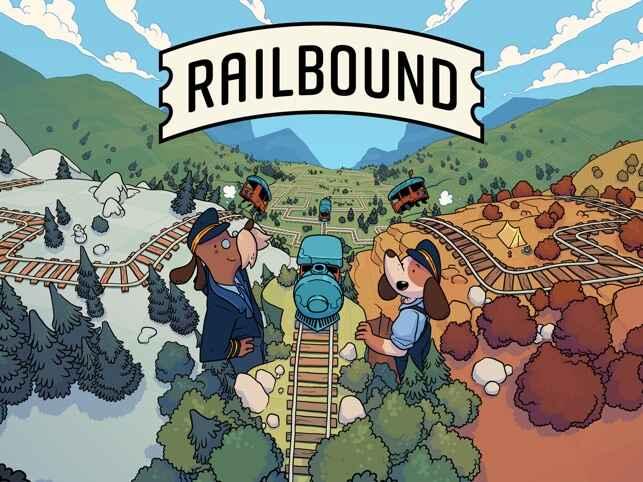
Railbound is a delightful and relaxing puzzle game with an intriguing premise involving two dogs on a train journey around the world. The gameplay appears to be centered around connecting and severing railways to guide the train safely through various landscapes while solving over 200 clever puzzles of increasing complexity.
The concept of bending rails to create safe paths for the train and avoiding collisions adds an element of strategy and challenge to the game. The mix of gentle slopes and twisted passageways in the puzzles suggests a diverse and engaging gameplay experience.
With over 200 puzzles to complete, players can expect hours of enjoyable gameplay as they explore different locations and encounter brain-teasing challenges along the way.
Speedy Features:
- Relaxing track-bending puzzles.
- Play as cute dogs on a global train journey.
- Connect and sever railways safely.
- 200+ clever puzzles with varied complexity.
- Strategic gameplay and exploration.
Pros:
- Relaxing and soothing gameplay.
- Charming dog characters and global journey.
Cons:
- May lack fast-paced action for players seeking intense gameplay.
- Limited replayability once all puzzles are completed.
4. Loco Looper
App Store Rating: 4.7/5
Compatible iOS: iOS 15.5 or higher
Appropriate Age: 4+
Game Size: 70.8 MB
Languages: English
Price: $4.99
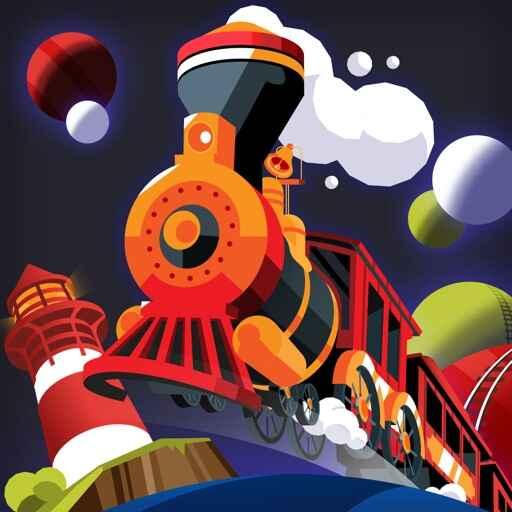
Loco Looper is an interesting puzzle game filled with trains, fluffy clouds, planets, stars, and even a cheeky seagull! Your mission is simple – create the perfect track using all the pieces provided. But here’s the twist – the harder the level, the more ways you can solve it!
The handcrafted levels are like little works of art – imagine pen & ink style love letters to mini dioramas and trains. And guess what? The game also offers a neat 3D effect that naturally pops when you hold your device. No face tracking is needed – just pure magic! Loco Looper is designed and written with love, using Swift and Metal to ensure a smooth and fantastic gaming experience.
Speedy Features:
- Engaging in puzzle gameplay with trains, clouds, planets, and stars.
- Multiple solutions for each level, increasing replayability.
- Handcrafted levels with a pen & ink style aesthetic.
- Immersive 3D effect without face tracking.
Pros:
- Multiple solutions provide replay value.
- Unique handcrafted pen & ink style levels.
- The immersive 3D effect enhances the experience.
Cons:
- A steeper difficulty curve may frustrate casual players.
- A lack of frequent content updates could lead to eventual repetition.
5. Model Railway Easily
App Store Rating: 3.3/5
Compatible iOS: iOS 11.0 or higher
Appropriate Age: 4+
Game Size: 204.7 MB
Languages: English.
Price: Free with in-app purchases.
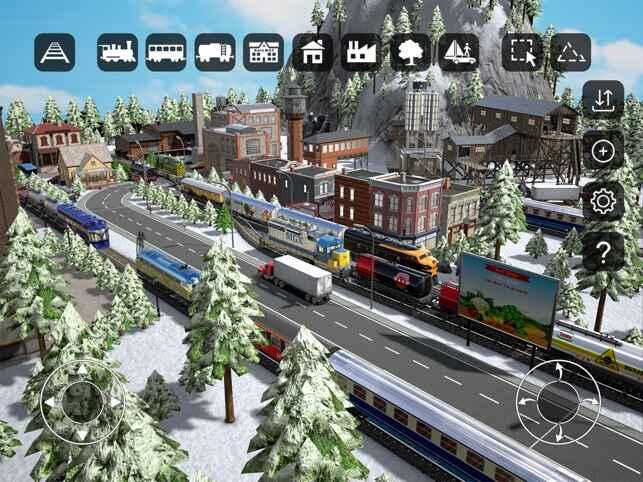
Immerse yourself in this easily accessible game, boasting stunning true 3D graphics that breathe life into your miniature world. With a plethora of highly detailed objects at your disposal, you’re the master of your model railway universe. Set the stage on different landscapes, be it serene countryside, bustling cityscape, or a scenic coastal route. Each terrain offers unique challenges and opportunities for crafting exciting and visually captivating layouts.
As the train conductor of your dreams, you get to decide where the tracks wind and how the landscape unfolds. Carefully place bridges, tunnels, buildings, and charming scenery elements to create a picturesque tableau. You’ll find yourself engrossed in the process as you bring your visions to life, piece by piece.
Speedy Features:
- True 3D Graphics.
- Customizable Terrain.
- Extensive 3D Model Collection.
- Intuitive Track Layout Building.
- Realistic Train Movement and Interaction.
Pros:
- Offers creative freedom with customizable terrain and track layouts.
- Innovative interaction.
Cons:
- Graphics-intensive may require powerful hardware.
- Limited features or content may impact long-term engagement.
6. Modern Train Driver Simulator
App Store Rating: 4.4/5
Compatible iOS: iOS 8.0 or higher
Appropriate Age:4+
Game Size: 277.9 MB
Languages: English
Price: Free with in-app purchases.
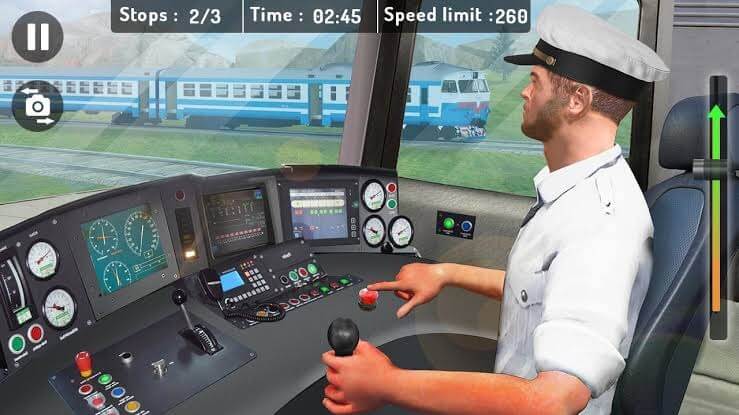
Modern Train Driver Simulator lets you enjoy the scenic view from 360 degrees and test your driving skills in real time. The gameplay revolves around Sydney City and its traffic problem. Facing real-life Sydney traffic challenges, you have to drive a train using your quick reflexes and instant decision-making abilities.
With the complete 3D interior of a buggy and driver comportment along with multiple angle camera view, this train simulator game iOS is the perfect recipe for fun and thrill.
Speedy Features
- Outstanding 3D train models along with passenger and river compartment interior design.
- Majestic camera views that you’ll get throughout the game.
- Can watch Sydney City from 360 degrees.
- Realistic animations of door opening and closing.
- Various dramatic challenges to win and gain rewards.
- Real traffic light systems and automatic environment adjustments make the game even more realistic.
Pros
- Amazing 3D graphics.
- Interesting challenges.
- Picture perfect scenery.
Cons
- Too many ads.
- Often crashes.
7. Rail Rush
App Store Rating: 4.2/5
Compatible iOS: iOS 6.0 or higher
Appropriate Age: 4+
Game Size: 157.8 MB
Languages: English
Price: Free with in-app purchases.
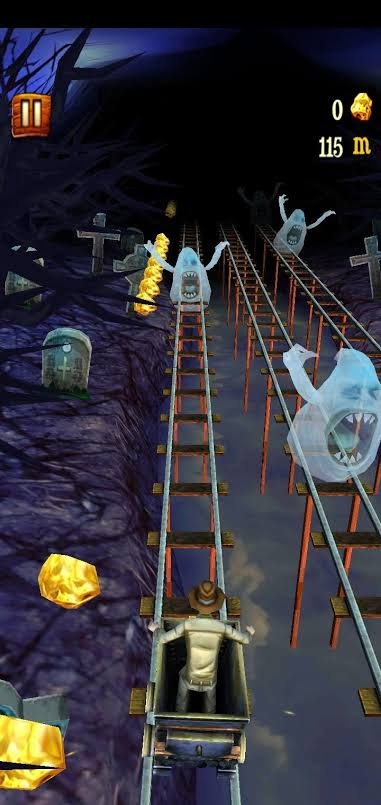
Want to play fast-paced train games on your iPhone? Then, download Rail Rush and step into your cart to explore the frenzy. You have to tilt and swipe very fast to avoid obstacles while collecting precious stones. If you are lucky, you can unveil many surprises during the game.
To be honest, if you have ever played Temple Rush (which you must have), it’s the same. The only difference is that your player is on the cart instead of his feet.
Speedy Features
- You can select ten different characters.
- Many hidden levels and ten challenging worlds.
- Various in-game achievements and cool power-ups.
- You can challenge your friends on Game Center leaderboards.
Pros
- Stunning graphics.
- Action-packed gameplay.
Cons
- Too many ads.
- The game often stucks.
8. Thomas & Friends: Magic Track!
App Store Rating: 4.1/5
Compatible iOS: iOS 9.0 or higher
Appropriate Age: 4+
Game Size: 235.4 MB
Languages: English, Dutch, Italian, Russian, Chinese, Spanish, and more
Price: Free with in-app purchases.
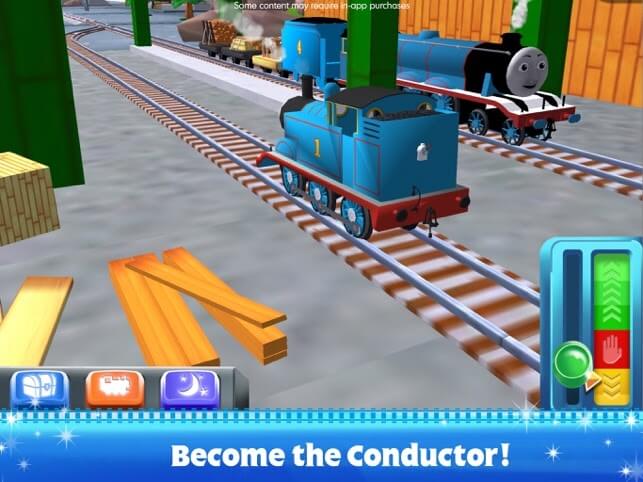
Thomas & Friends is the perfect train game for your little one. This game is specially designed for kids under five years old. There are multiple mini-games and customizable magic train sets to stimulate your kids’ interest.
Your kids can play with their favorite cartoon engines, collect toys, and decorate their own Island of Sodor. Overall, when you want to relax for a minute, this game can busy your energetic toddler for a few minutes.
Speedy Features
- Ultimate train set adventure, including driving your engines at your own pace, picking Thomas or other 14 engines, riding freely, and whistling.
- Your kid can play multiple mini-games within a game like a ride the canyon, race against fellow engines, jump over the broken bridge, etc.
- Knowing that young kids play the game, high privacy bars are set.
Pros
- Great graphics.
- Engaging for kids.
- Multiple mini-games.
Cons
- Gets boring quickly.
- Needs more fun elements.
- All the main features are paid for.
9. Euro Train Simulator
App Store Rating: 4.1/5
Compatible iOS: iOS 9.0 or higher
Appropriate Age: 4+
Game Size: 135.5 MB
Languages: English
Price: Free with in-app purchases.
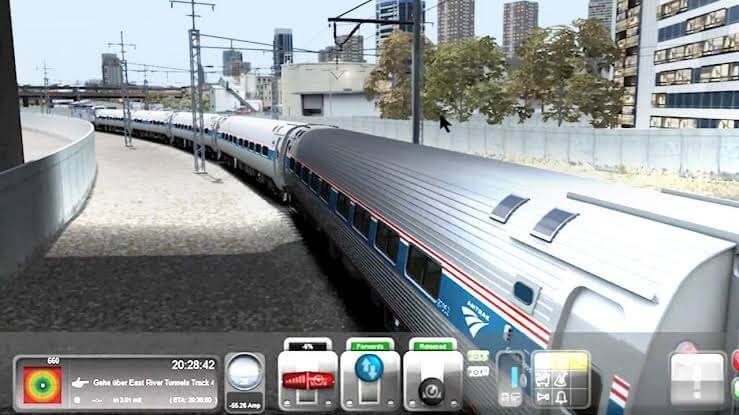
Euro Train Simulator is one of the most powerful and planned train simulator games iOS that covers all the major destinations in the world. The game has an intuitive Career Mode to explore numerous and unlock new routes and trains.
There’s also a Quick Mode that lets you select the train, destination station, route, weather, and even time. For dynamic train gameplay, Euro Train Simulator has all the right components.
Speedy Features
- Weather selection between Clear, Overcast, Fog, Rain, and Thunderstorm.
- A realistic environment with animated passengers, walkers, or people waiting at the station.
- The station aesthetics are designed considering the authentic modern German railway stations in mind.
- More than ten train models — from bombardier trains to intercity express.
Pros
- Massive UI design.
- Personalization.
- Many free trains and stations worldwide.
Cons
- Very small controls.
- Tier 2 and 3 are paid.
- It keeps on crashing.
10. Train Sim
App Store Rating: 4.1/5
Compatible iOS: iOS 10.0 or higher
Appropriate Age: 4+
Game Size: 551.5 MB
Languages: English
Price: Free with in-app purchases.
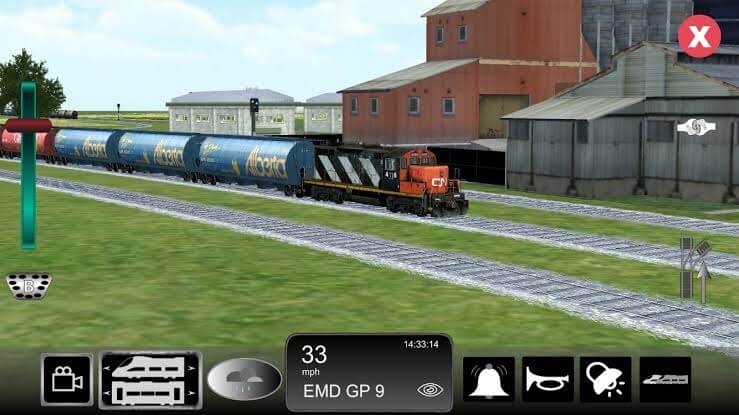
Train Sim offers a complete 360-degree train experience, including driving the trains, picking passengers, carrying freight, and more. It is a highly stimulating train game for iOS with 50+ realistic 3D graphics, 40+ train car types, underground subway scenes, and much more.
You can choose multiple 3D environments worldwide, such as India, Subway, American Midwest, etc. In short, for the best realistic train experience, play this game.
Speedy Features
- High-caliber train experience with numerous 3D graphics, train types, environments, sounds, and easy controls.
- You can pick interactive train backgrounds worldwide, including Airports, Desert, California Coast, Japan, or even customize your background.
- Based on the environment, you can select appropriate trains.
- Control weather to make train rides thrilling; make it rain or snow anytime.
- Keep on collecting achievement points while fighting all the odds and expanding your train experience.
Pros
- Nice user interface.
- Kid-friendly.
- Easy controls.
- Regular content updates.
Cons
- Messed-up ground reviews.
- Need more local environments.
11. Local Train Simulator
App Store Rating: 3.7/5
Compatible iOS: iOS 10.0 or higher
Appropriate Age: 4+
Game Size: 150.5 MB
Languages: English
Price: Free
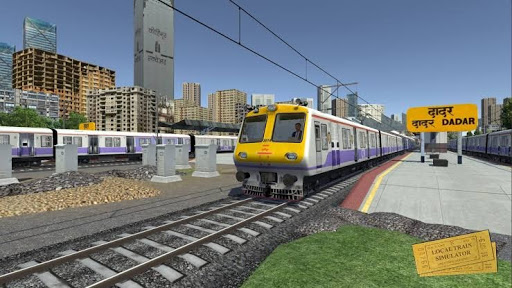
Mumbai Local is world-famous. With Local Train Simulator, you can experience how it feels to travel across popular Mumbai railway stations such as Byculla, Kalyan, Thane, etc. The game offers a fully functional signaling system, route-specific trains, weather control, and more.
Recently, they have introduced Career mode to uniquely divide levels into categories called “Experience.” If you want to run the world’s busiest train route, this is the best train game for iOS.
Speedy Features
- A complete track-changing functionality used by Indian railways.
- Highly interactive signaling system to manage train path.
- A Message System to notify users about every activity happening within the game.
- The special bonus categories are speed, Track Switch, Route, Signal, and Station.
- Realistic train interior even including the view of the bogie with the passengers.
- Multiple camera angles to capture the complete train journey — Driver, Cabin, Bird’s Eye, etc.
Pros
- Attractive interface.
- Realistic components.
- Full train simulator game.
Cons
- Includes many bugs.
- Requires more stations and events.
12. City Train Driver Game 2020
App Store Rating: 4.4/5
Compatible iOS: iOS 9.0 or higher
Appropriate Age: 4+
Game Size: 191.5 MB
Languages: English
Price: Free with in-app purchases.
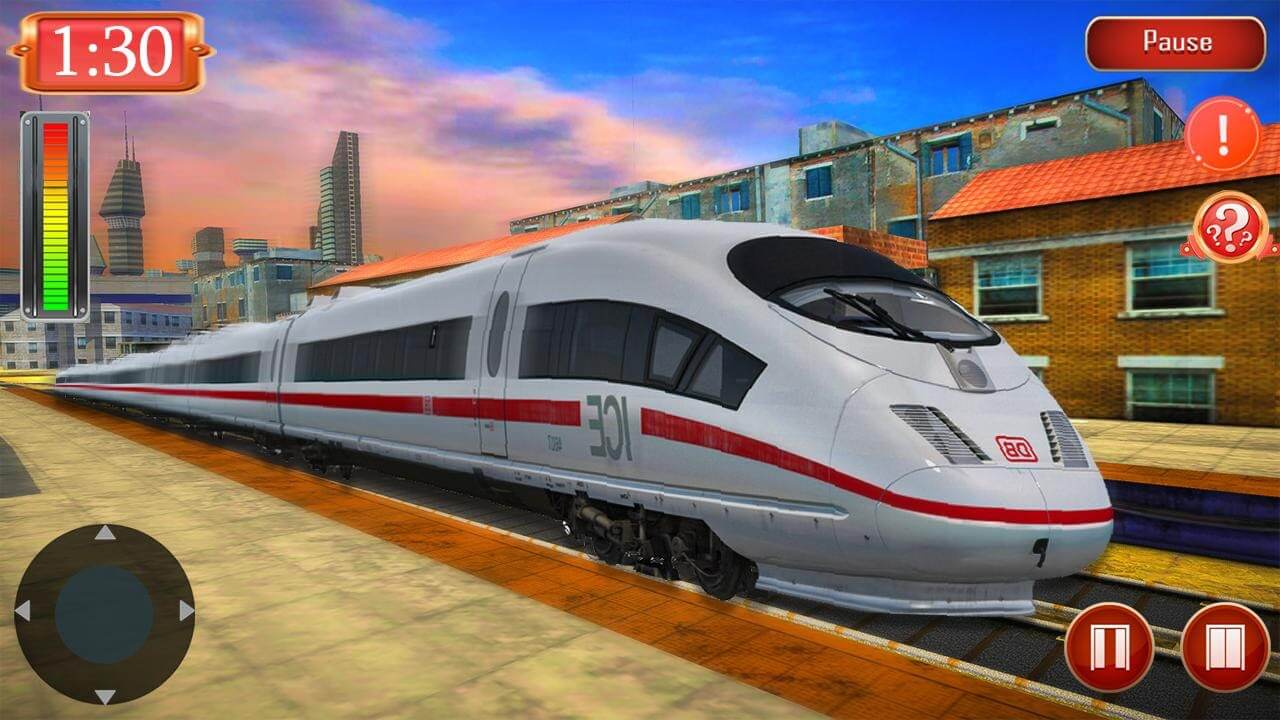
City Train Driver Game 2020 is a typical role-playing and train simulator game for iOS users. It is an updated version of the City Train game 2018. In this version, city trains are looking for train and driver managers that you’ll be playing.
The fantastic train drive mode covers all the driving scenarios and many challenges to make train driving extremely exciting. There are multiple camera angle views available to create realistic gameplay.
Speedy Features
- Stunning 3D graphics to explore the city subway under different driving situations.
- Highly advanced and smooth controls for iPhone users.
- Scenarios are designed with deep details to create realistic passenger and cargo transport.
- Vast railway tracks around the city to explore.
- You can pick 3D versions of Steam, Electric, and Diesel train models.
Pros
- Attractive interface.
- Complete user experience.
- Frequently updated.
Cons
- Expensive in-app purchases.
- Required bug improvement.
13. Roller Coaster Train Sim 2019
App Store Rating: 4.1/5
Compatible iOS: iOS 11.0 or higher
Appropriate Age: 4+
Game Size: 144 MB
Languages: English
Price: Free with in-app purchases.
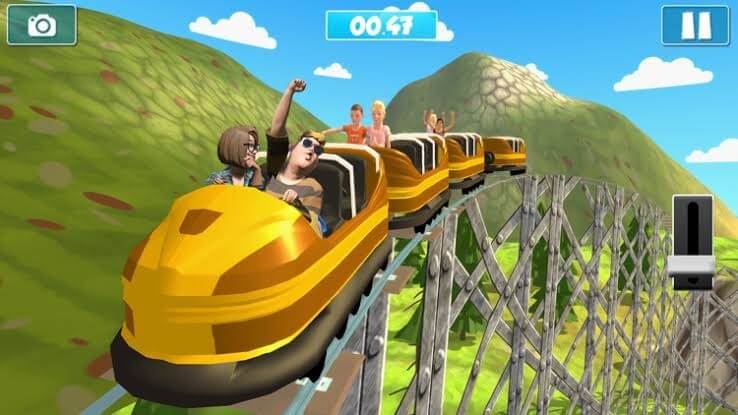
This train simulator game is a bit different. You aren’t driving trains across the city or worldwide Instead, you control a roller coaster train in a theme park. You have to control roller coaster trains on sharp turns while maintaining your balance.
The Roller coaster train game has ten challenging levels with different train tracks under different realistic city environments and snowy mountains.
Speedy Features
- Epic roller coaster train game with realistic 3D graphics and environments.
- Easily control and swipe fast-paced carnival rides.
- Left and Right smooth button controls.
Pros
- Attractive UI.
- Easy controls.
- Extremely stimulating.
Cons
- Too many ads.
- Annoying bugs.
- Limited challenges.
Let’s Hop On!
Train journey or train simulator game, both are incredibly happening and entertaining. Today, the pandemic might have stopped you from traveling on trains, but you have numerous train games for iOS available to fill that void.
TC team had a great time testing all the awesome train simulator games on iOS. We hope that you’ll also have a blast playing these games with your friends and family. So, get set, go, and hop on a train now!
FAQs:
Can you play train simulator on mobile?
Yes, there are several train simulator games available for mobile devices that offer a realistic train driving experience.
Is train simulator realistic?
Many train simulator games strive for realism by simulating train physics, controls, and real-world routes, providing an authentic experience for players.
Is TrainStation 2 free?
Yes, TrainStation 2 is free to play, but it may offer in-app purchases for additional content or features.
Author Bio:
Dinesh Lakhwani 

Dinesh Lakhwani, the entrepreneurial brain behind “TechCommuters,” achieved big things in the tech world. He started the company to make smart and user-friendly tech solutions. Thanks to his sharp thinking, focus on quality and the motto of never giving up, TechCommuters became a top player in the industry. His commitment to excellence has propelled the company to a leading position in the industry.
Popular Post











Recent Post

Resolving Microphone Detection Problems: Latest Guide [2026]
Microphones are important tools in daily life. People use them for office meetings, online classes, interviews, gaming, customer support, and content creation. When a system fails to detect a microphone, communication stops at once. This situation can cause stress and confusion. Many users believe the microphone is damaged. In reality, most problems are simple and […]

How To Switch To A Dark Background Theme In Windows [2026]
Most people spend many hours each day in front of a computer screen. Office work, online classes, editing, browsing, and streaming all require long screen time. A bright white background may look clean at first. However, over time, it can feel sharp and tiring. The strong contrast between white backgrounds and black text may cause […]

How to Switch From Local To Microsoft Account On Windows
Many users begin with a local account when they set up a new Windows computer. A local account works only on that single device. It stores settings, files, and preferences locally. It does not connect to online Microsoft services. For basic offline use, it works well. However, as digital needs grow, many users want better […]

How to Switch Windows 10 to a Local Account: Complete Guide
Windows 10 allows users to sign in with either a Microsoft account or a local account. When you set up a new computer, the system often suggests using a Microsoft account. This account connects your device to Microsoft services such as Outlook, OneDrive, and the Microsoft Store. It also syncs settings, themes, and passwords across […]

How To Change Default Apps For File Types In Windows
Windows is designed to make using your computer easy. One way it does this is by assigning default apps to different file types. This means when you open a file, Windows automatically opens it with a specific program. For example, photos may open with Photos, music with Groove Music, and PDFs with Edge. These default […]

How To Adjust The Mouse Pointer Speed: Complete Guide
Using a computer every day means you use the mouse a lot. The mouse pointer moves on the screen and helps you click, scroll, and select items. Many people never think about the speed of the mouse pointer. They have used the default setting for years. This can cause small problems over time. A slow […]

How to Change Mouse Scrolling Settings In Windows
A mouse is one of the most used computer tools. People use it every day. They scroll through emails. They scroll through documents. They scroll through websites and images. The movement becomes automatic. Most users do not notice it. That is why problems often go unnoticed. Scrolling problems show up slowly. At first, it feels […]

Keyboard Light Settings: Keyboard Lighting Control [Complete Guide]
Keyboards are no longer simple typing tools. Well, yes! Over time, they have evolved to include features that improve comfort, visibility, and overall experience. One of the most useful features today is keyboard lighting. It helps users work comfortably in low-light conditions. It also reduces strain when typing for long hours. Many users first notice […]

Customizing Pointer Appearance: Complete Guide
The way your mouse pointer looks on your computer may seem like a small detail. But customizing pointer appearance can make using your PC more comfortable and visually appealing. Many users do not realize that they can change the pointer size, color, and style to fit their needs. Whether you want a bigger pointer for […]

How To Choose a Computer Monitor: Monitor Buying Guide
Buying a monitor looks easy. Many people think all screens are the same. That belief causes regret later. A monitor is not just a display. It is a daily tool. You read on it. You work on it. You relax with it. Small problems become big over time. Poor brightness hurts eyes. Bad size causes […]

