Flight tracking apps have become essential for travelers, aviation enthusiasts, and even airport pickups. These apps offer more than just departure and arrival times—they deliver real-time updates, predictive insights, and seamless integration. Whether you’re monitoring a loved one’s flight or planning your own journey, the right app makes all the difference. This list highlights the top 10 iOS and Android apps that stand out for accuracy, design, and smart features.
Choosing a flight tracking app isn’t just about flashy design. It’s about reliability, speed, and how well it fits your travel needs. Here are the key features to consider:
Real-time flight status: Live updates on delays, gate changes, and cancellations.
Global coverage: Tracks flights from major and regional airlines worldwide.
Push notifications: Instant alerts for flight changes or boarding updates.
Airport info: Displays terminal maps, amenities, and security wait times.
Weather integration: Shows current and forecasted weather at departure and arrival points.
Flight history: Lets you view past flights and performance trends.
Seat maps: Helps you choose the best seat before check-in.
Offline access: Stores flight details even without internet.
Best flight tracking apps for Android and iOS
Indeed, there are multiple available flight tracking apps that Android and iOS users can use, some with more benefits than others. We studied multiple of them and then prepared a list of the best ones based on our experience. Here, we present them to you.
1. Flightradar24- Flight Tracker
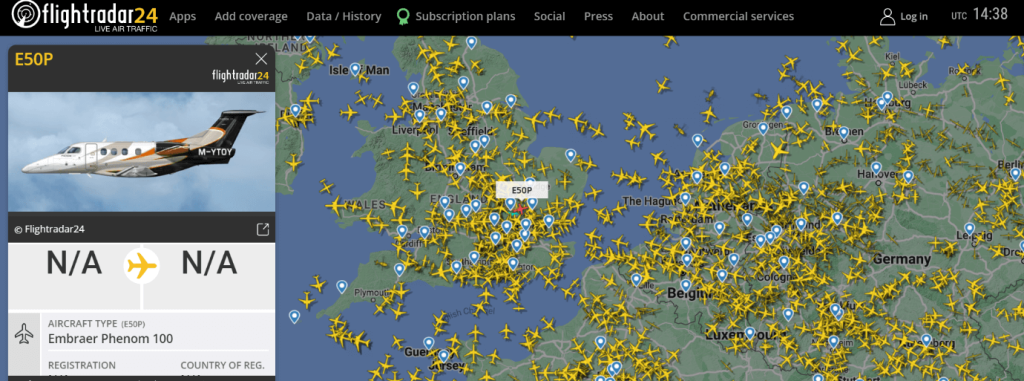
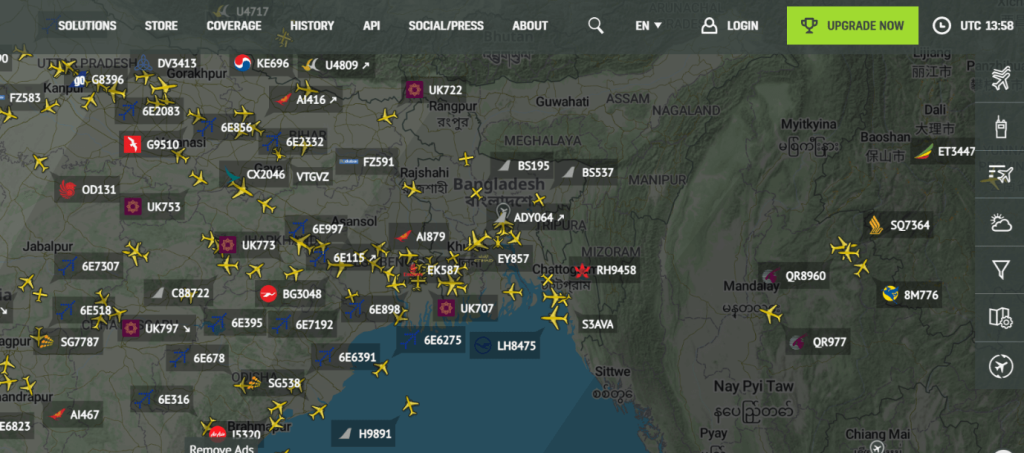
Flightradar24 is a high-quality flight tracking app that covers globally active flight information. Users in 150+ countries can use this app to watch the movement of flights in real-time and even get a 3D view of what pilots see through the cockpit. You can press the airplane icon to see flight details like ETA of flight, route, departure time, and altitude, among other details. Similarly, click on the airport icon to get airport-specific details like aircraft types currently on the ground, departure/arrival boards, etc. Access to historical flight data is also available.Price: Free, Gold plan- USD 3.99- 34.99, Silver plan- USD 1.99- 34.99 Compatibility: Android, iOS Features:
Live weather reports in map form for precipitation and cloud-based forecasting for flight safety.
Pathways of flights are visible on oceanic and aeronautical channels.
Detailed storage of the past 365 days’ worth of flight information.
Air traffic-related control boundaries provide details on which controllers are in use for specific flights.
Pros:
Access to over 20,000 ground airport stations provides information on flight data.
Multilateration support for accurate aircraft position calculation.
Get weather information during flight routes, like temperature conditions, wind speed, speed of aircraft, etc.
Cons:
The app had loads of cookies and ads.
It would collect your location data and other information for tracking.
2. FlightView
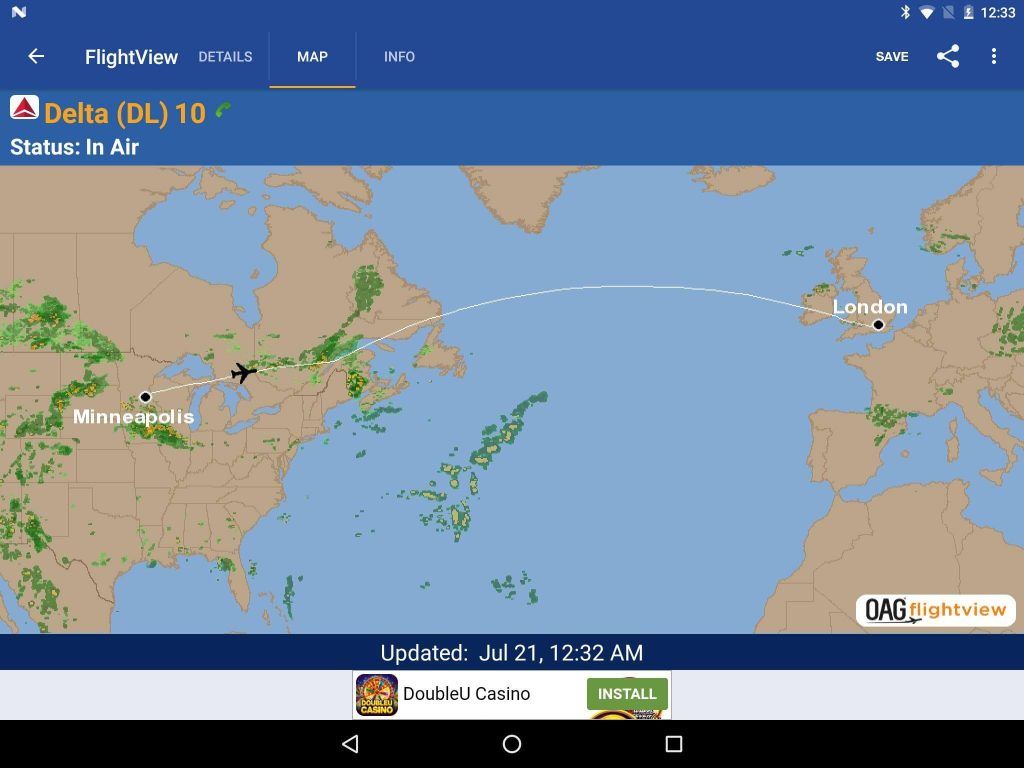
With FlightView, users globally can access a wide range of information on their flights, including the airlines/airports. You can get information on any cancellations and delays within specific airports and even note the gate assignments for various airlines. The app is simple to use, providing a visually simple representation of flights and even weather patterns on the radar. Sync and store trip information as well through the app.Price: Free with in-app purchases between USD 2.99 – 24.99. Compatibility: Android, iOS Features:
Social media profile login and sharing are possible.
Sync the app with an in-phone calendar app for easier scheduling.
Get information on airports that are seeing delays with departures.
FAA-based delay and closure programs are available for specific regions.
Pros:
Phone support for airline reservation information.
Get information help section with tips, tracking term details, and FAQs
Weekly weather forecast details are available for destination and departure locations.
Cons:
Ad removal is possible for paid users.
Not very valuable for people who only take flights a few times per year.
3. Plane Finder
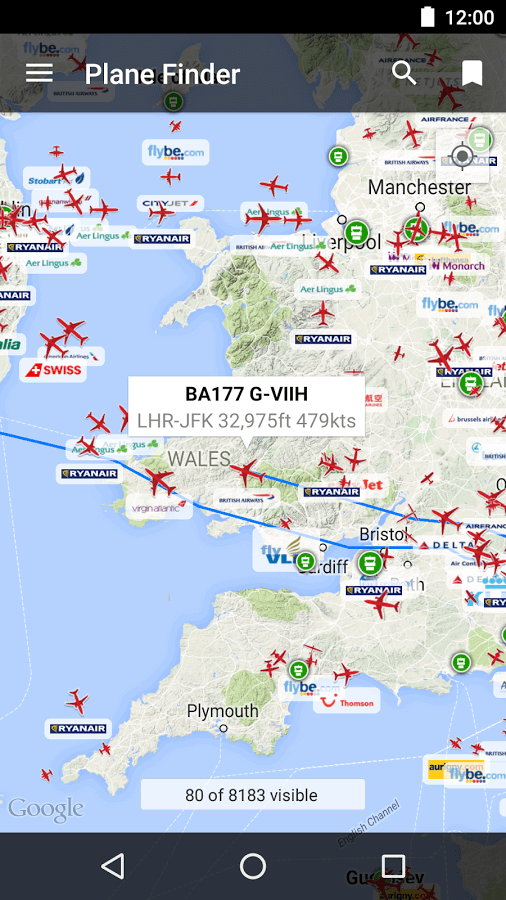
Plane Finder is one of the best flight tracking apps Android/iOS users can utilize with its strong technological structure, like VR support. With this, users can get detailed and constant information about live air traffic, with additional information like altitude and speed. Plus, the app is useful for calculating the direction of flights and getting alerts on nearby airliners.Price: Free, Premium (monthly)- USD 1.99, Premium (yearly)- USD 9.99 Compatibility: Android, iOS Features:
Decide the airplane labels like content, color, and position.
Customize the map styles like satellite/detailed/simple/hybrid map types.
Search using simple and diverse filters.
Activate and get frequent custom flight-based alerts.
Pros:
Very low cost, even for paid users.
The app gets real-time MLAT/ADS-B aircraft signals to calculate flight navigation.
Strong customer support functions with frequent updates.
Cons:
The accuracy of flights is not always top-notch since this app is mainly made for casual use.
Relatively huge app size.
4. FlightAware Flight Tracker
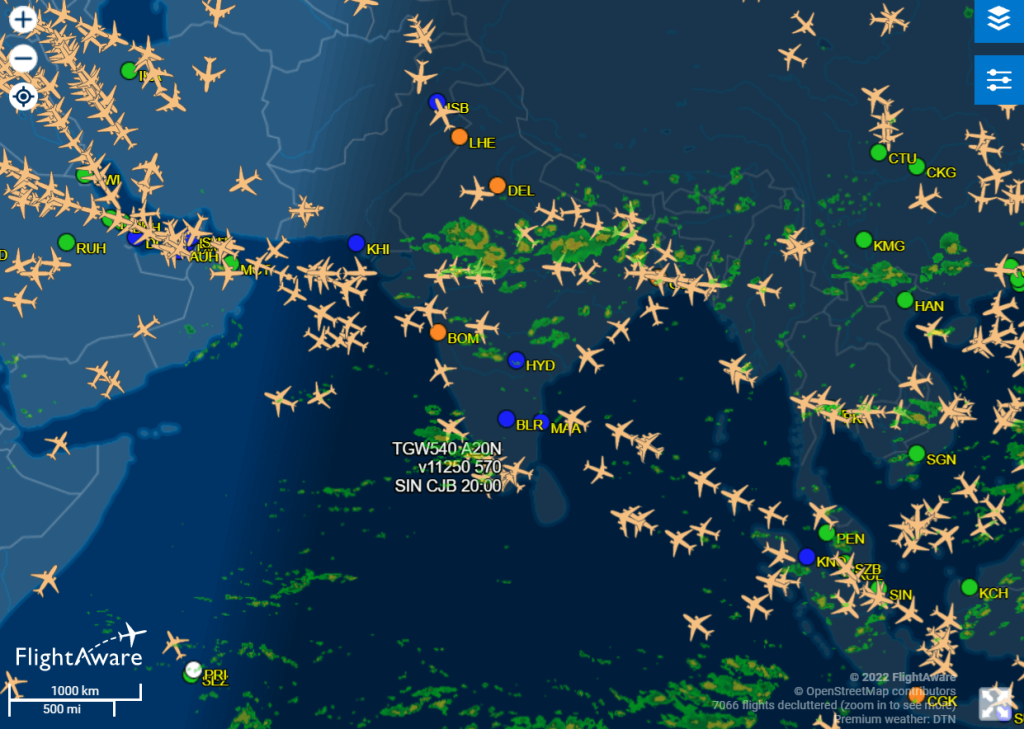
With real-time updates, this is one of the best flight tracking apps that iOS users and Android phone owners often use to check details about departing or arriving flights. The app is simple to use for tracking nearby plane signals and getting personalized details about the flight, like inbound traffic information.Price: Free with in-app upgrades starting at USD 0.99 to USD 199.99. Compatibility: Android, iOS Features:
Store information on preferred airports and airlines in the app.
Get weather radar support.
Get flight information like delays and cancellations.
See information about gate changes and diversions in detail on the app.
Pros:
Free information on flight status.
Works in tracking any airline globally.
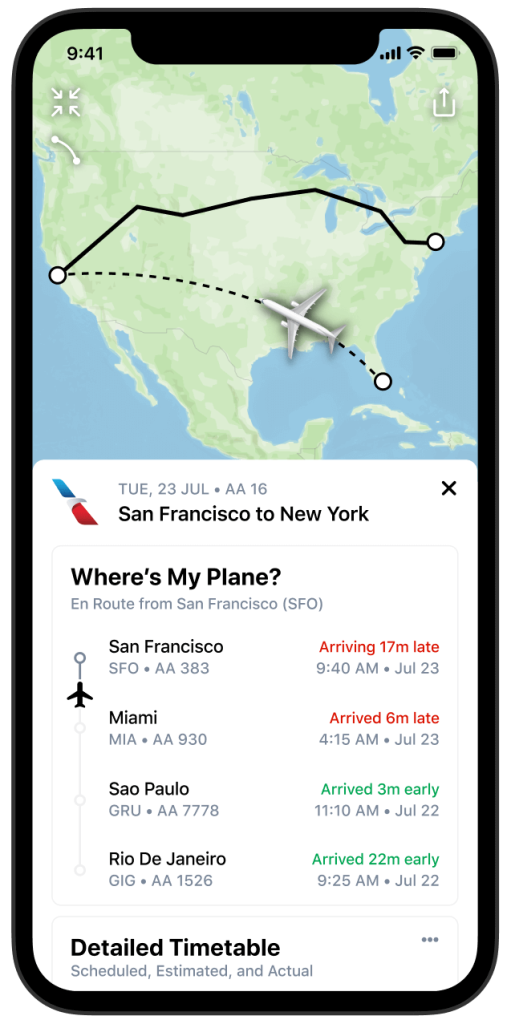
The “Where is my Plane?” function allows you to find flight delays easily.
Cons:
Piston-engine-based GA Aircraft support is only available for paid users.
Multiple ads for free users can get challenging.
5. FlightStats
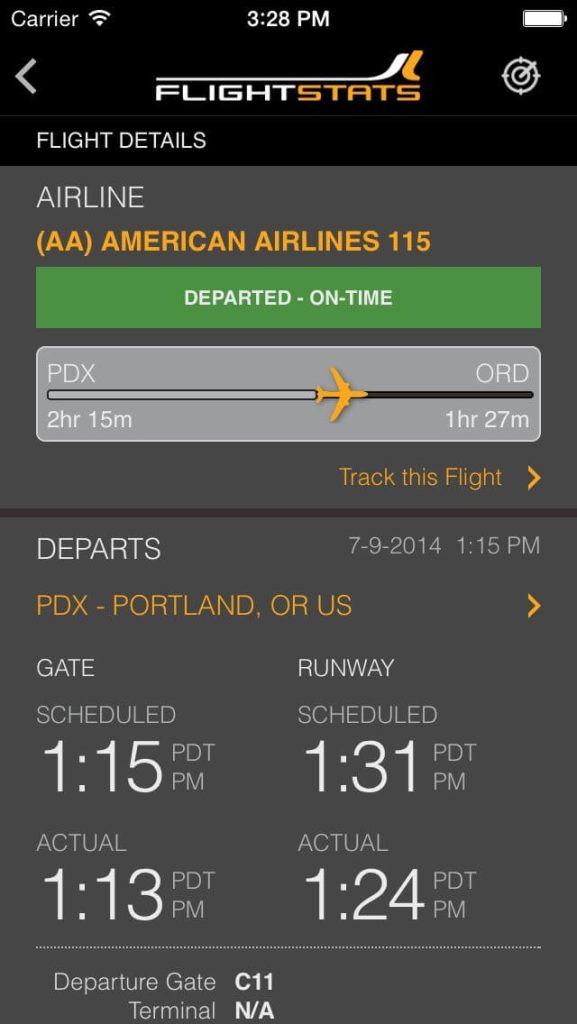
FlightStats is one of the best apps to track flights on iOS, plus Android users can depend on to get the right real-time information about different active and pending flights. iOS users can download and use this app on their Apple Watch, iPhone, or iPad, and get daily flight details like route progress, etc. Essential airport details are easy to find here, too, like the delay index and gate routes.Price: Free Compatibility: Android, iOS Features:
3D Touch support to search routes, departures, and the condition of the airport.
In-depth details about flights.
3D Touch and view modes are available.
Siri-powered shortcuts for routes, arrivals, departures, and other information.
Pros:
A very low app weight is available.
Get alerts on flight arrival/departure and trips consistently.
Register and sign in with your account, with all information stored.
Cons:
Customer support services are only available in the email/helpdesk format.
The app format does not support more than the English language.
6. RadarBox
RadarBox is an all-in-one flight tracker solution that allows users full coverage of various details related to flights worldwide. You can get accurate information on where a flight is located, the speed of its travel, altitude level, and other information. It is also useful to easily find and learn information about flights, like the route and model, and get specific airplane photos.Price: Free, Spotter- USD 2.49- 24.49, Pilot- USD 7.99- 79.99, Business- USD 39.99- 399.99 Compatibility: Android, iOS Features:
Add flights to the fleet and then track all.
Get information on airport conditions like arrivals/departures, visibility, etc.
See map layer information like SkyVector, Hybrid, Satellite, and Terrain.
Get information about flight altitude and speed.
Pros:
Watch 1 year’s worth of past flight information here.
Advanced filtering of flight details.
Control what appears in full-screen mode.
Cons:
Some plans are very costly for regular users.
Raw data download is limited to 10 per month for basic-level users.
7. SkyTrack Flight Tracker Aware
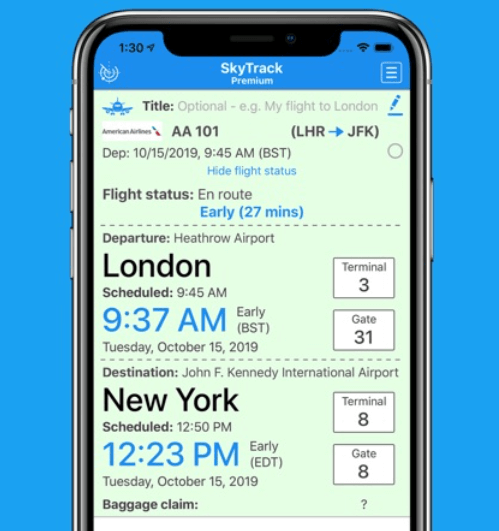
SkyTrack is a useful app for tracking flight information of those nearby and globally. You can check different flight information for yourself or your family members. With this app, get all usable features like airport arrival/departure details, and control radar functions in one location.Price: Free, Pro (monthly)- USD 1.49, Pro (annual)- USD 5.99, Premium (monthly)- USD 1.99, Premium (annual)- USD 9.99 Compatibility: iOS Features:
Access flight information from global aircraft centers.
Add and track the airliners on route by their registration or flight number.
International arrival and departure boards are displayed.
Adjust flights into trip-based categories and store them for future use.
Pros:
It is a very lightweight app.
Arrival and Departure details of the last 24 hours are available to Pro and Premium users.
Get clear flight details on airlines, flight numbers, aircraft tail number/type, etc.
Cons:
Ads are available in the free version.
You have to apply for the paid version to see advanced information like altitude tracking.
8. ADSB Flight Tracker
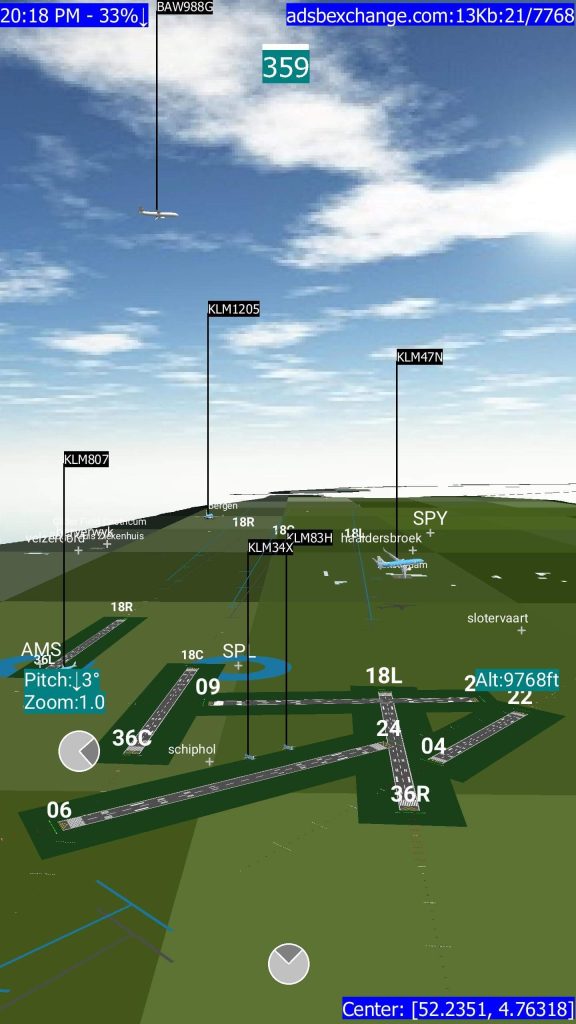
This is one of the finest flight tracking apps Android users can benefit from. Through this, one can see the global and local aircraft undergoing active flights, e.g., the air controllers. With the pre-set ADSB receiver, you can get real-time airline data. Also, adjust flight parameters to see detailed flight information.Price: Free with in-app purchases starting at USD 0.56 – 29.74 for each element. Compatibility: Android Features:
Get a detailed view of 1,000+ military plans and domestic airliners.
Gravity and gyro sensor abilities are available.
See and watch warning air traffic with GPS positioning.
Get proximity alert of height and distance of nearby aircraft.
Pros:
Rotate the phone for a 360-degree view of the nearby airplanes.
Get real-time details on direction, altitude, and speed.
The Built-in Dump1090 server listener lets the users hear nearby live flight data.
Cons:
Data security is not guaranteed to users.
The tracking benefits under the free version are low.
9. Flight Board
You can use the Flight Board app to find information on the currently active flights worldwide. The app updates this information within minutes, so you can easily find the flight status of flights on time. For example, if there is any flight delay, users also get quick alerts. The search interface here is also simple, with many filters for easier sifting.Price: Free Compatibility: iOS Features:
Change between the Arrival and Departure boards quickly.
Choose and search by specific flight numbers, destinations, and flights.
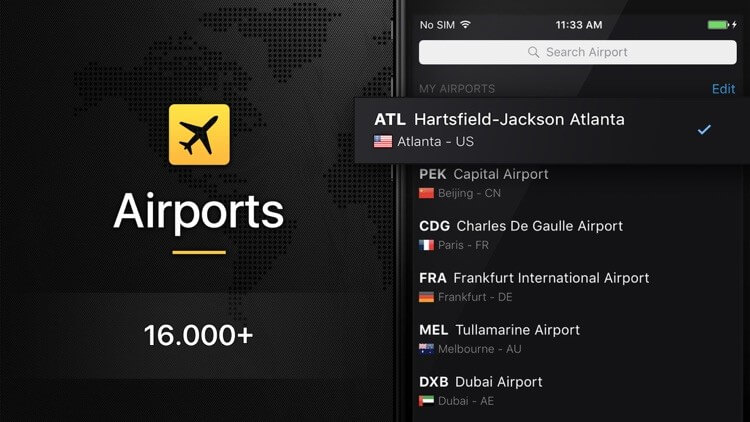
Details data from around 1,400 airlines and 16,000 airports globally.
Real-time flight status is available to read.
Pros:
Support for multiple languages is available here.
Realistic flight board UI.
Adaptable for iPhone and iPad screens.
Cons:
No official website is available for this app.
There is no listing of some chartered flights.
10. Flighty
Flighty users can get detailed information on diverse flights, such as proximity radar and ground radar software. Other alerts you would get easily through this app are FAA advisories, delay information, and warnings. The app has an automated email support functionality and dual-sided calendar syncing functions.Price: Annual- USD 49.99, Lifetime- USD 249.99, Annual Family- USD 89.99, Lifetime Family- USD 449.99 Compatibility: iOS Features:
Get push notifications on the status of the flights.
Sync your calendar with an app for easier schedule management.
Import your email details for a smoother user experience and customer support.
Get an accurate delay forecasting feature on the app.
Pros:
Get live data on flight status.
TripIt syncing is present.
Get all-time access to flight information with 24×7 tracking.
Cons:
The tracking functions can incur high costs.
Free tracking is available only for the first flight after downloading the app.
Conclusion
For your flights or those of your close ones, you can easily use these apps to know their flight status, time of arrival/departure, and other accurate flight details. Out of the ones we tried, we would recommend Flightradar24 for its real-time accuracy. Regarding user-friendly usage, RadarBox is a better alternative, while FlightStats steals the crown as freeware with a high-quality feature list. After checking all your options, make the final decision for your use.
FAQs:
1. Are flight tracking apps free to use? Most apps offer free versions with basic tracking. Premium features like push alerts or seat maps may require a subscription or one-time payment. 2. Can I track international flights with these apps? Yes. Most top apps support global tracking and cover thousands of airlines and airports. Just enter the flight number or route to get started. 3. How accurate are flight tracking apps? They rely on data from airlines, airports, and radar systems. While generally accurate, occasional delays in updates can happen due to data source limitations.
Author Bio:
Dinesh Lakhwani
Dinesh Lakhwani, the entrepreneurial brain behind “TechCommuters,” achieved big things in the tech world. He started the company to make smart and user-friendly tech solutions. Thanks to his sharp thinking, focus on quality and the motto of never giving up, TechCommuters became a top player in the industry. His commitment to excellence has propelled the company to a leading position in the industry.
In-depth information about Driver Easy’s functions and features can be found in our review. Learn how to update drivers more easily with this tool for a more seamless computer experience.
A full review of Avast Driver Updater covering features, setup steps, pricing, pros and cons, and real PC results, to help you decide if it is worth buying.
IObit Driver Booster 13 is built for one purpose: keeping your PC drivers up to date. Well, yes! Outdated drivers can cause crashes, slowdowns, and hardware issues. This tool scans fast and updates with one click. The interface is simple. Even beginners can use it without confusion. Updates are pulled from a huge database, covering […]
This comprehensive review covers the key features, pros, and cons, pricing, and a final verdict on Auslogics’ driver update utility. Learn how it stacks up against manual driver maintenance.
Introduction: Most people blame their PC for problems that a driver caused. A driver works like a bridge between your hardware and your operating system. When this bridge cracks, strange things start to happen. Screens flicker without reason. Printers go silent mid-task. Games freeze or crash out of nowhere. Manually finding the right driver is […]
Your Windows screen does not stay on forever. After a certain amount of idle time, it turns off or locks automatically. This is a normal feature found on both laptops and desktop PCs. It helps save battery power and reduces electricity use. It also keeps your files and personal information safe when you step away […]
It can be frustrating when a Word document suddenly disappears. You may have spent hours writing a report, assignment, or letter. Then your computer crashes, the power cuts out, or Word closes before you save the file. In that moment, it may seem like all your work is gone. This happens more often than most […]
Picture this. A hacker finds a secret crack in your favorite app. You don’t know it’s there. The company that built the app doesn’t know either. But the hacker does. And they use it right away, before anyone can stop them. This is the heart of a zero-day attack. It strikes when a flaw is […]
PCs feel fast on the first day. Every click is quick. Apps open right away. With time, things slow down. Programs take longer to load. Files open slowly. Fans get loud even during light use. This happens to almost every computer, no matter how careful you are. The reason is clear. Junk files build up […]