











Antivirus is the one kind of software that people think about at only two moments. The first is right after installing it. The second is right after something goes wrong. In between, it runs quietly, and most users never check if it is doing a good job. That silence makes the choice harder. Windows 10 […]
11 Best Sticker Maker Apps for iPhone & Android [Free/Paid]
In this article, we will discuss both premium and free sticker maker apps for iPhone and Android users.
Do you love to chat online with your friends? Of course, you do. In fact, everyone is today using Facebook, Instagram, WhatsApp, or other messaging apps to stay connected with their loved ones.
So here, if you wish to add some fun and visual elements to your plain text chat, you have plenty of great sticker maker apps available in both the App Store and Play Store. Using augmenting technology, you can today create personalized stickers to express different emotions like empathy, happiness, or sadness. Plus, stickers help you to personalize the communication that most chat apps lack to offer.
The TC team has tried different sticker makers online for both Android and iOS frameworks for this post. After running through research, we have shortlisted the best five sticker makers that you can download today.
11 Best Paid & Free Sticker Maker Apps for iPhone and Android in 2026
For some fun and visually engaging communication, Android and iOS mobile users can download the following 10 sticker maker apps and personalize their communication:
1. Sticker.ly (Android/iOS)
Play Store Rating: 4.6/5
App Store Rating: 4.7/5
Compatible Android OS: Android 5.0 or higher
Compatible iOS OS: iOS 12.0 or higher
Number of Users: 100,000,000+
In-app Purchase: No
Price: Free
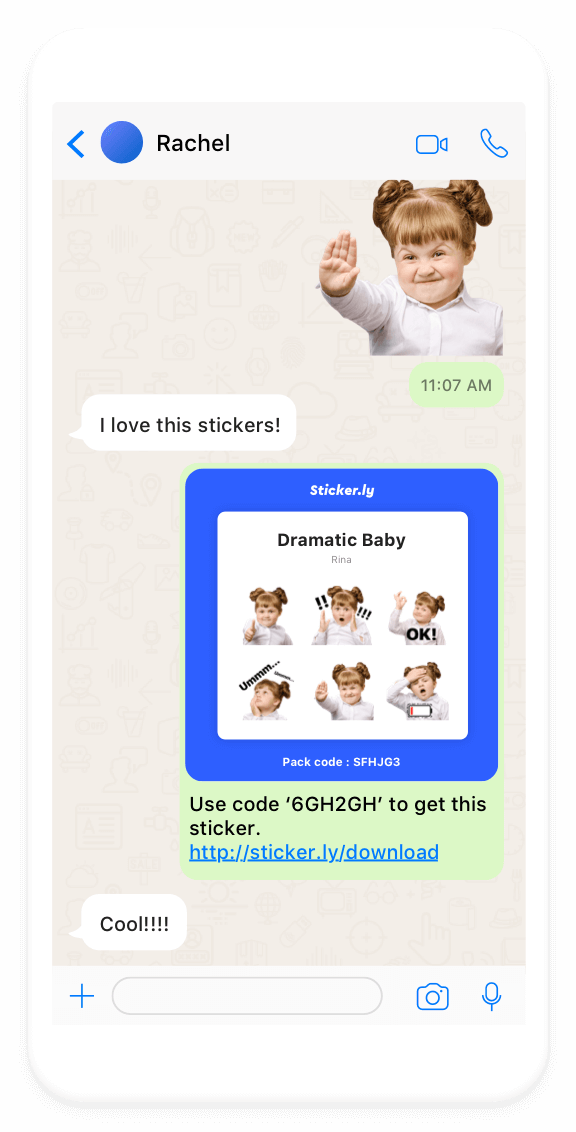
Sticker.ly is the leading online sticker maker. The app helps you discover millions of animated stickers for WhatsApp, Telegram, and iMessage. You can also create your own stickers from your photos using the new Auto Cut technology. Plus, you can share your custom sticker links with your friends and spread your creativity online. Overall, it is the best free sticker maker for both iPhone and Android users.
Creative Features
- Over 500,000 animated sticker packs and video statuses for WhatsApp are available in different categories, such as Sports, Memes, TV shows, and more.
- You can fully customize your own stickers by adjusting the size, angle, position, and many other dimensions.
- The app also comes with image segmentation technology to create powerful stickers.
- Easily create and export stickers to WhatsApp, Telegram, and iMessage.
Pros
- Millions of stickers for free.
- Powerful tools to customize stickers.
- 100% free app.
Cons
- A bit buggy app.
- Limited sticker categories.
- Not frequently updated.
2. Avatoon (Android/iOS)
Play Store Rating: 4.7/5
App Store Rating: 4.6/5
Compatible Android OS: Android 5.0 or higher
Compatible iOS OS: iOS 11.0 or higher
Number of Users: 10,000,000+
In-app Purchase: Yes
Price: $59.99 per year
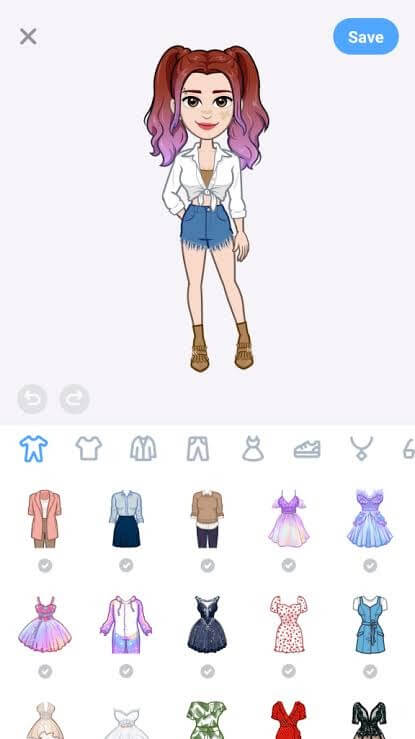
If you want to create cute emoji faces to convey your feelings, Avatoon can help you with it. The app has some powerful cartoon photo editing features that can personalize an avatar just like you. So whether you want to chat with friends or create a unique brand identity to market your services, this app can easily insert avatars into your real life.
Creative Features
- Avatoon has an amazing facial recognition feature that can seamlessly turn your picture into cartoons.
- You can customize your avatar in any way, including hair, eyes, nose, clothes, and other aspects of your personality.
- Using in-app backgrounds, you can further modify your avatar’s poses and expressions.
- You can effortlessly share your avatars and custom stickers with your friends.
Pros
- Excellent WhatsApp integration.
- Cool gamification interface.
Cons
- Slightly buggy.
3. Sticker Maker & Stickers (iOS)
App Store Rating: 4.6/5
Compatible iOS: iOS 15.3 or later.
Number of Users: 5,000,000+
In-app Purchase: Yes
Price: Free.
Sticker Maker & Stickers by Hyperday MB is a versatile and user-friendly app that allows you to create custom stickers for messaging apps like iMessage, WhatsApp, and more. With its intuitive interface and robust set of tools, this app empowers you to unleash your creativity and design unique stickers that perfectly capture your personality or mood.
The app boasts a vast collection of backgrounds, clipart, fonts, and design elements, allowing you to craft stickers from scratch or personalize existing templates. Whether you prefer a minimalist or elaborate style, “Sticker Maker & Stickers” offers endless possibilities to express yourself through visually appealing stickers. Additionally, the app supports importing your own images, making it easy to incorporate personal photos or artwork into your sticker designs.
Dynamic Features:
- Extensive library of backgrounds, clipart, fonts, and design elements.
- Import and use your own images or photos to create custom DIY stickers.
- Intuitive tools for drawing, text editing, and layering.
- Ability to create animated stickers.
- Seamlessly integrate your custom stickers into WhatsApp, iMessage, Telegram, and more.
- Share stickers directly to messaging apps or save them to your device.
- Access to a community of shared sticker packs.
Pros:
- User-friendly interface for seamless sticker creation.
- Wide range of customization options.
- Frequent updates with new features and design assets.
- Affordable in-app purchases for additional content.
Cons:
- Some advanced editing tools may require in-app purchases.
- No cloud storage for backup or syncing across devices.
4. Sticker Maker Studio (Android/iOS)
Play Store Rating: 4.4/5
App Store Rating: 4.6/5
Compatible Android OS: Android 4.1 or higher
Compatible iOS OS: iOS 12.1 or higher
Number of Users: 100,000,000+
In-app Purchase: Yes
Price: Free
Sticker Maker Studio is a perfect tool for creating fun and appealing stickers, memes, and many other visuals to chat on WhatsApp. Using this app, you can cut out stickers from your photos and export the stickers in PNG/WEBP format. You can further get prints of your stickers or can use them as your personalized way to communicate. All in all, it is a simple and free-to-use sticker maker with plenty of in-app purchases.
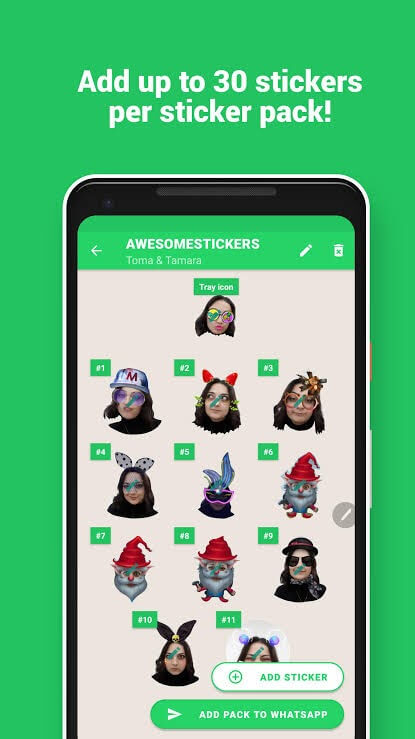
Creative Features
- You can create a new collection of stickers within the app.
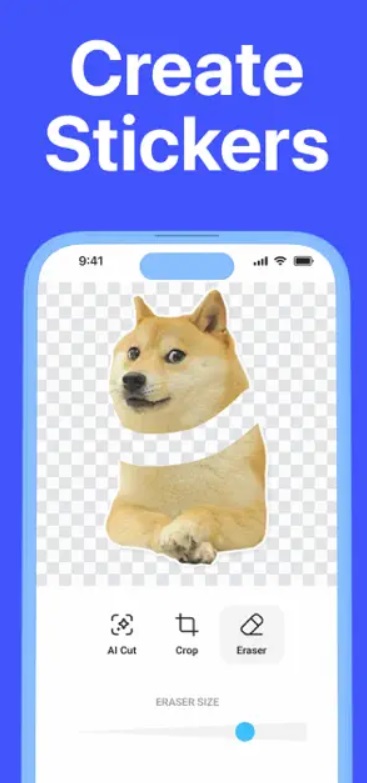
- It’s easy to cut out stickers from your gallery or camera photos.
- Simply using your fingers, you can cut out stickers in a perfect shape.
- The created files can be exported easily and used for any purpose.
Pros
- Excellent integration with WhatsApp.
- Supports web downloaded images.
- Easy to use.
Cons
- Doesn’t support exporting stickers to Signal.
- Couldn’t shrink the text size.
- More integration is required.
5. Bitmoji (Android/iOS)
Play Store Rating: 4.5/5
App Store Rating: 4.1/5
Compatible Android OS: Varies with the device
Compatible iOS OS: iOS 10.0 or higher
Number of Users: 100,000,000+
In-app Purchase: No
Price: Free
Want to turn yourself into an emoji? Then, you simply need to download the free Bitmoji app on your Android or iOS phone. It is pretty simple to create your personal emoji with the app — just upload your photos, and it will be automatically converted into your animated avatar that you can share with your friends via chat.
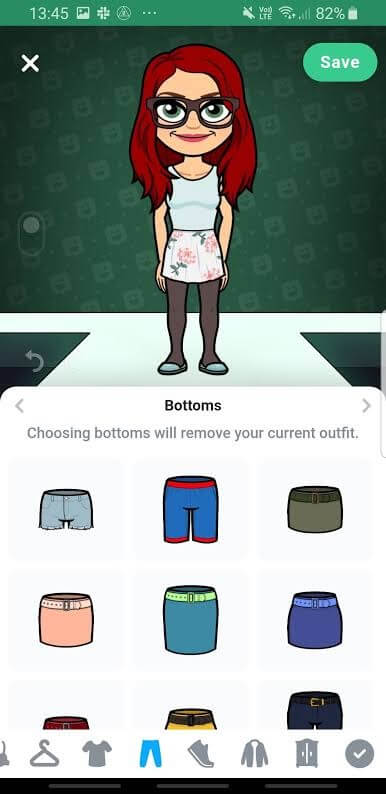
Creative Features
- There’s also a huge library of stickers from where you can use the stickers to communicate.
- If you use Bitmoji on Snapchat, you can unlock Friendmoji to feature you and your friends together.
- It’s super easy to turn yourself into a cartoon avatar.
Pros
- User-friendly interface.
- Simple to use.
- Excellent integration with Snapchat.
- Fully free sticker and avatar maker.
Cons
- Limited body types.
- A slightly buggy interface.
- No native WhatsApp support.
6. Top Stickers Maker Studio Memes
Play Store Rating: 3.9/5
App Store Rating: 4.5/5
Compatible Android OS: Android 5.0 or higher
Compatible iOS OS: iOS 12.0 or higher
Number of Users: 10,000+
In-app Purchase: Yes
Price: Free
Top Stickers isn’t only a sticker maker app for iPhone and Android; it is a full-fledged social network where people can create, share and explore stickers. You have thousands of sticker packs available here to explore. Plus, the developers are quite active and are frequently adding new packs.
Apart from the cool packs, you can use powerful creation tools to customize your stickers from scratch. You can add different colors, fonts, backgrounds, and so much more to your stickers with this tool.
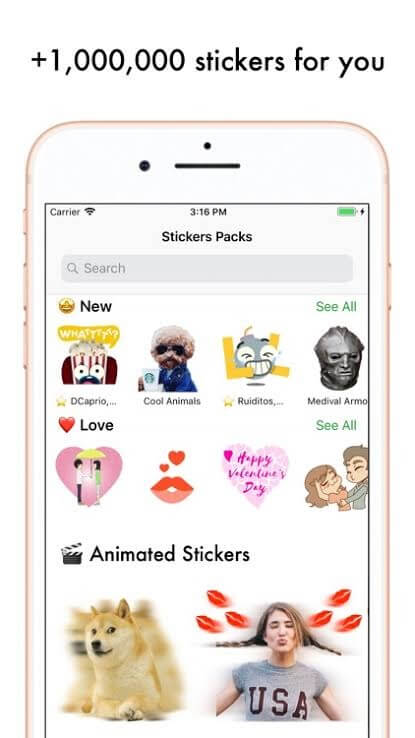
Creative Features
- The app allows you to easily remove background from your photos and add colorful borders to your stickers.
- You can edit your photos with just a flicker of your finger.
- Quickly share your created stickers with your community.
- You can create your own packs and let other people leverage your creativity.
- Packs are available in various categories, including Sports, Memes, Geek, and more.
- You can unlock some specific features through an in-app purchase.
Pros
- Great app to create WhatsApp stickers.
- Easy to remove photo background.
- Good community support.
Cons
- Don’t support many messaging apps.
- Photo loading is slow.
- Background transparency could be better.
7. YouCam Perfect (Android/iOS)
Play Store Rating: 4.4/5
App Store Rating: 4.8/5
Compatible Android OS: Android 13.0 or higher
Compatible iOS OS: iOS 14.0 or higher
Number of Users: 100,000,000+
In-app Purchase: Yes
Price: Free
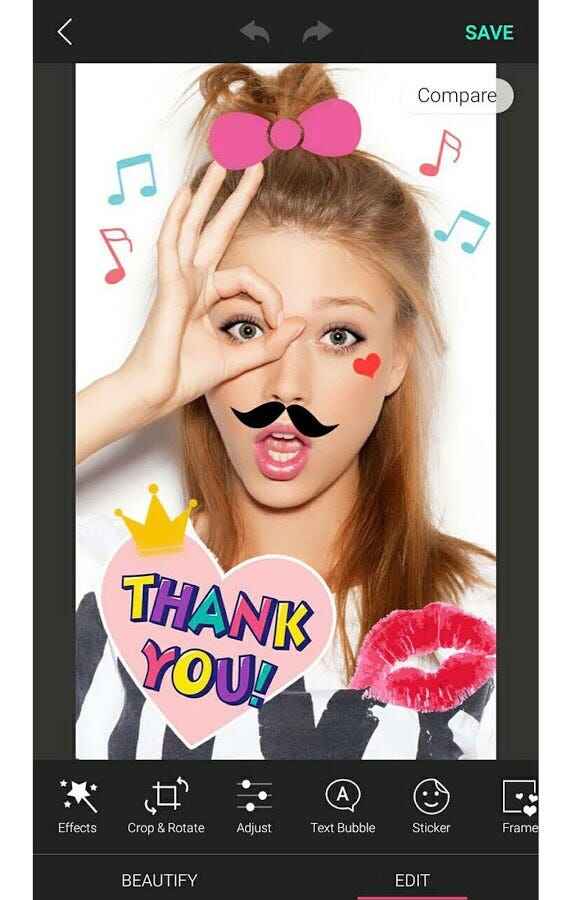
YouCam Perfect Sticker Maker is the ultimate app for unleashing your creativity and adding a touch of fun to your photos. Available on both Android and iPhone, this app allows you to create personalized stickers with ease. Choose from a vast library of professionally designed stickers or upload your images, doodles, and texts to turn them into customizable stickers.
With a range of effects, filters, and animations, you can transform your stickers into eye-catching works of art. The smart cutout technology ensures easy background removal, and face recognition stickers add charm to your selfies. Share your creations on social media and save them for future use. Download YouCam Perfect Sticker Maker now and elevate your photo-editing game to new heights!
Dynamic Features:
- Create personalized stickers from images, doodles, and texts.
- Extensive library of professionally designed stickers.
- Apply effects, filters, and animations to stickers.
- Smart cutout technology for easy background removal.
- Face recognition stickers for fun selfie customization.
- Social media integration for easy sharing.
Pros:
- Easy and intuitive sticker customization.
- A diverse selection of stickers for every occasion.
- Fun animations and effects to enhance stickers.
Cons:
- Occasional bugs or performance issues in updates.
- A large sticker library might require significant device storage.
8. LINE Sticker Maker (Android/iOS)
Play Store Rating: 4.2/5
App Store Rating: 4.6/5
Compatible Android OS: Android 6.0 or higher
Compatible iOS OS: iOS 14.0 or higher
Number of Users: 100,000,000+
In-app Purchase: No
Price: Free
Unleash your creativity and bring your favorite moments to life with LINE Sticker Maker. This user-friendly app allows you to craft captivating LINE stickers in a snap – no design skills required!
You can use this app to turn your beloved pets, friends, and kids into adorable stickers that will charm the world. Spread laughter and love by sharing your sticker creations with the world. Whether it’s funny faces or heartwarming memories, let your stickers brighten up conversations everywhere.
The app offers a straightforward and intuitive interface, making the sticker creation process a breeze. You can choose from a variety of customization options, such as cropping, resizing, and adding fun elements to your stickers. Once you’ve created your stickers, the possibilities are endless.
You can share them with the world, making your creativity available for everyone to enjoy and use in their LINE chats, brightening up conversations with your delightful designs.
Dynamic Features:
- Effortlessly create LINE stickers with no design skills required.
- Transform pets, friends, and kids into personalized stickers.
- Share stickers with the world or create private stickers for close circles.
Pros:
- User-friendly interface for easy sticker creation.
- Personalize LINE chats with unique and charming stickers.
- Versatile use for sharing laughter, love, and cherished moments.
Cons:
- Limited to the LINE platform, and may not be usable on other messaging apps.
- Feature sets may be basic compared to professional design software.
9. Fotor (Android/iOS)
Play Store Rating: 4.3/5
App Store Rating: 4.7/5
Compatible Android OS: Android 7.0 or higher
Compatible iOS OS: iOS 11.0 or higher
Number of Users: 100,000,000+
In-app Purchase: Yes
Price: Free
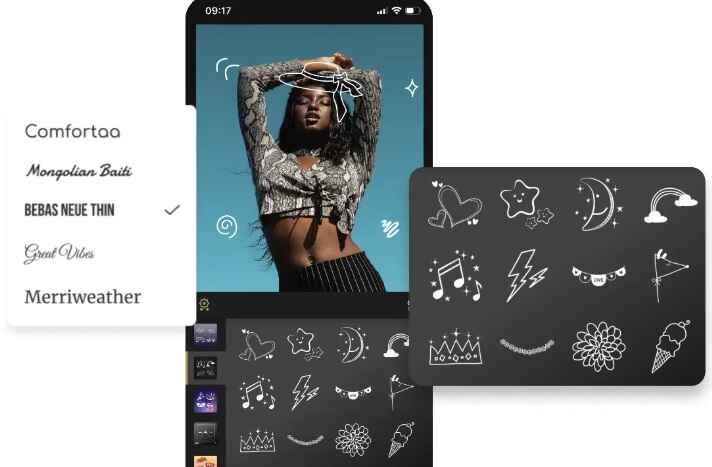
Fotor offers a user-friendly Android and iPhone sticker maker app equipped with a plethora of features. The app is also accessible through the website and desktop, catering to a diverse range of users. Creating personalized stickers from your photos is a breeze, even without prior design experience. The AI-powered background remover tool swiftly identifies the subject in your photo and eliminates the background within seconds.
With Fotor’s sticker maker, you can effortlessly obtain images with transparent backgrounds, transforming your beloved pets, friends, or kids’ photos into adorable stickers.
These custom stickers can be seamlessly added to any photo or uploaded to WhatsApp, enabling you to share them with your family and friends. Moreover, Fotor presents a variety of editable preset stickers, including bubble stickers, text stickers, and cartoon animal stickers, among others.
Dynamic Features:
- User-friendly sticker maker app with a wide range of features.
- Available for website and desktop use.
- Create personalized stickers from photos without design experience.
- AI-based background remover for easy subject isolation.
Pros:
- Versatile platform accessible on multiple devices.
- AI background remover saves time and effort.
- Customizable stickers for personal expression.
Cons:
- Some advanced features may require a premium version.
- Limited editing capabilities compared to professional software.
10. Stipop (Android/iOS)
Play Store Rating: 3.5/5
App Store Rating: 4.5/5
Compatible Android OS: Android 7.0 or higher
Compatible iOS OS: iOS 13.0 or higher
Number of Users: 100,000,000+
In-app Purchase: Yes
Price: Free
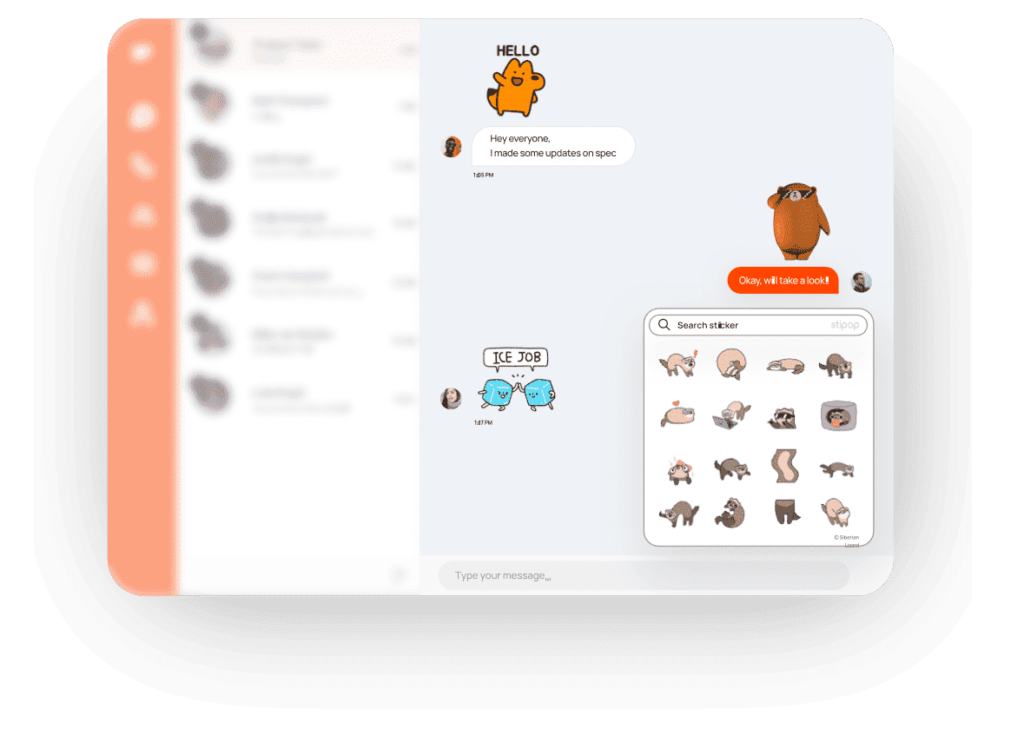
Stipop is the ultimate destination for a vibrant and expressive sticker experience! With their carefully curated collections, you’ll find a plethora of stickers to spice up your chats. Dive into handpicked packs or explore the latest and top-rated lists to discover the perfect stickers for every mood and occasion.
The Stipop iMessage Keypad offers seamless integration with iMessage, allowing you to download and share sticker packs effortlessly.
Share the joy with friends and family on WhatsApp by exporting your favorite stickers directly from the app. Thanks to Stipop, searching for that ideal sticker has never been easier. The app offers a powerful search feature that enables you to find stickers based on emotions
Dynamic Features:
- Curated collections of vibrant and expressive stickers.
- Seamless integration with iMessage for easy downloads and sharing.
- Export favorite stickers directly to WhatsApp.
- Powerful search feature to find stickers based on emotions and situations.
- Over 150,000 carefully categorized exclusive stickers.
Pros:
- Diverse and exclusive sticker selection.
- Effortless sharing with iMessage and WhatsApp.
- Personalized sticker discovery with the search feature.
Cons:
- Limited customization options for stickers.
- May require an internet connection to access the sticker library.
11. Sticko Animated Sticker Maker
Play Store Rating: 3.9/5
App Store Rating: 4.0/5
Compatible Android OS: Android 7.0 or higher
Compatible iOS OS: iOS 13.0 or higher
Number of Users: 100,000,000+
In-app Purchase: No
Price: Free
Get ready for the best sticker-making experience with Sticko Animated Sticker. In this app, you can unleash your creativity and bring your chats to life with animated stickers. Create, view, like, download, comment, share, and use posts, all in one place. With Sticko, the possibilities are endless.
Craft your own personalized sticker packs, complete with mentioned hashtags to showcase your unique style. Choose from a wide range of categories, including Emotions, Animals & Birds, Cartoons, Celebrities, Festivals, Foods, Funny, Good & Devotees, Politicians, Sports, Wishes, Celebrations, and many more!
Download Sticko Animated Sticker now and take your WhatsApp conversations to a whole new level of fun and expression. Create, share, and interact with captivating animated stickers that will leave a lasting impression on your friends and family.
Dynamic Features:
- WhatsApp animated sticker maker app for iOS and Android.
- Create, view, like, download, comment, and share posts.
- Create personalized sticker packs with mentioned hashtags.
- Wide range of sticker categories, including Emotions, Animals & Birds, Cartoons, Celebrities, Festivals, Foods, Funny, Good & Devotees, Politicians, Sports, Wishes, and Celebration.
Pros:
- User-friendly animated sticker creation.
- Extensive sticker categories for diverse expressions.
- Interactive platform for viewing, liking, and commenting on posts.
Cons:
- Limited advanced editing options for stickers.
- The app’s performance may vary based on device specifications.
Conclusion
There you go, people! You are now all set to hold some interesting communication with your friends and family using the best sticker maker apps for iPhone or Android.
If you are a creative fella or business owner, these custom stickers can definitely set you apart from the crowd. So, try the top 10 online sticker makers today, and don’t forget to share this post with your friends on social media if you find it helpful.
FAQs:
Where can I get free stickers for my iPhone?
You can find free stickers for your iPhone on various platforms like the App Store, WhatsApp Sticker Store, and sticker-specific apps that offer a wide range of sticker packs for download.
What program is best for stickers?
For creating stickers, several programs are popular, including Adobe Illustrator, Procreate, and GIMP. Choose one that suits your skill level and requirements for designing custom stickers.
How to create your own stickers?
To create your own stickers, use graphic design software like Adobe Illustrator or Procreate on iPad. Design your artwork, save it in a supported format, and then use a sticker-making app to convert it into a sticker pack.
Can I make a sticker from a photo?
Yes, you can make a sticker from a photo using various apps like Sticker Maker Studio or Sticker.ly. Upload your photo, remove the background (if needed), and save it as a sticker to use in messaging apps.
Can I turn a picture into a sticker?
Absolutely! Several apps like Sticker Maker Studio, Sticker.ly, and Stickermaker allow you to turn any picture into a sticker. Simply upload the photo, edit it if necessary, and convert it into a sticker for use in messaging apps.
Author Bio:
Dinesh Lakhwani 

Dinesh Lakhwani, the entrepreneurial brain behind “TechCommuters,” achieved big things in the tech world. He started the company to make smart and user-friendly tech solutions. Thanks to his sharp thinking, focus on quality and the motto of never giving up, TechCommuters became a top player in the industry. His commitment to excellence has propelled the company to a leading position in the industry.
Popular Post
Recent Post

Top 5 Lightest Antivirus Software To Protect Your PC
Introduction: Antivirus software helps protect Windows PCs from digital threats. It detects viruses, blocks ransomware, and alerts users about unsafe websites. However, some security tools consume too much RAM and CPU power. This can make everyday tasks feel slow. Older laptops and low-end PCs often face this problem. The computer may take longer to start. […]
How To Disable Cookies in Browser [Complete Guide]
So, search for a pair of shoes once online. Close the tab. By evening, those same shoes are sitting on your news site, your video app, and even your recipe blog. Nobody placed them there by chance. A cookie did. Well, yes! Cookies are small files that websites place on your device while you browse. […]
How To Disable Background Apps In Windows: 4 Quick Methods
A slow PC rarely gives a warning. One day, it simply takes longer to start. Apps open late. The fan runs loud, even when the screen is almost empty. Most people blame old hardware. Often, that is not the real reason. The real reason is hiding in plain sight. Windows keeps many apps active in […]
How to Activate Windows with a Product Key for Windows 11 & Windows 10
It always shows up at the worst time. You are halfway through a report, or about to join a video call. Then you spot it in the bottom right corner of the screen. Activate Windows. Go to Settings to activate Windows. Initially, an unactivated copy of Windows may seem like a minor inconvenience. Over time, […]

Is Easy Duplicate Finder Worth It? Honest Review
The photos folder looked normal at first glance. Then the storage warning popped up. One trip photo appeared four times. A tax PDF sat in three different folders. Two old setup files were still in Downloads, and each one was over 500 MB. Nobody plans this mess. Copies pile up slowly. A download runs twice. […]
Wise Duplicate Finder Review: Real Results from Wise Duplicate Finder
Read my honest Wise Duplicate Finder review. See features, pricing, pros and cons, and real PC test results. Find out if this free duplicate cleaner can free up your Windows storage.
How to Recover Deleted Files from Pen drive, USB Drive, SD Card
Introduction: On tech forums, you’ll often see posts like this: “I connected my pen drive to my laptop this morning, but the folder was empty. All my college project files had vanished. I don’t have a backup. Can someone help me?” Stories like this are very common. Pen drives, USB drives and SD cards are […]

How To Recover Files Deleted from the Recycle Bin [Windows 11]
Losing a file can happen in seconds. You clear your desktop, hit Delete, and empty the Recycle Bin. Then, just when you need that file again, it seems to have vanished. This guide will walk you through ways to restore files removed from the Recycle Bin. We will begin with simple fixes, then look at […]
Disk Drill Data Recovery Tool Explained: Full Review and Guide
It happens in a split second. You delete a folder by mistake. Your drive stops showing up. A photo album from your last trip just vanishes. And your stomach drops. Lost files feel personal. They are not just data. They are memories, work hours, and sometimes years of effort packed into a few gigabytes. When […]

