Top 14 Alternatives to TiViMate In 2026 [Updated]
Last updated on December 23rd, 2025 at 4:50 pm
Introduction
TiViMate is a well-liked IPTV player for Android gadgets, users can watch live TV programs. It has a lot of features, such as support for EPGs (Electronic Programme Guides), the capacity to handle multiple lists, and even more. However not everyone will find TiViMate to be perfect, and some users could be seeking alternatives that provide similar or even superior features.
Why should you look for TiViMate Alternatives?
Even if TiViMate is unquestionably a great IPTV player, there are certain reasons you might want to look at alternatives.
- Compatibility: TiViMate is primarily developed for Android, thus users using other platforms could find it inconvenient.
- User Interface: As opposed to TiViMate, some people might prefer a different user interface or look-and-feel.
- Features: Users have different demands, and various IPTV players may provide features that better meet particular requirements.
We’ll look at some alternatives in this post so you can get the most out of your IPTV streaming.
Top 14 TiViMate Alternatives In 2026
1. IPTV Smarters Pro
One top choice for people searching for TiViMate alternatives is IPTV Smarters Pro. The app offers a simple user interface and a quick IPTV service connection. It enables customers to watch catch-up TV, on-demand programming, and live TV.
Features
- A user-friendly UI allows for simple navigation.
- Support for multiple screens for simultaneous streaming.
- Extensive EPG for program scheduling and watching.
Pros:
- IPTV Smarters Pro has a friendly user interface that supports the EPG
- Simple to search for content.
- Support for a variety of formats
- Ensures compatibility with different IPTV services.
- IPTV Smarters Pro can be downloaded on iOS, Windows, and Android devices.
Cons:
- Upgrade to the premium version to get all of the features
2. Tivimate Companion
The Tivimate Companion app is an appealing choice if you’re seeking something that closely matches TiViMate when it comes to features and interface. It offers more features and works when combined with the core TiViMate app.

Features
- To make it simple to access and manage your TV programs, Tivimate Companion provides a remote control for Tivimate.
- You can get information about programs and schedules thanks to the integration of the EPG (Electronic Program Guide).
- You can easily arrange and access your favorite channels with Tivimate Companion’s playlist and channel group management features.
Pros:
- Simple and consistent user experience by integrating smoothly with TiViMate settings.
- To ensure a smooth transition for users
- User-friendly and simple-to-navigate interface of the main TiViMate app.
Cons:
- Main TiViMate app is required for Tivimate Companion, which limits its applicability for users.
3. Kodi
The well-known open-source video player and entertainment center Kodi is compatible with several platforms, like Android TV. Kodi enables flawless IPTV streaming because of its extensive add-on library and customizability.

Features
- Kodi can play a variety of music and video formats.
- It provides a simple user interface for managing and playing media files.
- Kodi enables the addition of add-ons to increase its functionality and add features like streaming services and content personalization.
Pros:
- Kodi provides users with a highly customizable interface.
- Comes in a variety of skins and themes
- Allow users to personalize the appearance and feel to their tastes.
- A tonne of more content for their streaming apps and television.
- Compatible with different platforms, including Windows system, Android, iOS, and others.
Cons:
- Installing Kodi & its associated add-ons can be challenging for newbies, who need some technical expertise to fully utilize its features.
4. Perfect Player
For Android devices, Perfect Player is a quick and effective IPTV player. It is one of the best TiViMate alternatives for anyone searching for an easy way to watch IPTV material because of its reputation for fast and seamless playback.

Features
- Easy-to-use interface for media streaming and IPTV.
- Support for the EPG (Electronic Program Guide) for simple channel navigation.
- Playback settings and individualized playlists.
Pros:
- It is compatible with a wide range of IPTV services thanks to its support for multiple playlist formats, such as M3U and XSPF.
- An extensive Electronic Programme Guide is available to users, which improves their viewing experience.
- Users of all skill levels can use Perfect Player thanks to its easy and user-friendly UI.
Cons:
- Perfect Player offers fewer customization choices than some of its competitors, which may dissatisfy those looking for a more personalized experience.
5. GSE Smart IPTV
The multifunctional app GSE Smart IPTV works with tvOS, iOS, and Android gadgets. Users looking for TiViMate alternatives that are user-friendly will find it to be an appealing option because it has a clean and simple interface.
Features
- GSE Smart IPTV provides a user-friendly interface for straightforward navigation.
- It improves accessibility and functions on a variety of platforms, including iOS and Android.
- EPG and playlist control functions are provided by GSE Smart IPTV.
Pros:
- GSE Smart IPTV supports a variety of playlist formats.
- Ensures compatibility with different IPTV services.
- User-friendly layout, complete EPG connection, and clean design.
- GSE Smart IPTV integrates Chromecast and offers language support.
Cons:
- The free version comes with advertisements and has some feature restrictions.
6. OTT Navigator
An IPTV player for Android televisions with loads of features, a user-friendly interface, and several customization options is called OTT Navigator. Due to its various capabilities, it is one of the finest TiViMate alternatives.

Features
- An easy-to-use interface for navigating.
- A large content library with personalized playlists.
- Compatibility across platforms for seamless streaming.
Pros:
- User-friendly, customizable interface.
- Enables users to customize their settings.
- Support for many playlist formats.
- Ensures broad compatibility.
- Enhanced viewing experience.
- Multitasking in picture-in-picture mode.
Cons:
- Pay for the premium subscription to take advantage of all the features.
7. MP4 Player MyIPTV
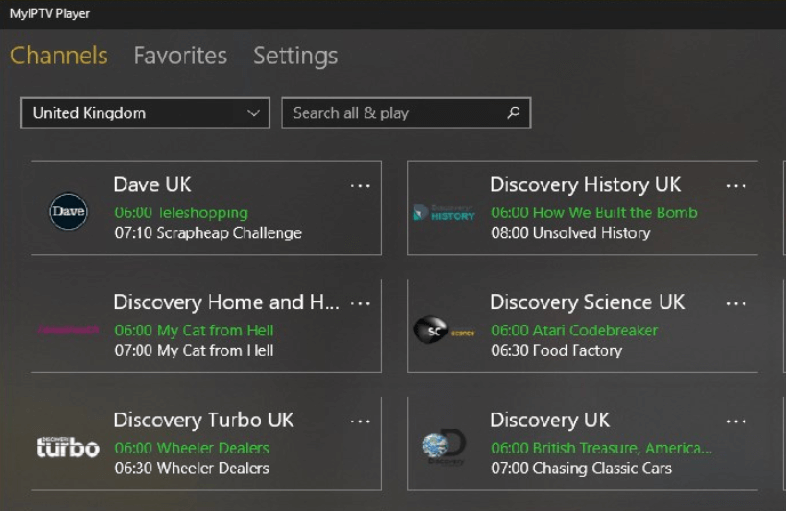
MyIPTV Player has a simple and user-friendly interface and this IPTV player is only available for Windows. It is renowned for its consistent performance and smooth IPTV content playing.
Features
- Playback of videos is flawless with MyIPTV MP4 Player.
- An easy-to-use interface for navigating.
- Supports a variety of video formats for viewing options.
Pros:
- Simple and easy-to-use interface.
- An effective choice for users of Windows.
- Assuring compatibility with different IPTV services
- It supports M3U playlists & EPG data.
Cons:
- Only Windows-based devices can use MyIPTV Player
8. Progtv
Several IPTV providers and streaming protocols are supported by the feature-rich IPTV player Progtv. It is one of the fierce alternatives in the industry since it has an appealing user interface and is renowned for its many features.
Features
- Progtv provides a user interface that is easy to use for simple navigation.
- A wide variety of channels and content are offered.
- For the best possible watching experience, Progtv supports high-definition streaming.
Pros:
- Offers extensive compatibility.
- Supports playlists and EPG formats.
- Seamless audio and video playback.
- Numerous customization options and user-friendly UI.
Cons:
- The free version has adverts and limits access to some features,
9. TV Extreme IP
The only Android-compatible IPTV player with a wide range of features and compatibility is called IPTV Extreme. It has PVR features, EPG compatibility, and the capability for content-casting to other devices.
Features
- For lifelike pictures, TV Extreme IP offers breathtaking 4K clarity.
- brilliant hues, sharp contrast, and high dynamic range (HDR).
- Smart Connectivity; Stream entertainment without interruption using pre-installed apps.
Pros:
- IPTV Extreme has robust EPG functionality and PVR recording.
- Users can send content to different devices using DLNA and Chromecast.
- IPTV Extreme has strong compatibility with different IPTV services
Cons:
- The free version has adverts and other feature restrictions
10. Simple IPTV
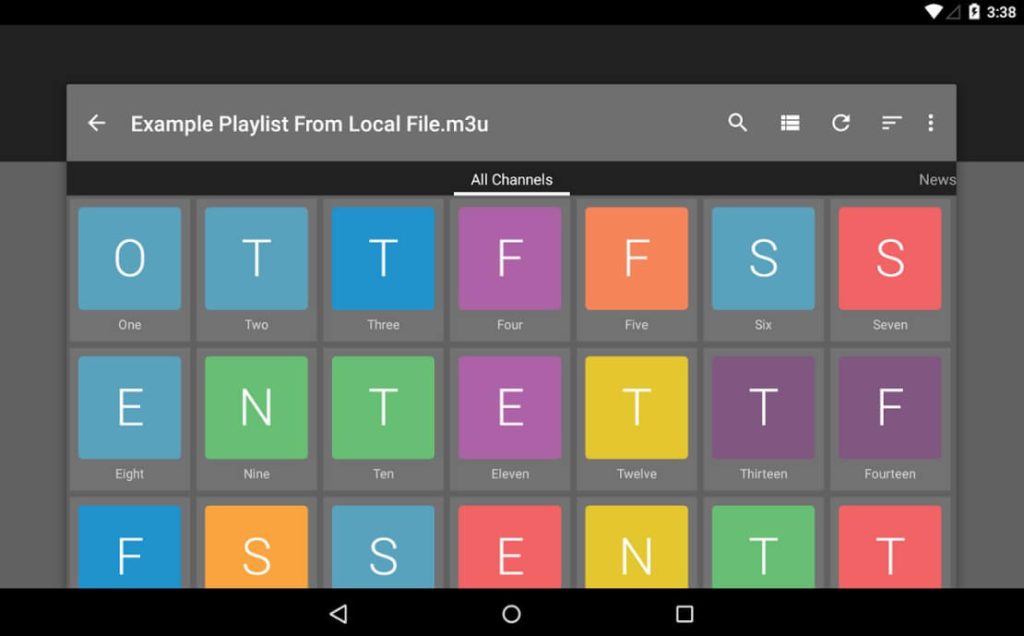
Here comes the next pick on our list of best TiviMate alternatives. Simple IPTV is a straightforward app designed for easy access to IPTV content with minimal setup. Simple IPTV’s sleek interface ensures quick navigation through channels and playlists, catering to both novice users and seasoned enthusiasts. Its emphasis on simplicity doesn’t compromise on versatility.
Features:
- Basic and user-friendly interface.
- Supports multiple playlist formats (M3U, XSPF, etc.).
- Provides Electronic Program Guide (EPG) functionality.
Pros:
- Simple setup and navigation for quick access to content.
- Supports various playlist formats, ensuring compatibility.
- Offers basic EPG support for scheduling.
Cons:
- Limited advanced features compared to other IPTV players.
- May lack extensive customization options for users looking for more control over their experience.
11. Xtream Editor
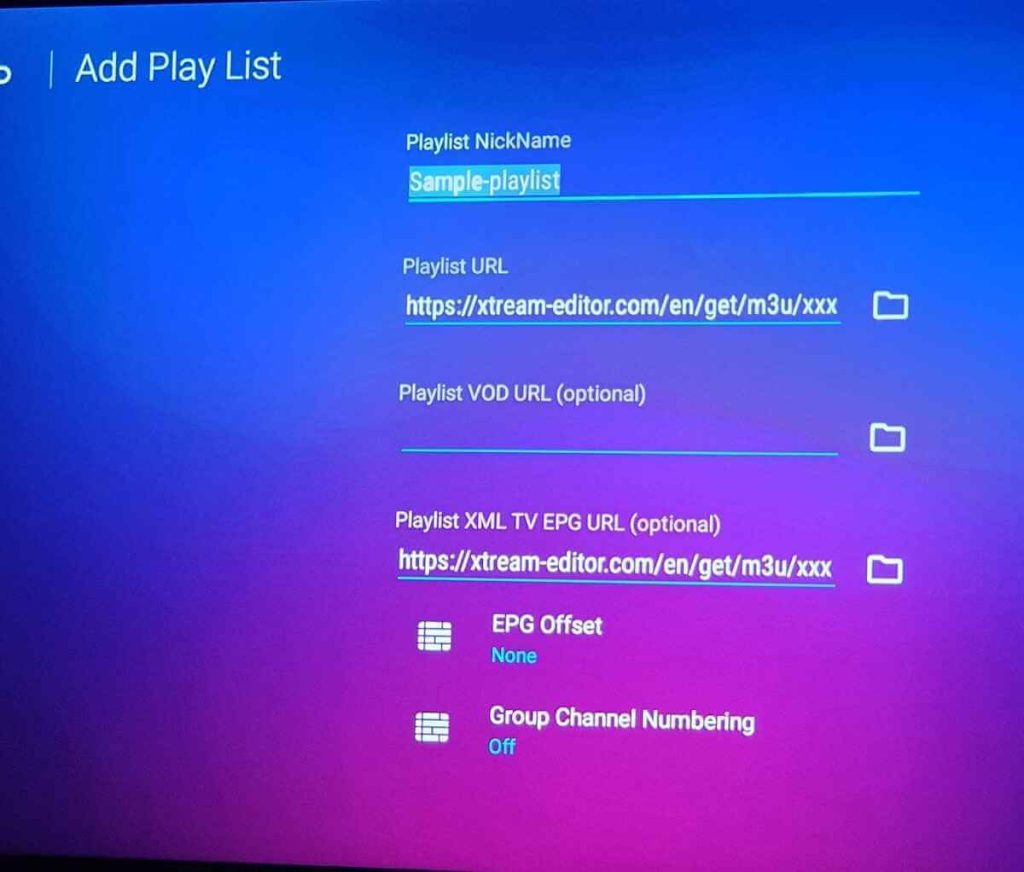
Xtream Editor primarily functions as a management tool for organizing and editing IPTV playlists, channels, and EPG data.
Features:
- Channel editing and management tools.
- EPG data customization and management.
- Playlist customization and organization.
Pros:
- Powerful tools for editing and managing IPTV playlists and EPG data.
- Enables customization and organization of channel lists.
Cons:
- Primarily a management tool rather than a standalone player.
- Requires existing IPTV services compatible with Xtream Codes for full functionality.
12. Televizo
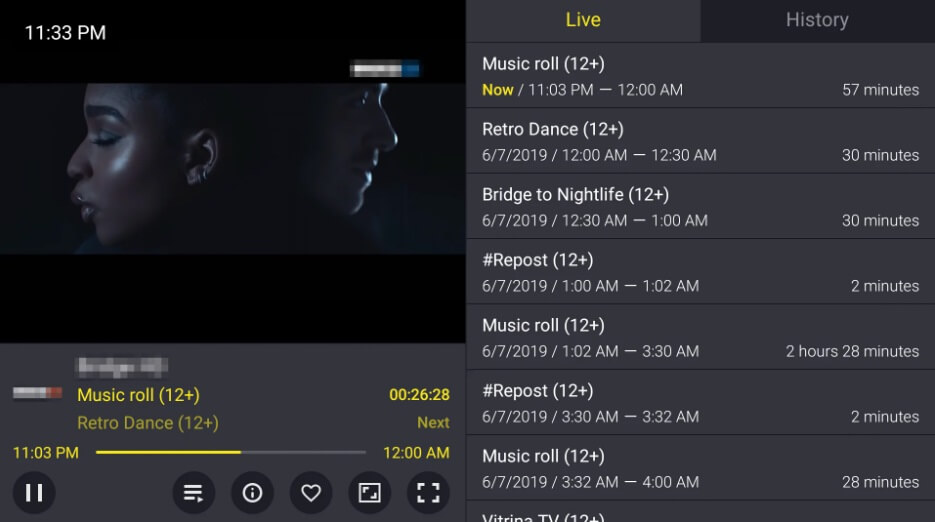
Televizo offers a modern, sleek interface for accessing IPTV content, focusing on simplicity and usability. It supports M3U, and M3U8 playlists as well as Xtream codes and has features like EPG, recording, Chromecast support, and customizable themes.
Features:
- Clean and modern user interface.
- Support for multiple playlist formats.
- EPG functionality for scheduling programs.
- Favorites and customizable settings.
Pros:
- Modern and aesthetically pleasing interface for an enjoyable user experience.
- Supports various playlist formats and offers EPG support.
- Allows customization of favorite channels and settings.
Cons:
- Some users may experience occasional stability issues or playback problems based on the IPTV service used.
13. MTTV
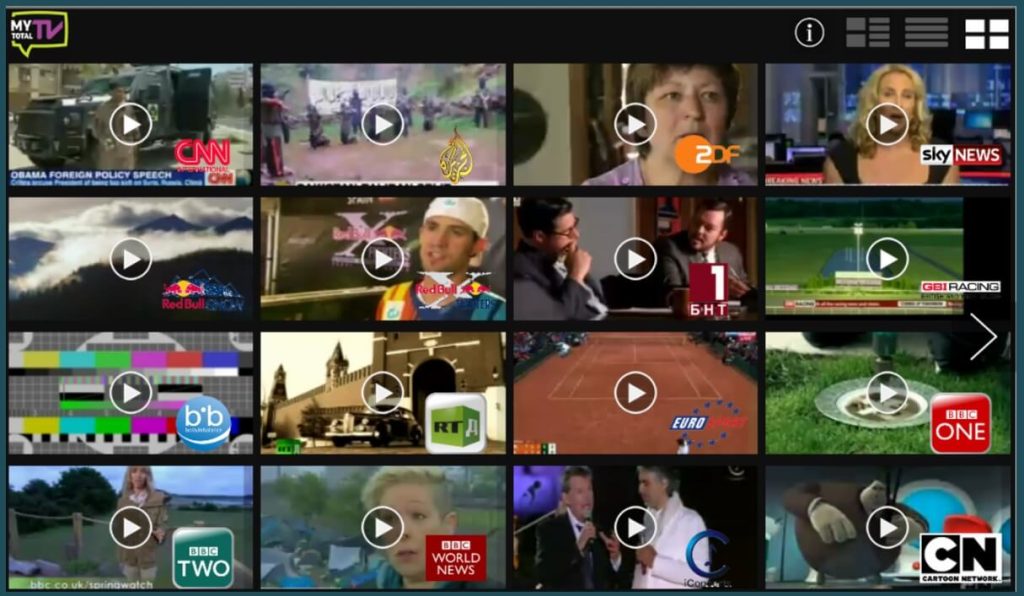
MTTV is an excellent Tivimate alternative that aims to deliver live TV and on-demand content through a user-friendly interface. The app allows users to watch live TV channels and video-on-demand content through IPTV subscriptions.
Features:
- Live TV streaming.
- On-demand content availability.
- EPG support for scheduling.
- Channel categorization for easy navigation.
Pros:
- User-friendly interface for straightforward content access.
- Offers both live TV and on-demand content.
- Provides EPG support for scheduling programs.
Cons:
- May have limited features compared to more robust IPTV players.
- Content availability could vary based on the service provider.
14. Airy TV
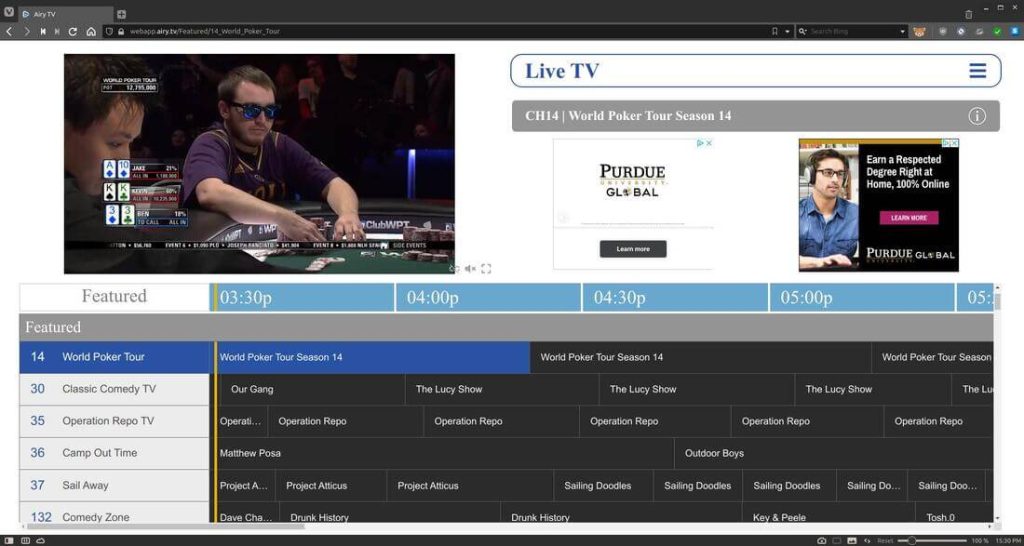
Airy TV provides a wide range of live TV channels, movies, and on-demand content through its app. Airy TV is an internet-based TV service that offers live TV, video on demand, and cloud DVR features. The service is available on many devices including smart TVs, streaming media players, smartphones, and tablets.
Features:
- Free access to diverse live TV channels.
- Movie streaming and on-demand content availability.
- Simple user interface for easy navigation.
Pros:
- Offers a broad selection of free live TV channels and on-demand content.
- Provides a simple interface for effortless navigation.
Cons:
- Content availability might vary based on location.
- May include ads during playback, impacting the viewing experience for some users
Conclusion
The aforementioned TiViMate alternatives can meet your particular preferences and requirements while providing you with an extensive range of options to improve your IPTV experience. To choose which choice best meets your needs, be sure to look into all of your options.
FAQs:
What are some of the top alternatives to Tivimate for IPTV?
Some of the top alternatives to Tivimate for IPTV include OTT Navigator, IPTV Smarters Pro, Perfect Player, GSE SMART IPTV, and Airy TV.
Does Tivimate still work well in 2026 or are there better options now?
Tivimate still works well in 2026 but there are some newer options that have emerged with additional features and functionality. Some users may prefer to switch to an alternative app that is more actively developed.
What features do the latest Tivimate alternatives have?
Features found in the latest alternatives to this IPTV app include advanced EPG guides, voice controls, Chromecast support, parental controls, cloud syncing across devices, the ability to edit and manage IPTV playlists, and more customization options.
Which Tivimate alternative would be best for me in 2026 based on my needs (e.g. cost, platform support, channel selection)?
The best alternative to TiviMate in 2026 depends on the user’s specific needs. For cost, iPlay TV and OTT Navigator are free options. For platform support, IPTV Smarters Pro and Perfect Player work great on Android, iOS, and Android TV boxes.
Recommended Articles:
10 Best IPTV Apps for Amazon Fire TV Stick (Free and Paid)
11 Best Free IPTV Players Apps for Windows 11, 10, 7 PC
Author Bio:
Dinesh Lakhwani 

Dinesh Lakhwani, the entrepreneurial brain behind “TechCommuters,” achieved big things in the tech world. He started the company to make smart and user-friendly tech solutions. Thanks to his sharp thinking, focus on quality and the motto of never giving up, TechCommuters became a top player in the industry. His commitment to excellence has propelled the company to a leading position in the industry.
Popular Post











Recent Post
Troubleshooting Microphone Privacy Settings: Complete Guide
Sound is a basic part of how we use computers today. People attend meetings, record audio, speak to others, and use voice tools almost every day. A working microphone makes all these tasks easy. When the microphone fails, even simple work becomes difficult. Many users first think the device is broken. In reality, the issue […]
Windows Sound Settings – Sound Control Panel: Complete Guide
Sound plays an important role in how we use a computer every day. It supports both work and leisure. You need it for meetings, videos, music, and alerts. When audio fails, even simple tasks become difficult. Many users feel stuck when sound issues appear. This usually happens because they are not familiar with Windows Sound […]

Run a Troubleshooter For PC Issues Windows: Complete Guide
A computer plays an important role in everyday life. People use it for work, study, communication, and entertainment. When a problem appears, it can interrupt everything. Even a small issue can waste time and create frustration. Many users feel unsure about how to fix such problems. They often think they need expert help. In reality, […]
![Adjusting Audio Output Settings Complete Guide [2026]](https://www.techcommuters.com/wp-content/uploads/2026/03/Adjusting-Audio-Output-Settings-Complete-Guide.webp)
Adjusting Audio Output Settings: Complete Guide [2026]
Sound is part of almost everything we do on a computer. It lets you watch videos, join calls, play music, and hear alerts. When the audio stops working the right way, it can interrupt both work and daily use. That is why adjusting audio output settings matters for every user. Many people get unsure when […]

Artificial Intelligence Explained: Concepts, Terminology, Benefits, and Future Trends
Artificial Intelligence, or AI, is basically computers doing things that usually need a human brain. We’re talking about stuff like learning from experience, figuring out problems, understanding language, and making decisions. It’s not magic, just a lot of data, pattern-spotting, and math behind the scenes. Now, AI doesn’t actually think or feel like we do. […]

Resolving Microphone Detection Problems: Latest Guide [2026]
Microphones are important tools in daily life. People use them for office meetings, online classes, interviews, gaming, customer support, and content creation. When a system fails to detect a microphone, communication stops at once. This situation can cause stress and confusion. Many users believe the microphone is damaged. In reality, most problems are simple and […]

How To Switch To A Dark Background Theme In Windows [2026]
Most people spend many hours each day in front of a computer screen. Office work, online classes, editing, browsing, and streaming all require long screen time. A bright white background may look clean at first. However, over time, it can feel sharp and tiring. The strong contrast between white backgrounds and black text may cause […]

How to Switch From Local To Microsoft Account On Windows
Many users begin with a local account when they set up a new Windows computer. A local account works only on that single device. It stores settings, files, and preferences locally. It does not connect to online Microsoft services. For basic offline use, it works well. However, as digital needs grow, many users want better […]

How to Switch Windows 10 to a Local Account: Complete Guide
Windows 10 allows users to sign in with either a Microsoft account or a local account. When you set up a new computer, the system often suggests using a Microsoft account. This account connects your device to Microsoft services such as Outlook, OneDrive, and the Microsoft Store. It also syncs settings, themes, and passwords across […]

How To Change Default Apps For File Types In Windows
Windows is designed to make using your computer easy. One way it does this is by assigning default apps to different file types. This means when you open a file, Windows automatically opens it with a specific program. For example, photos may open with Photos, music with Groove Music, and PDFs with Edge. These default […]

