8 Best Duplicate Contacts Remover Apps for iPhone in 2026
Last updated on December 23rd, 2025 at 3:45 pm
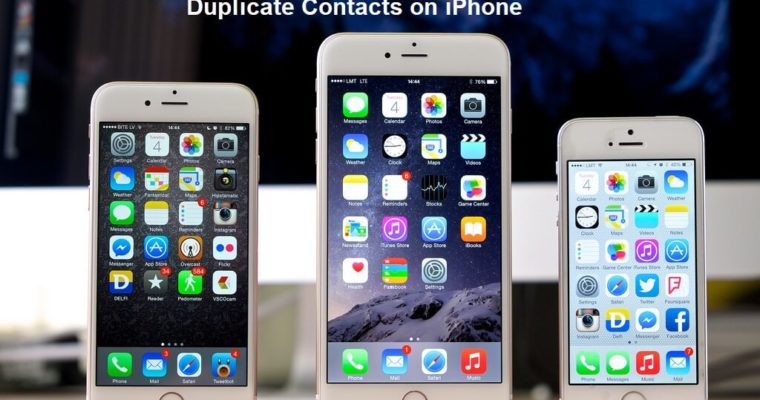
Duplicate contacts on your iPhone can be a real headache. They clutter your address book and waste storage space. They make it harder to find the right contact quickly. Whether you’ve synced contacts from multiple sources or imported them from an old device, duplicates are bound to happen. But don’t worry, there are plenty of apps out there to help you clean up your contacts list.
Having duplicate contacts can make your iPhone feel cluttered and chaotic. Instead of scrolling through a neat and organized list, you end up sifting through multiple entries for the same person. This not only wastes time but can also lead to confusion when you’re trying to find the right contact. Luckily, there are the best duplicate contacts remover apps designed specifically to tackle this problem.
Using duplicate contacts remover apps can streamline your contacts list. These apps are easy to use and can quickly identify and merge duplicate entries.
With the right tools, you can keep your contacts organized and save space on your device. Make sure you can always find the right contact when you need it.
Part 1: Reasons Behind Duplicate Contacts Generated?
Duplicate contacts on your iPhone can be caused by various factors. Here are some common reasons:
- Syncing from multiple devices: Contacts from your old phone, tablet, or computer can create duplicates.
- Importing contacts: When you import contacts from email accounts or other apps, duplicates can occur.
- Sharing contacts: Sharing contacts via messages or email can lead to duplicates.
- Backup and restore: Restoring contacts from a backup can create duplicates if the backup already contains duplicates.
- Manual entry: Entering the same contact details multiple times can cause duplicates.
- Contact apps: Some contact management apps may not handle duplicates well.
- Social media: Connecting your contacts with social media accounts can create duplicates.
- Third-party apps: Apps that access your contacts might add duplicates.
Part 2: How To Get Rid Of Duplicate/Similar Contacts On iPhone
Getting rid of duplicate contacts on your iPhone can be easier than you think. iPhones with iOS 16 and later come with a handy built-in tool to find and merge duplicate contacts. This tool is designed to make it easier to keep your contacts list clean and organized without the need for third-party apps.
To use this built-in tool, follow these steps:
- Go to your iPhone’s Contacts app. If there are duplicate contacts, you will see a notification at the top of your contacts list. It will prompt you to review and merge duplicates.

- Tap on the notification to view the list of duplicate contacts. The tool will show you duplicate contacts and provide an option to merge them. Review the duplicates and confirm the merge.
And that’s it! This tool simplifies the process of managing your contacts and ensures that your address book remains clutter-free. It’s a convenient and efficient way to handle duplicate contacts without needing additional apps.
Part 3: 8 Best Duplicate Contacts Remover Apps For iPhone
Here are some of the best apps for removing duplicate contacts on your iPhone:
1. Cleanup Duplicate Contacts

Cleanup Duplicate Contacts is a powerful app designed to help you quickly find and merge duplicate contacts on your iPhone. It’s known for its user-friendly interface and efficient performance, making it a top choice for anyone looking to keep their contact list clean and organized. Whether you have hundreds or thousands of contacts, this app can streamline the process of identifying and removing duplicates.
Cleanup Duplicate Contacts stands out because of its simplicity and effectiveness. It offers a straightforward approach to managing your contacts, ensuring that your address book is always neat and tidy. The app also provides additional features that make contact management a breeze.
Key Features:
- Easily identify and merge duplicate contacts.
- User-friendly interface for quick navigation.
- Options to back up and restore contacts.
- One-tap cleanup process for efficiency.
- Regular updates to ensure compatibility with the latest iOS versions.
2. Tuneup Contacts

Tuneup Contacts is an excellent tool for managing your contacts and keeping your address book in top shape. This app not only merges duplicate contacts but also allows you to create contact groups, making it easier to organize and access your contacts. With Tuneup Contacts, you can ensure that your contact list is always up-to-date and free of duplicates.
Tuneup Contacts offers a comprehensive approach to contact management. It combines the ability to merge duplicates with additional features that help you maintain an organized and efficient contacts list. This app is perfect for users who need more advanced contact management options.
Key Features:
- Merge duplicate contacts effortlessly.
- Create and manage contact groups.
- User-friendly design for easy navigation.
- Regular updates to improve performance.
- Supports multiple languages for global users.
3. ContactClean

ContactClean is a simple yet effective app designed to help you clean up your contacts list by identifying and merging duplicate contacts. Its straightforward approach makes it easy for users of all levels to manage their contacts without any hassle. ContactClean ensures that your address book is always tidy and organized.
ContactClean is ideal for users who prefer a no-frills app that gets the job done efficiently. With its easy-to-use interface and powerful contact merging capabilities, ContactClean simplifies the process of maintaining a clean and organized contacts list.
Key Features:
- Identify and merge duplicate contacts quickly.
- Simple and intuitive user interface.
- Options to back up and restore contacts.
- Regular updates for optimal performance.
- Compatible with the latest iOS versions.
4. Cleaner Pro

Cleaner Pro is an efficient app that helps you remove duplicate contacts from your iPhone. It offers a range of features that make it easy to clean up your contacts list and keep it organized. Cleaner Pro is known for its reliability and effectiveness, making it a popular choice for iPhone users.
Cleaner Pro combines powerful contact merging capabilities with a user-friendly interface, ensuring that you can manage your contacts with ease. This app is perfect for users who need a reliable tool to keep their contacts list free of duplicates.
Key Features:
- Remove duplicate contacts effortlessly.
- User-friendly design for easy navigation.
- Options to back up and restore contacts.
- One-tap cleanup process for quick results.
- Regular updates to ensure compatibility with the latest iOS versions.
5. Contacts+

Contacts+ is a popular app for managing and merging contacts on your iPhone. It offers a wide range of features that make it easy to keep your contacts organized and up-to-date. Contacts+ is known for its powerful contact merging capabilities and user-friendly interface, making it a top choice for many users.
Contacts+ provides a comprehensive solution for contact management, combining the ability to merge duplicates with additional features that enhance the overall user experience. This app is perfect for users who need a versatile and reliable tool for managing their contacts.
Key Features:
- Merge duplicate contacts effortlessly.
- Create and manage contact groups.
- User-friendly design for easy navigation.
- Regular updates to improve performance.
- Supports multiple languages for global users.
6. Sync.ME

Sync.ME is a free app that not only helps you manage and remove duplicate contacts but also keeps your contacts updated with social media information. It’s a great way to keep your contacts list current and organized, making it easier to stay connected with friends and family.
Sync.ME offers a unique combination of contact management and social media integration, ensuring that your contacts are always up-to-date. This app is perfect for users who want to keep their contacts list organized and current with the latest information.
Key Features:
- Manage and remove duplicate contacts effortlessly.
- Update contacts with social media information.
- User-friendly design for easy navigation.
- Free to use with regular updates.
7. EasyCleaner

EasyCleaner is a comprehensive tool for managing your contacts, merging duplicates, and backing up your data. It offers a range of features that make it easy to keep your contacts organized and secure. MobileTrans is known for its reliability and effectiveness, making it a popular choice for iPhone users.
EasyCleaner combines powerful contact management capabilities with additional features that enhance the overall user experience. This app is perfect for users who need a versatile and reliable tool to keep their contacts list free of duplicates and backed up.
Key Features:
- Merge duplicate contacts effortlessly.
- Back up and restore contacts.
- User-friendly design for easy navigation.
- Supports multiple devices and platforms.
8. FoneTool

FoneTool is a free app that offers a straightforward way to delete or merge duplicate contacts on your iPhone. It’s a reliable option for keeping your contacts list tidy and efficient, making it easy to manage your contacts without any hassle.
FoneTool provides an easy-to-use interface and powerful contact merging capabilities, ensuring that you can keep your contacts list clean and organized. This app is perfect for users who need a simple yet effective tool to manage their contacts.
Key Features:
- Delete or merge duplicate contacts quickly.
- Simple and intuitive user interface.
- Options to back up and restore contacts.
Part 4: Tips to Prevent Creating Duplicate Contacts In The Future
To prevent duplicate contacts in the future, follow these tips:
- Consolidate Contacts: Use one primary source for your contacts. Avoid syncing contacts from multiple devices or accounts to prevent duplicates.
- Regular Cleanups: Periodically review and clean your contacts list. Regular maintenance helps catch and remove duplicates before they accumulate.
- Use Reliable Apps: Stick to trusted contact management apps that handle duplicates well. These apps often have features that prevent duplicate contacts from being created.
- Be Mindful When Adding Contacts: Double-check before adding new contacts. Ensure you don’t manually enter the same contact details multiple times.
- Backup Contacts Properly: When backing up and restoring contacts, ensure the backup does not contain duplicate entries. Use trusted backup solutions to avoid duplications.
- Sync With Care: If you need to sync contacts from different sources, do so carefully. Check for duplicates after syncing and merge any duplicates immediately.
- Avoid Sharing Contacts Unnecessarily: When sharing contacts, do so mindfully. Excessive sharing can lead to duplicate entries.
- Monitor Third-Party Apps: Be cautious about apps that access your contacts. Ensure they handle your contacts responsibly and don’t create duplicates.
By following these tips, you can maintain a clean and organized contacts list on your iPhone. Regular upkeep and mindful practices will help you avoid the frustration of duplicate contacts in the future.
Conclusion
Keeping your iPhone contacts list clean and organized is essential for staying efficient and avoiding confusion. By using the best duplicate contacts remover apps and following preventive measures, you can ensure a clutter-free contacts list. Regularly cleaning and managing your contacts will make your iPhone experience smoother and more enjoyable.
Duplicate contacts can be frustrating, but with the right tools and habits, you can easily manage them. By understanding the reasons behind duplicates and taking steps to prevent them, you can keep your contacts organized and easy to navigate. The apps mentioned above are some of the best options for removing duplicate contacts on your iPhone, and with regular maintenance, you can keep your contacts list clean and efficient.
A clean and organized contacts list not only makes it easier to find the right contact quickly but also helps you stay connected with important people in your life. Take advantage of the tools and tips mentioned in this article to keep your iPhone contacts in perfect order.
FAQs:
What causes duplicate contacts on iPhone?
Duplicate contacts on your iPhone can occur due to various reasons. Syncing contacts from multiple devices or sources, like email accounts and social media, is a common cause. Manually entering the same contact details multiple times or restoring contacts from backups that already contain duplicates can also create duplicate entries.
How can I manually merge duplicate contacts on iPhone?
To manually merge duplicate contacts on your iPhone, open the Contacts app and search for the duplicate entries. Tap on one of the duplicate contacts and then tap “Edit.” Scroll down and select “Link Contacts.” Choose the duplicate contact you want to merge and tap “Link.” This will combine the information into one contact entry.
Are there any free apps to remove duplicate contacts?
Yes, there are free apps available to remove duplicate contacts from your iPhone. Apps like Sync.ME and FoneTool offer free features that help you identify and merge duplicate contacts. These apps provide user-friendly interfaces and effective tools to keep your contacts list clean and organized without any cost.
How often should I clean my contacts list?
It’s a good idea to clean your contacts list every few months to keep it organized and free of duplicates. Regular maintenance helps prevent clutter and ensures that your contacts are up-to-date. By routinely checking and cleaning your contacts, you can avoid confusion and make it easier to find the right contact when you need it.
Author Bio:
Dinesh Lakhwani 

Dinesh Lakhwani, the entrepreneurial brain behind “TechCommuters,” achieved big things in the tech world. He started the company to make smart and user-friendly tech solutions. Thanks to his sharp thinking, focus on quality and the motto of never giving up, TechCommuters became a top player in the industry. His commitment to excellence has propelled the company to a leading position in the industry.
Popular Post











Recent Post
How To Fix Issues Downloading from the Microsoft Store On Windows
Introduction: Downloading apps from the Microsoft Store should be a simple task. You open the Store, search for an app, and click install. In most cases, the process works without any problem. However, there are times when the download does not start. In some cases, it may stay stuck at a certain percentage. You may […]
How To Fix Windows Update Issues Easily On Windows [2026]
Introduction Windows updates play an important role in keeping a computer stable and secure. They bring new features, fix known bugs, and improve overall performance. When updates work as expected, the system runs smoothly. However, when they fail, users often face slow performance, missing features, or security risks. This is why it becomes important to […]

How To Check If Your PC Is Infected? [Complete Guide]
Computers now sit at the center of almost everything we do. Well, yes! From sending emails to watching videos, we depend on them without much thought. Because of this, even a small issue can disrupt daily tasks. One common problem is hidden malware. It does not always show clear signs at first. It can enter […]

Repair Apps And Programs: Repair Apps That Aren’t Working
Computers have become an essential part of everyday life, supporting work, study, communication, and entertainment. Most of these activities rely on apps and programs, so when one stops functioning, even simple tasks can be disrupted. Common problems include error messages, frozen screens, or apps that fail to open. On Windows systems, such issues often arise […]
Troubleshooting Microphone Privacy Settings: Complete Guide
Sound is a basic part of how we use computers today. People attend meetings, record audio, speak to others, and use voice tools almost every day. A working microphone makes all these tasks easy. When the microphone fails, even simple work becomes difficult. Many users first think the device is broken. In reality, the issue […]
Windows Sound Settings – Sound Control Panel: Complete Guide
Sound plays an important role in how we use a computer every day. It supports both work and leisure. You need it for meetings, videos, music, and alerts. When audio fails, even simple tasks become difficult. Many users feel stuck when sound issues appear. This usually happens because they are not familiar with Windows Sound […]

Run a Troubleshooter For PC Issues Windows: Complete Guide
A computer plays an important role in everyday life. People use it for work, study, communication, and entertainment. When a problem appears, it can interrupt everything. Even a small issue can waste time and create frustration. Many users feel unsure about how to fix such problems. They often think they need expert help. In reality, […]
![Adjusting Audio Output Settings Complete Guide [2026]](https://www.techcommuters.com/wp-content/uploads/2026/03/Adjusting-Audio-Output-Settings-Complete-Guide.webp)
Adjusting Audio Output Settings: Complete Guide [2026]
Sound is part of almost everything we do on a computer. It lets you watch videos, join calls, play music, and hear alerts. When the audio stops working the right way, it can interrupt both work and daily use. That is why adjusting audio output settings matters for every user. Many people get unsure when […]

Artificial Intelligence Explained: Concepts, Terminology, Benefits, and Future Trends
Artificial Intelligence, or AI, is basically computers doing things that usually need a human brain. We’re talking about stuff like learning from experience, figuring out problems, understanding language, and making decisions. It’s not magic, just a lot of data, pattern-spotting, and math behind the scenes. Now, AI doesn’t actually think or feel like we do. […]

Resolving Microphone Detection Problems: Latest Guide [2026]
Microphones are important tools in daily life. People use them for office meetings, online classes, interviews, gaming, customer support, and content creation. When a system fails to detect a microphone, communication stops at once. This situation can cause stress and confusion. Many users believe the microphone is damaged. In reality, most problems are simple and […]

