5 Best Meme Creator Apps for Android and iOS in 2026
Last updated on December 28th, 2025 at 2:02 am
Do you want to get more likes, comments, and reshares on your social media posts? Then, simply create memes! That’s because everyone loves to laugh and have a bit of fun on social media. Plus, people remember sarcastic and realistic posts better than promotional or serious posts.
Additionally, you don’t need to hire a professional graphic designer to create some hilarious and sassy memes. Just get the best meme creator apps, and you are all set to create memes.
Since there are various online meme-makers available for both Android and iOS platforms, that might confuse you. So, we did the groundwork for you and already selected the five easy-to-use meme maker apps. So, let’s download an app and get started with the memes business.
5 Best Meme Creator Apps for Android and iOS in 2026
You don’t need to be a pro graphic designer to create viral memes today. You just need the right meme creator app with numerous templates, elements, and fonts. And, the top five meme makers with all these features are:
1. Memedroid (iOS/Android)
Play Store Rating: 4.3/5
App Store Rating: 4.9/5
Compatible Android OS: Varies with the device
Compatible iOS OS: iOS 10.0 or higher
Number of Users: 10,000,000+
In-app Purchase: Yes
Price: Free
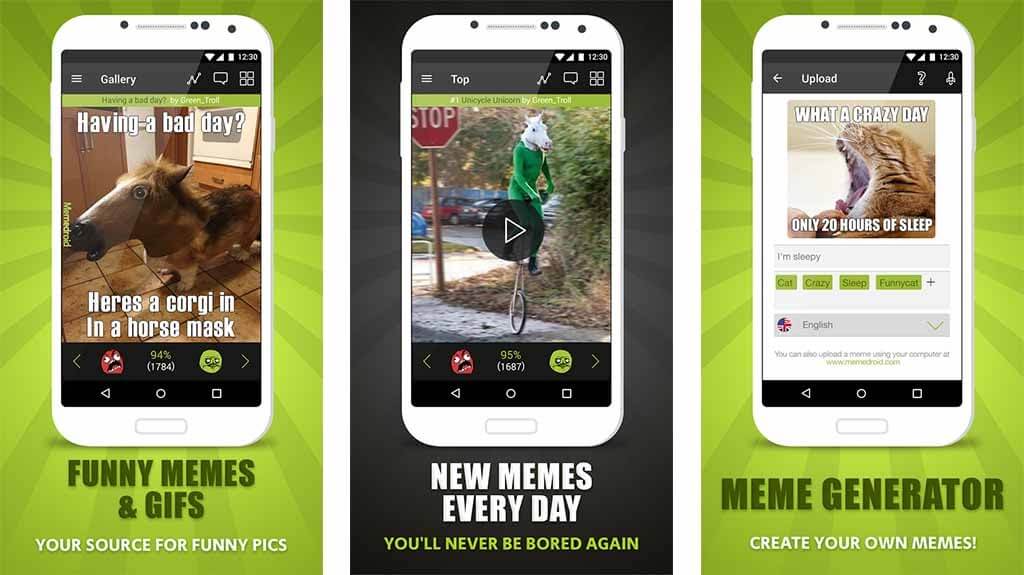
Memedroid is the perfect meme maker when you are planning to take your social media audience on a full fun journey. This app is constantly updated with hilarious pictures, humorous content, and funny meme layouts. Plus, you can easily customize your meme using various fonts, color combinations, and funny lines. Overall, for everyday use, it is the easiest and simplest meme creator.
Creative Features
- You can customize your memes using different fun facts, animated gifs, screenshots, and more.
- You will also get a huge meme collection, including the best political, celebrity, and sport meme faces.
- Memedroid has an active community where you can share your memes and connect with other meme-makers like you.
- You can rate and comment on every GIF and picture available on Memedroid.
- It is fully integrated with social media and messaging apps.
Pros
- Great meme collection.
- Large community support.
- Good to create complex memes.
Cons
- Adding music to GIFs takes time.
- Quite an addictive app.
2. Memes (iOS/Android)
Play Store Rating: 4.4/5
App Store Rating: 4.6/5
Compatible Android OS: Android 5.1 or higher
Compatible iOS OS: iOS 12.0 or higher
Number of Users: 1,000,000+
In-app Purchase: Yes
Price: Free
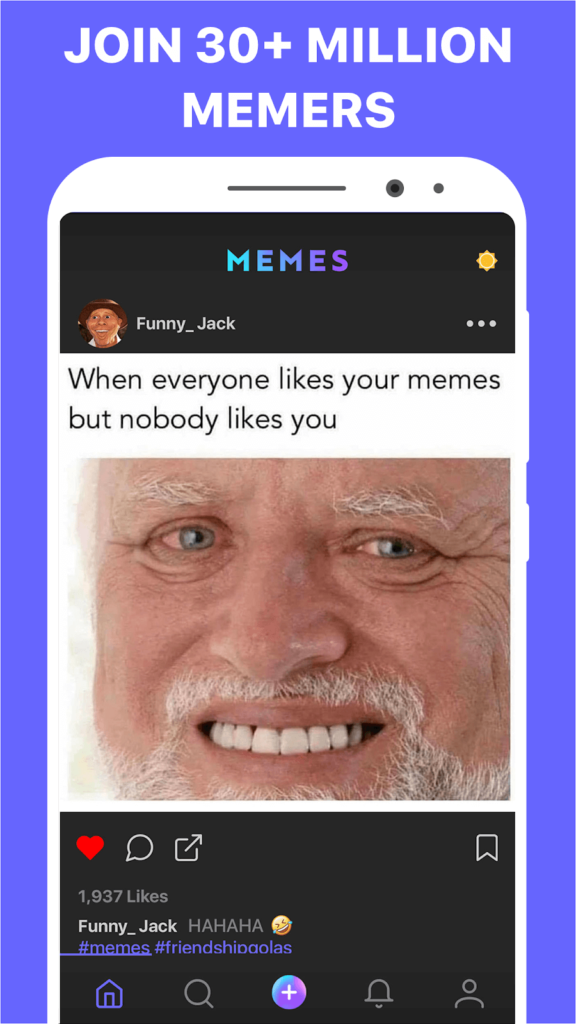
Memes can fully redefine the way you make memes and share them with your friends. This tool helps you add captions, videos, and pictures to your memes. You don’t need photoshop or any other complex editing tools with Memes. Plus, the app has a huge inbuilt community that can help you grow your creativity more.
Creative Features
- You can message your friends and share your memes with a built-in direct chat option.
- Explore thousands of memes daily from the vast community.
- Memes have an advanced photo, video, and GIF maker library.
- The latest and trending meme templates and frames are often updated.
- Powerful custom tools including distortion, slo-mo, rewind, and much more.
- Many exclusive stickers and fonts.
- You can create your own meme brand without watermarks.
Pros
- Awesome meme gallery.
- Freemium version is great.
- Perfect user interface.
Cons
- Some memes are adult-rated.
- There’s no cropping or editing image option.
3. Mematic (iOS/Android)
Play Store Rating: 4.5/5
App Store Rating: 4.6/5
Compatible Android OS: Android 5.0 or higher
Compatible iOS OS: iOS 12.0 or higher
Number of Users: 1,00,000+
In-app Purchase: Yes
Price: Free
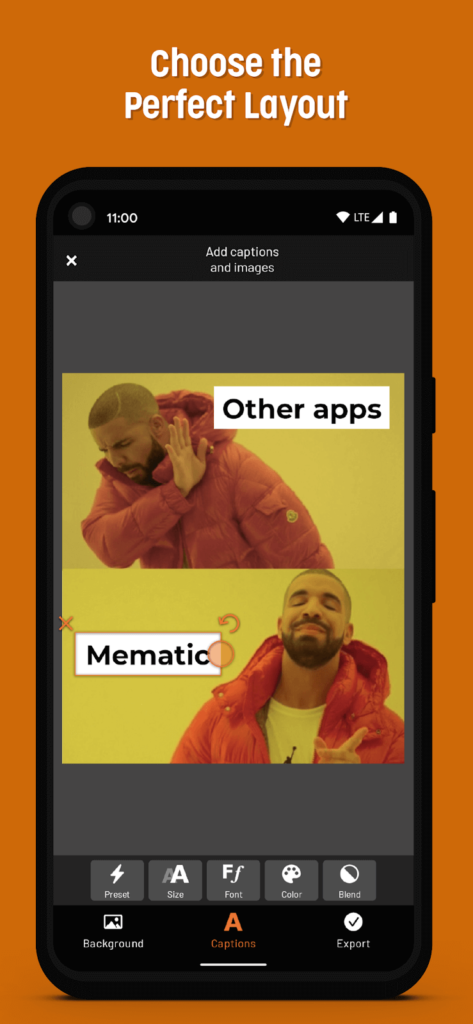
Mematic is one of the most popular meme maker apps for both Android and iOS devices. The app has a vast image and meme gallery that you can explore to create a variety of memes. You can also create collages with beautiful frames and set a perfect mood using filters with this tool. Mematic available in both freemium and premium versions, so as per your requirements, you can pick the app version.
Creative Features
- It is a fast app and lets you create memes within a few clicks.
- Mematic also helps you create inspirational quotes, comment on news, sell your products, and so much more.
- The app has various custom elements like arrange text, add images and stickers.
- You can directly share your creations on WhatsApp, Signal, and Telegram. Also, you can upload memes to your Instagram and Facebook.
- Mematic doesn’t track or support third-party ads.
Pros
- Easy to use.
- Fully up to date app.
- High-quality images.
- No ads.
Cons
- Most elements are paid.
- Some basic glitches.
4. Meme Generator Free (iOS/Android)
Play Store Rating: 4.6/5
App Store Rating: 3.1/5
Compatible Android OS: Android 5.0 or higher
Compatible iOS OS: iOS 8.0 or higher
Number of Users: 10,000,000+
In-app Purchase: Yes
Price: Free
Meme Generator Free is a powerful online meme maker to create hilarious memes and share them with your friends. On this app, you will find multiple meme categories, over 500 high-quality memes, custom memes, and many other features. The great thing about Meme Generator is you can easily share them with your friends via Facebook, WhatsApp, Telegram, Drive, and other platforms.
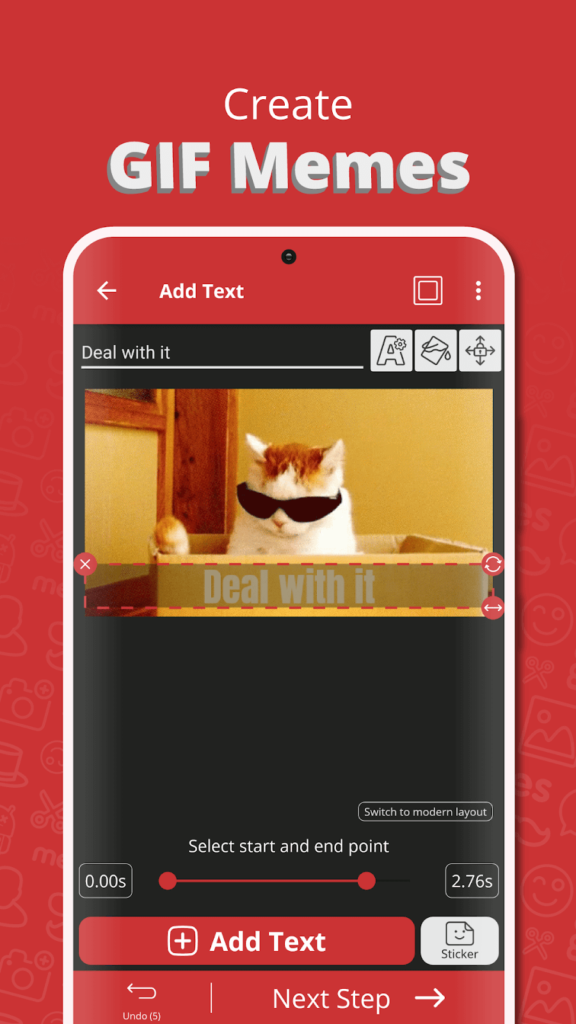
Creative Features
- Easy to customize memes using text color, size, multiple fonts, and more.
- You can create complex memes with up to 10 captions with Mematic.
- Smoothly scroll and navigate through various categories, borders, and filters.
- All the images are free to use without a watermark.
- You can mark your favorite memes and share them with your friends.
Pros
- Excellent image cropping.
- Interactive user interface.
- Good to create complex memes.
Cons
- The iOS version lacks some features.
- The meme gallery hasn’t been updated in a long time.
5. Memeto (iOS/Android)
Play Store Rating: 4.1/5
App Store Rating: 4.6/5
Compatible Android OS: Android 4.3 or higher
Compatible iOS OS: iOS 12.0 or higher
Number of Users: 10,000+
In-app Purchase: Yes
Price: Free
Memeto is a free meme maker to customize your own memes. The app comes with numerous custom meme options such as text color, fonts, stickers, layouts, styles, and trending meme images. You can select photos from your gallery and use them to create different backgrounds. Also, you can share and upload your memes within the app on Twitter, Instagram, Messenger, Snapchat, and more.
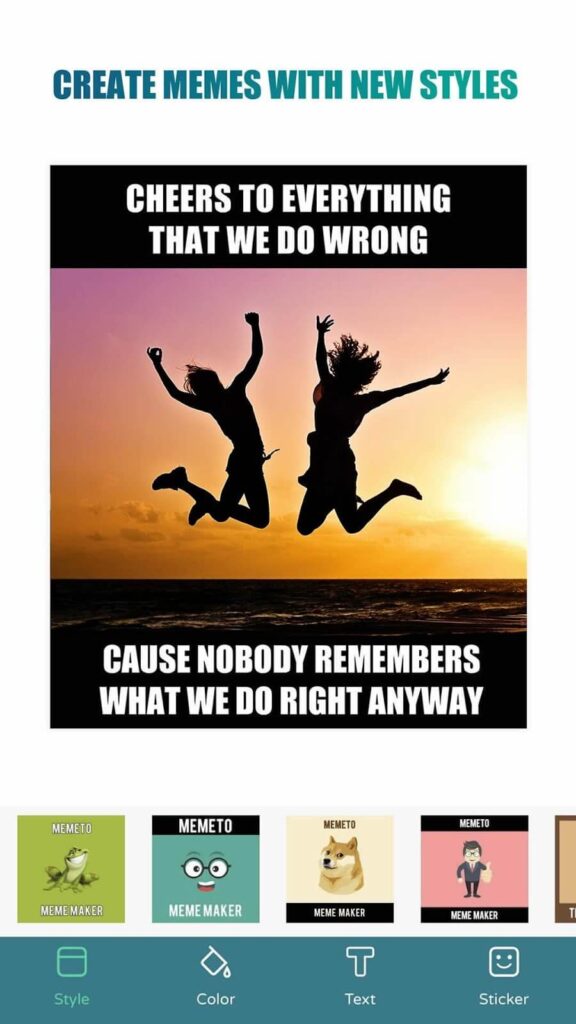
Creative Features
- You can customize the background with your personal images or use a plain solid color as a background.
- Over 80 funny and trending meme faces.
- More than 1000+ cool and funny stickers.
- Advanced meme layout with custom options to change font, colors, and size.
- You can add your own watermark on memes.
- Over 200+ fonts to select from.
- You can also create quotes with Memeto.
Pros
- Good for beginners.
- Excellent user interface.
- Smooth to use.
- No watermark.
Cons
- Not often updated.
- Limited meme layouts.
Start Meming Now!
Whether you want to express serious issues in an engaging manner or you simply wish to build a hilarious brand image, memes are what you need today. Plus, now, with all these awesome meme creator apps, it has become super easy to create memes. So, you just need to pick a tool and start meming rather than talking or chatting with your friends.
We have already shared the top five online meme makers with you. So, do let us know your opinions about this post using memes.
Author Bio:
Dinesh Lakhwani 

Dinesh Lakhwani, the entrepreneurial brain behind “TechCommuters,” achieved big things in the tech world. He started the company to make smart and user-friendly tech solutions. Thanks to his sharp thinking, focus on quality and the motto of never giving up, TechCommuters became a top player in the industry. His commitment to excellence has propelled the company to a leading position in the industry.
Popular Post











Recent Post

Top 5 Best Domain Name Registrars 2026
In today’s internet-driven world, domain names are significant as they eliminate the need for long website IP addresses and simplify usability. Companies in charge of domain name registration are called domain registrars, which help acquire and register unique domain names for companies. To get the best-personalized domain name for your site, you must rely on […]
An Ultimate Guide to Back up Your Mac
Taking back up on your Mac should be routine work that might be pushed to the bottom of your to-do list in favor of more pressing matters. However, if your MacBook fails at an inconvenient time, you’ll be eternally thankful that you took the effort to preserve all of your essential data. Furthermore, a backup […]
How to Optimize Mac for Gaming? Top 7 Tips
When you think of “Mac” gadgets, you might not think of playing online games on them. This is because Mac haven’t been connected with hardcore gaming till their inception. Top-tier games necessitate top-tier settings. However, due to Apple’s emphasis on design elegance and efficiency, Macs were always available as pre configured systems in a few configurations. […]
Top 10 Best ES File Explorer Alternatives In 2026
The most popular program among these choices has been the ES File Explorer for a long time. It is an excellent application for organizing files and programs, with many additional capabilities. This software has remained a typical pick for Android users. However, it was discovered to be installing spyware on their devices. So, unfortunately, the […]
15 Best Hard Drive Testing Software & Diagnostic Tool [2026]
Hard drives still carry some of the most important data on a computer. Photos, work files, backups, and system data all depend on a drive staying healthy. When problems start, they often show up quietly. Slow performance, strange noises, or random crashes are early signs that should not be ignored. Hard drive testing and diagnostic […]

10 Time Tracking Apps for Remote Workers
Monitoring and organizing the time of the remote employees help improve the company’s overall performance. Time tracking software may help you measure the productivity of your staff. You may use the application to monitor the team’s progress, coordinate projects, cooperate and produce invoices. But which time tracking tools are ideal for your business? We have […]
BeeGraphy Editor – Is It the Future of 2D and 3D modeling?
You can find a plethora of CAD (computer-aided design) software in the market. However, not all 3D tools are pretty helpful in your daily job. Therefore, the need for a tool that helps cover a variety of purposes, ranging from visualization to simulation to 3D printing, is required. But the cost you have to pay […]
How to Crop a PDF On Windows & Mac? 6 Easiest Ways [2026]
PDF or Portable Document Format is the popular document form used widely in day-to-day activities. These document formats are presented and exchanged irrespective of the operating system, hardware, or software. The open-standard PDF is maintained by the International Organization for Standardization (ISO) and can contain business logic, video, audio, form fields, buttons, links, etc. PDF […]
Top 10 Best Evernote Alternatives In 2026
Are you tired of Evernote’s clutter, lag, and rising costs? You’re not alone. In 2026, more users than ever are ditching bulky apps for cleaner, faster note-taking tools. This year’s lineup of alternatives is impressive. Some apps offer sleek design and lightning-fast sync. Others focus on privacy, giving you full control over your data. Collaboration […]

10 Best Email Signature Generator Of 2026 (Free and Paid)
Currently, emails are one of the primary forms of communication, especially for professional reasons and even personal. In addition, companies use this medium for marketing purposes or a branding strategy. A critical element is the email signature, which is the signed name at the end. Creating unique and memorable signatures is essential for the best […]

