10 Best Food Delivery Management Software in 2026
Last updated on December 28th, 2025 at 2:03 am
Online food delivery apps are booming today! One tap food ordering from your favorite restaurant business model is spreading like wildfire globally. Currently, many companies are making millions by creating food delivery apps. But there’s a catch for restaurants here — you have to provide delivery services under the company’s guidelines.
If you don’t want to follow other companies’ rules, you can use the best food delivery management software to set up your online food delivery system. Using multi-restaurant delivery software, you can assign delivery jobs, real-time track food deliveries, and receive electronic proof of deliveries, etc. Moreover, you can integrate it with your POS system to streamline your business operations.
Restaurant owners, we have dedicated this post to you. The TC team has searched for the best online food delivery software, so you can easily start delivering online.
10 Best Food Delivery Management Software in 2026 — Start Online Deliveries Now!
From receiving online orders to delivering them on time, food delivery management software handles every aspect of the process. So, we selected the multi-restaurant delivery software that can fully streamline your operations. Have a look:
1. Shipday
Software Rate: 5/5
Compatible Software: Cloud, Web, Android, iOS
Best For: Restaurants, Delivery, and Courier Companies
Customer Support: Email, Forum, Phone
Price: Pricing starts at $1,299/month along with a free version and 30 days trial.
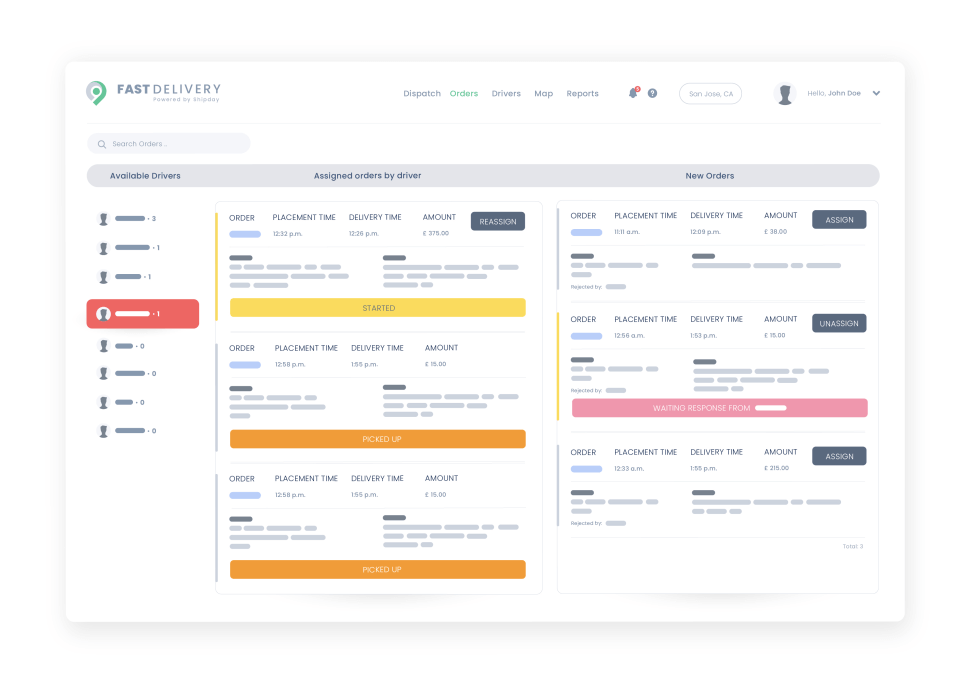
Shipday is the best food delivery management software for in-house deliveries. Two Georgia Tech classmates found it to democratize online delivery software for small businesses. Shipday is an affordable delivery tool that offers robust integration and API support. From real-time tracking to multiple delivery options, this tool can definitely grow your business.
Fast Features
- Restaurants and their customers can real-time track drivers’ routes to ensure timely deliveries.
- Get a customer’s signature on the receipt or delivery package as proof.
- Integration with various online ordering platforms and POS software.
- Comprehensive training material like video tutorials for dispatchers, owners, and drivers.
- The pricing structure is based on your usability. If you deliver less than 300 orders monthly, you don’t have to pay a dime.
Pros
- Free for small businesses.
- Delivery proof option.
- Open API integration.
Cons
- Only email support for free-tier users.
- Reporting has some glitches.
2. PosBytz
Software Rate: 5/5
Compatible Software: Cloud, Web, Windows, Android, iOS
Best For: Restaurants, Cloud Kitchen, and Grocery Stores
Customer Support: Email, Phone, Forum, Chat, Live Support
Price: Not disclosed by the vendor.
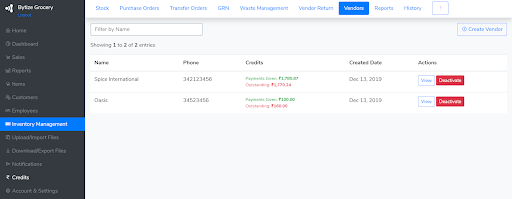
PosBytz is a compact omnichannel online food delivery software integrated with POS solutions. It is a 1:1 solution to manage your business, including inventory management, purchase, sales, and online ordering. With this software, you can run your online delivery business from your smartphone. Moreover, you can integrate it with your cash register, scanners, cash drawers, etc.
Fast Features
- A complete food delivery dispatching solution for big and small restaurants.
- Let you better market your brand with discount and gift card management.
- Using an electronic signature, delivery proof can be generated.
- Barcode scanning allows you to easily integrate your orders and payments.
- You and your customers can live track drivers to estimate the accurate delivery time.
- Easy mobile access helps you run your cloud kitchen from anywhere and anytime.
Pros
- Fantastic POS integration.
- Seamless online order management.
- User-friendly.
- Amazing UI.
Cons
- A bit of a learning curve involved.
- Lacks accounting integration.
- Reporting needs improvement.
3. Zippykind
Software Rate: 5/5
Compatible Software: Cloud, Web, Android, iOS
Best For: All Size of Delivery Businesses
Customer Support: Email, Phone, Forum, Chat
Price: Pricing starts at $87/user/month along with a free version and trial.
Zippykind is a leading food delivery management software for all types of local delivery businesses. It is a perfect solution for drivers, delivery store owners, and customers. Drivers can download the app on their phones and send updates to the customers and dispatch operators.
On the other hand, dispatch operators can track drivers’ locations and monitor every delivery process. Zippykind is packed with multiple features to grow your online delivery business.

Fast Features
- Using heatmap features, you can view your busiest delivery areas.
- Allows creating custom delivery zones by assigning specific delivery fees and drivers in certain areas.
- Custom messaging features facilities restaurant owners to create special messages for each delivery stage.
- Delivery proof can be generated with the mobile signature capture feature.
- Restaurants can conduct various surveys and retrieve performance feedback from their customers.
Pros
- Real-time driver tracking.
- Schedule one-month deliveries in advance.
- Supports 2-way SMS texting.
Cons
- Slow customer service.
- Limited subscription tickets.
4. DeliverAI
Software Rate: 4.9/5
Compatible Software: Cloud, Web, Android, iOS
Best For: Restaurants, Pharmacies, Local Stores and Retailers
Customer Support: Email, Phone, Forum
Price: Basically a free software. The premium plan starts at $49/month.
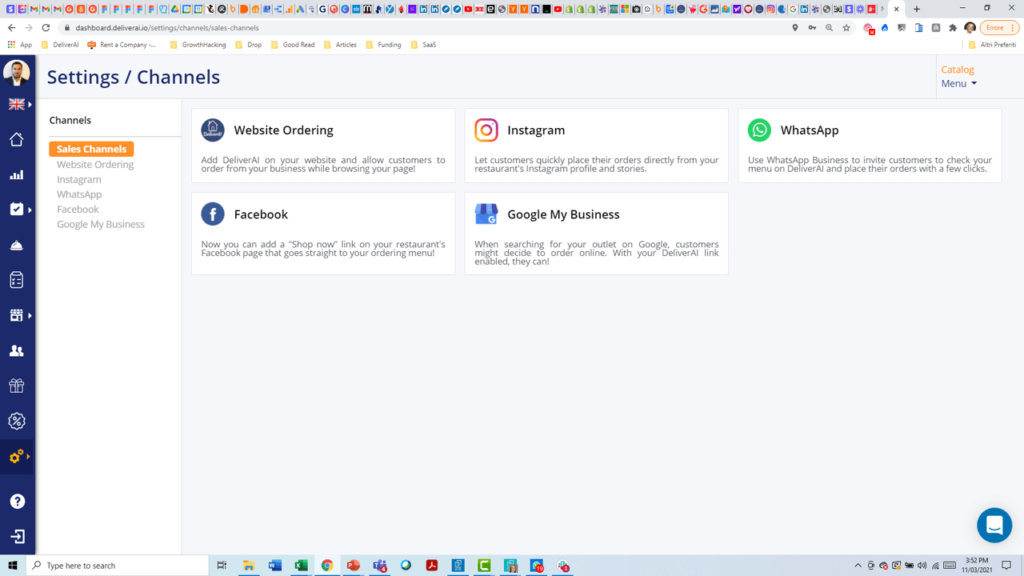
DeliverAI is the latest online food delivery software to get your restaurant online in less than 30 minutes. With easy integration, you can analyze, promote and run logistics on your restaurant operations with ease. DeliverAI can handle across more than 100+ different channels such as loyalty, order tracking, and more. This software was just launched in 2020 and already reached over 100+ global users.
Fast Features
- Cataloging food items is simplified with the software.
- CRM, email marketing, and inventory integration let restaurant owners smoothly manage their business.
- Services across multiple channels, including promotions, return, SEO, shopping cart, etc.
- With easy mobile access, you can real-time track drivers and define delivery routes.
- Gift card sales are also supported by the software.
Pros
- Mobile access.
- Loyalty program.
- Excellent user interface.
- Great integration options.
Cons
- Difficult to use.
- Limited functions.
5. StoreKit
Software Rate: 4.9/5
Compatible Software: Cloud and Web
Best For: Restaurants and Stores
Customer Support: Email, Phone, Forum, Chat, Live Support
Price: Not disclosed by the vendor.
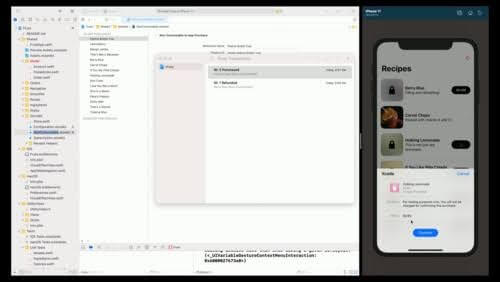
StoreKit offers a one-click solution to order food and drink. With this food delivery management software, customers can simply order from your store or restaurant. It is fully focused on enhancing the user experience. You can integrate it with your EPOS system and easily deliver. It is a highly secure software without any third-party integration.
Fast Features
- The food delivery dispatching structure is simplified for the restaurants.
- Real-time driver tracking and route mapping are possible.
- Restaurants can quickly receive online orders and manage them through a dashboard.
- The user interface is highly simple, and even novice customers can easily use it.
- You can generate performance reports to grow your food delivery business in no time.
Pros
Sleek and responsive user interface.
Easy for customers to place orders.
Responsive customer care team.
Cons
- No feedback or rating option.
- Some functions are limited.
- Lacks customization.
6. BentoBox
Software Rate: 4.5/5
Compatible Software: Cloud and Web
Best For: Restaurants
Customer Support: Email, Phone, Forum, Chat
Price: Not disclosed by the vendor.
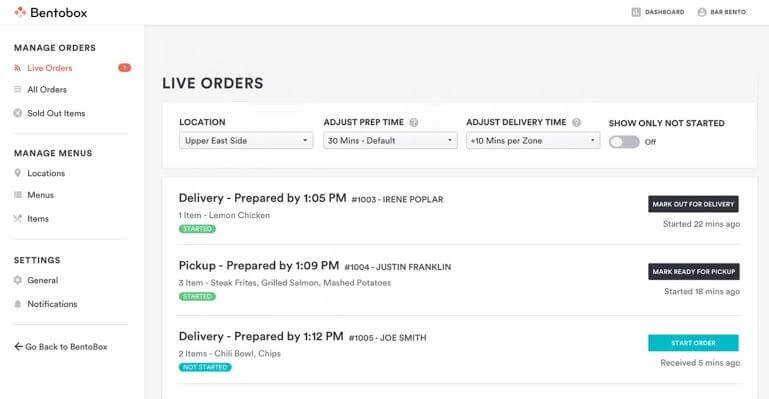
BentoBox is a dynamic multi-restaurant delivery app that can maximize your restaurant’s business growth. The software disrupts all third-party hospitality services. Through BentoBox, restaurant owners can directly derive high-margin revenue from their websites. It is trusted by over 5,000 restaurants worldwide, including Lukes Lobster, Union Square Hospitality Group, Artichoke Pizza, and more.
Fast Features
- Using pre-built templates, restaurant owners can create user-centric landing pages and web forms.
- Powerful online ordering and online store builder features.
- Helps to build customer relationships with gift card management tools.
- Real-time driver tracking for fast and seamless food delivery dispatching.
- For restaurant websites, SEO management is also supported by BentoBox.
- Delivery routing and order management let restaurants provide high-quality services.
Pros
- Backend logic is awesome.
- Easy to learn.
- Non-tech-savvy people can use it.
Cons
- The gift card sales option has glitches.
- Poor customer support.
7. Sapaad
Software Rate: 4.4/5
Compatible Software: Cloud, Web, Mac, Windows, Android, iOS
Best For: Restaurants, Cafes, and Fast-food Chains
Customer Support: Email, Phone, Forum, Chat, Live Support
Price: Pricing starts at $53.99/feature/month along with a free trial.
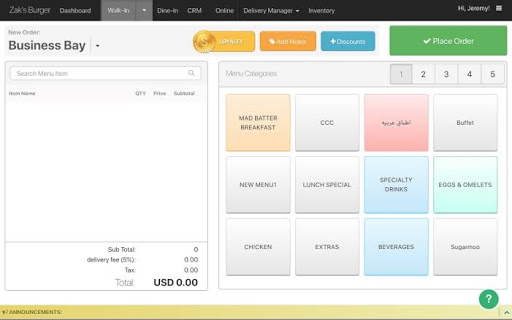
Sapaad is a great multi-restaurant delivery software for small cafes as well as multi-tier restaurants. The software offers walk-in, dine-in, and online home deliveries. Its pricing model is pay-as-you-go, which makes it highly affordable for small businesses. Further, Sapaad offers inventory management, menu engineering, kitchen display system, food ordering platform, and more.
Fast Features
- Sapaad can handle invoicing, ticket scanning, live tracking, and so much more.
- It is a complete management software for restaurants, including employee, inventory, kitchen, cost, discount, and delivery management.
- You can connect Sapaad with your POS software.
- Easily generates sales reports to analyze your business growth.
- From delivery to tip management, Sapaad can handle everything.
Pros
- Easy to set up and connect with a POS.
- Incredibly simple user interface.
- Live reporting is awesome.
Cons
- Network speed affects performance.
- No CRM support.
- Difficult to manage large orders.
8. OnTime 360
Software Rate: 4.2/5
Compatible Software: Cloud, Web, Windows, Linux, Android, iOS
Best For: Restaurants and Transportation Companies
Customer Support: Email, Phone, Forum, Chat
Price: Pricing starts at $39/feature/month along with a free trial.
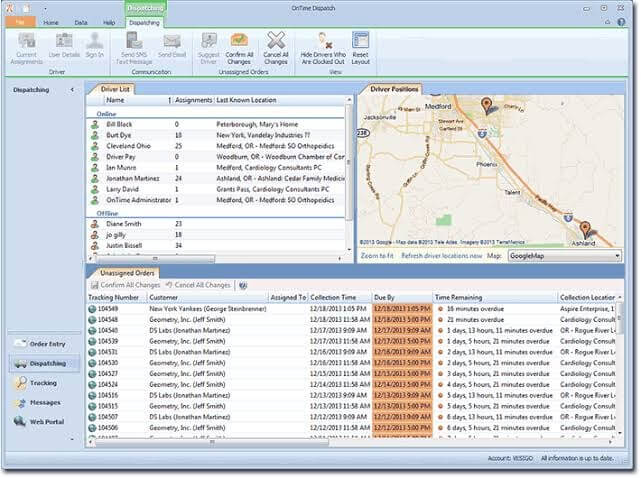
If you want to use the highest-reviewed food delivery management software, go for OnTime 360. It is an immersive delivery management tool that will track in real-time and keep you connected with your team. The software is highly affordable compared to other software. Plus, features are robust, including a customizable customer web portal, international support, flexible pricing, etc.
Fast Features
- Customize the customer portal as per your requirements.
- Barcode recognition for easy delivery tracking and dispatch management.
- Simple drag and drop menu to manage drivers and food orders.
- Get delivery proof with in-built mobile signature capture.
- Live driver tracking and route mapping.
- Use multiple reports to analyze different aspects of performance.
Pros
- Well-designed tool.
- Ability to dispatch worldwide.
- Excellent automatic dispatch process.
- Mobile accessibility.
Cons
- Not pre-built for restaurant software integration.
- Limited-user subscription.
9. HungerRush
Software Rate: 3.7/5
Compatible Software: Cloud, Web, Windows, Linux, Android, iOS
Best For: Fast Food Delivery Joints
Customer Support: Email, Phone, Forum, Chat, Live Support
Price: Pricing starts at $90.
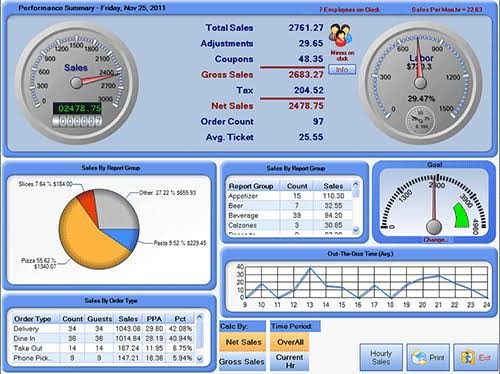
HungerRush is a modern food delivery management software. To run a delivery fleet, enhance customer experience and earn more profits, HungerRush is the perfect restaurant management software. From large restaurants to small pizzerias, all types of food delivery joints can use this software to succeed.
Fast Features
- HungerRush offers complete delivery tracking and management solutions.
- It can maintain drivers’ ETA and employees’ accounts for effective management.
- Easy to handle inventory and kitchen management with the tool.
- Gift card sales are also manageable with HungerRush.
- The tool supports loyalty programs, order fulfillment, POS, route mapping, and scheduling.
Pros
- Great POS system.
- Amazing technical support.
- Easy to find customer accounts.
- Very easy to train new employees.
Cons
- Outdated technology.
- Lots of glitches.
10. Linga rOS System
Software Rate: 3.4/5
Compatible Software: Cloud, Web, Windows, Android, iOS
Best For: Fast Food Joints
Customer Support: Email, Forum, Phone, Chat, Live Support
Price: Pricing starts at $39/month along with a free version and trial.
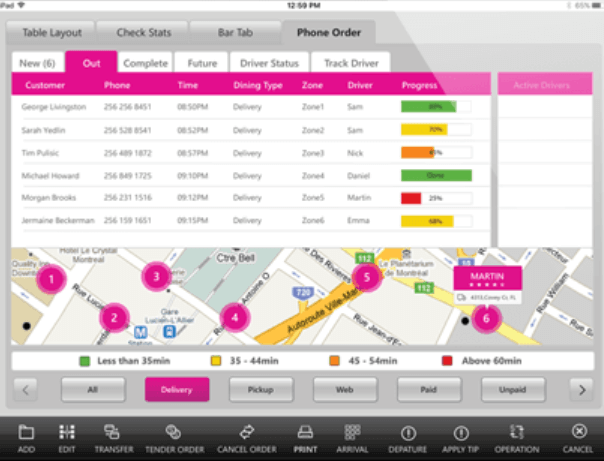
Linga rOS System is the best multi-restaurant delivery software worldwide. It is the first enterprise-ready SaaS restaurant operating software. The ease of use and advanced technical support can integrate POS, inventory management, online recording, and many other solutions. To conveniently run your cloud kitchen, this is the perfect tool.
Fast Features
- Bar POS and ticket scanning smooth up the integration process.
- Powerful management solutions to manage cash, deliveries, discounts, and employees.
- Real-time driver tracking and route mapping for fast deliveries.
- You can even generate sales reports to analyze your business growth.
Pros
- Intuitive user interface.
- Easy to set up and use.
- Great POS integration.
Cons
- Automatically clock employees out after 1 am.
- Poor customer service.
- Many setup errors.
Go Online!
If you are ready to take your restaurant business online, it is best to get your custom food delivery management software. With a dedicated tool, you can better manage your online orders and delivery teams based on your requirements.
In this post, we have shared the ten best online food delivery software that can help you go online. So, get the right tool suiting your business model and do share your feedback with us. Do follow us for more informative posts.
Author Bio:
Dinesh Lakhwani 

Dinesh Lakhwani, the entrepreneurial brain behind “TechCommuters,” achieved big things in the tech world. He started the company to make smart and user-friendly tech solutions. Thanks to his sharp thinking, focus on quality and the motto of never giving up, TechCommuters became a top player in the industry. His commitment to excellence has propelled the company to a leading position in the industry.
Popular Post











Recent Post

Resolving Microphone Detection Problems: Latest Guide [2026]
Microphones are important tools in daily life. People use them for office meetings, online classes, interviews, gaming, customer support, and content creation. When a system fails to detect a microphone, communication stops at once. This situation can cause stress and confusion. Many users believe the microphone is damaged. In reality, most problems are simple and […]

How To Switch To A Dark Background Theme In Windows [2026]
Most people spend many hours each day in front of a computer screen. Office work, online classes, editing, browsing, and streaming all require long screen time. A bright white background may look clean at first. However, over time, it can feel sharp and tiring. The strong contrast between white backgrounds and black text may cause […]

How to Switch From Local To Microsoft Account On Windows
Many users begin with a local account when they set up a new Windows computer. A local account works only on that single device. It stores settings, files, and preferences locally. It does not connect to online Microsoft services. For basic offline use, it works well. However, as digital needs grow, many users want better […]

How to Switch Windows 10 to a Local Account: Complete Guide
Windows 10 allows users to sign in with either a Microsoft account or a local account. When you set up a new computer, the system often suggests using a Microsoft account. This account connects your device to Microsoft services such as Outlook, OneDrive, and the Microsoft Store. It also syncs settings, themes, and passwords across […]

How To Change Default Apps For File Types In Windows
Windows is designed to make using your computer easy. One way it does this is by assigning default apps to different file types. This means when you open a file, Windows automatically opens it with a specific program. For example, photos may open with Photos, music with Groove Music, and PDFs with Edge. These default […]

How To Adjust The Mouse Pointer Speed: Complete Guide
Using a computer every day means you use the mouse a lot. The mouse pointer moves on the screen and helps you click, scroll, and select items. Many people never think about the speed of the mouse pointer. They have used the default setting for years. This can cause small problems over time. A slow […]

How to Change Mouse Scrolling Settings In Windows
A mouse is one of the most used computer tools. People use it every day. They scroll through emails. They scroll through documents. They scroll through websites and images. The movement becomes automatic. Most users do not notice it. That is why problems often go unnoticed. Scrolling problems show up slowly. At first, it feels […]

Keyboard Light Settings: Keyboard Lighting Control [Complete Guide]
Keyboards are no longer simple typing tools. Well, yes! Over time, they have evolved to include features that improve comfort, visibility, and overall experience. One of the most useful features today is keyboard lighting. It helps users work comfortably in low-light conditions. It also reduces strain when typing for long hours. Many users first notice […]

Customizing Pointer Appearance: Complete Guide
The way your mouse pointer looks on your computer may seem like a small detail. But customizing pointer appearance can make using your PC more comfortable and visually appealing. Many users do not realize that they can change the pointer size, color, and style to fit their needs. Whether you want a bigger pointer for […]

How To Choose a Computer Monitor: Monitor Buying Guide
Buying a monitor looks easy. Many people think all screens are the same. That belief causes regret later. A monitor is not just a display. It is a daily tool. You read on it. You work on it. You relax with it. Small problems become big over time. Poor brightness hurts eyes. Bad size causes […]

