10 Best Free Caller ID Apps For Android In 2026 [Latest List]
Last updated on January 20th, 2026 at 9:48 am
Introduction:
In today’s fast-paced digital world, our smartphones have become an integral part of our daily lives, serving as a gateway to constant communication. However, with the rise of spam calls, telemarketers, and unwanted contacts, managing incoming calls can become a daunting task. This is where caller ID apps come into play, offering a reliable solution to identify unknown numbers, block spam calls, and safeguard your privacy.
Having a trusted caller ID app on your Android device is more than just a convenience – it’s a necessity. These Android apps for call identification not only help you avoid potential scams and unwanted interruptions but also provide a sense of security and peace of mind. With numerous options available on the Google Play Store, choosing the right app can be overwhelming.
In this comprehensive article, we’ll explore the 10 best free caller ID app for Android in 2026, taking into account their features, accuracy, user-friendliness, and overall effectiveness.
What Makes a Great Caller ID App?
A good caller ID app should do more than show a name on your screen. It has to protect you from spam, work fast, respect your privacy, and fit smoothly into your daily phone use. Below are key features you should consider when choosing one.
- Spam Detection and Blocking: The app should catch known spam numbers before your phone rings. It should block or warn you about robocalls and fraud attempts.
- Accurate Caller Name Lookup: It must match numbers to names reliably. Large databases and frequent updates help keep lookups accurate.
- Real Time Identification: When a call arrives, the app should show caller’s info quickly. Delays or missing info defeat the purpose of caller ID.
- User Feedback and Reportin: You should be able to report spam or wrong info easily. The app should use user reports to improve accuracy.
- Privacy Controls: Check what data the app collects and how it is used. You want strong privacy rules and transparent policies.
- Lightweight and Fast: The app should not slow down your phone or drain the battery. Lean design and smart performance help in daily use.
- Offline Functionality: Some apps let you identify callers even with limited internet. That adds reliability when you travel or lose signal.
- Customization Options: You should be able to adjust block lists, choose themes, and control alert styles. Custom settings make the app your own.
Top 5 Caller ID Apps Compared
Below is a simple look at five top caller ID apps for Android. These apps are known for strong identification, spam protection, and ease of use.
| Feature / App | Truecaller | CallApp | Should I Answer? | Call Blocker: Phone ID | Hiya |
| Caller ID Accuracy | Very good | Good | Good | Good | Very good |
| Spam Detection | Excellent | Very good | Excellent | Good | Very good |
| Block and Report Tools | Yes | Yes | Yes | Yes | Yes |
| Privacy Focus | Medium | Medium | High | Medium | High |
| Offline ID | Limited | Limited | Yes | No | Limited |
| Battery Impact | Medium | Medium | Low | Low | Medium |
| Ease of Use | High | High | Moderate | High | High |
| Extra Features | Call recorder | Call recorder | Simple UI | Simple blocking | Business lookup |
FLUQ:
FLUQ 1: Which free caller ID app is best for blocking spam calls
Truecaller leads in spam blocking. It flags known spammers fast. The list updates often from millions of users. You get real-time alerts when a risky call arrives. You can block entire categories of spam easily. Settings let you fine-tune what you block. It works well even with heavy call volume.
FLUQ 2: Will caller ID apps slow down my Android phone
Most caller ID apps run quietly in the background. They only use power when a call comes in. Heavy apps with big databases use more memory. Simple apps stay light and wake only for calls. Good ones balance features with performance. You can check battery use in settings. Choosing a lean app keeps your phone responsive.
FLUQ 3: Do these apps work without an internet connection
Some caller ID apps offer offline lists. They let you identify common numbers without data. Others rely on online databases only. Offline features need downloads first. If you lose signal, the offline ID still shows basic info. Full name lookups may need the internet. Always check offline support before you pick an app.
10 Best Free Android Caller ID Apps To Use in 2026
1. Truecaller
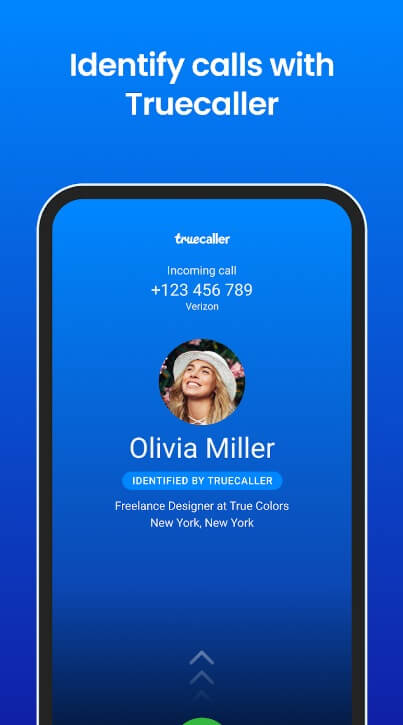
Truecaller is one of the most popular and widely used apps, with over 300 million active users worldwide. It has an extensive database of billions of phone numbers, making it highly effective in identifying unknown callers.
Truecaller not only identifies incoming calls but also allows you to search for phone numbers manually. It provides detailed information about the caller, including their name, photo, and location. Additionally, Truecaller can block spam calls, telemarketers, and unwanted numbers, ensuring your peace of mind.
Key Features:
- Identifies incoming calls and displays caller information
- Allows manual search for phone numbers
- Blocks spam calls, telemarketers, and unwanted numbers
- Integrated dialer and call recording capabilities
- Online community for reporting spam numbers
Pros:
- Extensive database of phone numbers
- User-friendly interface
- Highly accurate caller identification
- Effective spam call blocking
Cons:
- Requires access to your contacts and call logs
- Some users may find the ads intrusive
2. CallApp
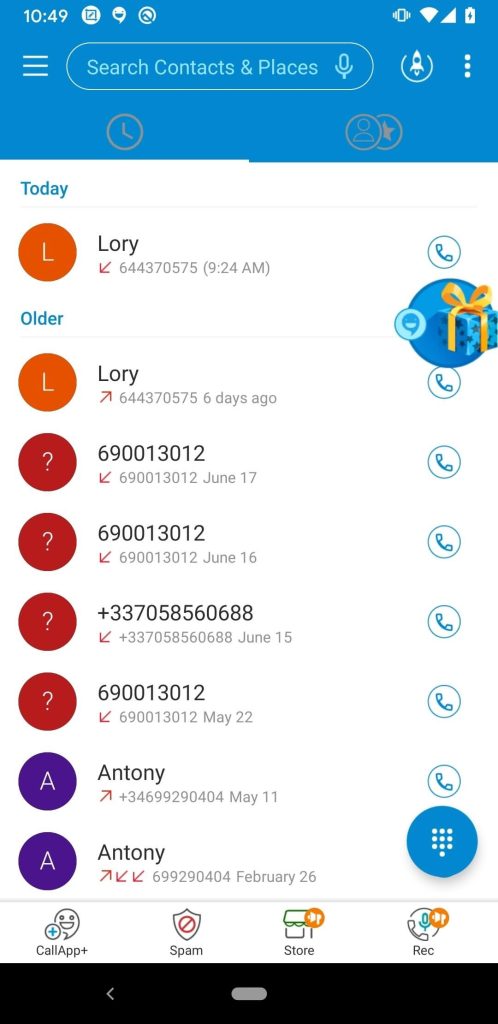
CallApp is one of the best free caller ID app for Android offering a comprehensive caller ID platform that not only identifies unknown callers but also provides a range of additional features to enhance your calling experience.
CallApp utilizes a massive database of phone numbers to identify incoming calls, displaying the caller’s name, location, and other relevant information. It also allows you to record calls, block unwanted numbers, and even customize your caller ID when making outgoing calls.
Key Features:
- Identifies unknown callers with detailed information
- Call recording capabilities
- Blocks spam calls and unwanted numbers
- Customizable caller ID for outgoing calls
- Integrated dialer and call logs
Pros:
- Provides a comprehensive set of features
- Accurate caller identification
- Easy-to-use interface
- No intrusive ads
Cons:
- Certain users might deem the extra features as unnecessary
- The call recording feature may not be available in certain regions
3. Should I Answer?
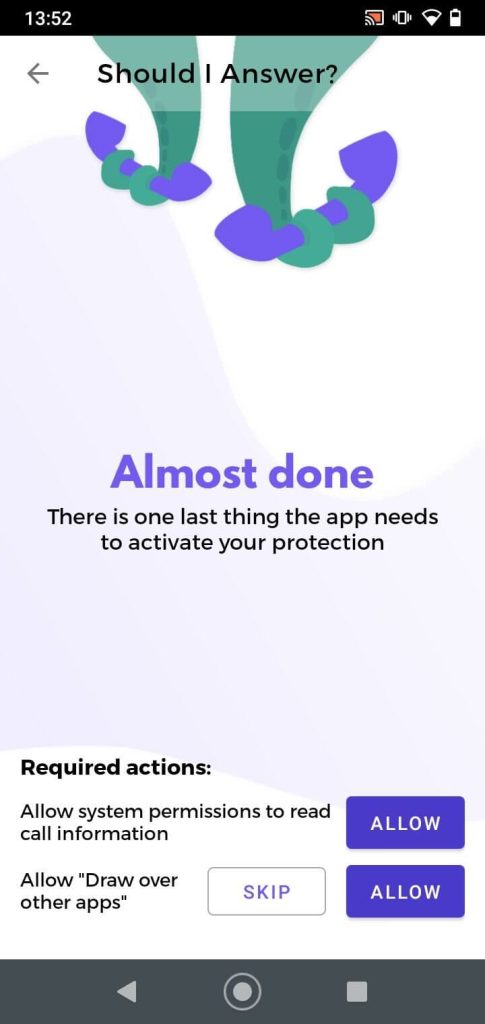
Should I Answer? is a unique app that takes a community-driven approach to identifying unknown callers and spam numbers.
This app leverages its user community to crowdsource information about phone numbers. When you get a call from a number you don’t recognize, Should I Answer? looks up its database and shows you feedback from other people who got calls from that same number.
Key Features:
- Crowdsourced information about phone numbers
- Identifies potential spam calls and telemarketers
- Allows users to report and comment on phone numbers
- Integrated dialer and call logs
Pros:
- Relies on real user experiences for accurate identification
- Constantly updated database
- Simple and intuitive interface
Cons:
- Limited information for less reported numbers
- Relies heavily on user engagement and participation
4. Call Blocker: Phone ID
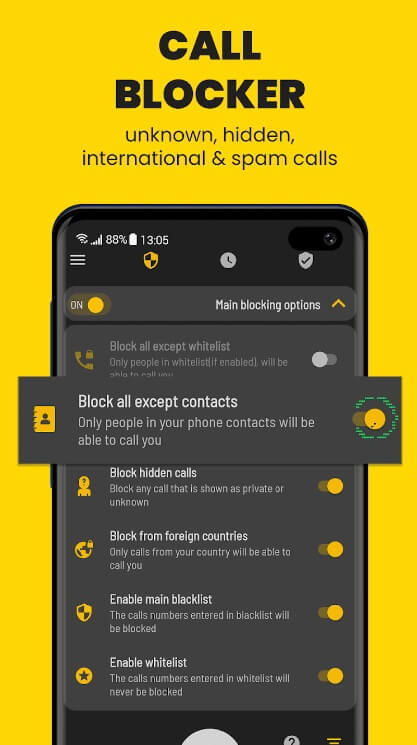
Call Blocker is a straightforward Android Caller ID app that, as its name suggests, focuses primarily on blocking unwanted calls and spam numbers.
While Call Blocker does provide basic caller ID functionality, its main strength lies in its ability to block spam calls, telemarketers, and other unwanted numbers. The app allows you to create customized blacklists and whitelists, ensuring that only the numbers you want can reach you.
Key Features:
- Identifies incoming calls with basic information
- Blocks spam calls, telemarketers, and unwanted numbers
- Create custom blacklists and whitelists
- Schedule-based call blocking
Pros:
- Effective spam call blocking
- Customizable call-blocking options
- Simple and lightweight interface
Cons:
- Limited caller identification features
- May require manual additions to blacklists and whitelists
5. Hiya
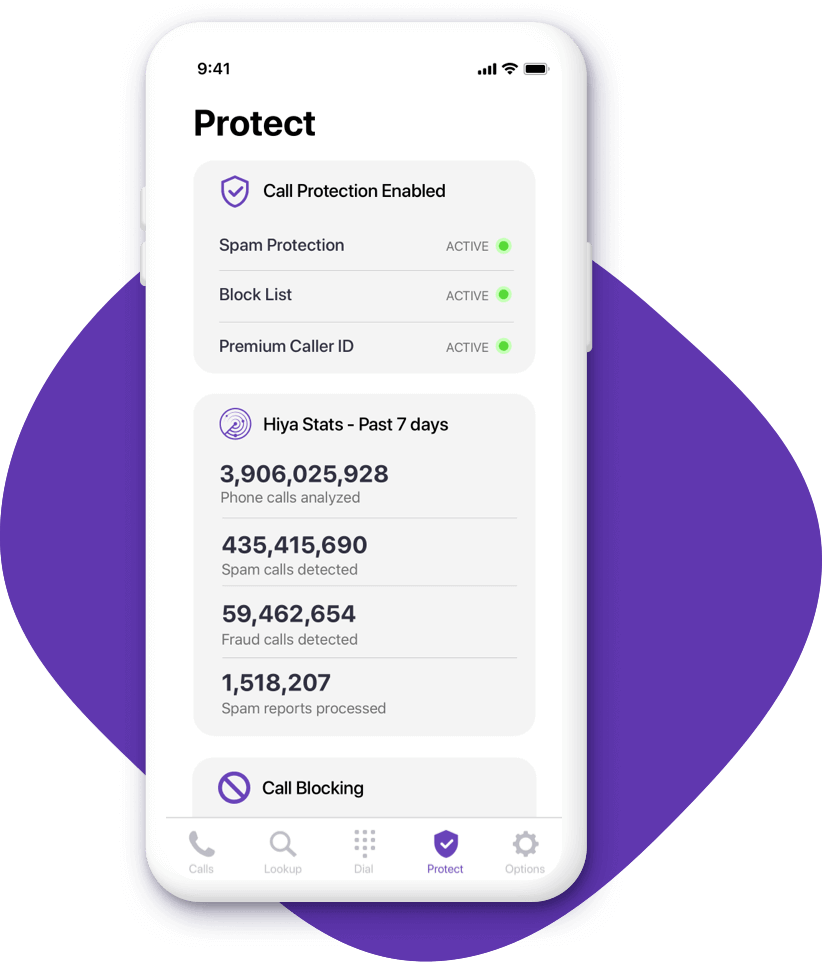
Hiya is an Android app for call identification that combines accurate identification with advanced spam protection features, ensuring a seamless and secure calling experience.
Hiya utilizes a massive database of phone numbers, allowing it to accurately identify incoming calls and provide detailed caller information. Additionally, the app offers robust spam protection capabilities, automatically blocking known spam callers and telemarketers.
Key Features:
- Accurate caller identification with detailed information
- Advanced spam protection and call blocking
- Reverse phone number lookup
- Integrated dialer and call logs
Pros:
- Comprehensive caller ID and spam protection features
- Easy-to-use interface
- Regular database updates for improved accuracy
Cons:
- Some users may find the additional features unnecessary
- Limited customization options for call blocking
6. Sync.ME
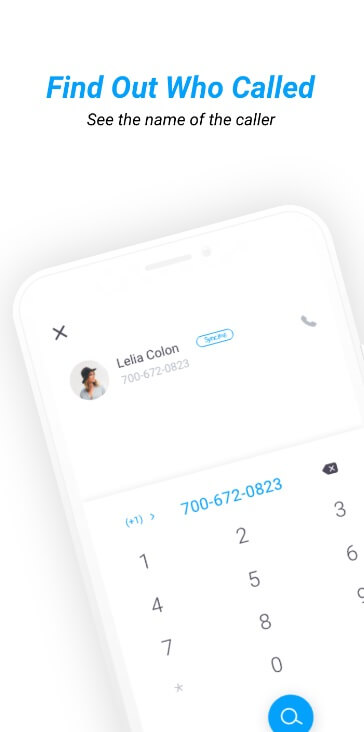
Here comes the next pick on our list of best free caller ID app for Android. Sync.ME is a comprehensive Android app that not only identifies unknown callers but also provides a range of additional features to enhance your overall smartphone experience.
In addition to its accurate caller ID capabilities, Sync.ME offers features such as call recording, call forwarding, and backup and restore options for your contacts and messages. The app also includes a built-in dialer and call logs, making it a one-stop solution for all your calling needs.
Key Features:
- Identifies incoming calls with detailed information
- Call recording and call forwarding capabilities
- Backup and restore options for contacts and messages
- Integrated dialer and call logs
Pros:
- Offers a comprehensive set of features beyond caller ID
- Easy-to-use interface
- Regularly updated database for accurate identification
Cons:
- Some users may find the additional features overwhelming
- Call recording and forwarding features may not be available in certain regions
7. Call Control
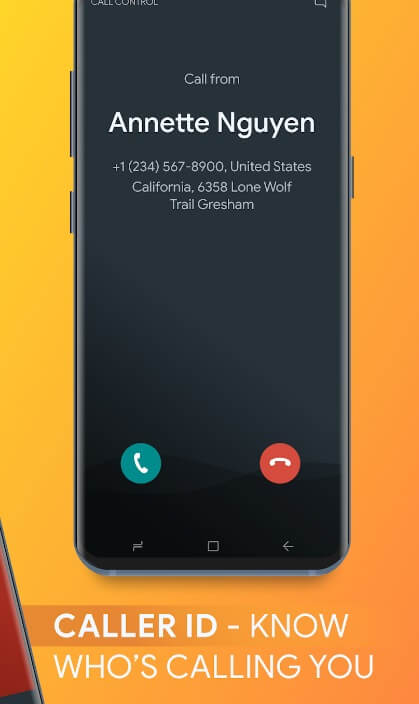
Call Control is a user-friendly Android Caller ID app that not only identifies unknown callers but also offers advanced call management features.
With Call Control, you can easily identify incoming calls and block unwanted numbers. The app also allows you to customize call settings, such as setting separate ringtones for specific callers or enabling a “Do Not Disturb” mode to avoid interruptions during specific times or events.
Key Features:
- Identifies incoming calls with detailed information
- Blocks unwanted numbers and spam callers
- Customizable call settings and ringtones
- “Do Not Disturb” mode for undisturbed periods
Pros:
- Intuitive and easy-to-use interface
- Advanced call management features
- Regularly updated database for accurate identification
Cons:
- Limited customization options for call blocking
- Some users may find the additional features unnecessary
8. Whoscall
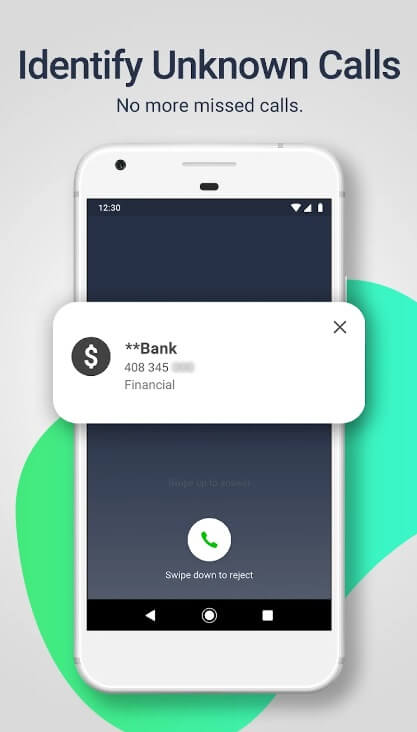
Whoscall boasts a massive database of over 2 billion phone numbers, allowing it to accurately identify incoming calls and provide detailed information about the caller, including their name, location, and potential risk level. Additionally, the app offers advanced call-blocking capabilities, enabling users to create customized blacklists and whitelists to block unwanted calls effectively.
One of the standout features of Whoscall is its ability to detect and block spam calls, telemarketers, and potential scammers in real time, ensuring that users are protected from unwanted interruptions and potential threats.
Key Features:
- Identifies incoming calls with detailed information
- Massive database of over 2 billion phone numbers
- Advanced call blocking with customizable blacklists and whitelists
- Real-time spam call detection and blocking
- Reverse phone number lookup
- Integrated dialer and call logs
Pros:
- Highly accurate caller identification
- Effective spam call and scam protection
- Comprehensive call management features
- User-friendly interface
- Regular database updates for improved accuracy
Cons:
- Some users may find the additional features overwhelming
- Potential privacy concerns due to the extensive database
- Limited customization options for call-blocking rules
9. Call Blocker-Block Numbers
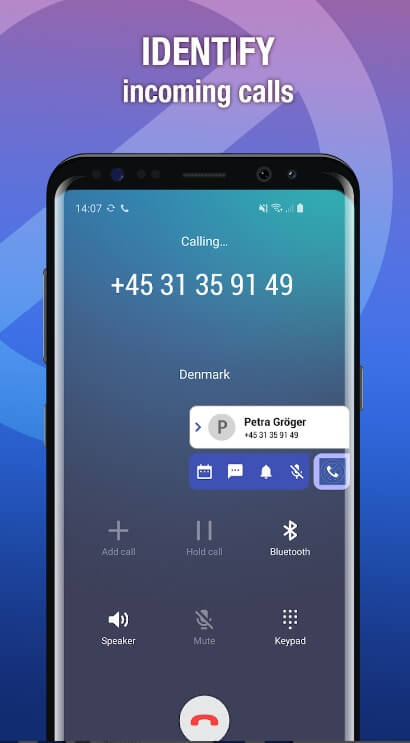
Caller ID & Call Blocker is a comprehensive app that combines accurate caller identification with robust call-blocking capabilities, ensuring a seamless and secure calling experience.
This Android Caller ID app utilizes a massive database of phone numbers, allowing it to accurately identify incoming calls and provide detailed caller information. Additionally, it offers advanced call-blocking features, enabling you to create customized blacklists and whitelists to block unwanted numbers effectively.
Key Features:
- Accurate caller identification with detailed information
- Advanced call blocking with customizable blacklists and whitelists
- Reverse phone number lookup
- Integrated dialer and call logs
Pros:
- Comprehensive caller ID and call-blocking features
- Easy-to-use interface
- Regular database updates for improved accuracy
Cons:
- Some users may find the additional features unnecessary
- Limited customization options for call blocking
10. Call Detector
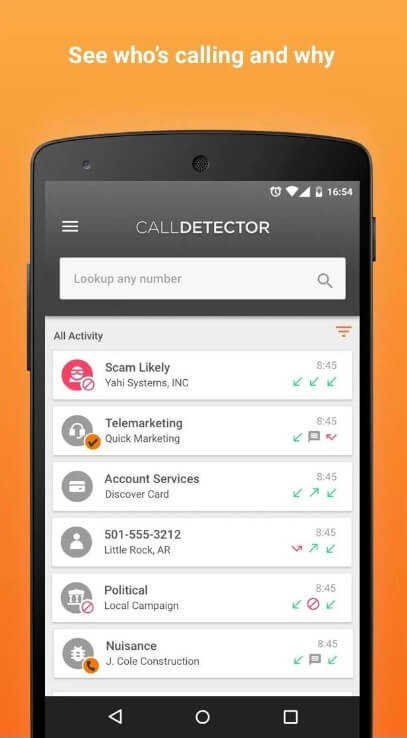
Call Detector is a unique app that not only identifies unknown callers but also provides detailed information about the caller’s location and potential risk level.
With Call Detector, you can easily identify incoming calls and view the caller’s name, location, and risk level (based on user reports and known spam numbers). The app also allows you to block unwanted numbers and report suspicious callers to the community, contributing to a constantly updated database.
Key Features:
- Identifies incoming calls with detailed information
- Displays caller’s location and risk level
- Blocks unwanted numbers and spam callers
- Report suspicious callers to the community
Pros:
- Provides detailed information about the caller’s location and risk level
- Community-driven approach for accurate identification
- Easy-to-use interface
Cons:
- Limited information for less reported numbers
- Relies heavily on user engagement and participation
Conclusion
In today’s world, having a reliable Android app for call identification is essential for avoiding unwanted calls, spam, and potential scams. The best free caller ID app for Android mentioned in this article offers a range of features and capabilities to help you identify unknown callers and block unwanted numbers effectively.
Whether you’re looking for a comprehensive solution with advanced call management features or a lightweight app focused solely on caller identification and call blocking, there’s an option to suit your needs. By choosing the right caller ID app, you can enjoy a more secure and convenient calling experience on your Android device.
Remember, while these apps can greatly enhance your calling experience, it’s always important to exercise caution when dealing with unknown callers and to prioritize your personal safety and privacy.
FAQs
Are these caller ID apps completely free?
Most of the apps mentioned in this article are free to download and use, with basic caller ID and call-blocking features. However, some apps may offer additional premium features or in-app purchases for advanced capabilities or ad-removal.
Do these apps require access to my contacts and call logs?
Yes, most caller ID apps require access to your contacts and call logs to function properly. This is necessary for identifying incoming calls and maintaining an accurate database of phone numbers.
Can these apps block all spam calls and unwanted numbers?
While these apps are designed to block a significant number of spam calls and unwanted numbers, it’s important to note that no app can guarantee 100% protection. New spam numbers and tactics are constantly emerging, and some may slip through the filters.
Are there any privacy concerns with using these apps?
Most reputable caller ID apps have privacy policies in place to ensure the responsible handling of user data. However, it’s always a good idea to review the app’s privacy policy and permissions carefully before installation.
Can I use these apps on older Android versions?
The compatibility of these apps with older Android versions may vary. It’s recommended to check the minimum system requirements for each app before installation to ensure compatibility with your device.
Author Bio:
Dinesh Lakhwani 

Dinesh Lakhwani, the entrepreneurial brain behind “TechCommuters,” achieved big things in the tech world. He started the company to make smart and user-friendly tech solutions. Thanks to his sharp thinking, focus on quality and the motto of never giving up, TechCommuters became a top player in the industry. His commitment to excellence has propelled the company to a leading position in the industry.
Popular Post











Recent Post

Resolving Microphone Detection Problems: Latest Guide [2026]
Microphones are important tools in daily life. People use them for office meetings, online classes, interviews, gaming, customer support, and content creation. When a system fails to detect a microphone, communication stops at once. This situation can cause stress and confusion. Many users believe the microphone is damaged. In reality, most problems are simple and […]

How To Switch To A Dark Background Theme In Windows [2026]
Most people spend many hours each day in front of a computer screen. Office work, online classes, editing, browsing, and streaming all require long screen time. A bright white background may look clean at first. However, over time, it can feel sharp and tiring. The strong contrast between white backgrounds and black text may cause […]

How to Switch From Local To Microsoft Account On Windows
Many users begin with a local account when they set up a new Windows computer. A local account works only on that single device. It stores settings, files, and preferences locally. It does not connect to online Microsoft services. For basic offline use, it works well. However, as digital needs grow, many users want better […]

How to Switch Windows 10 to a Local Account: Complete Guide
Windows 10 allows users to sign in with either a Microsoft account or a local account. When you set up a new computer, the system often suggests using a Microsoft account. This account connects your device to Microsoft services such as Outlook, OneDrive, and the Microsoft Store. It also syncs settings, themes, and passwords across […]

How To Change Default Apps For File Types In Windows
Windows is designed to make using your computer easy. One way it does this is by assigning default apps to different file types. This means when you open a file, Windows automatically opens it with a specific program. For example, photos may open with Photos, music with Groove Music, and PDFs with Edge. These default […]

How To Adjust The Mouse Pointer Speed: Complete Guide
Using a computer every day means you use the mouse a lot. The mouse pointer moves on the screen and helps you click, scroll, and select items. Many people never think about the speed of the mouse pointer. They have used the default setting for years. This can cause small problems over time. A slow […]

How to Change Mouse Scrolling Settings In Windows
A mouse is one of the most used computer tools. People use it every day. They scroll through emails. They scroll through documents. They scroll through websites and images. The movement becomes automatic. Most users do not notice it. That is why problems often go unnoticed. Scrolling problems show up slowly. At first, it feels […]

Keyboard Light Settings: Keyboard Lighting Control [Complete Guide]
Keyboards are no longer simple typing tools. Well, yes! Over time, they have evolved to include features that improve comfort, visibility, and overall experience. One of the most useful features today is keyboard lighting. It helps users work comfortably in low-light conditions. It also reduces strain when typing for long hours. Many users first notice […]

Customizing Pointer Appearance: Complete Guide
The way your mouse pointer looks on your computer may seem like a small detail. But customizing pointer appearance can make using your PC more comfortable and visually appealing. Many users do not realize that they can change the pointer size, color, and style to fit their needs. Whether you want a bigger pointer for […]

How To Choose a Computer Monitor: Monitor Buying Guide
Buying a monitor looks easy. Many people think all screens are the same. That belief causes regret later. A monitor is not just a display. It is a daily tool. You read on it. You work on it. You relax with it. Small problems become big over time. Poor brightness hurts eyes. Bad size causes […]

