











Explore the top AI features in Windows 11, from Copilot to Recall, plus safety tips and simple steps to use each tool the right way.
TX3 Mini Android Review – Change Your Way of Watching TV
The innovative technologies are becoming part of our lifestyle where a new and better version of everything is designed daily. Recently, Tanix has revamped the market with its brand new model of TX3 Mini that has brought high efficiency and versatility in television technology. This is a sleek and functional device that will offer affordable watching and listening experience to the entertainment seekers.
This box will enable you to watch your favorite TV series, music video and provide you with the facility to listen to the latest music songs and radio stations. It is a complete Android-based entertainment box which is packed with plenty of features.
What TX3 Mini Android Has to Offer?
Inside the Box
The box of this entertainment device is of small size in black matt shade which looks very classy and elegant. The box is very lightweight so you won’t have to pay extra shipping charges. Okay, so when you open the lid of a box, then behind the beautiful graphics of the box, your TX3 Mini will be present.
The box comes with 3 ports on one side and 5 on the rear side. On the bottom side, you can see device information like certifications, eco-friendly symbols, etc., The front side of the device has a small screen which shows time, connection status, and some other common information.
In the box of TX3 Mini, you will get – TX3 Mini tv box, remote control without batteries, HDMI cable with 2 protection caps, a power adapter and a user manual.
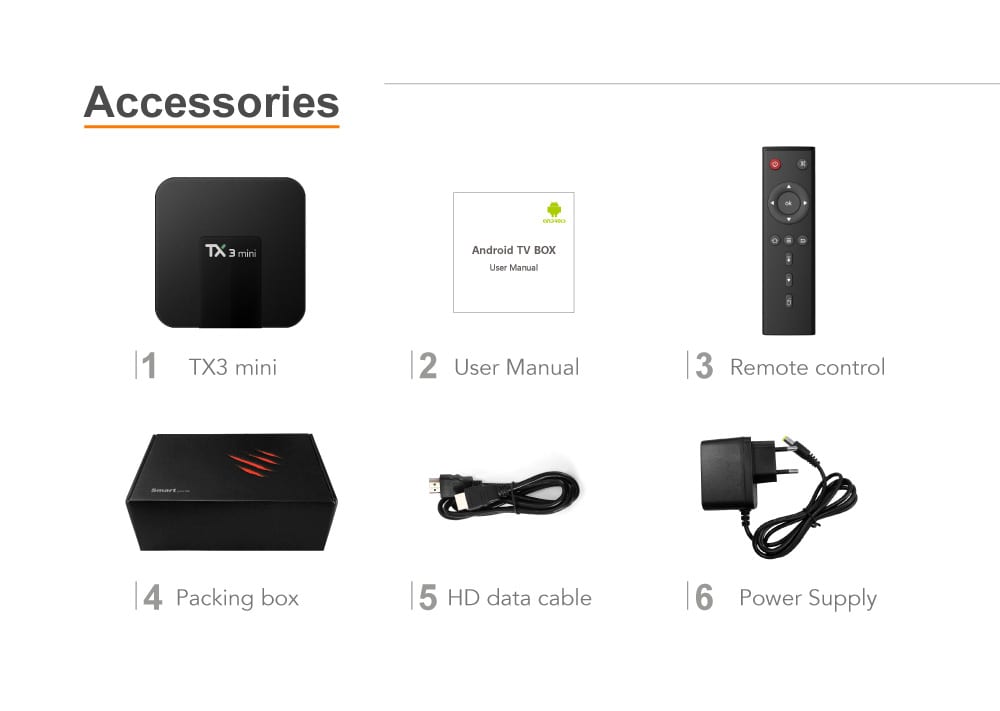
Structure
The structure of the TX3 Mini is Android TV classic black plastic with round edges design. The box has an excellent LCD screen at the front to display basic information. It has different ports at the backside where you can insert cables. The overall design of the box is very compact at the given price range and the appearance of the device is very charming. The company has truly raised their bar with this product.
Hardware
It is a budgeted TV box so it comes with pretty basic hardware. It operates on the Amlogic S905W CPU, running up to 1.2 GHz. The CPU of the device is quite old. However, ARM Mali 450 MP GPU with single-core MP is quite helpful here. The memory of the box includes 2 GB of RAM and 16 GB of internal storage.
It doesn’t come with Bluetooth but has WiFi support. However, WiFi isn’t that powerful that it can support gamepads, it is very basic WiFi which can receive signals generated by the device itself. TX3 Mini box comes in two versions – 1 GB and 2 GB RAM with 16 GB of internal memory that you can order as per your choice.
Software
Tanix TX3 Mini is a classic Android device which operates on the Android 7.1 Nougat operating system. If we talk about the user interface of the device, then we have happy news as the interface is very simple and well designed. It can be easily operated by anyone as the instructions are pretty clear with the large buttons and options to add shortcut launchers.
The launcher feature is very interactive and functional as it comes with a status bar at the top and navigation bar at the bottom for quick navigation. The core system of the box is pretty the same as the rest of the Android devices and have the support of additional apps like Google play store, Miracast, and Kodi.
Miscellaneous Features
- TX3 Mini supports H.265 which enables you to fully enjoy 4K and 3D HD movies on your television screen.
- This device is powered by Ethernet 10 / 100M and 2.4GHz WiFi for quick connectivity.
- You can share your entertainment with your friends and family mare easily as with this device, you get the support of Miracast, Airplay, DLNA.
- With the solid internal storage, you can use your favorite apps on this device also such as – YouTube, Skype video call, MSN, Facebook, etc.
- It is a fully functional device which can support all the latest decoder, video, audio and photos formats.
- TX3 Mini can understand different languages so you won’t have to worry about understanding the features of the device.
- It comes with remote control of battery support of 2 x 1.5V AAA Battery.
Pros
- It is a very affordable TV box
- The user interface of the box is very simple
- It operates on Android 7.1 Nougat
Cons
- Bluetooth support could have been an advantage
- WiFi support could be improved
Verdict of TX3 Mini Android
If we compare all the different TV boxes at a given rate, then undoubtedly TX3 Mini is a great device. It can provide unlimited entertainment to you with easy user interface and option to add up your all favorite apps. There might be some shortcomings, but at the given price range you won’t the better device.
So, to enjoy endless TV shows and music stations, you should immediately order the VissonTech TX3 Mini Android TV box.
Author Bio:
Dinesh Lakhwani 

Dinesh Lakhwani, the entrepreneurial brain behind “TechCommuters,” achieved big things in the tech world. He started the company to make smart and user-friendly tech solutions. Thanks to his sharp thinking, focus on quality and the motto of never giving up, TechCommuters became a top player in the industry. His commitment to excellence has propelled the company to a leading position in the industry.
Popular Post
Recent Post

Customize Your Screen Saver Settings in Windows [Easy Steps]
Learn how to customize screen saver settings in Windows 11 with easy steps, safety tips, and simple tricks to personalize your PC screen.

Driver Easy Windows Driver Updater Tool Review: Tried & Tested
In-depth information about Driver Easy’s functions and features can be found in our review. Learn how to update drivers more easily with this tool for a more seamless computer experience.

Is Avast Driver Updater Worth It? A Hands-On Analysis
A full review of Avast Driver Updater covering features, setup steps, pricing, pros and cons, and real PC results, to help you decide if it is worth buying.
IObit Driver Booster 13 (PRO) Review: [Tried & Tested]
IObit Driver Booster 13 is built for one purpose: keeping your PC drivers up to date. Well, yes! Outdated drivers can cause crashes, slowdowns, and hardware issues. This tool scans fast and updates with one click. The interface is simple. Even beginners can use it without confusion. Updates are pulled from a huge database, covering […]

Auslogics Driver Updater: A Detailed Walkthrough [2026]
This comprehensive review covers the key features, pros, and cons, pricing, and a final verdict on Auslogics’ driver update utility. Learn how it stacks up against manual driver maintenance.

5 Best Driver Updater Tools for Windows to Use (Free and Paid)
Introduction: Most people blame their PC for problems that a driver caused. A driver works like a bridge between your hardware and your operating system. When this bridge cracks, strange things start to happen. Screens flicker without reason. Printers go silent mid-task. Games freeze or crash out of nowhere. Manually finding the right driver is […]
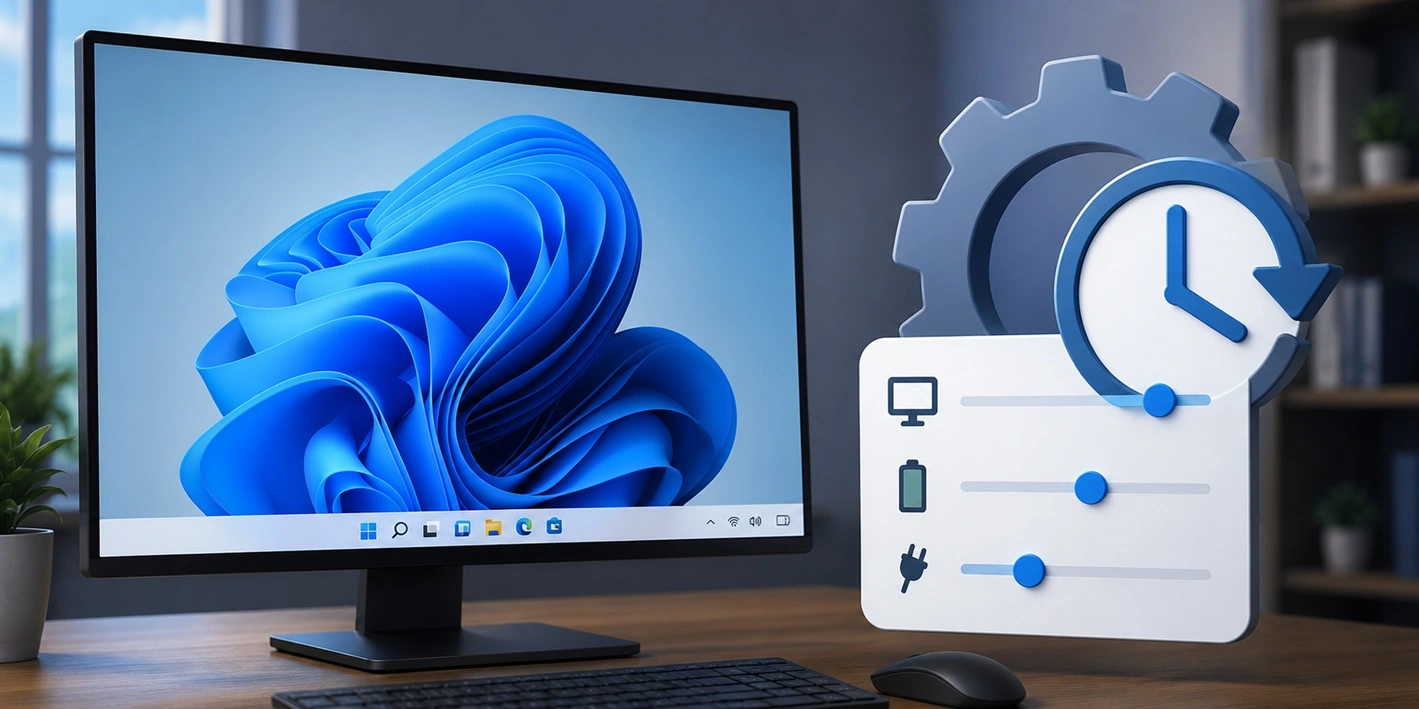
Fixing Lock Screen Timeout – Screen Timeout Settings
Your Windows screen does not stay on forever. After a certain amount of idle time, it turns off or locks automatically. This is a normal feature found on both laptops and desktop PCs. It helps save battery power and reduces electricity use. It also keeps your files and personal information safe when you step away […]
How to Recover Unsaved Word Document? [Complete Guide]
It can be frustrating when a Word document suddenly disappears. You may have spent hours writing a report, assignment, or letter. Then your computer crashes, the power cuts out, or Word closes before you save the file. In that moment, it may seem like all your work is gone. This happens more often than most […]

What Is A Zero-Day Attack And How Can You Defend Against One?
Picture this. A hacker finds a secret crack in your favorite app. You don’t know it’s there. The company that built the app doesn’t know either. But the hacker does. And they use it right away, before anyone can stop them. This is the heart of a zero-day attack. It strikes when a flaw is […]

