











Learn how to update NVIDIA drivers on Windows 11/10 with simple methods, safety tips, and easy steps for smoother gaming and better PC performance.
10 Best Calculator Apps for iPhone & Android [With Comparison]
Phones and tablets now handle many tasks that once needed a separate device. This includes the simple act of doing quick sums or checking long formulas. People use their phones for school work, bills, or simple daily checks. This is why choosing the right tool matters. The right app saves time and makes the work feel calm and clean.
Most users want something fast and easy. Some look for scientific tools. Others want a smart layout that feels comfortable in the hand.
This guide walks through the 10 Best Calculator Apps for iPhone and Android. These choices are based on real use, steady performance, and trusted features.
FLUQs
In the iPhone section, why do some apps like PCalc feel harder when the features are meant to help?
Readers may wonder why an app built for advanced users feels heavy at first. The large number of scientific keys can slow down a new user. The extra functions are meant for people who need fast access to complex tools. Once a user learns the first row of main keys, the rest becomes easier, and the design starts to feel natural.
In the Android section, why do apps with more features, like ClevCalc, take longer to open?
This doubt comes up when users read about multi-tool apps. ClevCalc brings loan tools, unit tools, health tools, and more. Each one loads in the background. Older phones take time to handle this. The delay is not a fault. It is the result of the app carrying many helpers inside one screen.
In the Author’s Tip section, why does choosing a calm layout matter more than advanced tools?
This point raises silent confusion. Many users think that more features make the best choice. In daily use, the layout affects speed more than the number of tools. A simple screen helps the user finish sums faster because the eyes do not move across a crowded view. The tip is meant to guide users toward comfort, not toward fewer features.
5 Best Calculator Apps for iPhone
This part focuses on the best calculator apps for iPhone. These options were picked for speed, accuracy, and comfort. Each one suits a different kind of user. Together, they cover simple sums, long equations, and daily planning tasks.
All five also fit well for people who want calculator apps for iPhone and Android in the same style.
1. Apple Calculator
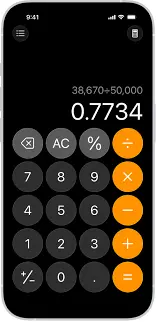
Apple Calculator comes with every iPhone. It feels clean and easy to learn. Long taps open more tools, and the layout makes sense even for new users.
It works well for basic and scientific needs. The design never feels heavy. This makes it a safe pick for people who want only one app. It also syncs well with other Apple features, which adds comfort.
Key Features
• Simple layout
• Scientific mode
• Quick access
• Built-in memory tools
Pros
• Always ready on the phone
• No extra steps
Cons
• Fewer advanced tools
• No themes
2. PCalc
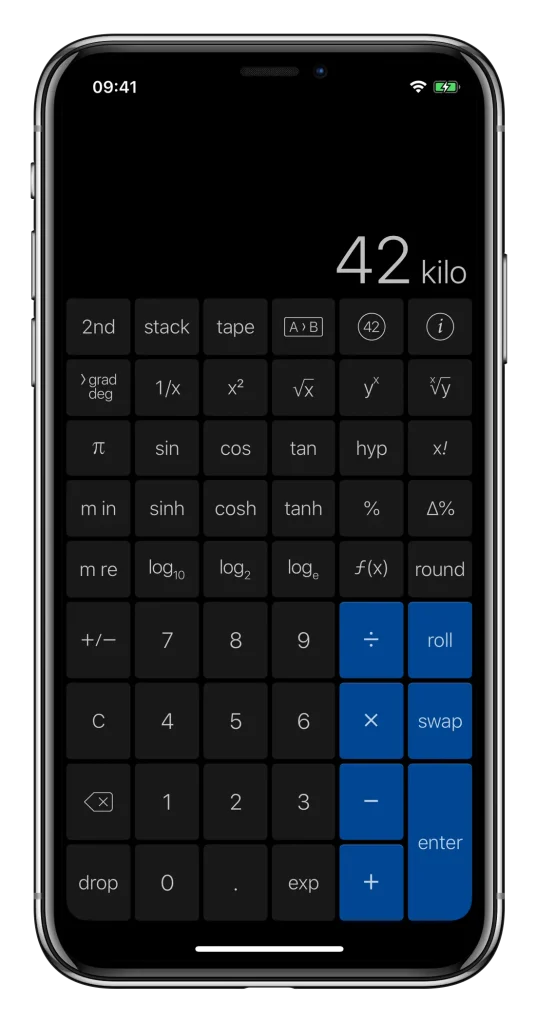
PCalc is popular among students and engineers. It offers strong scientific tools without feeling confusing. The functions are set in a clean grid that makes work steady.
The app also gives many settings. You can change the look, the keys, the layout, and the memory tools. This freedom helps people who want a personal touch in the best calculator apps for iPhone.
Key Features
• Deep scientific tools
• Custom keys
• Unit conversion
• Fast memory
Pros
• Very flexible
• Good for advanced work
Cons
• Takes time to learn
• Some features feel hidden
3. Calcbot 2
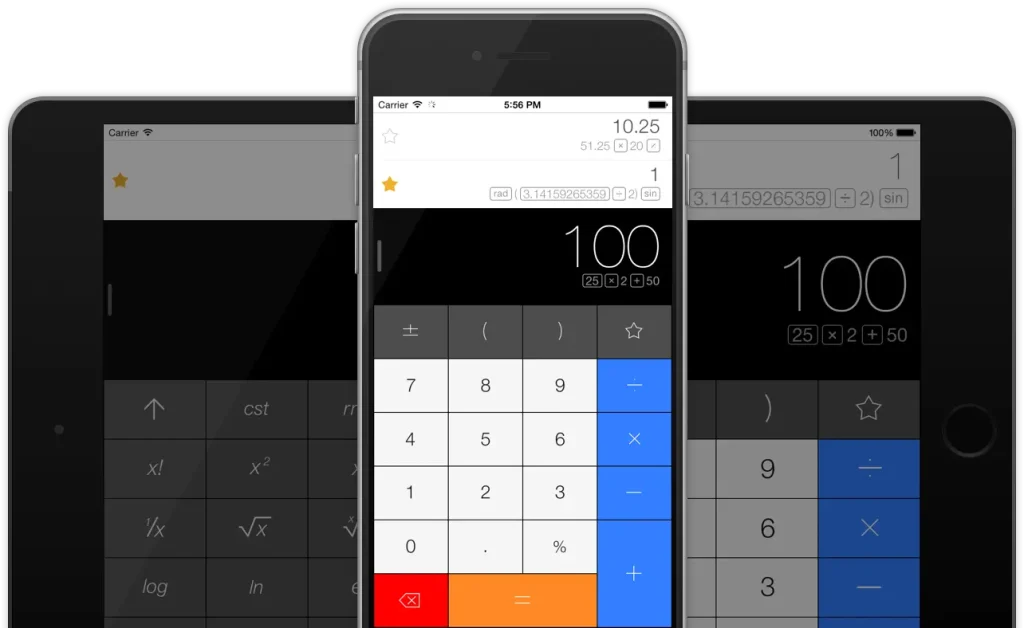
Calcbot 2 keeps things simple. It mixes basic sums with stored history. You can go back to check past work, which helps during long tasks.
It also supports unit conversion and simple scientific steps. The design feels warm and clean, which makes it easy to use daily.
Key Features
• History tracking
• Unit tools
• Simple layout
• Smart memory
Pros
• Great for quick checks
• Easy to learn
Cons
• Limited advanced tools
• Themes are simple
4. Calculator Plus
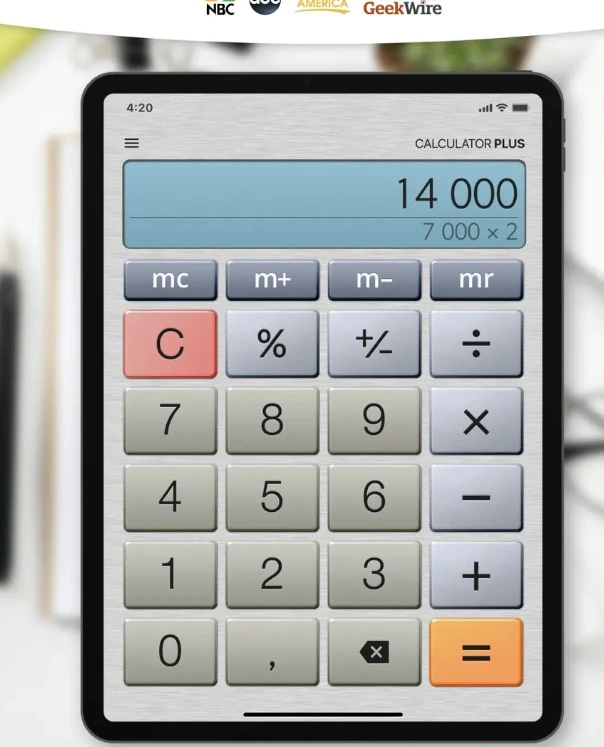
Calculator Plus gives a smooth and clear view. It feels like using a small desk unit. The keys are spaced well, and the screen is bright.
It works well for fast sums and day-to-day use. This makes it a calm choice among the 10 Best Calculator Apps for iPhone and Android.
Key Features
• Big keys
• Strong memory tools
• Easy layout
• Clean screen
Pros
• Very readable
• Good for daily tasks
Cons
• Not for deep science
• Few custom settings
5. NCalc Scientific Calculator Free
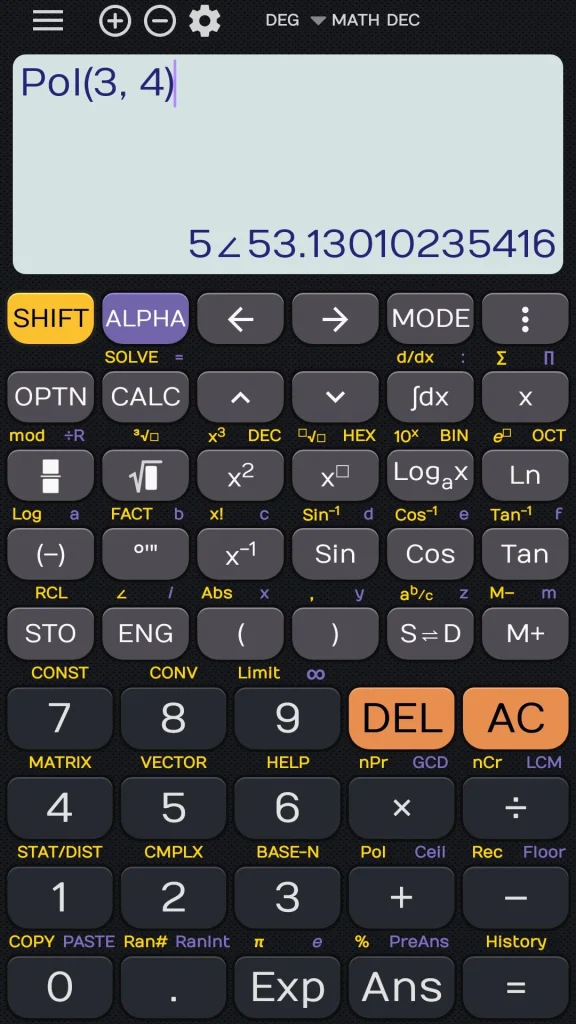
This app focuses on deeper formulas. It has a clear view with many science functions set in easy rows. The setup helps users who need fast access to complex steps.
It is light and quick. This makes it a fair pick for any user who needs strong tools from the best calculator apps for iPhone.
Key Features
• Trigonometry
• Log tools
• Memory blocks
• Degrees and radians
Pros
• Accurate
• Good for exams or practice
Cons
• Layout feels tight
• Basic look
5 Best Calculator Apps for Android
This part covers the best calculator apps for Android. These apps are known for smooth speed, clean design, and good science tools. People who want calculator apps for iPhone and Android often pick these for cross-use.
1. Google Calculator
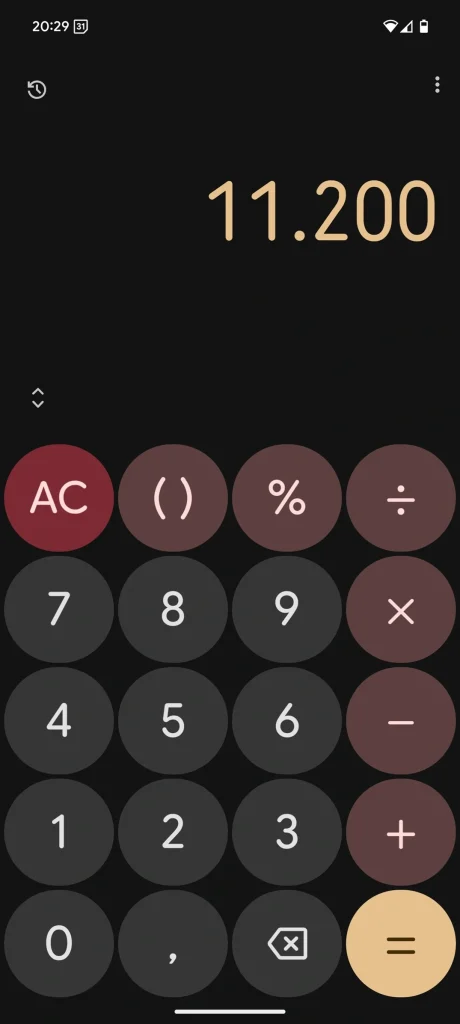
Google Calculator is simple. The design is neat and feels natural. It works well for both quick sums and small scientific steps.
The app syncs with the phone’s style. It loads fast and never feels heavy. This is why it stays strong on the list of 10 Best Calculator Apps for iPhone and Android.
Key Features
• Clean design
• Scientific mode
• History view
• Fast response
Pros
• Very stable
• Easy for all users
Cons
• Limited custom tools
• Basic theme choice
2. Calculator Plus Android Edition
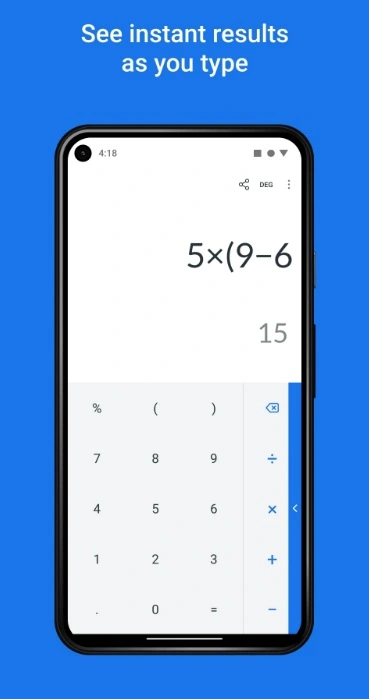
This app brings a large screen view and clear keys. It feels warm and friendly. The spacing makes it easy to avoid mistakes.
It is best for long bills or lists. Many users enjoy this style in the best calculator apps for Android because it reduces eye strain.
Key Features
• Big keys
• Large view
• Quick corrections
• Simple memory
Pros
• Great visibility
• Works well for long tasks
Cons
• Simple science tools
• Basic custom options
3. HiPER Scientific Calculator
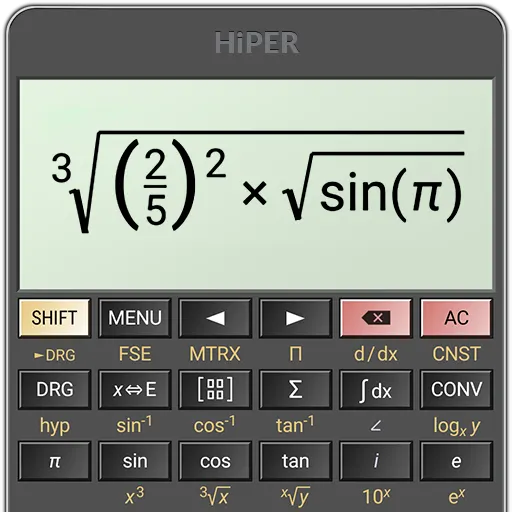
HiPER is known for deep scientific tools. It supports long expressions and advanced functions. It also displays steps in a clear line view.
The app is rich in detail but still smooth. Many students trust it because the results are steady and the layout is firm.
Key Features
• Advanced tools
• Multi-line display
• Precision control
• Many math modes
Pros
• Very accurate
• Good for complex equations
Cons
• Feels heavy at first
• Many buttons on screen
4. ClevCalc
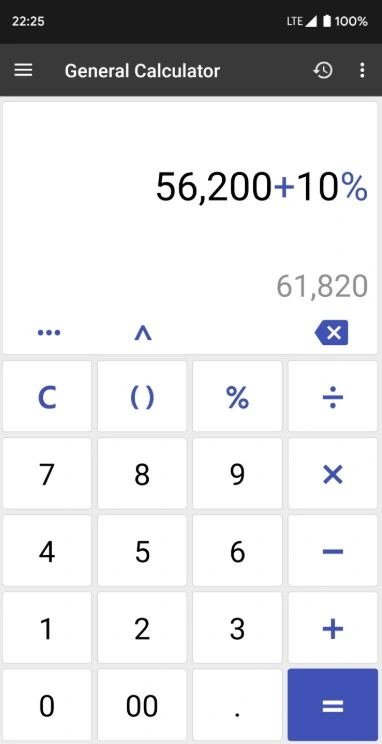
ClevCalc is more than a simple calculator. It has tools for bills, loans, health checks, and unit conversion. The menu is simple, which helps new users.
It suits people who want daily helpers in one place. It covers many tasks without making things hard.
Key Features
• Loan tools
• Health tools
• Unit converter
• Simple layout
Pros
• Great for daily life
• Easy to follow
Cons
• Not built for deep science
• Some menus feel long
5. RealCalc

RealCalc offers a calm and classic style. It works well for users who want a small and firm scientific tool. The functions feel steady and exact.
The app has a clear layout. It keeps everything simple but strong, which makes it a steady pick among the best calculator apps for Android.
Key Features
• Classic look
• Strong science tools
• Memory pages
• Smooth keys
Pros
• Great accuracy
• Works even on old phones
Cons
• Not very modern
• Few custom choices
Author’s Tip
A calculator app should save time. If you use it daily, pick a layout that feels natural at first glance. Do not choose something with too many menus unless you truly need advanced tools. A calm screen helps more than you think.
If you switch between different devices, choose something available as calculator apps for iPhone and Android so your habits stay the same. This reduces mistakes and helps you work faster.
Conclusion
The 10 Best Calculator Apps for iPhone and Android cover every type of user. Some offer simple layouts for daily work. Others provide deep scientific tools. All of them are safe picks for school, home, and office use. Each app was tested for speed, clarity, and comfort.
The best choice depends on your daily routine. Look for a clean screen, fast response, and trusted features. Once you find the right fit, the work feels lighter, and you move through tasks with more confidence.
FAQs
What is the best option for students who need scientific tools
Students should look for a multi-line display, accurate functions, and a clean layout. HiPER and PCalc are strong options because they show long steps clearly. Google Calculator and Apple Calculator are fine for basic work but may feel limited for heavy science tasks.
Do free calculator apps work as well as paid ones
Free apps cover most needs. Many are strong and stable. Paid options add deeper tools, more custom features, and extra science functions. The choice depends on how often you do advanced work. For simple sums, free apps work very well.
How do I pick the right calculator app for long daily work
Choose something with a calm layout and large keys. Many users prefer Calculator Plus because the screen feels bright and easy on the eyes. A clean layout helps reduce errors. This matters for long hours of use.
Author Bio:
Dinesh Lakhwani 

Dinesh Lakhwani, the entrepreneurial brain behind “TechCommuters,” achieved big things in the tech world. He started the company to make smart and user-friendly tech solutions. Thanks to his sharp thinking, focus on quality and the motto of never giving up, TechCommuters became a top player in the industry. His commitment to excellence has propelled the company to a leading position in the industry.
Popular Post
Recent Post

Top AI Features Hidden Inside Windows 11
Explore the top AI features in Windows 11, from Copilot to Recall, plus safety tips and simple steps to use each tool the right way.

Customize Your Screen Saver Settings in Windows [Easy Steps]
Learn how to customize screen saver settings in Windows 11 with easy steps, safety tips, and simple tricks to personalize your PC screen.

Driver Easy Windows Driver Updater Tool Review: Tried & Tested
In-depth information about Driver Easy’s functions and features can be found in our review. Learn how to update drivers more easily with this tool for a more seamless computer experience.

Is Avast Driver Updater Worth It? A Hands-On Analysis
A full review of Avast Driver Updater covering features, setup steps, pricing, pros and cons, and real PC results, to help you decide if it is worth buying.
IObit Driver Booster 13 (PRO) Review: [Tried & Tested]
IObit Driver Booster 13 is built for one purpose: keeping your PC drivers up to date. Well, yes! Outdated drivers can cause crashes, slowdowns, and hardware issues. This tool scans fast and updates with one click. The interface is simple. Even beginners can use it without confusion. Updates are pulled from a huge database, covering […]

Auslogics Driver Updater: A Detailed Walkthrough [2026]
This comprehensive review covers the key features, pros, and cons, pricing, and a final verdict on Auslogics’ driver update utility. Learn how it stacks up against manual driver maintenance.

5 Best Driver Updater Tools for Windows to Use (Free and Paid)
Introduction: Most people blame their PC for problems that a driver caused. A driver works like a bridge between your hardware and your operating system. When this bridge cracks, strange things start to happen. Screens flicker without reason. Printers go silent mid-task. Games freeze or crash out of nowhere. Manually finding the right driver is […]
Fixing Lock Screen Timeout – Screen Timeout Settings
Your Windows screen does not stay on forever. After a certain amount of idle time, it turns off or locks automatically. This is a normal feature found on both laptops and desktop PCs. It helps save battery power and reduces electricity use. It also keeps your files and personal information safe when you step away […]
How to Recover Unsaved Word Document? [Complete Guide]
It can be frustrating when a Word document suddenly disappears. You may have spent hours writing a report, assignment, or letter. Then your computer crashes, the power cuts out, or Word closes before you save the file. In that moment, it may seem like all your work is gone. This happens more often than most […]

