












Slow computers are a common problem for almost every Windows user. Well, yes! Over time, your PC picks up junk files. These files sit quietly in the background. They take up space and slow things down. Programs open slower. Windows takes longer to boot. Even simple tasks like opening a folder can feel sluggish. There […]
Console VS PC: Pros and Cons Of Each
The ongoing debate of “Is PC better than console?” has been a subject of contention among technology enthusiasts and gamers for years. Each platform offers unique advantages and drawbacks, appealing to different preferences and needs.
In this article, we will explore the pros and cons of both consoles and PCs, shedding light on the key factors to consider when deciding between the two. Whether you’re a casual gamer or a tech-savvy enthusiast, understanding the strengths and weaknesses of each platform will help you make an informed decision.
Before You Start, First Know the Answers to These Questions:
1. Will I regret choosing a console if I want to upgrade performance later
This question matters to users who like flexibility. Consoles cannot be upgraded beyond storage or accessories. Once the hardware feels outdated, replacement is the only option. PCs allow gradual upgrades, which reduces long-term frustration for performance-focused players.
2. Does PC gaming quietly demand more time and maintenance
Many first-time PC gamers underestimate upkeep. Driver updates, system settings, and occasional troubleshooting are part of PC ownership. Consoles avoid this friction by handling updates in the background, which appeals to players who want a plug-and-play experience.
3. Will my friends’ list limit my choice more than hardware Multiplayer gaming often depends on where friends play. Even with cross-play support growing, some games still favor one platform. Choosing a system that matches your social circle can matter more than graphics or frame rates.
Pros:
Performance and Customization:
One of the significant advantages of PC gaming is the superior performance it offers. PCs with powerful processors, graphics cards, and ample RAM can handle demanding games with higher frame rates and better graphics quality. This performance advantage allows for a more immersive gaming experience, with smoother gameplay and visually stunning graphics.
Additionally, PC gaming allows for extensive customization. Players can choose and upgrade individual components as technology evolves, ensuring their system remains up-to-date with the latest advancements in gaming hardware.
Game Library and Exclusives:
Consoles have long been known for their rich lineup of exclusive titles. These games are developed specifically for the respective console platforms, taking full advantage of their hardware capabilities. Exclusive titles often push the boundaries of gaming, providing unique experiences that can’t be found elsewhere. For example, PlayStation has a history of delivering critically acclaimed exclusive titles such as the Uncharted and God of War series.
On the other hand, PC gaming boasts a vast and diverse game library. With platforms like Steam and Epic Games Store, PC gamers have access to a wide range of popular titles, indie games, and a thriving modding community. The PC gaming community’s creativity and dedication to modding offer players additional content and enhance the longevity and replayability of games.
User Experience and Convenience:
Consoles offer a streamlined and user-friendly gaming experience. They are designed to be plug-and-play, requiring minimal setup and maintenance. Consoles provide a unified environment for gaming, media streaming, and other entertainment options, making them accessible and easy to use for players of all skill levels.
The user interface and controller designs are specifically tailored for gaming, ensuring a seamless and immersive experience. On the other hand, PCs provide greater control and flexibility in terms of user experience. PC gamers can adjust graphics settings, customize control schemes, and even use various peripherals like keyboards, mice, and gamepads according to their preferences. PCs also offer the advantage of multitasking, allowing users to switch between gaming and other tasks seamlessly.
Modding and Community:
PC gaming has a thriving modding community, which is one of its standout features. Modding allows players to modify games, create custom content, and enhance gameplay. The modding community contributes to the longevity of games by introducing new features, improving graphics, and even creating entirely new game experiences. Mods can range from simple graphical improvements to complex gameplay overhauls.
The availability of mods adds a new layer of creativity and personalization to the gaming experience. Console gaming, on the other hand, has limited modding capabilities due to the closed nature of its systems. Console gamers rely on official updates and downloadable content (DLC) provided by game developers for additional content. However, console gaming communities thrive through online forums, social media groups, and dedicated websites, where players can connect, share experiences, and participate in discussions about their favorite games.
Portability and Versatility:
Consoles excel in terms of portability and ease of use. They are designed to be compact, lightweight, and easily connectable to TVs or monitors. Consoles can be set up in different rooms or taken on the go, making them ideal for gaming with friends or while traveling. The Nintendo Switch, for example, offers the flexibility of handheld gaming in addition to traditional console gaming. PCs, while less portable, offer greater versatility.
They can be used for various tasks beyond gaming, such as content creation, programming, and office work. The power and capabilities of a PC make it a versatile machine that can handle demanding applications and tasks other than gaming. Additionally, PCs offer virtual reality (VR) gaming, providing immersive experiences that are yet to be widely available on consoles.
Cons:
Cost and Accessibility:
Consoles often have a lower upfront cost compared to building or buying a gaming PC. Console manufacturers can subsidize the cost of the hardware by selling games and subscriptions. Furthermore, console games tend to be more affordable, especially when considering discounts and used game options. Consoles offer ease of use and accessibility, as they come with pre-installed operating systems and are specifically designed for gaming.
PCs, on the other hand, can require a higher initial investment and ongoing upgrades to keep up with the latest gaming requirements. Building a gaming PC with high-end components can be expensive, and the cost of games and peripherals may add up over time.
Online Services and Multiplayer:
Console gaming often requires subscription-based services for online multiplayer, free games, and exclusive discounts. Services like Xbox Live and PlayStation Plus provide access to online multiplayer, additional game discounts, and free monthly games.
These services also offer benefits like cloud storage for game saves and access to special events. On the other hand, PCs offer a wide range of online platforms, such as Steam, Origin, and Epic Games Store, where gamers can purchase and download games. PC gaming platforms offer a vast library of games, multiplayer functionality, and frequent sales.
PC gaming also allows for more flexibility in terms of choosing between free online services or subscription-based ones. Additionally, PCs offer the advantage of dedicated servers for multiplayer games, which can provide a smoother and more reliable online gaming experience.
Maintenance and Technical Knowledge:
Consoles require minimal setup and maintenance. They are designed to be user-friendly, with automatic system updates and simplified settings. Console gaming offers a hassle-free experience, as most updates and patches are handled seamlessly in the background. PCs, on the other hand, require more technical know-how and regular maintenance.
PC gamers need to keep their operating systems, drivers, and game clients up-to-date to ensure optimal performance and compatibility. Troubleshooting technical issues or hardware upgrades may also require more technical expertise. However, PC gaming offers the advantage of tweaking settings and optimizing performance according to individual preferences, which can enhance the overall gaming experience.
Support and Longevity:
Console manufacturers provide ongoing support and updates for their platforms. They ensure compatibility with new games and often introduce new features through system updates. Consoles have a defined life cycle, with new iterations released every few years, offering improved performance and features.
This means that games and accessories may become incompatible with older console models as technology advances. PCs, on the other hand, have a longer lifespan and can be upgraded to meet evolving hardware requirements. PC gaming platforms like Steam have a strong track record of providing ongoing support and updates, ensuring backward compatibility and access to older games even as new technologies emerge. However, PC gamers may face challenges with older games due to compatibility issues or lack of official support.
When choosing between console gaming and PC gaming, consider the pros and cons outlined above. PCs offer superior performance and customization options, a diverse game library, and a thriving modding community.
Consoles provide accessibility, affordability, exclusive titles, a streamlined user experience, and portability. Carefully evaluate your gaming needs, budget, desired level of customization, and long-term plans to make the best decision for your gaming preferences. Remember that both platforms offer unique experiences, ensuring that gamers can immerse themselves in the digital worlds they love.
FAQs
1. Is PC gaming better than console gaming
PC gaming offers more control over graphics, performance, and customization. Players can upgrade parts, adjust settings, and access a wider range of games and mods. Console gaming focuses more on simplicity, stable performance, and ease of use, which many players prefer.
2. Are consoles cheaper than gaming PCs
Consoles usually cost less upfront. A gaming PC often requires a higher initial investment, especially for strong performance. Over time, PC users may save on game discounts and upgrades, while console users often pay for subscriptions and accessories.
3. Do consoles or PCs last longer for gaming
Consoles are designed to run the same games smoothly for many years without upgrades. PCs can last longer overall, but only if users are willing to upgrade parts as technology improves.
Author Bio:
Dinesh Lakhwani 

Dinesh Lakhwani, the entrepreneurial brain behind “TechCommuters,” achieved big things in the tech world. He started the company to make smart and user-friendly tech solutions. Thanks to his sharp thinking, focus on quality and the motto of never giving up, TechCommuters became a top player in the industry. His commitment to excellence has propelled the company to a leading position in the industry.
Popular Post
Recent Post
CCleaner PC Optimizer Review: A Complete Guide for Windows Users
If your computer has started to feel slow, you are not alone. Most Windows PCs slow down over time. Junk files pile up. The registry gets messy. Too many apps open when you start your PC. All this adds up and makes even a good machine feel tired. This is where a PC cleaner tool […]
Auslogics Duplicate File Finder: Full Review and User Guide
A computer quietly gathers clutter over time. This includes duplicate photos, repeated downloads, and forgotten backups hiding in random folders. This buildup slowly eats away at storage and can make even a fast PC feel sluggish. Manually finding and deleting duplicates is tedious. It means checking every folder, comparing file names, and guessing which copies […]
CCleaner Duplicate File Finder: Key Features, Pricing, Step-by-Step Guide and More
Every computer collects junk over time. Right? Well, yes! Photos often get copied twice. Documents get saved in two folders by mistake. Old downloads pile up and never get deleted. This slowly eats up your storage space, and most people do not even notice until their drive is almost full. That is where a duplicate […]
Duplicate File Finder Pro: A Complete Review, Everything You Should Know
Computers collect thousands of files over time. Well, yes! Many of them end up being duplicates created by backups, downloads, or accidental copies. These extra files take up valuable storage space and make it harder to keep everything organized. Finding and removing them manually can take hours. Right? Duplicate File Finder Pro is a tool […]
Top 3 Duplicate File Finder for Windows 11 & Windows 10
If your PC storage keeps filling up even after you delete big files, duplicate files could be the real reason. Most of us save the same photo twice, download a document more than once, or copy a whole folder by mistake. Over months and years, these duplicate files pile up quietly. You do not even […]
Monitor Screen Calibration Guide: Everything You Should Know
Your monitor shows colors every single day. But are those colors actually correct? Most people never stop to check this. They just use the screen as it comes out of the box. This habit can lead to wrong colors in photos, videos, and work files. Colors may look too warm or too cold without you […]
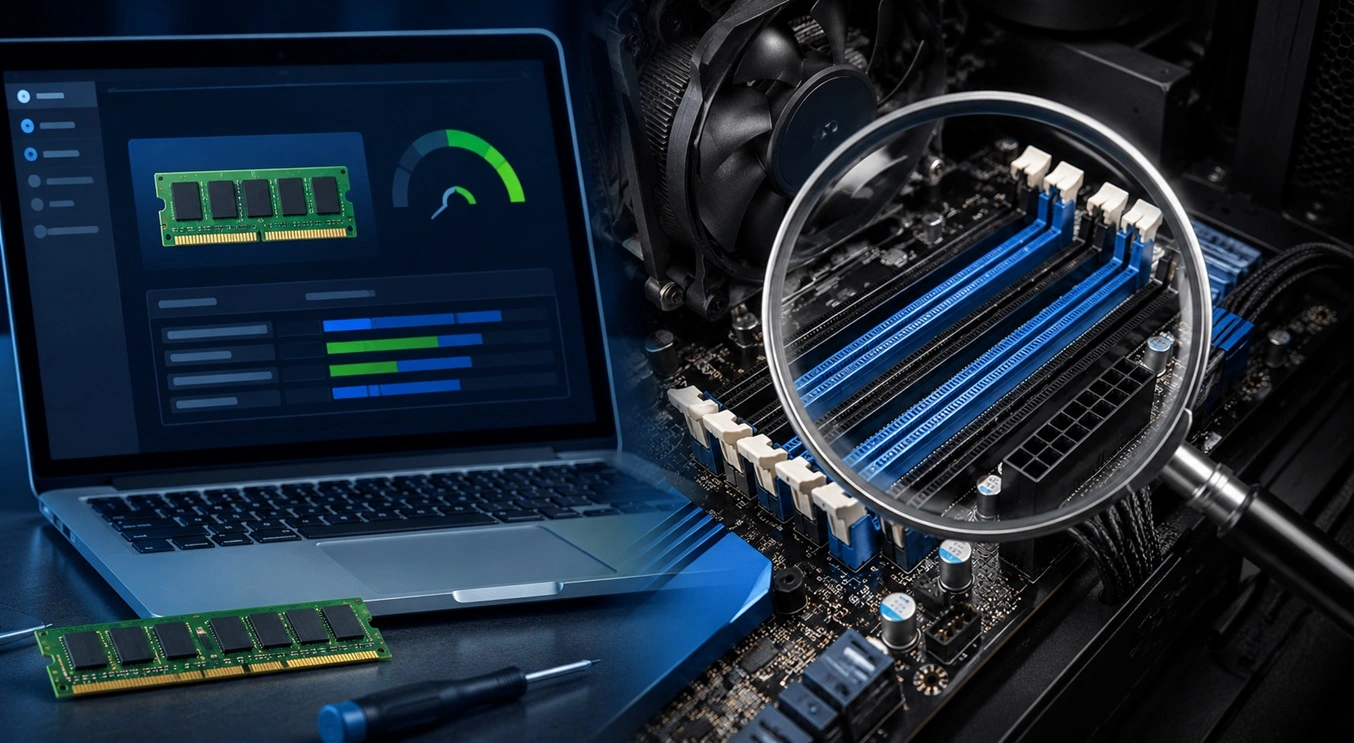
How To Check Installed RAM and RAM Slots [Complete Guide]
RAM plays an important role in how smoothly a computer runs. Short for Random Access Memory, it stores the data and instructions that Windows and active applications need at any given moment. From opening multiple browser tabs to running games and productivity software, RAM helps keep everything responsive. A system with limited memory may experience […]

What is Microsoft Autopilot Everything You Need To Know
Technology has changed the way companies manage computers. Well, yes! Employees now work from offices, homes, and remote locations. Setting up devices manually for every worker takes time and effort. It can also create mistakes that slow down productivity. This is where Microsoft Autopilot becomes useful. It helps businesses prepare and deploy Windows devices with […]
Enable Automatic Device Locking Feature Windows: Complete Guide
Introduction: Your computer stores important information such as emails, documents, passwords, and personal photos. Leaving it unlocked can put that data at risk. Thankfully, Windows includes built-in features that can automatically lock your device when you are away. Setting up automatic device locking is quick and does not require any extra software. In this guide, […]

