












Introduction: On tech forums, you’ll often see posts like this: “I connected my pen drive to my laptop this morning, but the folder was empty. All my college project files had vanished. I don’t have a backup. Can someone help me?” Stories like this are very common. Pen drives, USB drives and SD cards are […]
Top 10 Best Mac Device Management Platforms
Recently, mobile-based work-life has grown in popularity, with companies switching to the remote work style. Therefore, it becomes challenging for organizations professionals to manage all operations in a unified manner. The mobile device management systems or MDMs are suitable tools for handling official operations from one comprehensive system.
With SaaS capability and cloud computing benefits, Mac Device Management platforms are especially robust options for operational management. There are multiple top options available with high capacity and performance quality. This post covers the top 10 options available to try.
Best Mac Device Management Platforms
We found multiple MDM platform options in the market with diverse capabilities, features, and performance rates. After careful evaluation and comparison, we compiled a list of the top 20 platforms for remote management Mac. Here are the top options that we found.
1. VMware Workspace ONE
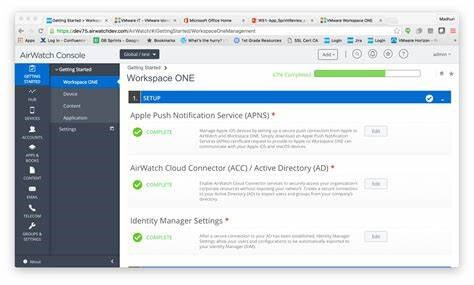
VMware Workspace ONE is another of the top-grade solutions for Mac Device Management, though it covers services for multiple types of devices. Enterprises of different levels can use the software to manage all devices through the Workspace ONE-centered Intelligent HUB.
All users in your team would get access to the business resources and apps securely through the software and handle the unified app and device management.
Compatibility: Mac, Android, iOS, Windows, ChromeOS, Linux, IoT devices, etc.
Price: Per month plans: Employee Essentials- USD 1.66-3.00, Desktop Essentials- USD 4.00-7.20, Standard- USD 3.78-6.52, Enterprise- USD 10.00-15.00, Advanced- USD 6.00-10.90, UEM Essentials- USD 5.25-9.45, Mobile Essentials- USD 3.00-5.40
Features:
- Supports Android Zero Touch and Apple Enrollment platforms.
- Unified reporting of endpoints and automation benefits.
- Desktop and mobile management.
- Access to multiple resources and apps in a unified ecosystem.
Pros:
- Relatively moderate prices for the plans.
- Great for BYOD environments and managed devices.
- Easy to build policies and workflows with limited platform knowledge.
Cons:
- Not best for beginners.
- Can some time to properly understand and use the software.
2. Ivanti Unified Endpoint Manager
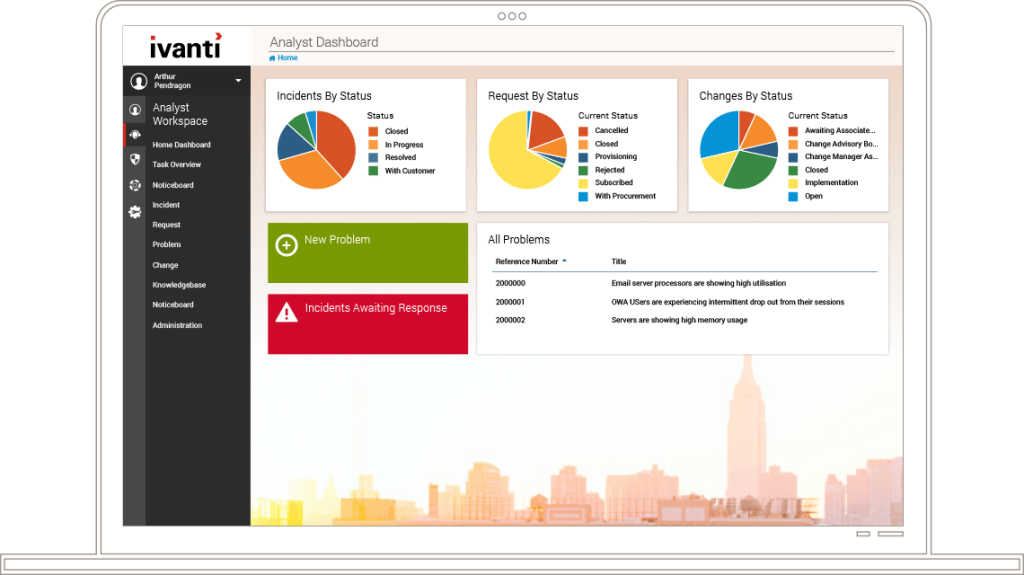
Another of the top systems for Unified Endpoint Management or UEM solutions for enterprise-level operational and content management. It offers high-quality security benefits for enterprises operating this software, with different application and device monitoring types.
The software would allow you to personalize your workflow, configure and provision your products/features, discover solutions, and secure all connected devices in one ecosystem. The cloud infrastructure support assures strong connections and data protection.
Compatibility: Mac, Android, iOS, Windows, ChromeOS, Linux, IoT devices
Price: Free demo/trial, custom pricing
Features:
- Visibility of the whole device ecosystem.
- Heavy mobile threat and risk analysis.
- Automatic threat patchwork to avoid issues.
- Personalized services for better management and resolutions.
Pros:
- A live demo option is available.
- Cloud computing support is available.
- Suitable for multiple devices.
Cons:
- The cost of the plan can get higher for some users.
- Takes a long time to understand and utilize efficiently properly.
3. MobileIron
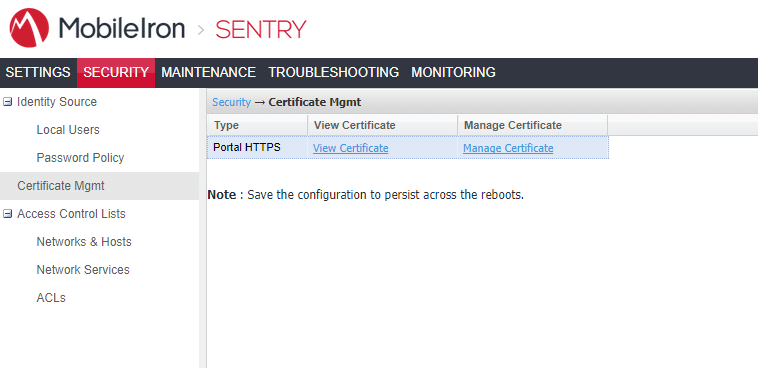
MobileIron is another top Mac Device Management software solution with extensive benefits for unified endpoint management and security. It focuses on a zero-trust policy with mobile management to ensure that the data and operations of the business stay within trusted teams. You can verify the devices, users, services, and apps that can use and view all data and resources and manage your workflow better.
Currently operating under Avanti, MobileIron utilizes cloud computing for better modern endpoint and mobile device monitoring and management.
Compatibility: Mac, Android, iOS, Windows
Price: Custom pricing after free trial
Features:
- Guarantees secure connectivity across multiple devices.
- Handle automated app deployment from the platform.
- Mobile Mac Management support for different desktop devices and apps.
- Strong defense against mobile threats after careful analysis.
Pros:
- Top-notch customer support available like live chat feature and community.
- Documentation is available for better data understanding.
- Self-service model for a personalized experience.
Cons:
- Limited features compared to some others.
- The cost of plans can get high without proper planning.
4. Jamf
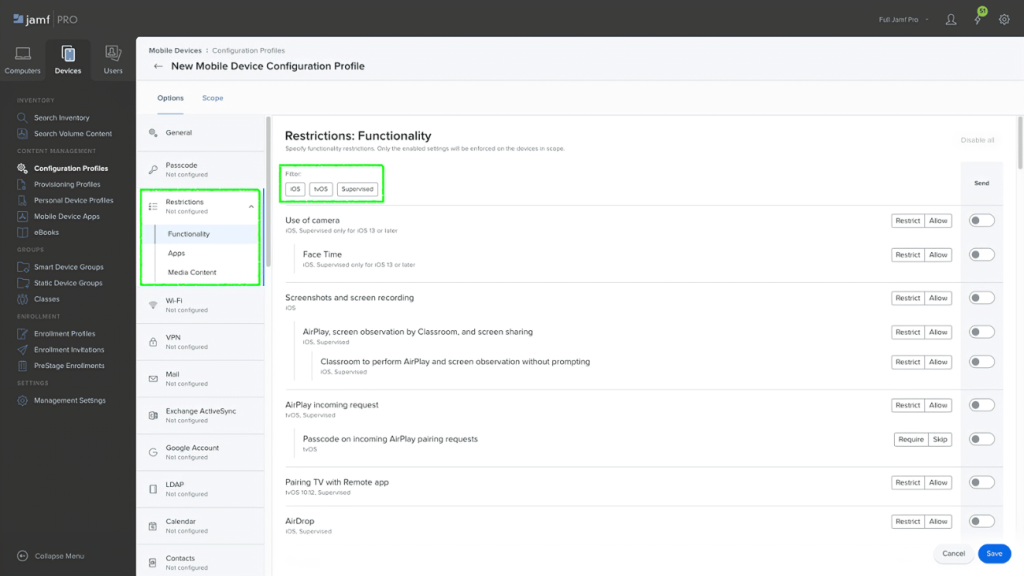
Originally known as Casper Suite, Jamf is one of the best Mac Management software options available. It focuses on better management of multiple Apple devices through one comprehensive UEM platform, best for educational and corporate use.
You can expect a unified ecosystem and manage your multiple devices and data while getting additional services like the DEP or Apple Device Enrolment Program. This software is suitable for organizations of different types and sizes and offers security and device management benefits.
Compatibility: Mac, iOS, tv OS
Price: Mac devices- starting at USD 7.17 per month
Features:
- Self-service model for customized software maintenance and update work.
- SCCM compatibility for smooth and quick inventory data sharing.
- The identity provider helps with SSO/SAML benefits.
- Active directory for group membership and user authentication.
Pros:
- Trial option available for real usage experience.
- There are top-notch native security benefits like blocking malicious software, device configurations/settings management, etc.
- Access to APIs like RESTful API to handle custom integrations.
Cons:
- Pricing ranges from moderate to very high.
- It can show issues with Mac devices compared to iOS devices for some users.
5. Hexnode
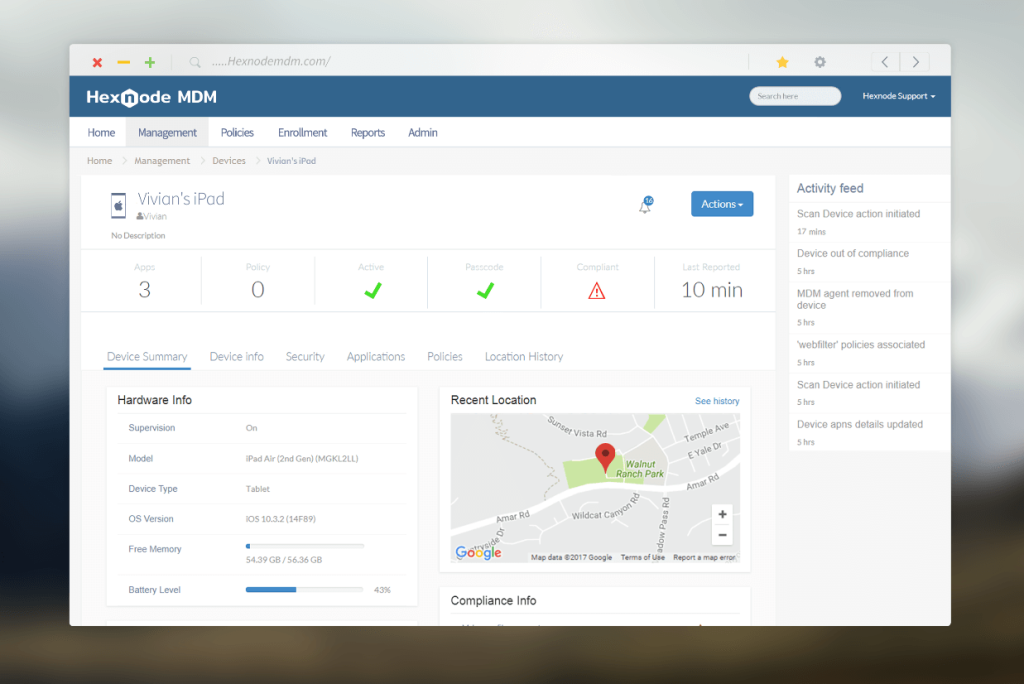
Another of the best Mac Device Management software options that are currently available is Hexnode. This is a top-class MDM solution that companies use to handle large-scale deployments in a simple manner, with Apple DEP support. Users can easily pre-configure the available settings for auto-enrolling for the MDM ecosystem.
It is one of the most secure options available, with wireless device restriction and configuration capability.
Compatibility: Mac, iOS
Price: Per Month/Device plans: Express- USD 1.08, Enterprise- USD 2.7, Pro- USD 1.8, Ultimate- USD 3.6, Ultra- USD 5.4
Features:
- No-touch deployment of products and apps.
- Ready-made integrations are suitable for enterprises.
- Strong and stable endpoint management.
- Smooth ETA enrolment is possible for users.
Pros:
- Free trial period of 14 days.
- Strong and smart automation benefits are available.
- Not very costly for teams or individual users.
Cons:
- Not a lot of login app syncing options are available here.
- Limited features compared to others.
6. Kandji
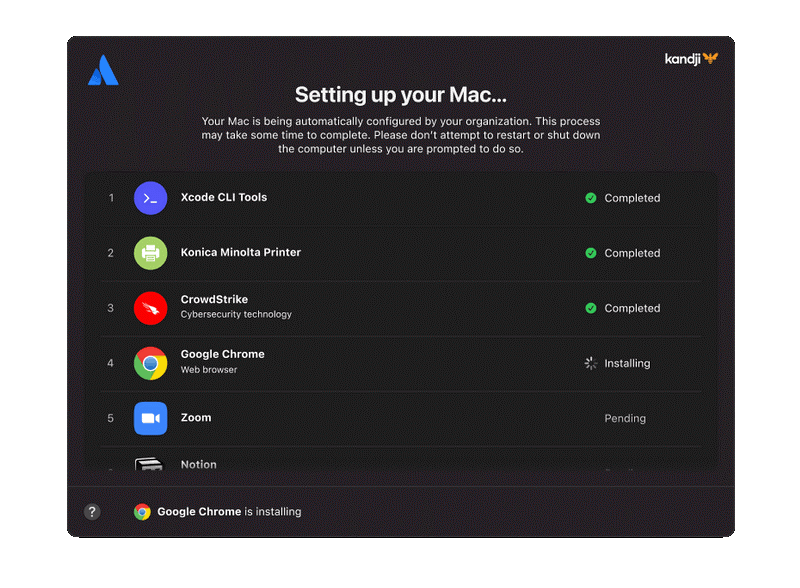
Among the different types of Mac Device Management platforms available, Kandji is one of the best in the market currently. It guarantees enterprises’ strong security and digital solution management to streamline their operations and connections.
This is a suitable solution for maintaining and controlling the whole lifecycle of the users’ fleet of Apple devices from one platform. The software uses automation tools for the one-touch deployment of settings and apps and provides robust software configuration support.
Compatibility: Apple devices
Price: Package cost begins at USD 399 monthly (100 devices) to USD 8,999 monthly (3000 devices). Quoted price for higher plans.
Features:
- Create strong and data-driven blueprints for software for different devices.
- Peer-to-peer guidance for Mac device ecosystem management.
- Strong security for data transfer, communication, and transaction channels across devices.
- Multi-layered technology integration is available.
Pros:
- Automated software updates are guaranteed.
- It works suitably well with different third-party systems.
- Users can easily switch between mobile devices and on-premise Mac systems.
Cons:
- Very high costs for the users.
- Complex features for smaller teams to handle appropriately.
7. ManageEngine Mobile Device Manager Plus
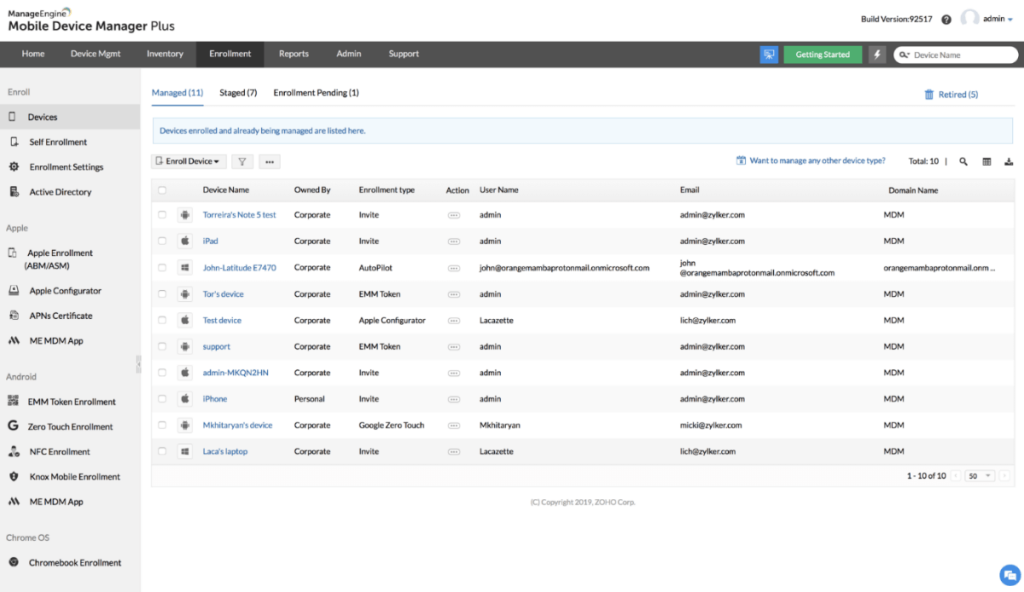
ManageEngine Mobile Device Manager Plus is another top Mac Device Management solution with high-profile components that streamline and enhance enterprise workforce management. With its multi-OS and multi-device compatibility benefit, the software offers additional support with app management, security management, content management, and more.
Enterprises and smaller companies can expect 360-degree support with all their operations across a secure and flexible environment. The optimized and powerful UI, with strong real-time troubleshooting and compliance benefits.
Compatibility: Mac OS, Windows, ChromeOS, iOS, Android
Price: Free (25 devices), Standard (50 devices)- USD 495, Professional (50 devices)- USD 895
Features:
- Autodiscovery for inventory management, find, and then map out new devices.
- Webhook, SMS, and email support for optimized alerts
- Smart alerting software to avoid incorrect positives.
- It assures no alert fatigue over bigger networks.
Pros:
- Available for free.
- There is a free trial period of 30 days.
- Integrates properly with other ManageEngine ecosystem products.
Cons:
- Limited capacity in terms of the limit of support for team sizes.
- Very high cost for bigger team plans.
8. SOTI MobiControl
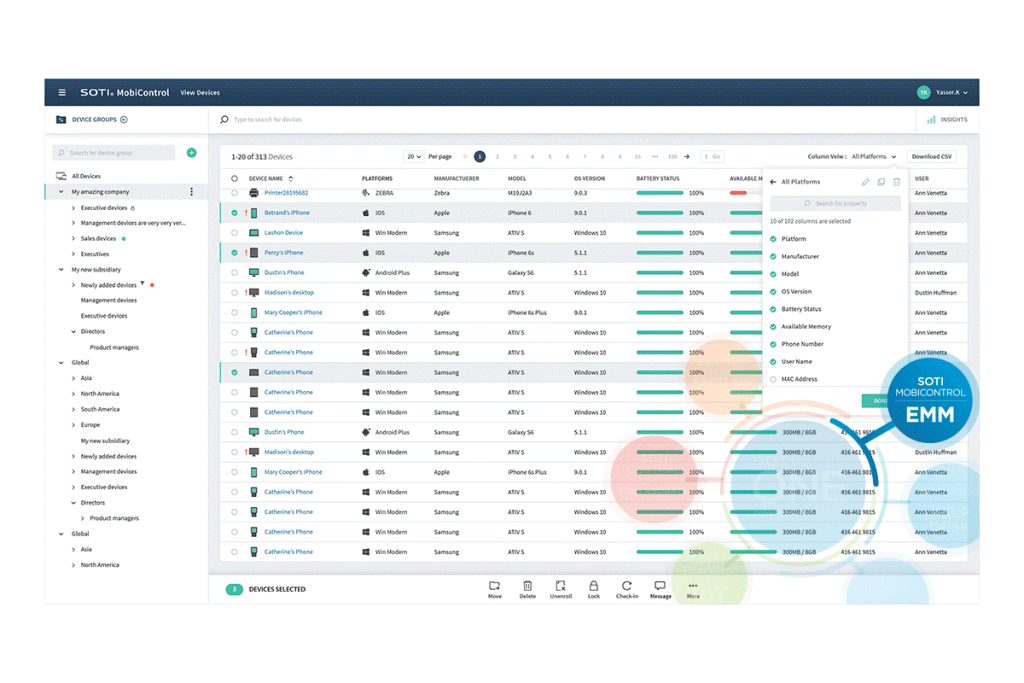
SOTI MobiControl is a type of EMM solution for Mac Device Management, with high-quality features and solutions for comprehensive enterprise operational management. While using this software, you can expect better control and visibility of your mobile workflow in the business.
It is easier to view team performance, work process, and all compliance/security risks from one location. It is easy to conduct multiple functions like threat risk identification and neutralization for IoT endpoints, reduce device downtime, and other functions with this SOTI MobiControl.
Compatibility: Mac OS, iOS, Windows, Android
Price: Free trial and Quoted price after expert consultation.
Features:
- Full-cycle monitoring and management of all mobile endpoints and devices in one lifecycle.
- Flexibility with app management.
- Universal support for diverse operating systems, form factors, and device types.
- Secure and comprehensive data and content management.
Pros:
- Free trial available for 30 days.
- Multiple languages are supported.
- Easy to manage user interface.
Cons:
- Not best for smaller teams.
- Documentation is limited.
9. Citrix Endpoint Management MDM Edition
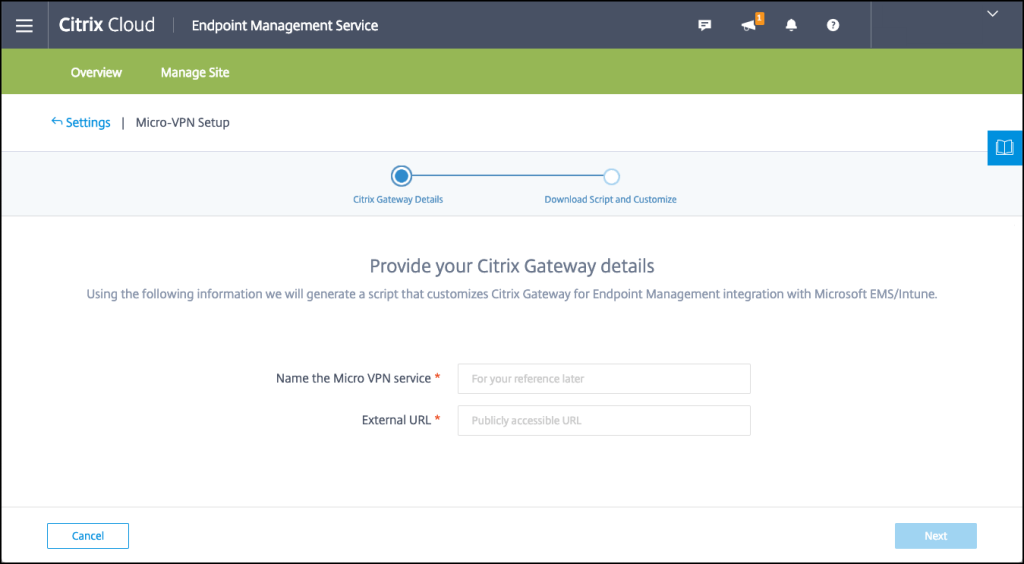
The MDM solution of Citrix Endpoint Management is useful for multi-system and multi-device remote management Mac users can utilize. Business-based users can monitor all platforms, applications, and devices using a single console with the system.
The software from Citrix is highly effective in a consistent user behavior monitoring activity. The solution focuses on the device, location, and role-based user context controls and secures all information. It is highly effective for cross-platform device management.
Compatibility: Mac OS, Windows 10, tvOS, iOS, iPadOS, ChromeOS, Android, Android Enterprise, Citrix devices
Price: Quoted price discussed on the call.
Features:
- Integration of Okta and Azure Active Directory.
- Works with Analytics and Machine learning support.
- Robust features like device management and remote monitoring.
- The platform monitors the user behavior for insider threat identification and automatically blocks out high-risk users.
Pros:
- High-quality customer care and support functions are available.
- An explanatory video presentation is available.
- Suitable for larger environments that work with multiple devices.
Cons:
- Best for enterprises rather than small entrepreneurs.
- Sometimes issues occur during sing-in.
10. IBM MaaS360
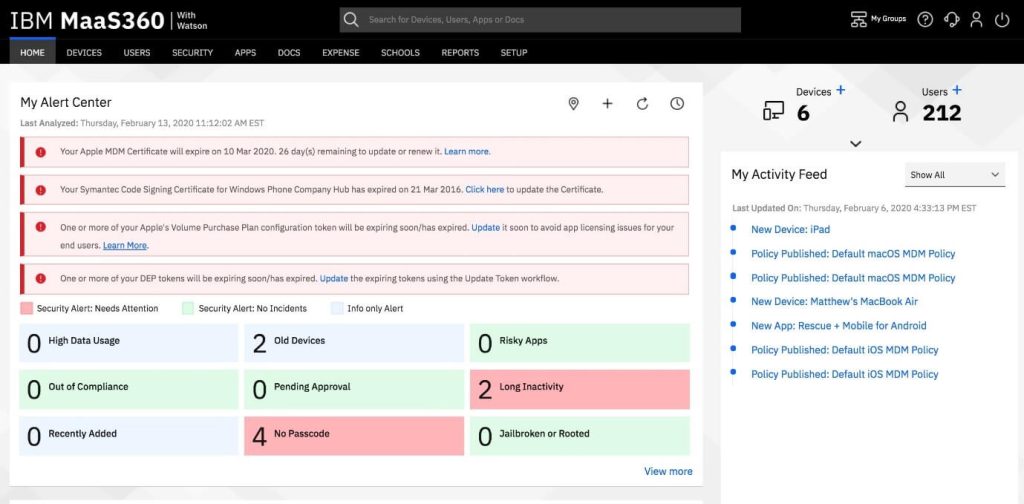
IBM MaaS360 is one of the best remote management mac systems that work with AI integration for optimized UEM workflow. With thisplatform, users get top-notch security with actionable insights and support.
The defense structure on this platform assures enterprise-level threat management, detects major threats, and provides automated solutions. This is suitable for remote device management quickly, assuring strong and secure connections while keeping data safe.
Compatibility: All Apple devices/OS
Price: Free Trial, Enterprise- USD 9+, Premier- USD- 6.25+, Deluxe- USD 5+, Essentials- USD 4+
Features:
- Capable App and device management functions.
- Understand and plan for risks with Watson Advisor functionality.
- Demarcate personal and professional data on devices to manage user risks.
- Manage mobile expenses and measure costly overages.
Pros:
- A free trial plan is available.
- Users can opt for a demo run for the solution.
- Robust Identity management benefits are available.
Cons:
- The features under the free plan are very limited.
- Mobile threat management is only available for paid Enterprise users.
Conclusion
The Mac Device Management platforms mentioned are top-level options in the market. Each comes with distinct functionalities and specifications. Out of them, Ivanti Unified Endpoint Manager is a suitable choice for reliable device management because of its functions like personalized workflow management, security optimization, etc.
Make your final decision about the platform to use based on your priority needs. Let us know your experience in the comments.
Author Bio:
Dinesh Lakhwani 

Dinesh Lakhwani, the entrepreneurial brain behind “TechCommuters,” achieved big things in the tech world. He started the company to make smart and user-friendly tech solutions. Thanks to his sharp thinking, focus on quality and the motto of never giving up, TechCommuters became a top player in the industry. His commitment to excellence has propelled the company to a leading position in the industry.
Popular Post
Recent Post

How To Recover Files Deleted from the Recycle Bin [Windows 11]
Losing a file can happen in seconds. You clear your desktop, hit Delete, and empty the Recycle Bin. Then, just when you need that file again, it seems to have vanished. This guide will walk you through ways to restore files removed from the Recycle Bin. We will begin with simple fixes, then look at […]

Disk Drill Data Recovery Tool Explained: Full Review and Guide
It happens in a split second. You delete a folder by mistake. Your drive stops showing up. A photo album from your last trip just vanishes. And your stomach drops. Lost files feel personal. They are not just data. They are memories, work hours, and sometimes years of effort packed into a few gigabytes. When […]

Recover Deleted Files In Windows 11 With Software & Without
Introduction What is the first thing that goes through your mind the second an important file vanishes from a Windows 11 PC? For most people, it is a mix of panic and disbelief, followed by a frantic click through every folder that file could possibly be hiding in. It happens in a split second: one […]

EaseUS Data Recovery Wizard: Everything To Know
Data loss does not always come from a big disaster either. Most cases start small and boring. A drive gets formatted by mistake. A laptop freezes mid-save and restarts on its own. A memory card stops showing up after being pulled out too fast. None of these feel like emergencies at first, until you realize […]

Recuva Data Recovery Tool: Is it Actually Worth it?
When I first tried Recuva Data Recovery, I wanted to see if it could really bring back lost files. The tool is free, small in size, and promises quick recovery, which made me curious enough to test it on my own PC. The setup was fast, and the wizard guided me step by step. I […]

GetData Recover My Files Data Recovery Tool: Honest Review
A hard drive error brings a special kind of silence. Well, yes! The screen freezes, then a message appears saying the drive can’t be found or must be formatted. In that moment, years of photos and work files feel at risk. It never happens at a good time. Coffee spills near a laptop, a memory […]

Windows File Recovery: A Complete Review [Tried & Tested]
Imagine this. You spend hours perfecting a video project. You hit save. Then your laptop freezes, reboots, and when the screen comes back. The file is gone. Your stomach sinks. It’s not just you. Lost files happen all the time. A dropped hard drive, a bad update, an accidental delete, or a corrupted partition can […]

5 Best Data Recovery Software For Windows 11 and Windows 10
Introduction: A crashed drive can ruin a whole day. One minute your photos, work files, and tax records sit safe on your PC. The next minute they are gone. A power cut, a bad update, or one wrong click can wipe out years of memories and months of work in seconds. That sinking feeling is […]

How To Update NVIDIA Drivers On Windows 11/10 PC
Learn how to update NVIDIA drivers on Windows 11/10 with simple methods, safety tips, and easy steps for smoother gaming and better PC performance.

