Top 10 VHS to DVD Converters For 2026: Complete Guide
Last updated on December 29th, 2025 at 3:32 pm
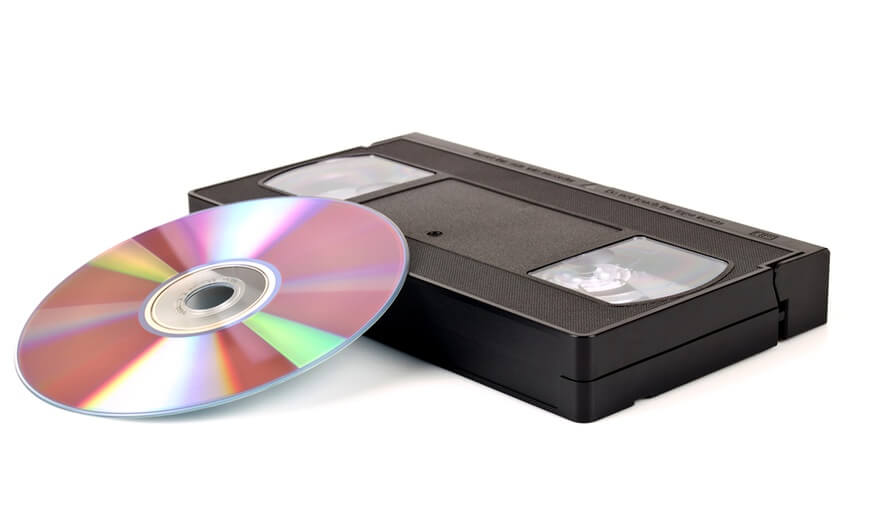
If you had a VHS camera in the 1980s or 1990s, you undoubtedly have many VHS cassettes. They won’t last forever if you have priceless memories on camera recordings or VHS tapes. Magnetic tapes degrade fast, even when maintained properly.
However, you can save and convert your memories to DVDs for improved viewing and storage because of VHS to DVD converter. The greatest converters will allow you to keep your treasured home videos and recordings in a current digital format. You don’t have to worry about the old video footage collecting dust with such technologies.
Before You Start, First Know The Answer To These Questions:
1. Why does my captured video look fuzzy or off-color
VHS tapes degrade over time, and capture settings can affect clarity and color balance. Try adjusting the input levels in the capture software. Cleaning the VCR heads before playback also helps reduce fuzz or color shifts.
2. The software won’t detect my converter. What should I do
Make sure the drivers for the converter are installed and that the cable connections are firm. Restart your capture software or your computer. If that doesn’t work, check for updated drivers or software versions from the manufacturer.
3. Why is the audio out of sync after I capture a tape
Audio sync issues happen when capture settings or the VCR playback speed fluctuate. Try switching to a different capture format or lower resolution. Some capture packages let you realign audio in post-capture editing, which also fixes small sync errors.
Top 5 Comparison Table
To help you choose the right VHS to DVD converter in 2026, we compared key tools on ease of use, capture quality, compatibility, and extra features. The following table shows how these five options stack up for converting tapes into digital files or DVDs.
| Converter | Capture Quality | Ease of Setup | Software Included | Best For |
| Digitnow Video Capture Converter | Good | Easy | Basic editing tools | Beginners and simple transfers |
| Roxio Easy VHS to DVD 3 Plus | Very Good | Moderate | Strong editing and DVD authoring | Full-featured archival work |
| TOTMC USB 2.0 Video Capture Adapter | Good | Easy | Basic capture | Budget conversions |
| Pinnacle Dazzle Video Capture Device | Good | Moderate | Editing and trimming tools | Mid-level users |
| UCEC VHS to Digital Converter | Good | Easy | Simple software | Quick and easy captures |
Top 10 VHS to Digital Converters
The finest converters come with the software required to convert from analogue to digital. Fortunately, such converters are simple to use. We have compiled a list of the top ten VHS to DVD converter on the market.
1. Digitnow Video Capture Converter
If you’re searching for something more economical, consider Digitnow’s budget-friendly gadget. You may plug it into S-Video or RCA ports. Furthermore, it also includes a SCART adaptor. This VHS to DVD converter is suitable with all the latest Windows versions and several MacOS platforms. However, it is not compatible with 10.15 Catalina or macOS Mojave 10.14. It includes tools for minimizing video noise, color correction, etc.
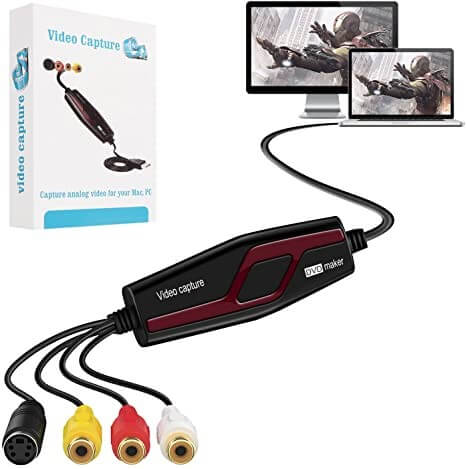
Compatibility: Windows and Mac (excluding Mojave or Catalina)
Price: $19.99
Features:
- This device is compatible with One Touch.
- It is simple to use when compared to its functionality.
- Clips from practically any analogue video file may be transferred.
- This converter is a one-stop shop that offers a high level of compatibility.
Pros:
- Input Variables
- Reasonable cost
- A well-known brand in the field of old technology
Cons:
- A little too slow
- Does not work with macOS Catalina or Mojave.
2. Roxio Easy VHS to DVD 3 Plus
This converter for Windows is quite simple to use. Connect it to your computer’s USB connection, download and install its software from the website, and begin converting. Furthermore, if your actual picture is very shady, it includes some useful cleaning tools. This makes it simple to address issues such as color balance, lighting, and visual noise produced by aged VHS cassettes.
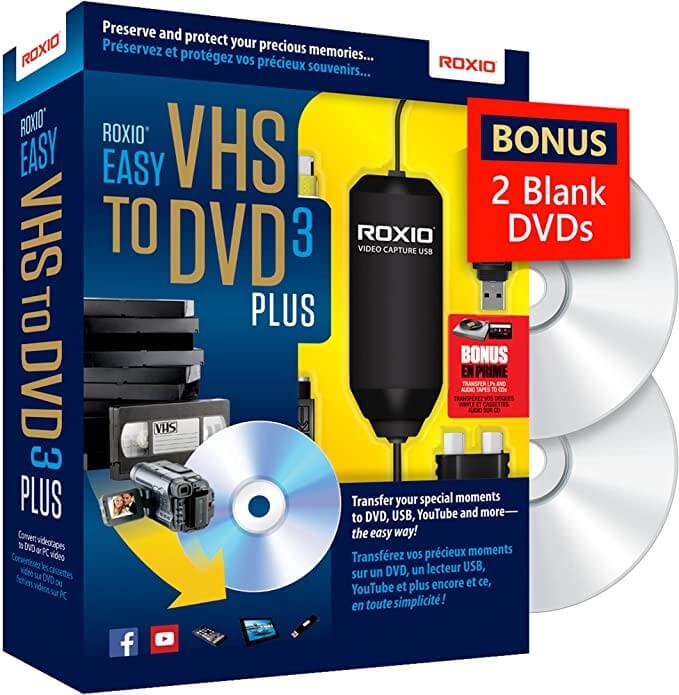
Compatibility: Windows XP, Vistas, 7, 8, 10
Price: $39.99
Features:
- Before sharing the video, add DVD menus, transitions, and rolling credits.
- Capture analogue footage from your VCR or camcorder directly.
- Supports all Windows PC and also suitable for Windows 10.
- Provides a variety of unique, customizable DVD menu layouts.
Pros:
- Simple to use
- Excellent editing tools
- 2 complimentary DVDs
Cons:
- There is no SCART input.
- Quite pricey.
3. TOTMC USB 2.0 Video Capture Adapter
TOTMC offers a low-cost alternative for converting your old VHS tapes into digital data. Included are rudimentary editing tools that are likewise quite simple to use and may be used to enhance the quality of the transformed videos significantly. This VHS to digital converter works with all video formats. Furthermore, it corresponds with the Universal Serial Bus Specification Rev. 2.0 and handles the PAL and NTSC video formats.
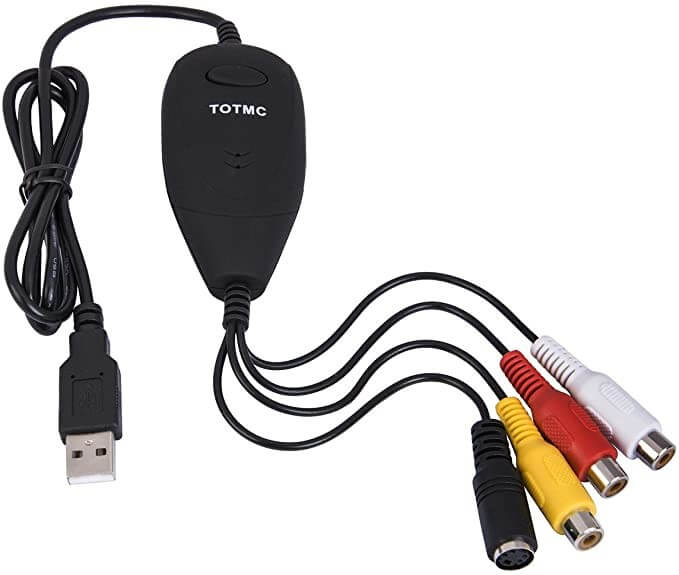
Compatibility: All Windows Versions
Price: $14.99
Features:
- Create DVD+/-VR, DVD+/-R/RW, and DVD-Video disks.
- With a USB connection, it enables NTSC and PAL video formats.
- Capable of capturing analogue data from VHS, V8, and DVD to H.264.
- Could record audio without the need for a sound card
Pros:
- Editing tools for adjusting brightness.
- Adjust the contrast, color, and saturation of videos
- Includes simple editing and converting tools.
Cons:
- Supports only MPEG-2 as an output format
- Occasionally buggy
4. Pinnacle Dazzle Video Capture Device
Pinnacle Studio is well-known for its video editor, so it’s no surprise that it is also the finest converter available. This video recording device, which is exclusively compatible with Windows, allows users to take video straight from analogue camcorders, video cassette recorders, V8 and Hi8 cameras, and other analogue systems such as DVD players and gaming systems.
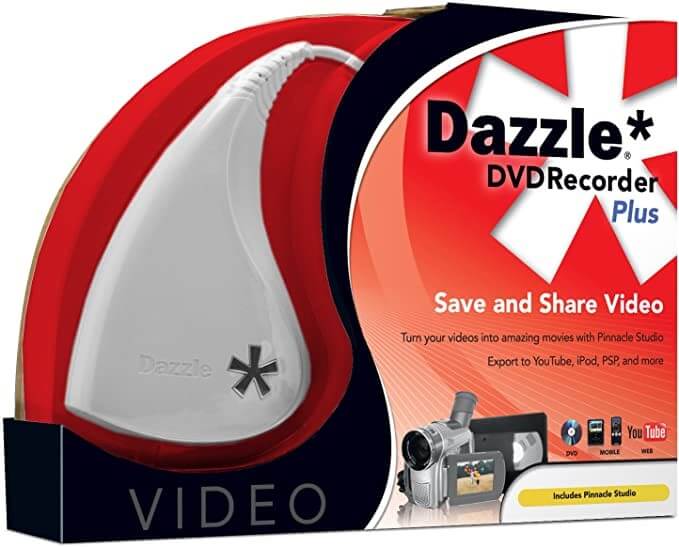
Compatibility: Only Windows
Price: $49.99
Features:
- Simple video editing software allows you to create videos in minutes.
- Video capture device of high quality for transmitting videos to a PC
- An easy-to-use interface with a large selection of music, effects, and transitions.
- Pinnacle Studio 12 allows you to drag and drop videos, adjust them, and clip them.
Pros:
- Appropriate editing tool.
- Suitable for several devices.
- Range of output formats
Cons:
- Doesn’t support SCART
- Sometimes degrades the image quality.
5. UCEC VHS to Digital Converter
Another low-cost and pleasant converter, the firm offers 24-hour digital technical assistance and a one-year money-back assurance. This VHS to DVD converter is fairly typical, with an RCA connector for the camera or video recorder and a USB cable to attach to the Mac or Windows PC. Again, you may use a VCR or another analogue video source to transmit video to your computer.
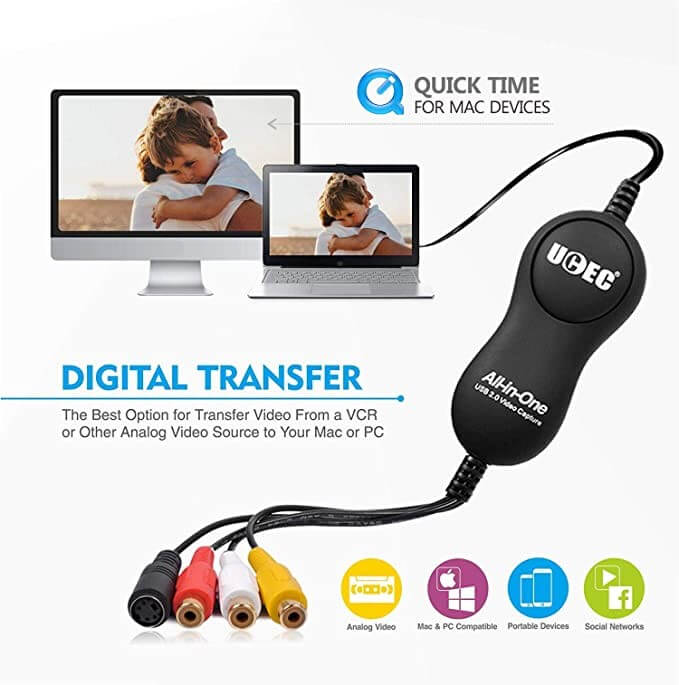
Compatibility: Windows and Mac
Price: $24.99
Features:
- This converter comes with software that makes it extremely simple to use.
- It comes with an RCA cable, a CD, and a Video Capture card with suitable software.
- Transform the VHS type video while retaining the original file’s resolution.
- It supports numerous video formats and is compatible with both Mac and Windows systems.
Pros:
- Affordable product.
- Offers 24/7 customer support.
- Money-back assurance.
Cons:
- No S-Video
- No SCART
6. Funai Combination Recorder
You may easily enjoy watching the old VHS recordings with the Funai Combination Recorder. You may also burn the film on a DVD to extend your disk’s life. It’s a very simple yet dependable technique. If you don’t have a VCR, you’ll have to look for other ways to convert files. Having your VCR will allow you to transfer your file at your leisure.
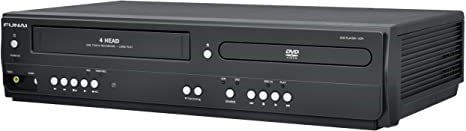
Compatibility: Windows and Mac
Price: $684.07
Features:
- To improve performance, static frames and slow-motion are used
- Combination of satellite link recording and progressive scan.
- DVD player DV220FX4 is included in the package.
- A line-in recording is available on this four-head Hi-Fi stereo VCR.
Pros:
- S Video Out
- Satellite Box
- Offers progressive scan.
Cons:
- The price is extremely high.
- Do not record any DVD.
7. AIFUSI USB 2.0 Audio/ Video Converter
The Aifusi VHS to digital converter is among the finest performing solutions in its class since it provides outstanding value for money. In addition, this converter provides a video quality of up to 720 x 576. This is significantly greater than most of the other solutions in its class. It also has four connections and a USB 2.0 port, which are always useful.
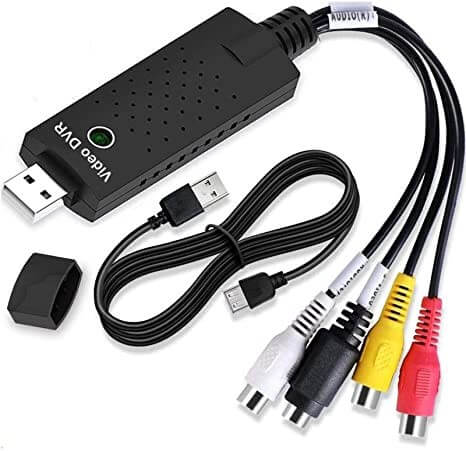
Compatibility: Windows XP, Vistas, 2000, 7, 8, 10, and Mac
Price: $14.98
Features:
- It has a video quality of up to 720 x 576 pixels.
- Four connections and a USB 2.0 port are included.
- An option that is both inexpensive and good value for money.
- Provides the majority of the popular connections and ports.
Pros:
- Affordable product.
- Adjusts contrast, color, brightness, and saturation.
- Supports Mac and Windows.
Cons:
- A manufacturer’s guarantee does not cover it.
- No USB- A port.
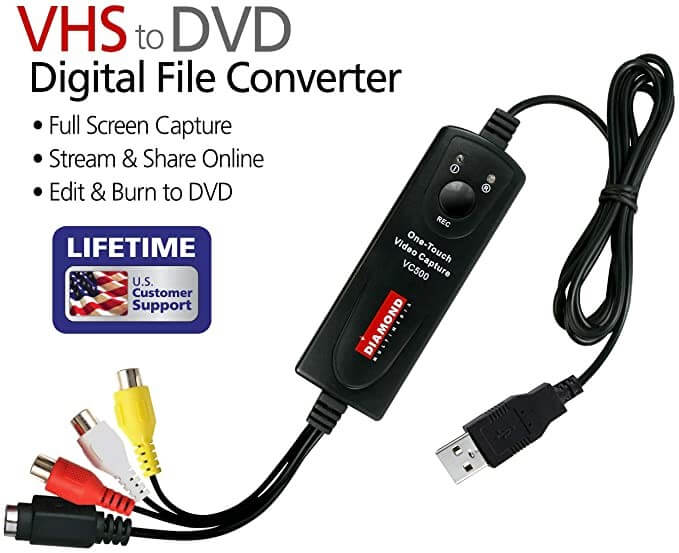
8. Diamond VC500 USB 2.0 One Touch
If you are familiar with computers, this is the greatest VHS to digital converter which you can find. This product is widely recognized as among the top solutions on the market. T
his is because it enables users to record and preserve VHS files. Furthermore, it improves their quality by utilizing specialized software. The program presented here can convert old videos to DVD format and record them as a DVD file.
Compatibility: All Windows versions
Price: $39.14
Features:
- Direct recordings from a gaming platform
- Dynno video streaming program is used to stream and generate videos.
- Captures footage from virtually any video source.
- Video may be captured from practically any source supporting S-Video or RCA outputs.
Pros:
- It is simple to connect to gadgets.
- Almost every form of video can be captured.
- Video editing and sharing software.
Cons:
- It’s doesn’t function on a Mac.
- Sometimes acts buggy.
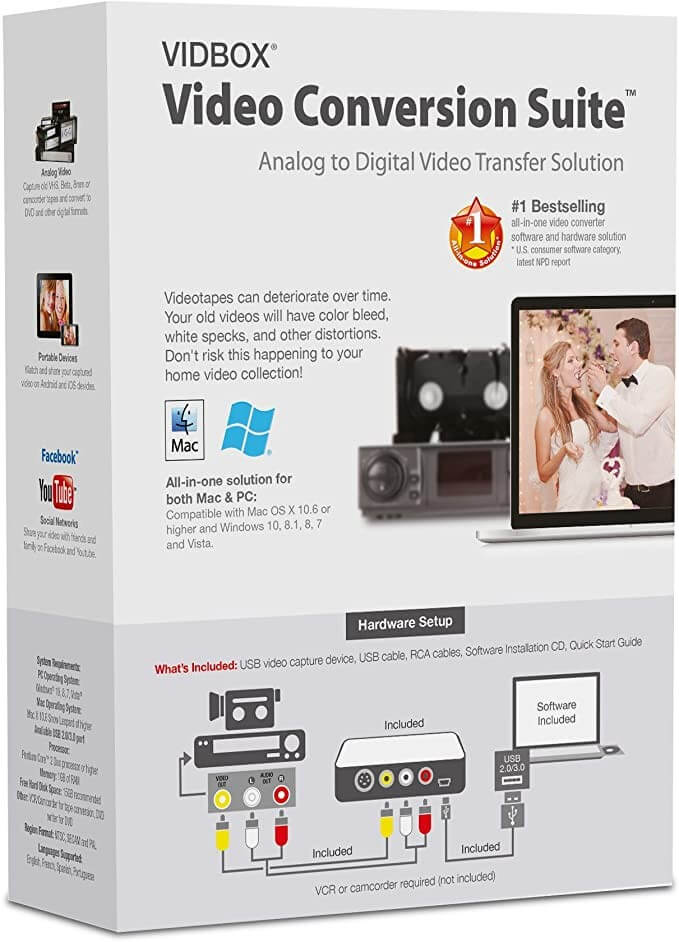
9. Vidbox Video Conversion Suite
The Vidbox Video Conversion Suite includes all the hardware and software required to convert your old family films from VHS cassettes to a current digital format. Users can easily connect their videos or movies to a USB-compatible TV or monitor and launch the program. This VHS to digital converter is a MPEG converter that transforms analogue video and audio inputs to MPEG format.
Compatibility: Windows and Mac
Price: $69.99
Features:
- Two downloading software cards are included: download links and the Product Key licensing.
- Capture and convert ancient VHS, Beta, 8 mm, or camcorder tapes to DVD.
- Step-wise graphical instructions will walk you through the procedure.
- WMA files may be created by recording audio from cassettes and LP records.
Pros:
- Both Mac and Windows PC are supported.
- Simple to use.
- Excellent for inexperienced users.
Cons:
- Sometimes issues occur while using.
- Expensive product.
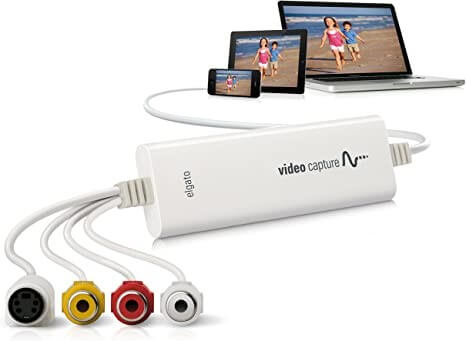
10. Elgato Video Capture
The finest VHS to DVD converter on this list is Elgato Video Capture. It has RCA, S-Video, and SCART inputs, so you’ll be able to insert any VSH camcorder or recorder into it, and it is suitable with all major macOS and Windows versions. Although it is one of the costliest items, the improved quality of the image may be worth the additional money for you.
Compatibility: Mac and Windows
Price: $86.98
Features:
- It is compatible with both Mac and Windows.
- Simple software walks you through each step.
- Video is captured in the ubiquitous H.264 digital format.
- Supports NTSC, SECAM, PAL, and PAL/60 video formats.
Pros:
- Replication of high quality
- SCART and S-Video inputs
- Mac and Windows platforms are supported.
Cons:
- Quite Expensive
- None
Conclusion
Choosing a VHS to DVD converter in 2026 still comes down to balancing quality, simplicity, and the features you need. Basic adapters like the Digitnow and TOTMC offer an easy way to capture tapes without fuss. They connect to your PC with a USB and include straightforward software. These choices work well if you want to save family memories and don’t need advanced editing tools.
If you want more control over the final file, converters with richer software like Roxio Easy VHS to DVD 3 Plus stand out. They let you trim clips, add titles, and create polished DVD menus. For many users, this extra flexibility justifies the higher cost. No matter what you choose, make sure the device and software support your computer’s operating system and the output format you prefer.
FAQs
1. Do I need a DVD burner on my computer to use these converters
Not always. Some converters can save video files to your hard drive in digital formats that you can burn later with separate software. If your goal is a DVD right away, a system with a burner and authoring tools makes the process smoother.
2. Will these converters improve the original VHS quality
They can clean up noise, adjust color, and stabilize video during capture, but they can’t truly enhance the original quality beyond what was on the tape. The result depends largely on the state of the source VHS.
3. Can I use these converters on both Windows and Mac
Many work on Windows computers. Some models also support macOS, but always check the product specs. Mac support sometimes requires specific drivers or alternative capture software.
Author Bio:
Dinesh Lakhwani 

Dinesh Lakhwani, the entrepreneurial brain behind “TechCommuters,” achieved big things in the tech world. He started the company to make smart and user-friendly tech solutions. Thanks to his sharp thinking, focus on quality and the motto of never giving up, TechCommuters became a top player in the industry. His commitment to excellence has propelled the company to a leading position in the industry.
Popular Post











Recent Post
How To Fix Issues Downloading from the Microsoft Store On Windows
Introduction: Downloading apps from the Microsoft Store should be a simple task. You open the Store, search for an app, and click install. In most cases, the process works without any problem. However, there are times when the download does not start. In some cases, it may stay stuck at a certain percentage. You may […]
How To Fix Windows Update Issues Easily On Windows [2026]
Introduction Windows updates play an important role in keeping a computer stable and secure. They bring new features, fix known bugs, and improve overall performance. When updates work as expected, the system runs smoothly. However, when they fail, users often face slow performance, missing features, or security risks. This is why it becomes important to […]
How To Check If Your PC Is Infected? [Complete Guide]
Computers now sit at the center of almost everything we do. Well, yes! From sending emails to watching videos, we depend on them without much thought. Because of this, even a small issue can disrupt daily tasks. One common problem is hidden malware. It does not always show clear signs at first. It can enter […]
Repair Apps And Programs: Repair Apps That Aren’t Working
Computers have become an essential part of everyday life, supporting work, study, communication, and entertainment. Most of these activities rely on apps and programs, so when one stops functioning, even simple tasks can be disrupted. Common problems include error messages, frozen screens, or apps that fail to open. On Windows systems, such issues often arise […]
Troubleshooting Microphone Privacy Settings: Complete Guide
Sound is a basic part of how we use computers today. People attend meetings, record audio, speak to others, and use voice tools almost every day. A working microphone makes all these tasks easy. When the microphone fails, even simple work becomes difficult. Many users first think the device is broken. In reality, the issue […]
Windows Sound Settings – Sound Control Panel: Complete Guide
Sound plays an important role in how we use a computer every day. It supports both work and leisure. You need it for meetings, videos, music, and alerts. When audio fails, even simple tasks become difficult. Many users feel stuck when sound issues appear. This usually happens because they are not familiar with Windows Sound […]
Run a Troubleshooter For PC Issues Windows: Complete Guide
A computer plays an important role in everyday life. People use it for work, study, communication, and entertainment. When a problem appears, it can interrupt everything. Even a small issue can waste time and create frustration. Many users feel unsure about how to fix such problems. They often think they need expert help. In reality, […]
![Adjusting Audio Output Settings Complete Guide [2026]](https://www.techcommuters.com/wp-content/uploads/2026/03/Adjusting-Audio-Output-Settings-Complete-Guide.webp)
Adjusting Audio Output Settings: Complete Guide [2026]
Sound is part of almost everything we do on a computer. It lets you watch videos, join calls, play music, and hear alerts. When the audio stops working the right way, it can interrupt both work and daily use. That is why adjusting audio output settings matters for every user. Many people get unsure when […]

Artificial Intelligence Explained: Concepts, Terminology, Benefits, and Future Trends
Artificial Intelligence, or AI, is basically computers doing things that usually need a human brain. We’re talking about stuff like learning from experience, figuring out problems, understanding language, and making decisions. It’s not magic, just a lot of data, pattern-spotting, and math behind the scenes. Now, AI doesn’t actually think or feel like we do. […]

Resolving Microphone Detection Problems: Latest Guide [2026]
Microphones are important tools in daily life. People use them for office meetings, online classes, interviews, gaming, customer support, and content creation. When a system fails to detect a microphone, communication stops at once. This situation can cause stress and confusion. Many users believe the microphone is damaged. In reality, most problems are simple and […]

