Top 10 English Learning Apps for Android and iPhone [2026]

Last updated on December 26th, 2025 at 2:20 am
English is the globally accepted language. Whether it is about communicating at a global level professionally or looking to get entry to an English-speaking region, learning English becomes essential. Coming to the different methods to learn English confidently and accurately, it is easy to get confused in selecting one. You need a dedicated English learning app to understand its basics and advanced concepts.
Apps to learn english successfully overcome the issues with long-term classroom teaching, improper learning material, lack of English experts, etc. So, below is the detailed and well-researched list of the top and best ten English learning apps for beginners and professionals. We’ve tried to include all the key aspects like compatibility, version, app size, features, advantages, and possible issues in this list.
Top ten English learning apps for Android and iPhone in 2026:
There is no need to spare some extra time for English classes when you can learn it at the click of your Android or iPhone only. All you need is the perfect app for English learning offering the optimized benefits of English learning from anywhere in the world at any time. So, here you go:
1. Hello English
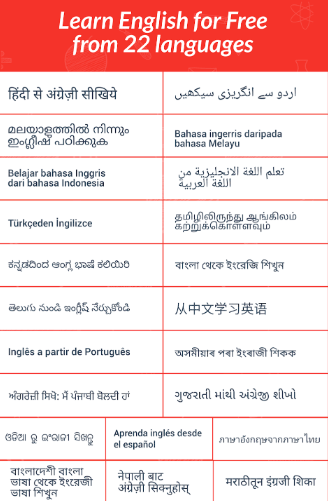
Ranking the first position in our list is Hello English. It allows different opportunities for the students willing to learn English. It focuses on the concepts like speaking, grammar, reading, writing, listening, etc. It is easy for English learners to connect with other learners and practice English. Not to miss is its availability in 25 different languages.
Compatibility: Android and iPhone
Version requirements: Android 4.0 or higher, iOS 12.0 or later
Size: 56.2MB
Price: Free
Features of Hello English:
- It helps students participate in multiplayer challenge tournaments.
- It offers real-time translations and English corrections.
- It offers live classes with leading English experts.
Pros:
- It offers audio and video lessons according to the student’s level.
- It has a 24-hours helpline for answering key questions from the students.
- It helps students learn English with the help of interactive games.
Cons:
- The options for learning a language from the current language are limited.
2. FluentU
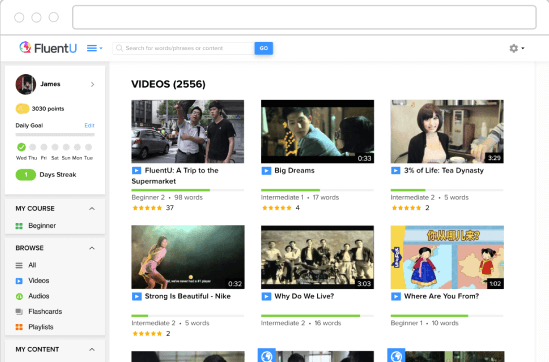
FluentU is the leading English learning app for Android and iPhone and is popularly called “YouTube for language learners.” The database of videos with English subtitles and extra subtitles ensures that students get the best out of the content. It is easy to select from different videos which can be quickly searched using words, topics, categories, etc.
Compatibility: Android and iPhone
Version requirements: Android 5.0+, iOS 12.4 or later
Size: 315.1 MB
Price: Free
Features of FluentU:
- It has a large database of languages with quick filters for selection.
- It tests the learning levels with short quizzes.
- It flashcards the new words for quick remembering.
Pros:
- It is the perfect English learning app for intermediate and upper-intermediate learners.
- It offers an amazing English learning experience with fun videos and quizzes.
- It has inspiring talks, news, movie trailers, music videos, etc., for learning English.
Cons:
- The list of vocab words requires an update.
3. Busuu
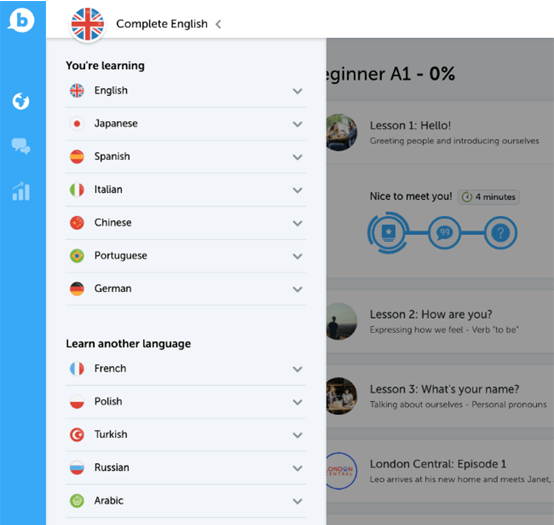
If asked for one English learning app offering education easily and entertainingly, Busuu is the solution. It focuses on English grammar and vocab. The best part of Bussu is its elimination of stressful timetabling. Students can get quick feedback on their skills with a quick Grammar Review. All the content on Busuu is created by professional English experts only.
Compatibility: Android and iPhone
Version requirements: Android 2.3 or higher, iOS 14.0 or later
Size: 182.3 MB
Price: Available in different pricing plans starting at 9.99 USD monthly.
Features of Busuu:
- It combines the benefits of online and offline learning.
- All the content is created by leading English language experts.
- It offers quick feedback to help students focus on specific areas.
Pros:
- It doesn’t put students into stressful learning timetabling.
- It has an easy-to-use interface.
- It has multiple contents for learning English easily.
Cons:
- The grammar section needs a quick update.
4. Mondly
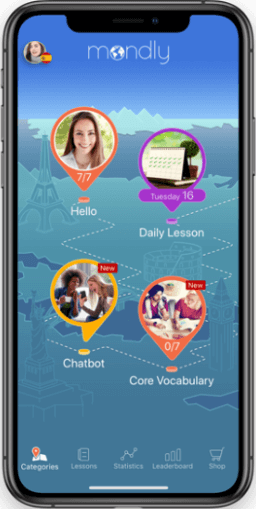
Mondly is another great choice in the top-rated English learning apps for Android and iPhone. It aims to improve English speaking skills with speech-recognition technology. It gives an automatic update to the students on their spoken English skills. The native speakers on Mondly ask questions while the students select from the detailed list of possible responses to speak into the microphone.
Compatibility: Android and iPhone
Version requirements: Android 7.0+, iOS 12.0 or later
Size: MB
Price: Free
Features of Mondly:
- It plays audio clips of native speakers.
- It offers a VR immersion tool.
- It has a chatbot for sending messages to the robot English speaker.
Pros:
- It has an easy-to-use interface.
- It has more than 2,000 new words and phrases for effective English learning.
- It allows personalized review lessons.
Cons:
- Its grammar explanations are not clear.
5. LingoDeer
Next on our list of the best ten English apps for Android and iPhone is LingoDeer. If asked for a leading app for english learning offering quick upgrading of English skills from beginners to intermediate, LingoDeer is the perfect solution. It is a feature-rich English learning app with short lessons.
Compatibility: Android and iPhone
Version requirements: Android 4.1 or higher, iOS 11.0 or later
Size: 138.4 MB
Price: Free
Features of LingoDeer:
- It emphasizes learning new words in context.
- It includes puzzles, games, videos, etc.
- All its lessons have quick learning tips.
Pros:
- It is one of the best apps with game-oriented learning.
- It helps to learn English with conversational practice.
- It offers real-time progress.
Cons:
- Lessons are not as structured as expected.
6. Duolingo
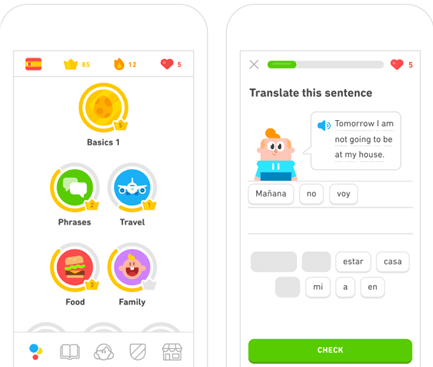
Duolingo is the leading app offering quick learning of different languages. It offers a five-minute long session to students and includes quick words translation to English, etc. Further, students can speak English words on the microphone. Students are never away from the lessons as the app sends necessary notifications and emails regarding the same.
Compatibility: Android and iPhone
Version requirements: Android APK, iOS 12.1.2 and later version
Size: 49 MB
Price: Free
Features of Duolingo:
- It helps to learn English with game-like features.
- It works on language sciences, artificial intelligence, etc.
- It helps in reading, listening, and speaking English.
Pros:
- It has an user-intuitive interface.
- It is available for English-speaking schools and individual learners.
- It offers a convenient way of Spanish learning.
Cons:
- Its focus is less on grammar.
7. Babbel
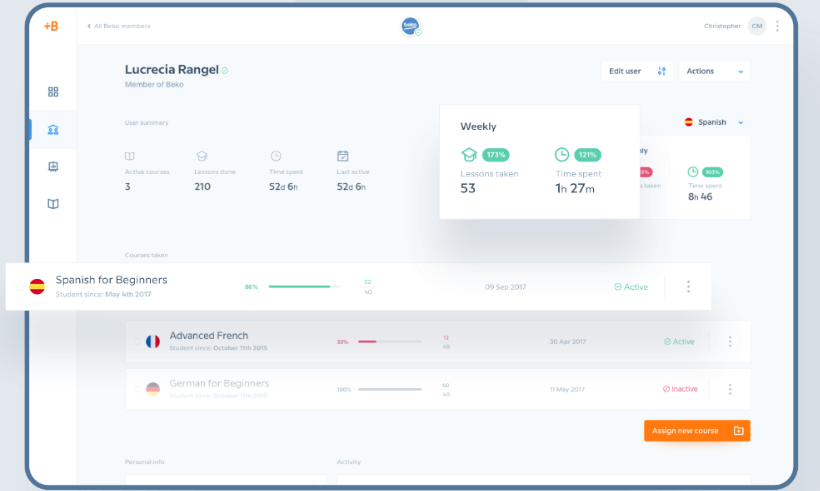
Next on our list of the top and best English learning apps for Android and iPhone is Babbel. It has English learning lessons for different levels of students. All its English lessons are around 20 minutes long with a mixture of automatic voice recognition, new sentence memorization, grammar practice, etc. Its flashcard section ensures quick sentences and words remembered from other lessons.
Compatibility: Android and iPhone
Version requirements: Android APK, iOS 13 or later
Size: 91.7 MB
Price: Available in different pricing plans- 14 USD monthly, 30 USD quarterly, 50 USD half-yearly, and 7 USD monthly in the yearly plan.
Features of Babbel:
- It offers additional grammar rules practice.
- It offers a combination between rigorous English learning and game-like learning.
- All its lessons are twenty minutes long.
Pros:
- It is perfect for English learners aiming to improve their grammar.
- Its live speaking practice helps inculcate a feeling of confidence in students.
- It is an easy-to-use app.
Cons:
- It has tiring lessons.
8. Memrise
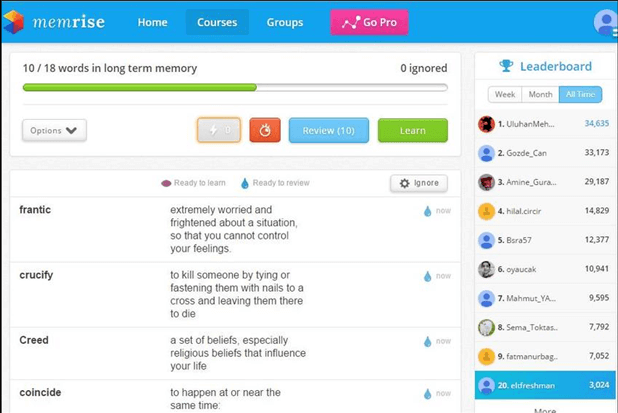
Memrise is another popular app with flashcards. It uses spaced repetitions to help students learn words and phrases for long-term memory. It has plenty of flashcards to choose from. It comes with a speech recognition feature offering quick English pronunciation practice. Students term it as a vocabulary-boosting app. It works on the innovative “learn with locals.”
Compatibility: Android and iPhone
Version requirements: Android version 7.0 or above, iOS 10.0 and above
Size: 250 MB
Price: Available in different pricing plans- 8.49 USD monthly, 29.99 USD yearly, and 119.99 USD lifetime.
Features of Memrise:
- It has an interactive user interface.
- It is easy to learn pronunciations with the help of local video clips.
- The native speakers help students learn practical phrases.
Pros:
- It is the perfect vocabulary-boosting app.
- It uses gamified tests for quick testing of learned skills.
- It is an easy-to-use English learning app.
Cons:
- It lacks consistency in content as it is prepared by users only.
9. Rosetta Stone
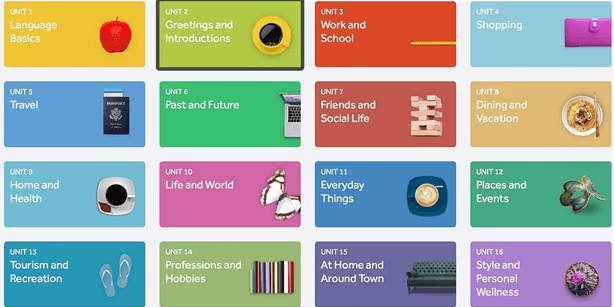
Rosetta Stone is another useful app to learn English that adopts interactive methods for English learning. It helps in deep English learning for beginners and professionals. It shows words or sentences to the students, and they’ve to match them with the pictures. It offers an immersive learning experience to the students. The secret of Rosetta Stone’s success lies in its speech recognition software.
Compatibility: Android and iPhone
Version requirements: Android APK, iOS 13.0 or later
Size: 199.2 MB
Price: Available in different pricing plans starting from 7.99 USD yearly
Features of Rosetta Stone:
- It can be used by individuals, enterprises, and schools due to the availability of different learning plans.
- It is perfect for professionals as it introduces new skills at a quick pace.
- It offers interactive activities and different real-world scenarios for quick English learning.
Pros:
- It has an easy-to-use interface.
- It is available in more than 25 languages.
- It offers immediate English pronunciation feedback.
Cons:
- It has certain bugs.
10. Preply
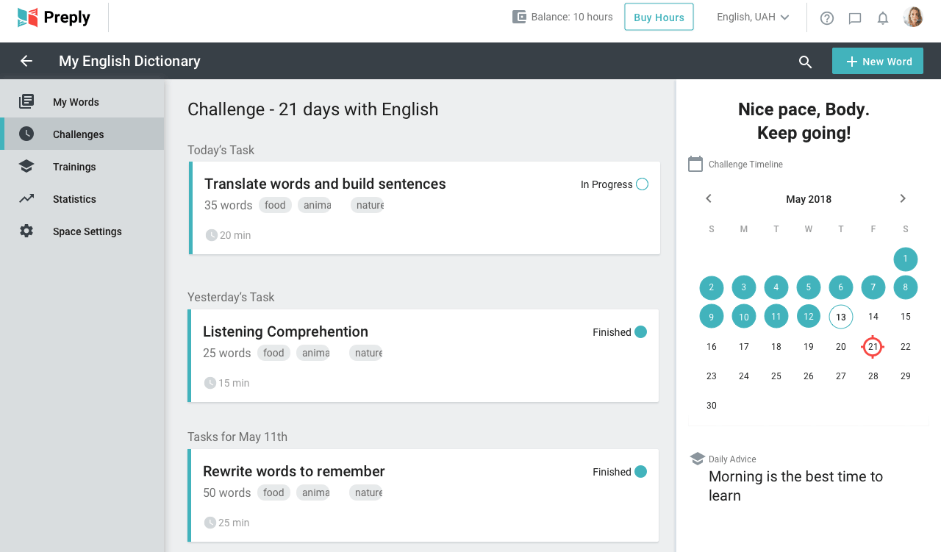
Last but not least is Preply. It is a dedicated English learning app offering quick interaction of the students with expert English tutors in detailed 1-on-1 lessons. The selection of the tutor depends on the students based on the country of origin, skill specialty, availability, reviews, etc. Preply offers quick mobile chat to interact with the tutors and ensures that students start speaking English from the first day of the class.
Compatibility: Android and iPhone
Version requirements: Android 5.1 or later, iOS 13.0 or later
Size: 108 MB
Price: Available at 5 USD per hour.
Features of Preply:
- It offers 1-on-1 sessions with expert English tutors.
- It notifies students about upcoming classes.
- It has English lessons ranging from beginners to advanced levels.
Pros:
- It is the ideal app for beginners and professionals.
- It offers Flashcards for improving vocabulary.
- It shares instant feedback with the students in the event of mistakes.
Cons:
- It lacks strong support for class cancellation.
Wrapping Up:
So, have you selected your partner in English learning out of the top and best ten English learning apps for Android and iPhone mentioned above? It is easy to select one based on the key features, advantages, possible issues, and other device requirements. No need to worry about the efficacy of these apps when these have a proven worth in teaching English to multiple students.
The best part about these apps is that you can select one based on your English skills. No need to learn basics when you can improve your vocab or pronunciation or jump to advanced concepts without clearing your English basics. So, what are you waiting for? Download the English learning app and start learning English today!
Author Bio:
Dinesh Lakhwani 

Dinesh Lakhwani, the entrepreneurial brain behind “TechCommuters,” achieved big things in the tech world. He started the company to make smart and user-friendly tech solutions. Thanks to his sharp thinking, focus on quality and the motto of never giving up, TechCommuters became a top player in the industry. His commitment to excellence has propelled the company to a leading position in the industry.
Popular Post











Recent Post

How To Check If Your PC Is Infected? [Complete Guide]
Computers now sit at the center of almost everything we do. Well, yes! From sending emails to watching videos, we depend on them without much thought. Because of this, even a small issue can disrupt daily tasks. One common problem is hidden malware. It does not always show clear signs at first. It can enter […]

Repair Apps And Programs: Repair Apps That Aren’t Working
Computers have become an essential part of everyday life, supporting work, study, communication, and entertainment. Most of these activities rely on apps and programs, so when one stops functioning, even simple tasks can be disrupted. Common problems include error messages, frozen screens, or apps that fail to open. On Windows systems, such issues often arise […]
Troubleshooting Microphone Privacy Settings: Complete Guide
Sound is a basic part of how we use computers today. People attend meetings, record audio, speak to others, and use voice tools almost every day. A working microphone makes all these tasks easy. When the microphone fails, even simple work becomes difficult. Many users first think the device is broken. In reality, the issue […]
Windows Sound Settings – Sound Control Panel: Complete Guide
Sound plays an important role in how we use a computer every day. It supports both work and leisure. You need it for meetings, videos, music, and alerts. When audio fails, even simple tasks become difficult. Many users feel stuck when sound issues appear. This usually happens because they are not familiar with Windows Sound […]

Run a Troubleshooter For PC Issues Windows: Complete Guide
A computer plays an important role in everyday life. People use it for work, study, communication, and entertainment. When a problem appears, it can interrupt everything. Even a small issue can waste time and create frustration. Many users feel unsure about how to fix such problems. They often think they need expert help. In reality, […]
![Adjusting Audio Output Settings Complete Guide [2026]](https://www.techcommuters.com/wp-content/uploads/2026/03/Adjusting-Audio-Output-Settings-Complete-Guide.webp)
Adjusting Audio Output Settings: Complete Guide [2026]
Sound is part of almost everything we do on a computer. It lets you watch videos, join calls, play music, and hear alerts. When the audio stops working the right way, it can interrupt both work and daily use. That is why adjusting audio output settings matters for every user. Many people get unsure when […]

Artificial Intelligence Explained: Concepts, Terminology, Benefits, and Future Trends
Artificial Intelligence, or AI, is basically computers doing things that usually need a human brain. We’re talking about stuff like learning from experience, figuring out problems, understanding language, and making decisions. It’s not magic, just a lot of data, pattern-spotting, and math behind the scenes. Now, AI doesn’t actually think or feel like we do. […]

Resolving Microphone Detection Problems: Latest Guide [2026]
Microphones are important tools in daily life. People use them for office meetings, online classes, interviews, gaming, customer support, and content creation. When a system fails to detect a microphone, communication stops at once. This situation can cause stress and confusion. Many users believe the microphone is damaged. In reality, most problems are simple and […]

How To Switch To A Dark Background Theme In Windows [2026]
Most people spend many hours each day in front of a computer screen. Office work, online classes, editing, browsing, and streaming all require long screen time. A bright white background may look clean at first. However, over time, it can feel sharp and tiring. The strong contrast between white backgrounds and black text may cause […]

How to Switch From Local To Microsoft Account On Windows
Many users begin with a local account when they set up a new Windows computer. A local account works only on that single device. It stores settings, files, and preferences locally. It does not connect to online Microsoft services. For basic offline use, it works well. However, as digital needs grow, many users want better […]

