10 Best iPhone and iPad Cleaner Apps of 2026
Last updated on January 21st, 2026 at 10:35 am
Agree or not, our iPhones and iPads have seamlessly integrated into our lives as essential companions, safeguarding our precious memories, sensitive information, and crucial apps. However, with constant use, these devices can accumulate a substantial amount of clutter, leading to sluggish performance, dwindling storage space, and frustration.
Fortunately, the app ecosystem has responded with a myriad of innovative solutions designed to streamline and optimize our iOS devices.
In this comprehensive article, we will explore the 10 best iPhone and iPad cleaner apps of 2026, meticulously curated to cater to a wide range of user preferences and requirements.
How We Made the List
To pick the best iPhone and iPad cleaner apps in 2026 we focused on practical performance, ease of use, and real impact on storage and speed. We tested apps on different iOS devices with varied storage loads and content types.
We looked for accurate junk detection, safe cleanup options, and helpful features beyond basic file removal.
- Junk File Detection: We chose apps that reliably find and suggest the removal of cache, temp files, and large unused data.
- Storage Overview Tools: Apps with clear breakdowns of storage use help you find what’s taking space fast.
- Safety and Data Protection: We picked apps that avoid deleting personal files accidentally and show clear confirmations.
- User Interface: Clean, intuitive screens keep cleanup tasks simple even for casual users.
- Performance Tools: Additional tools like duplicate finder or photo cleaners improve value beyond basic cleanup.
- Battery and Memory Info: Apps that show battery drain and memory use give broader device health insights.
- Update Frequency: Regular updates signal ongoing support and adaptation to iOS changes.
- Light Resource Use: Good cleaner apps work quickly without heavy background drain or bloat.
Top 5 Cleaner Apps Compared
The table below highlights key features of popular cleaner apps for iPhone and iPad. It helps you judge which app suits your needs for storage, performance, and extras.
| Feature / App | Cleaner Pro | CCleaner | Smart Cleaner | Clean Doctor | Cleaner Kit – Clean Up Storage |
| Storage Analysis | Very Good | Good | Very Good | Good | Good |
| Junk Cleanup | Good | Very Good | Good | Good | Very Good |
| Duplicate File Finder | Yes | Yes | Yes | Yes | Limited |
| Photo and Video Cleaner | Yes | Yes | Excellent | Good | Excellent |
| App Cache Management | Basic | Good | Basic | Basic | Good |
| Battery & Memory Info | Yes | Yes | Yes | Yes | Yes |
| User Interface | Clean | Familiar | Simple | Friendly | Modern |
| Best Use Case | Balanced use | Deep cleanup | Photo-heavy users | Everyday cleanup | Storage optimizer |
10 Best iPad and iPhone Cleaner Apps to Try in 2026
1. Cleaner Pro
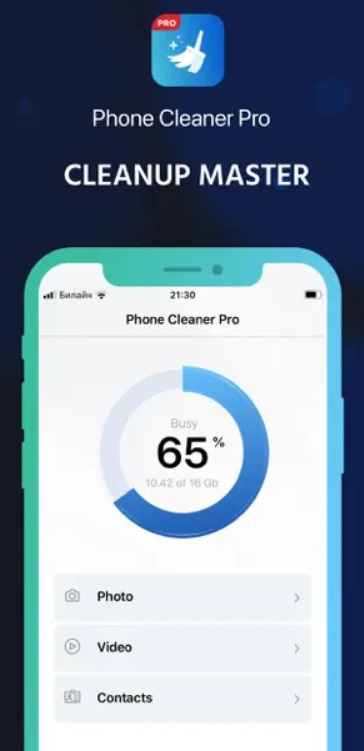
Cleaner Pro is a comprehensive one of the best iPhone cleaners that promises to boost your device’s performance and free up storage space with its advanced scanning and cleaning features.
Cleaner Pro is an all-in-one solution for optimizing your iOS device’s performance and storage capacity. With its intuitive interface and deep scanning capabilities, this app identifies and removes junk files, cached data, and residual files from uninstalled apps. It also offers photo compression, duplicate file removal, and battery life optimization, ensuring your device runs smoothly and efficiently.
Key Features:
- Deep scanning for junk files, cached data, and residual files.
- Photo compression and deduplication.
- Battery life optimization and memory cleaning.
- System monitoring and performance boost.
- Comprehensive cleanup with a single click.
Pros:
- Comprehensive cleaning and optimization tools.
- Simple and intuitive user interface.
- Secure cleaning process with data protection.
- Frequent updates to ensure compatibility.
Cons:
- Premium pricing for the full version.
- Some advanced features require in-app purchases.
2. CCleaner
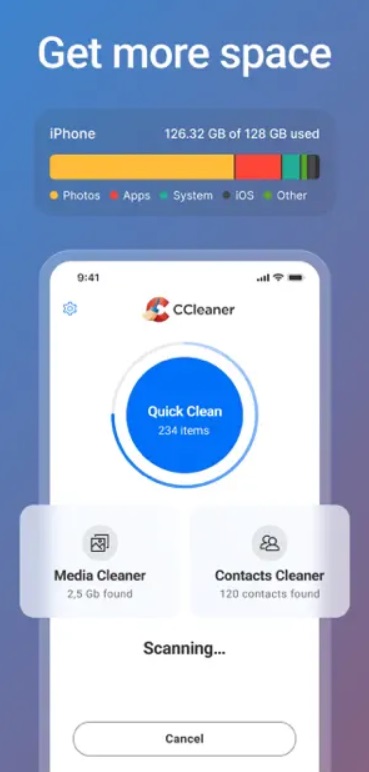
CCLeaner is a well-known name in the PC cleaning world, and its iOS counterpart promises to deliver the same level of efficiency for your iPhone and iPad. CCleaner for iOS is a free app to clean iPad and iPhone devices, helping users reclaim storage space and improve device performance.
With its user-friendly interface and smart scanning capabilities, CCLeaner identifies and removes cached data, browser history, and other unnecessary files that accumulate over time. It also offers photo analysis, duplicate file removal, and privacy protection.
Key Features:
- Clears cached data, browser history, and other junk files.
- Analyzes and compresses photos to save space.
- RAM booster to improve device responsiveness.
- Battery saver feature to extend battery life.
- Protects user privacy by erasing sensitive data.
- Intuitive dashboard for easy navigation.
Pros:
- Free to download and use.
- Simple and intuitive user interface.
- Photo optimization and duplicate file removal.
- Secure data erasure and privacy protection.
Cons:
- Limited customization options for cleaning preferences.
- Some users may find the interface less modern compared to other apps.
3. Smart Cleaner
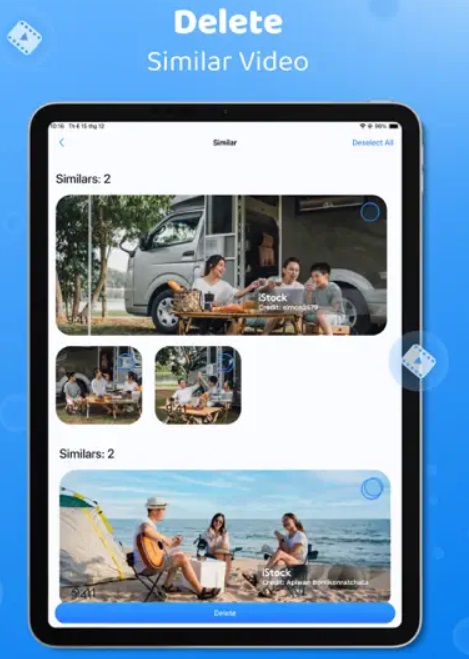
Smart Cleaner is a highly rated iPad and iPhone cleaner app that promises to help users optimize their devices’ performance and storage capacity with its intelligent scanning and cleaning capabilities.
Smart Cleaner is an intelligent iOS cleaner app that uses advanced algorithms to identify and remove junk files, cached data, and residual files from your device. With its intuitive interface and comprehensive set of tools, Smart Cleaner helps users reclaim valuable storage space and improve device performance. It offers features like photo compression, duplicate file removal, and battery life optimization, ensuring your iPhone or iPad runs smoothly and efficiently.
Key Features:
- Smart scan technology for efficient cleaning.
- Duplicate photo remover to free up storage space.
- Battery saver mode to extend battery life.
- App manager for easy app management.
Pros:
- Protects your private data from prying eyes.
- Effective cleaning algorithms.
- The app offers a hidden space where you can store sensitive files securely.
- Battery optimization feature.
Cons:
- The free version may display occasional ads.
- Some users find the app’s interface less intuitive or visually appealing.
4. Clean Doctor
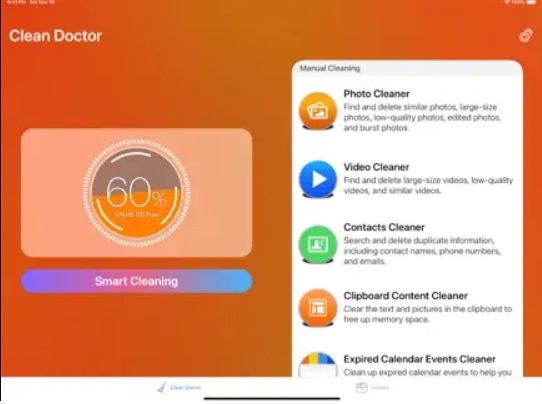
Clean Doctor is a popular iPad and iPhone cleaner app that helps you free up space, speed up your device, and keep your information private. It finds and deletes unnecessary files like cached data and duplicates, making your device run better.
Its easy-to-use design and useful features like compressing photos and optimizing battery life make it a great choice for keeping your iOS device in top shape.
Key Features:
- Advanced scanning and removal of junk files, cached data, and residual files.
- Photo compression and deduplication.
- Battery life optimization and memory cleaning.
- Real-time system monitoring and protection.
- Web browsing data and history cleaning.
Pros:
- Powerful scanning and cleaning algorithms.
- User-friendly interface with detailed analytics.
- Real-time system monitoring and protection.
- Secure data erasure and privacy protection features.
Cons:
- Premium pricing for the full version.
- Limited customization options for cleaning preferences.
5. Cleaner Kit – Clean Up Storage
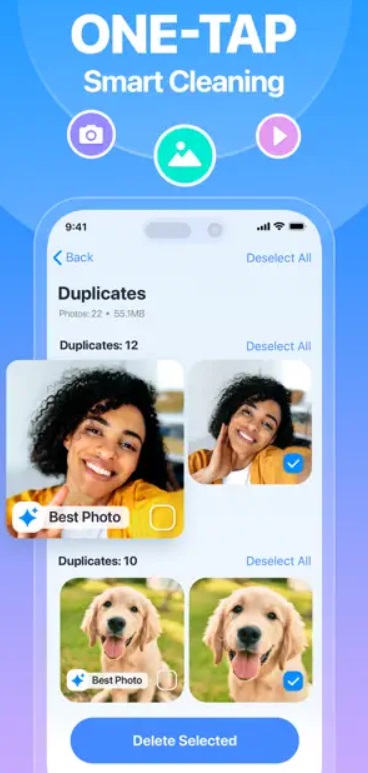
Say goodbye to cluttered photo albums and sluggish device speed – Cleaner Kit is here to help you reclaim valuable storage space and optimize your iPhone’s performance with ease.
Tired of dealing with duplicate photos and struggling to free up storage? Cleaner Kit iPad and iPhone cleaner app simplifies the process, allowing you to remove unnecessary files and boost your device’s performance in just a few taps.
Whether you’re a photography enthusiast or simply looking to keep your iPhone running smoothly, Cleaner Kit is a free app to clean iPad and iPhone. It is the ultimate solution for maintaining your device’s health and efficiency. Try it today!
Key Features:
- Easily clear up storage space with just a few taps using the Smart Cleaning feature.
- Quickly and effortlessly remove old calendar events.
- Check your Internet connection speed with a simple test.
- Delete all duplicate photos swiftly.
- Customize your Home Screen by adding widgets for Storage, Battery, and Contacts.
Pros:
- Simplifies the cleaning process with an automated feature.
- Securely stashes sensitive information in a private space.
Cons:
- Some sections like calendar and contacts require manual cleaning, which can be time-consuming.
- While the app is free, some features may require additional purchases.
6. Easy Cleaner
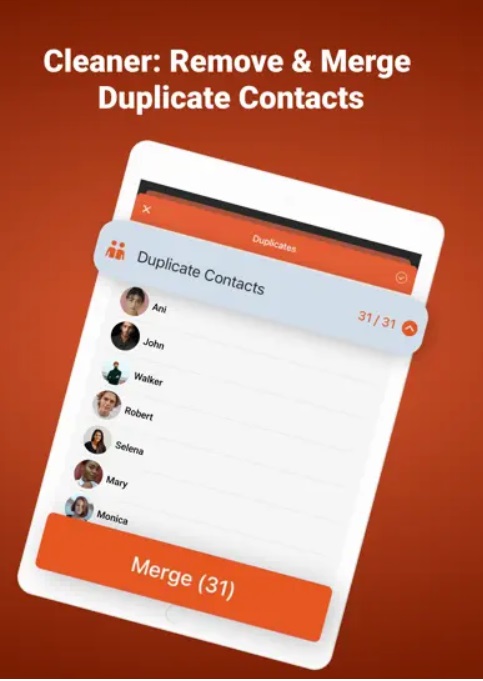
Introducing Easy Cleaner, the ultimate solution for managing your contacts with ease! Whether you’re tired of sorting through duplicates or want to ensure your information is always up-to-date, Easy Cleaner has you covered. With its simple interface and powerful features, you can clean up your address book, merge duplicate entries, and automatically enrich missing details like phone numbers and job titles.
Say goodbye to confusion and hello to a smoother contact management experience with Easy Cleaner.
Key Features:
- Easily consolidate multiple contacts into one.
- Automatically add missing details like phone numbers and job titles.
- Get rid of duplicate contacts quickly.
- Easy-to-use interface for seamless contact management.
Pros:
- Ensures user data is protected during the cleaning process.
- Easy to navigate for users of all skill levels.
Cons:
- Requires a recurring payment, which might not appeal to all users.
7. Cleaner Guru
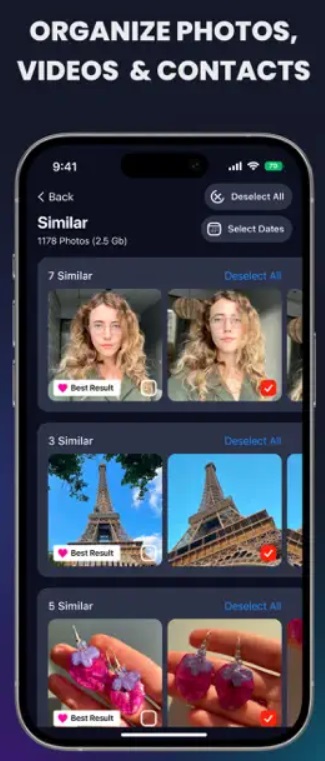
With “Cleaner Guru,” you can effortlessly identify similar photos, merge duplicate contacts, locate large video files and unwanted screenshots, and clean up your iPhone storage with just one tap. Enhance your productivity with various widgets to monitor your battery, storage, and memory. Plus, personalize your Home screen with modern widgets.
Experience the power of Smart Cleaning to eliminate all unwanted files at once. Give the “Cleaner Guru” iPad and iPhone cleaner app a try to reclaim storage space and optimize your device’s performance.
Key Features:
- Identifies and removes duplicate or similar photos, live photos, and burst shots.
- Shrinks large video files to save space.
- Merges duplicate contacts effortlessly.
- Locates and deletes unnecessary files.
- Monitors battery, storage, and memory.
- Safeguards sensitive data.
- Enhances your charging experience.
Pros:
- Efficiently handles photos, videos, and contacts.
- Easy navigation for all users.
- Ensures data security during cleaning.
Cons:
- Cleaner Guru displays occasional ads, especially in the free version.
- While the app offers essential cleaning features, it lacks advanced customization options.
8. Boost Cleaner
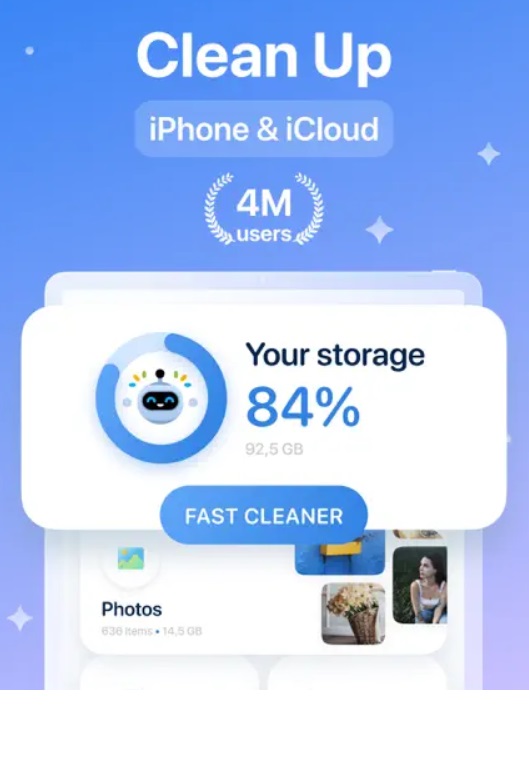
Boost Cleaner offers all the necessary features to tidy up any device. This phone cleaner app simplifies the process of analyzing and cleaning up photos, allowing users to free up space effortlessly. With Boost Cleaner, you can easily locate and delete duplicate photos, eliminate unwanted selfies, and even filter images by date or location for better photo management.
Moreover, Boost Cleaner serves as an efficient contact cleaner. You can quickly delete duplicates, merge contacts, and filter specific entries, making contact management a breeze. Give your phone a storage boost when needed by eliminating large and unnecessary files. With Boost Cleaner, you can maximize your phone storage and free up more space for what’s important.
Key Features:
- Analyze and delete similar selfies, live photos, and GIFs.
- Merge similar contacts by name, phone, and email.
- Delete multiple contacts easily.
- Easily remove multiple large files.
- Perform a quick storage boost to save space.
Pros:
- Efficiently handles photos and contacts.
- Designed with a bright and accessible interface.
Cons:
- Requires a weekly auto-renewing subscription.
9. Magic Cleaner & Smart Cleanup
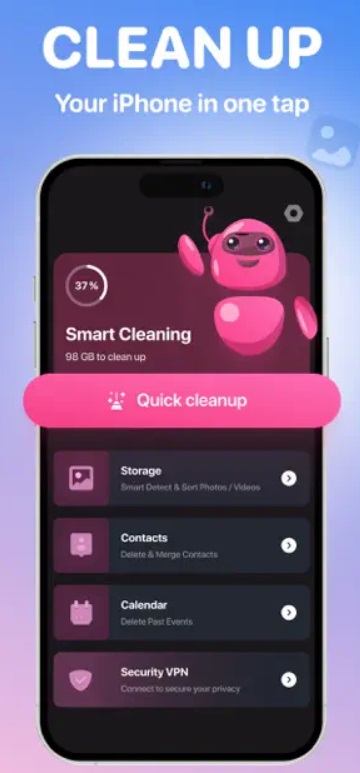
Magic Cleaner & Smart Cleanup takes the hassle out of managing your device’s storage. By automatically scanning your device, it identifies and deals with images that are hogging too much space.
Whether it’s duplicates, screenshots, or other clutter, this app handles it all. Say farewell to the tedious task of manually deleting unnecessary photos—let Magic Cleaner & Smart Cleanup do the heavy lifting for you!
Key Features:
- Automatically finds and removes duplicate photos.
- Machine learning algorithms and face detection ensure accuracy.
- Quickly identifies illegible or blurry photos.
- Easily choose and delete unwanted old screenshots.
- Reclaim valuable disk space.
Pros:
- Simple, elegant, and intuitive design.
- The app proactively scans your photo library without manual intervention.
Cons:
- Customizable settings for specific criteria (e.g., excluding certain folders) could enhance the user experience.
10. Phone Cleaner
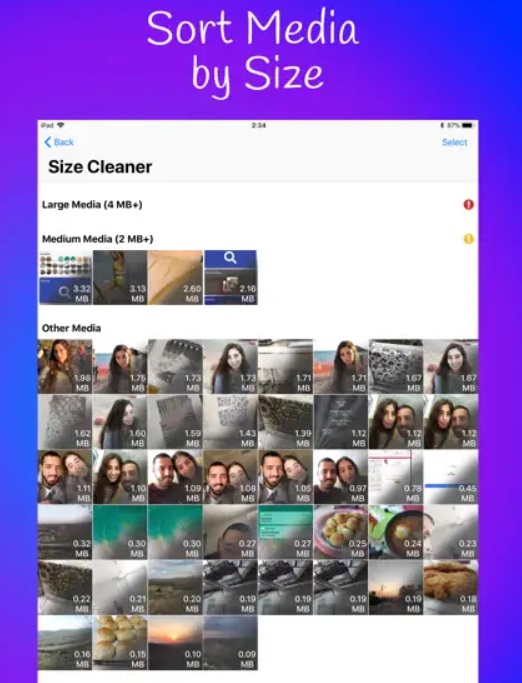
Phone Cleaner iOS cleaner app is your go-to tool for reclaiming valuable space on your device and optimizing storage effortlessly. With four distinct modes, you can easily organize your media and eliminate unnecessary clutter. Firstly, sort files by size to identify and remove the largest ones, aided by detailed size information. Secondly, utilize advanced filters to search for media based on type, creation date, size, and more, streamlining your cleanup process.
Thirdly, effortlessly detect and remove duplicate and similar photos from your gallery, freeing up additional space. Lastly, engage the extra mode for web cleaning, ensuring an ad-free browsing experience while eliminating most ads from your browser. With Phone Cleaner, managing your device’s storage has never been simpler.
Key Features:
- Organizes photos and video files by size, from largest to smallest.
- Provides flexible filter options to clean specific photos and videos.
- Quickly merge contacts with multiple occurrences in your address book.
- Cleans websites from ads in the Safari web browser.
Pros:
- The app provides personalized recommendations based on your usage patterns. It suggests which files to delete, making the cleaning process more efficient.
- Bug fixes, performance enhancements, and new features are rolled out regularly.
Cons:
- While the app excels in managing photos, videos, and contacts, it may lack features for cleaning other types of files (e.g., documents, and app caches).
- Users seeking a more comprehensive cleaning solution might need additional apps.
Conclusion
In today’s world, where our digital lives revolve around our mobile devices, it’s essential to keep them running smoothly and efficiently. The 10 iPhone and iPad cleaner apps discussed in this article offer a wide range of features and capabilities to help users optimize their devices’ performance and storage capacity.
From powerful scanning and cleaning algorithms to photo compression, duplicate file removal, and battery life optimization, these apps cater to various user needs and preferences.
Whether you’re a power user seeking advanced cleaning and optimization tools or someone looking for a simple and user-friendly solution, there’s an app on this list that will meet your requirements. By implementing a regular cleaning routine with one of these apps, you can ensure that your iPhone or iPad remains clutter-free, responsive, and ready to tackle your daily tasks with ease.
FAQs:
Are these cleaner apps safe to use?
Yes, the apps mentioned in this article are generally safe to use. However, it’s always a good idea to read the app’s privacy policy and reviews before downloading and using it. Additionally, be cautious of apps that request excessive permissions or seem suspicious.
Can using a cleaner app damage my device?
No, reputable cleaner apps are designed to optimize your device’s performance and storage capacity without causing any harm. However, it’s crucial to use apps from trusted developers and follow the instructions carefully. Avoid using apps that perform actions without your consent or modify system files.
Do cleaner apps really help improve device performance?
Yes, cleaner apps can significantly improve your device’s performance by removing junk files, cached data, and residual files from uninstalled apps. By freeing up storage space and optimizing system resources, these apps can help your iPhone or iPad run more smoothly and efficiently.
Do cleaner apps actually free up space on iPhone
Yes, cleaner apps can free up space on iPhones and iPads. They find cache and temporary files that build up over time. They show you what can be removed safely. Some remove large unused videos and duplicates. This clears the room without losing important data. Results vary by device and storage use.
Are cleaner apps safe to use on iOS
Cleaner apps are generally safe when they follow Apple guidelines. iOS limits what third-party apps can access. Good cleaner apps request only necessary permissions. They confirm before deleting anything. Always check reviews and privacy policies. Avoid apps with unclear data use.
Can these apps speed up my iPhone
Cleaner apps can help speed up by removing clutter that slows storage access. They can clear the cache that bogs down system tasks. They do not change core iOS performance limits. Devices with old hardware may not see big gains. But freeing space often improves responsiveness.
Which cleaner app is best for photos and videos
Smart Cleaner and Cleaner Kit stand out for media cleanup. They scan your library fast. They suggest duplicates and large files you may not need. You can preview before deletion. Both keep originals safe until you confirm. This makes media cleanup easier.
Can iOS cleaner apps remove system files
No, iOS cleaner apps cannot delete system files. Apple restricts access to core system data. Cleaner apps work within allowed areas like cache and user files. This keeps your device stable. They cannot touch protected system resources. Their impact is mainly on user storage.
Do cleaner apps improve battery life
Cleaner apps show memory and battery info. They may help by closing background items. Actual battery life improvements are small. iOS manages battery use tightly. Removing big clutter can reduce the load. But real-life gains vary by how you use the device.
Author Bio:
Dinesh Lakhwani 

Dinesh Lakhwani, the entrepreneurial brain behind “TechCommuters,” achieved big things in the tech world. He started the company to make smart and user-friendly tech solutions. Thanks to his sharp thinking, focus on quality and the motto of never giving up, TechCommuters became a top player in the industry. His commitment to excellence has propelled the company to a leading position in the industry.
Popular Post











Recent Post
Top 9 Browsers With Built-In VPN – VPN Browser
Online browsing is no longer private by default. Every website collects data in some form. This includes location details, device information, and browsing habits. Over time, this data builds a clear picture of user behavior. Many people are now uncomfortable with this level of tracking. A VPN browser helps reduce this exposure. It adds a […]

AI In Cyber Security: Who is Winning, Hackers or Security Companies
Cybersecurity once followed clear rules. Companies built firewalls. Users created passwords. Antivirus tools scanned files and removed known threats. When an attack happened, security teams studied it and added new rules. This method worked for many years. It created a sense of control and stability. That sense is gone today. Artificial intelligence has changed how […]

The Biggest AI-Run Cyber Attacks Of All Time
Artificial intelligence is now part of everyday technology. It helps people search faster. It improves medical research. It supports businesses in making better choices. But AI is not used only for good purposes. Cyber criminals have also learned how to use it. This has changed the nature of cyber attacks across the world. In the […]
Switch To a Dark Background Theme on Windows: Enable Dark Mode
People often like a screen that feels gentle on the eyes. A darker style softens bright areas and makes long computer sessions easier to handle. It also gives the desktop a cleaner and more modern feel. When you switch to a dark background theme in Windows, the colors shift to deeper shades that reduce glare […]
![Complete Guide on Managing Audio Input Devices [Latest In 2026]](https://www.techcommuters.com/wp-content/uploads/2025/12/Complete-Guide-on-Managing-Audio-Input-Devices.webp)
Complete Guide on Managing Audio Input Devices [Latest In 2026]
People use microphones for meetings, games, classes, recordings, and voice chats, so any problem with the device can interrupt their work. Even a small system error can make the voice weak or stop it fully. This is why knowing the basics of managing audio input devices is helpful for new and experienced users. Windows includes […]

Resetting Audio Settings on Windows 11: Complete Guide
Sound problems can disrupt work, study, or entertainment. Many users face issues where the audio becomes too low, too loud, unclear, or does not play at all. A common way to solve these problems is by resetting audio settings to their original state. This helps Windows rebuild its sound setup from the beginning. Windows 11 […]
Troubleshooting Headphone Detection: Headphones Not Detected/Working
A lot of users run into sound problems at some point. A common one is when the computer does not pick up the headphones. You plug them in, but the speakers keep playing. This can break your focus during work, movies, music, or calls. It also causes confusion because the reason is not always clear […]

How To Re-Pair Bluetooth Earbuds For Stereo Sound on Windows
Wireless earbuds are often paired with computers for rich stereo sound, but things don’t always go smoothly. Sometimes, the system defaults to mono audio or fails to activate the correct playback mode. This can disrupt music, calls, or gaming, making the sound feel flat and lifeless. These glitches usually stem from improper setup. Windows might […]

How To Manage Camera Permissions for App On Windows: Complete Guide [2026]
Many users run into issues when trying to join video calls or online meetings—their camera simply won’t turn on. This can happen for a few reasons: Windows might be blocking access, or the app may not have the correct permissions. These hiccups often lead to confusion and frustration. Fortunately, Windows provides straightforward tools to help […]
![Help With Color Management In Windows Complete Guide [2026]](https://www.techcommuters.com/wp-content/uploads/2025/12/Help-With-Color-Management-In-Windows-Complete-Guide.webp)
Help With Color Management In Windows: Complete Guide [2026]
Color often decides how we experience a picture, a video, a website, or even a simple chart. Many users feel confused when colors look different on each screen. A monitor may show a softer shade while a laptop shows a sharper one. This creates doubt and slows down work. It can also lead to mistakes […]

