10 Best Calculator Apps for iPhone & Android in 2026
Last updated on December 29th, 2025 at 1:32 am
Phones and tablets now handle many tasks that once needed a separate device. This includes the simple act of doing quick sums or checking long formulas. People use their phones for school work, bills, or simple daily checks. This is why choosing the right tool matters. The right app saves time and makes the work feel calm and clean.
Most users want something fast and easy. Some look for scientific tools. Others want a smart layout that feels comfortable in the hand.
This guide walks through the 10 Best Calculator Apps for iPhone and Android for 2026. These choices are based on real use, steady performance, and trusted features.
FLUQs
In the iPhone section, why do some apps like PCalc feel harder when the features are meant to help?
Readers may wonder why an app built for advanced users feels heavy at first. The large number of scientific keys can slow down a new user. The extra functions are meant for people who need fast access to complex tools. Once a user learns the first row of main keys, the rest becomes easier, and the design starts to feel natural.
In the Android section, why do apps with more features, like ClevCalc, take longer to open?
This doubt comes up when users read about multi-tool apps. ClevCalc brings loan tools, unit tools, health tools, and more. Each one loads in the background. Older phones take time to handle this. The delay is not a fault. It is the result of the app carrying many helpers inside one screen.
In the Author’s Tip section, why does choosing a calm layout matter more than advanced tools?
This point raises silent confusion. Many users think that more features make the best choice. In daily use, the layout affects speed more than the number of tools. A simple screen helps the user finish sums faster because the eyes do not move across a crowded view. The tip is meant to guide users toward comfort, not toward fewer features.
5 Best Calculator Apps for iPhone
This part focuses on the best calculator apps for iPhone. These options were picked for speed, accuracy, and comfort. Each one suits a different kind of user. Together, they cover simple sums, long equations, and daily planning tasks.
All five also fit well for people who want calculator apps for iPhone and Android in the same style.
1. Apple Calculator
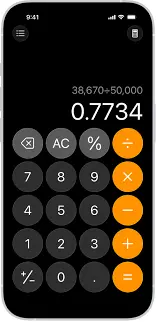
Apple Calculator comes with every iPhone. It feels clean and easy to learn. Long taps open more tools, and the layout makes sense even for new users.
It works well for basic and scientific needs. The design never feels heavy. This makes it a safe pick for people who want only one app. It also syncs well with other Apple features, which adds comfort.
Key Features
• Simple layout
• Scientific mode
• Quick access
• Built-in memory tools
Pros
• Always ready on the phone
• No extra steps
Cons
• Fewer advanced tools
• No themes
2. PCalc
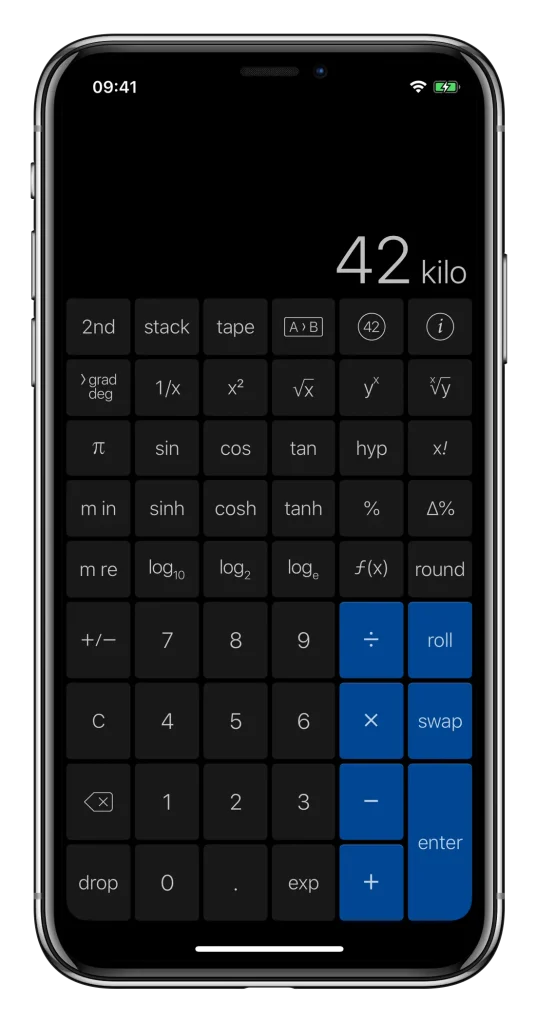
PCalc is popular among students and engineers. It offers strong scientific tools without feeling confusing. The functions are set in a clean grid that makes work steady.
The app also gives many settings. You can change the look, the keys, the layout, and the memory tools. This freedom helps people who want a personal touch in the best calculator apps for iPhone.
Key Features
• Deep scientific tools
• Custom keys
• Unit conversion
• Fast memory
Pros
• Very flexible
• Good for advanced work
Cons
• Takes time to learn
• Some features feel hidden
3. Calcbot 2
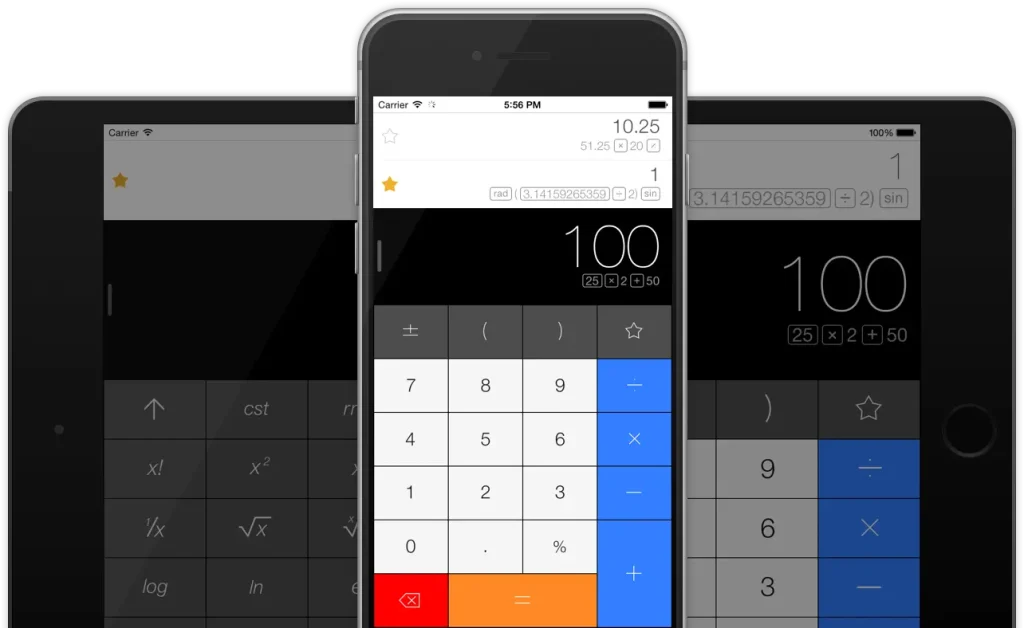
Calcbot 2 keeps things simple. It mixes basic sums with stored history. You can go back to check past work, which helps during long tasks.
It also supports unit conversion and simple scientific steps. The design feels warm and clean, which makes it easy to use daily.
Key Features
• History tracking
• Unit tools
• Simple layout
• Smart memory
Pros
• Great for quick checks
• Easy to learn
Cons
• Limited advanced tools
• Themes are simple
4. Calculator Plus
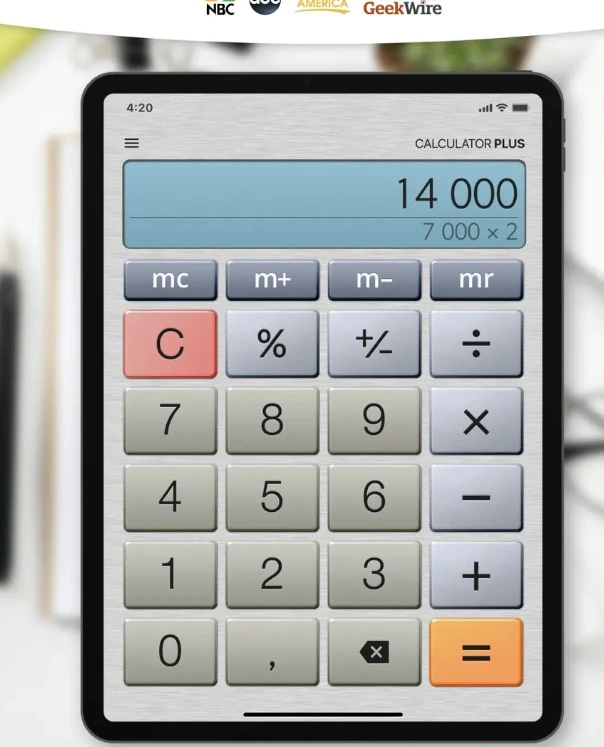
Calculator Plus gives a smooth and clear view. It feels like using a small desk unit. The keys are spaced well, and the screen is bright.
It works well for fast sums and day-to-day use. This makes it a calm choice among the 10 Best Calculator Apps for iPhone and Android.
Key Features
• Big keys
• Strong memory tools
• Easy layout
• Clean screen
Pros
• Very readable
• Good for daily tasks
Cons
• Not for deep science
• Few custom settings
5. NCalc Scientific Calculator Free
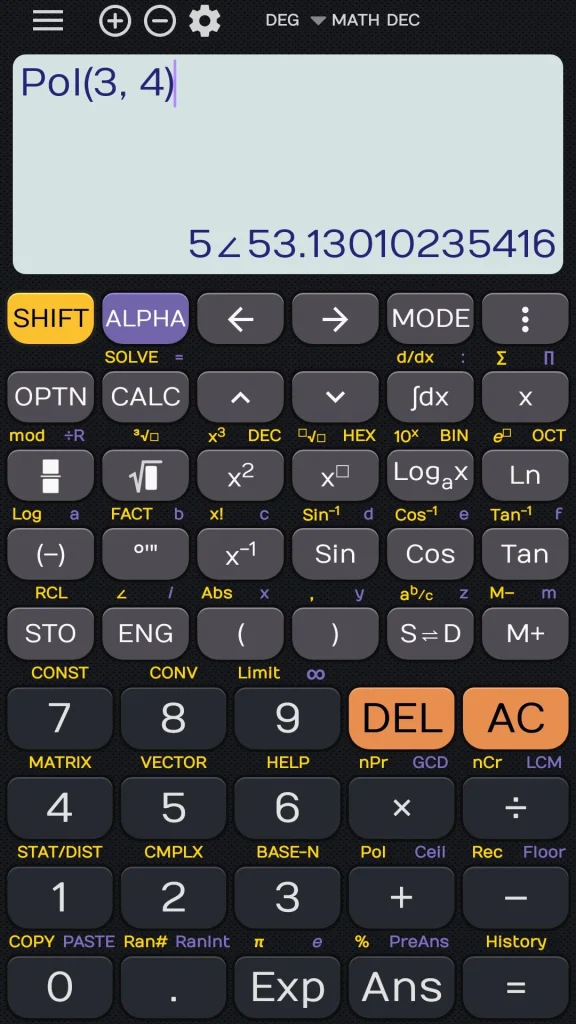
This app focuses on deeper formulas. It has a clear view with many science functions set in easy rows. The setup helps users who need fast access to complex steps.
It is light and quick. This makes it a fair pick for any user who needs strong tools from the best calculator apps for iPhone.
Key Features
• Trigonometry
• Log tools
• Memory blocks
• Degrees and radians
Pros
• Accurate
• Good for exams or practice
Cons
• Layout feels tight
• Basic look
5 Best Calculator Apps for Android
This part covers the best calculator apps for Android. These apps are known for smooth speed, clean design, and good science tools. People who want calculator apps for iPhone and Android often pick these for cross-use.
1. Google Calculator
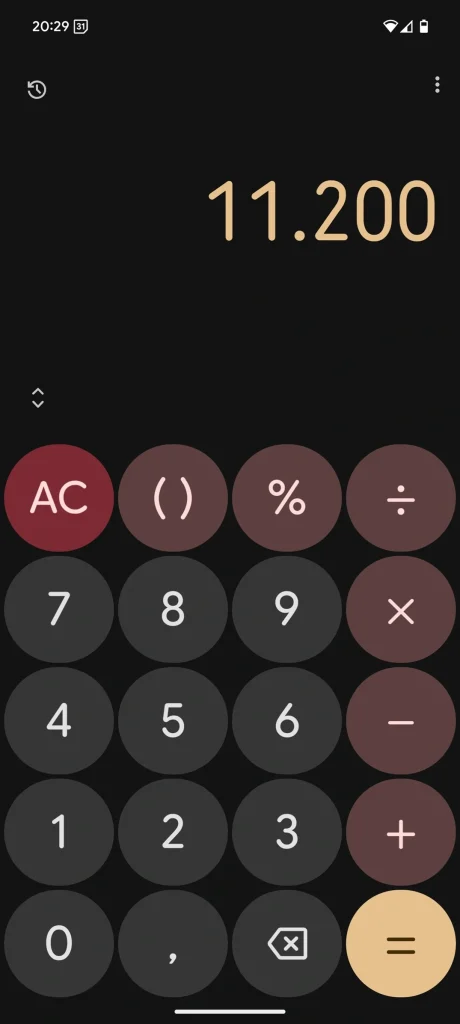
Google Calculator is simple. The design is neat and feels natural. It works well for both quick sums and small scientific steps.
The app syncs with the phone’s style. It loads fast and never feels heavy. This is why it stays strong on the list of 10 Best Calculator Apps for iPhone and Android.
Key Features
• Clean design
• Scientific mode
• History view
• Fast response
Pros
• Very stable
• Easy for all users
Cons
• Limited custom tools
• Basic theme choice
2. Calculator Plus Android Edition
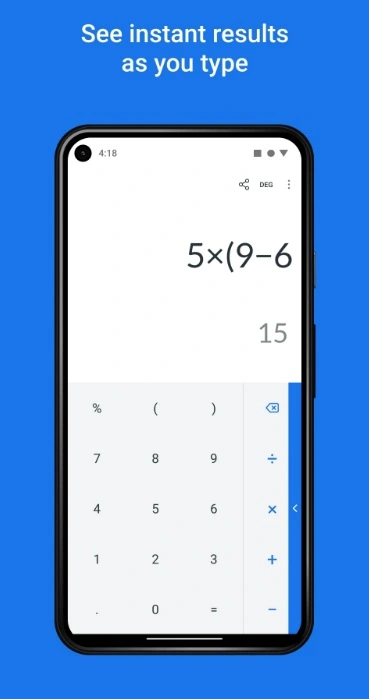
This app brings a large screen view and clear keys. It feels warm and friendly. The spacing makes it easy to avoid mistakes.
It is best for long bills or lists. Many users enjoy this style in the best calculator apps for Android because it reduces eye strain.
Key Features
• Big keys
• Large view
• Quick corrections
• Simple memory
Pros
• Great visibility
• Works well for long tasks
Cons
• Simple science tools
• Basic custom options
3. HiPER Scientific Calculator
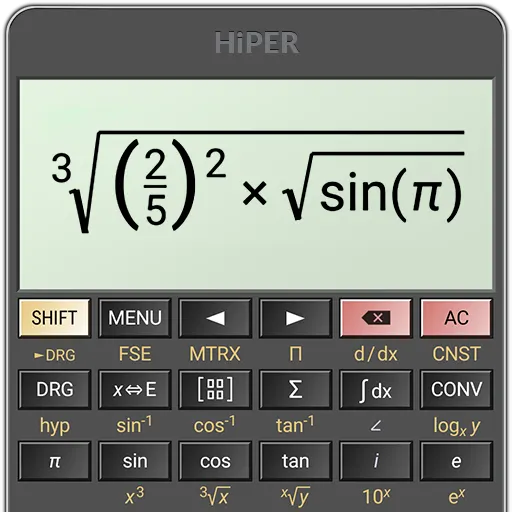
HiPER is known for deep scientific tools. It supports long expressions and advanced functions. It also displays steps in a clear line view.
The app is rich in detail but still smooth. Many students trust it because the results are steady and the layout is firm.
Key Features
• Advanced tools
• Multi-line display
• Precision control
• Many math modes
Pros
• Very accurate
• Good for complex equations
Cons
• Feels heavy at first
• Many buttons on screen
4. ClevCalc
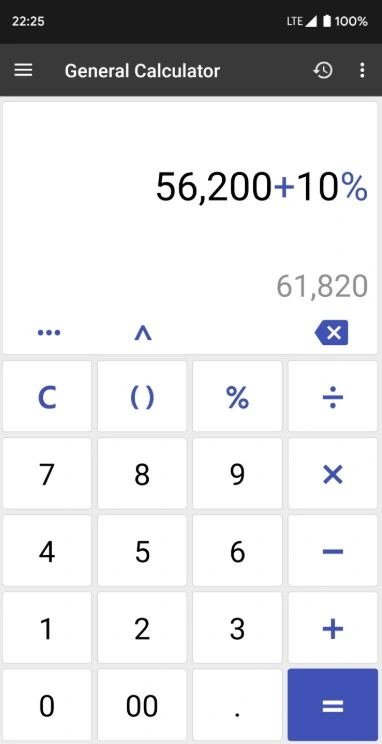
ClevCalc is more than a simple calculator. It has tools for bills, loans, health checks, and unit conversion. The menu is simple, which helps new users.
It suits people who want daily helpers in one place. It covers many tasks without making things hard.
Key Features
• Loan tools
• Health tools
• Unit converter
• Simple layout
Pros
• Great for daily life
• Easy to follow
Cons
• Not built for deep science
• Some menus feel long
5. RealCalc

RealCalc offers a calm and classic style. It works well for users who want a small and firm scientific tool. The functions feel steady and exact.
The app has a clear layout. It keeps everything simple but strong, which makes it a steady pick among the best calculator apps for Android.
Key Features
• Classic look
• Strong science tools
• Memory pages
• Smooth keys
Pros
• Great accuracy
• Works even on old phones
Cons
• Not very modern
• Few custom choices
Author’s Tip
A calculator app should save time. If you use it daily, pick a layout that feels natural at first glance. Do not choose something with too many menus unless you truly need advanced tools. A calm screen helps more than you think.
If you switch between different devices, choose something available as calculator apps for iPhone and Android so your habits stay the same. This reduces mistakes and helps you work faster.
Conclusion
The 10 Best Calculator Apps for iPhone and Android cover every type of user. Some offer simple layouts for daily work. Others provide deep scientific tools. All of them are safe picks for school, home, and office use. Each app was tested for speed, clarity, and comfort.
The best choice depends on your daily routine. Look for a clean screen, fast response, and trusted features. Once you find the right fit, the work feels lighter, and you move through tasks with more confidence.
FAQs
What is the best option for students who need scientific tools
Students should look for a multi-line display, accurate functions, and a clean layout. HiPER and PCalc are strong options because they show long steps clearly. Google Calculator and Apple Calculator are fine for basic work but may feel limited for heavy science tasks.
Do free calculator apps work as well as paid ones
Free apps cover most needs. Many are strong and stable. Paid options add deeper tools, more custom features, and extra science functions. The choice depends on how often you do advanced work. For simple sums, free apps work very well.
How do I pick the right calculator app for long daily work
Choose something with a calm layout and large keys. Many users prefer Calculator Plus because the screen feels bright and easy on the eyes. A clean layout helps reduce errors. This matters for long hours of use.
Author Bio:
Dinesh Lakhwani 

Dinesh Lakhwani, the entrepreneurial brain behind “TechCommuters,” achieved big things in the tech world. He started the company to make smart and user-friendly tech solutions. Thanks to his sharp thinking, focus on quality and the motto of never giving up, TechCommuters became a top player in the industry. His commitment to excellence has propelled the company to a leading position in the industry.
Popular Post











Recent Post

How To Get Help With Notepad in Windows [2026]
Notepad has been part of Windows for many years. And people still use it for quick notes, lists, and simple edits. Its clean layout helps new users, while its small set of tools supports everyday tasks. Yet problems can appear when features behave in unexpected ways or when users try something new, so clear guidance […]

Software Performance Optimization Tips: Complete Guide
Software often slows down over time, turning once-fast programs into frustrating delays. While many assume their device is outdated, the real issue often lies in how the software runs. With a few simple habits and checks, users can restore speed and avoid costly upgrades. This guide offers clear, beginner-friendly software performance optimization tips. It covers […]
How To Connect a Scanner to Your Device Windows 11 In 2026
Have you ever needed to scan a document in a hurry and did not know how to begin? Many people face this problem when they buy a new scanner or a new computer. Windows 11 includes helpful tools that make the process easy, but you must know the right steps. This guide explains each method […]

How To Connect to Your PC Remotely Windows [Complete Guide]
Many people need to reach their computer from far away. Well, yes! It may be for work, study, or personal use. Remote access helps you open files, use your apps, and control your system even when you are not near the device. It gives you the comfort of using your computer anywhere through the internet. […]
How To Connect to a Wi Fi Using a QR Code: Latest Guide
Wi-Fi is now a basic part of our lives. We use it at home, in offices, schools, and public places. But typing long passwords every time you connect can be annoying. Sometimes you might even forget your Wi-Fi password. That is where QR codes come in handy. With QR codes, you can connect to any […]
How To Connect a Wireless Printer Easily to Windows 11/10 PC
Printing tasks are part of most home and office work today. Isn’t it? Well, yes! Using a wireless printer makes printing easier and faster because you don’t need cables. It allows you to print documents and images from any corner of your room as long as your device and printer are connected to the same […]
How To Connect Your Windows 11 PC to a Projector or Another PC
A bigger screen can help you share your work with others. When you connect your Windows 11 PC to a projector, your screen becomes easier to view in a meeting room, classroom, or home. You can show slides, videos, notes, or entertainment. Most people do this for work or study, but it is also helpful […]

How To Set Up Dual Monitors Easily Windows 11/10: Complete Guide
Working with one screen can feel limiting. You switch between apps constantly. Your workflow slows down. A dual monitor setup changes everything. It gives you more space to work. You can see multiple things at once. This guide shows you how to set up dual monitors easily on Windows systems support. Windows 11 and Windows […]
How to Set Your Preferred Default Printer On Windows 11/10
Printing documents should be simple. But many users struggle with their printer settings. Windows often picks the wrong printer as the default. This creates delays and wastes paper. Setting up your preferred printer as the default saves time. It prevents printing errors. This guide shows you how to set your preferred default printer Windows systems […]
Ashampoo WinOptimizer Review: Can It Really Speed Up Your PC?
Is your computer running slowly? Do programs take forever to load? You’re not alone. Millions of PC users face this problem daily. Ashampoo WinOptimizer claims it can fix these issues. This software promises to clean junk files, boost speed, and make your computer run like new. But does it really work? Or is it just […]

