










Imagine this. You spend hours perfecting a video project. You hit save. Then your laptop freezes, reboots, and when the screen comes back. The file is gone. Your stomach sinks. It’s not just you. Lost files happen all the time. A dropped hard drive, a bad update, an accidental delete, or a corrupted partition can […]
Top 10 Best RPG Games for Windows PC [Complete Guide]
Gamers have a special love for role-playing games or RPG games. The best RPG games have the power to keep you engaged with their carefully written storyline and memorable characters. The variety in the RPG helps gamers select one based on their interests.
So today, let us go through a dedicated list of entertaining RPG games for your system. We’ve prepared our list based on the popularity, amazing themes, and features. It is easy for game lovers to select one from these available options according to their taste.
How to Choose the Best Game?
A good RPG gives you a world you want to return to. The right choice depends on the kind of story you enjoy, the pace of the combat, and the way you like to build your character. When you understand these points, it becomes easier to pick a game that suits your time and hardware.
- Story depth
Strong stories keep you involved and make each quest feel meaningful. - Combat style
Some games use fast action, while others follow a slower, tactical rhythm. Choose the style that feels comfortable. - Exploration freedom
Large maps give you room to wander, while guided paths create a tighter experience. Think about how you enjoy exploring. - Progression system
Good level-up paths, skills, and gear support steady growth. This helps the game stay interesting from start to finish. - Performance on your PC
Check the recommended requirements. Smooth performance creates a better experience. - Playtime and replay value
Multiple endings, extra quests, and optional challenges add longevity. - Solo or squad focus
Some RPGs center on a lone hero, while others shine with party management. - Community and reviews
Feedback from active players shows how the game performs today.
Top 5 Comparison Table: Top Role Playing Games
This table highlights five of the most respected RPGs still widely played and praised. Each title offers a different mix of story, combat, and world design.
| Game | Story Quality | Combat Style | World Type | Best For |
| Elden Ring | Rich lore with open discovery | Action focused | Large open world | Players who enjoy tough, rewarding exploration |
| Divinity: Original Sin 2 | Deep writing and strong characters | Turn-based tactical | Semi-open with dense maps | Players who want strategy and detailed choices |
| The Witcher 3: Wild Hunt | Strong narrative and emotional quests | Action RPG | Open world | Players who value story-driven adventures |
| Mass Effect 2 | Character-driven sci-fi story | Action with shooting | Linear with open hubs | Players who enjoy team-based storytelling |
| Dragon Age: Inquisition | Expansive fantasy narrative | Action with tactical pause | Large zones | Players who like squad management and exploration |
Top Role-Playing Games for Windows 11/10 PC
So, below is the dedicated list of the top and best RPG games for PC available for modern gamers:
1. Elden Ring

First on our list of the most popular RPG games is Elden Ring. It was released in 2022 by the FromSoftware. It is one of the best games with weird monsters fighting with each other. The aim is to beat the troublemaking wolf monster. Not to miss is the open world structure offering detailed control.
Compatibility: Windows 10.
Price: 59.99 USD
Best Features:
- Has a coolest ghost horse and quick map access.
- Allows gamers to dodge, speed, and jump throughout the game.
- Game is about overcoming bosses through eventual, error, and trial methods.
- Allows quick system upgrades to new features.
Where to download: Official website
2. Divinity- Original Sin 2
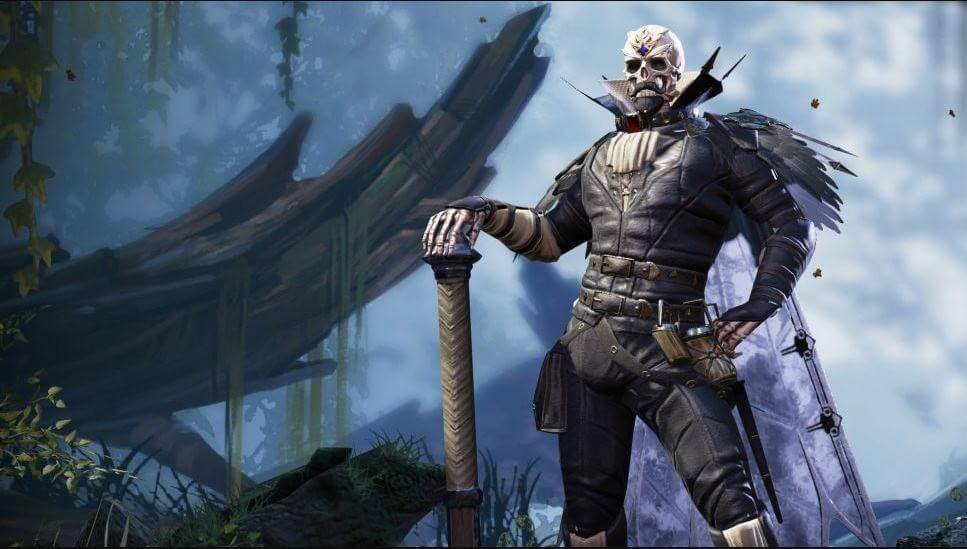
Released in 2017, Larian Studios created Divinity- Original Sin 2. This non-descript NPC is one of the most detailed and awesome games. This definitive edition inculcates interest in the games with increased re-visits and consistent gaming. The small moments in the game help gamers create big stories.
Compatibility: Windows 7/ 8/ 10.
Price: 44.99 USD
Best Features:
- Has different character arcs and overlapping quests.
- Easy for the players to go for the co-op with opposite ends of the same island.
- Gamers can show tactical combat skills.
- Player is in the driving seat with four other players.
Where to download: Official website
3. The Witcher 3- Wild Hint

CD Projekt Red released The Witcher 3- Wild Hint in 2015. It revolves around Geralt and his friends. It has some of the best world-in-class features with different worlds. Gamers can in this RPG. Not to miss is the quick play with Gwent for the newest destinations.
Compatibility: Windows 7/ 8/ 8.1.
Price: 24.99 USD
Best Features:
- Has a well-written RPG.
- Offers the best humanity features.
- Has moving gratitude of the people, small dilemmas, and situations.
- Offers sky, wind, and swaps at any time of the day.
Where to download: Official website
4. Mass Effect 2
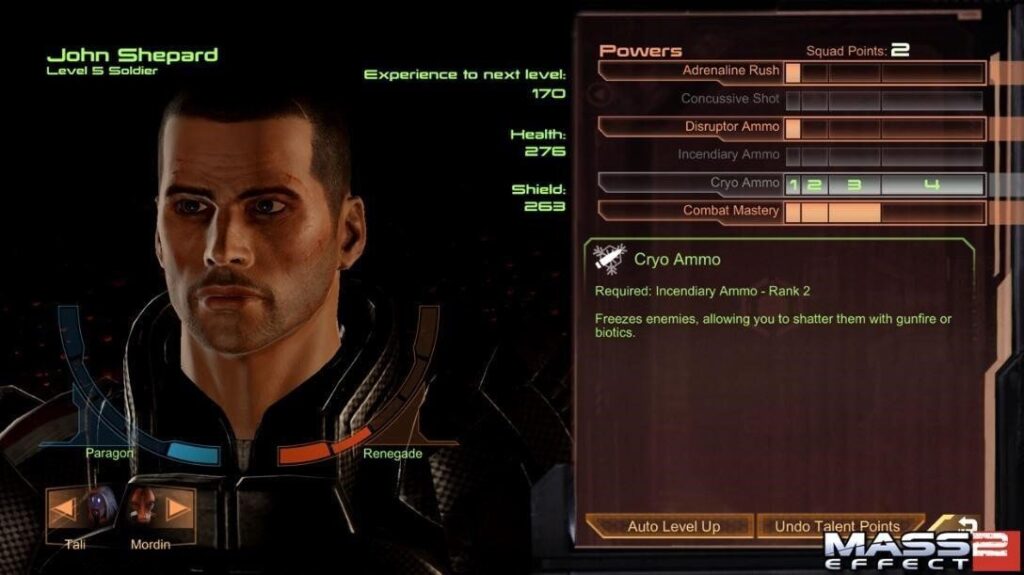
Next on our list of the best RPG games for PC is Mass Effect 2, released by BioWare in 2010. It is based on the experience of the gamers in saving one planet at a time. Mass Effect 2 offers a fantastic musical moment for role-playing. It is one of the most modern and thrilling RPGs.
Compatibility: Windows XP/ Vista/ 7.
Price: 29.99 USD
Best Features:
- A sci-fi game offering on-the-spot decision-making and role-play.
- Has a roving space captain offering to create peace in the galaxy.
- Offers behavioral choices for gamers.
- Multiple roles playing.
Where To Download: Official Website
5. Dragon Age: Inquisition
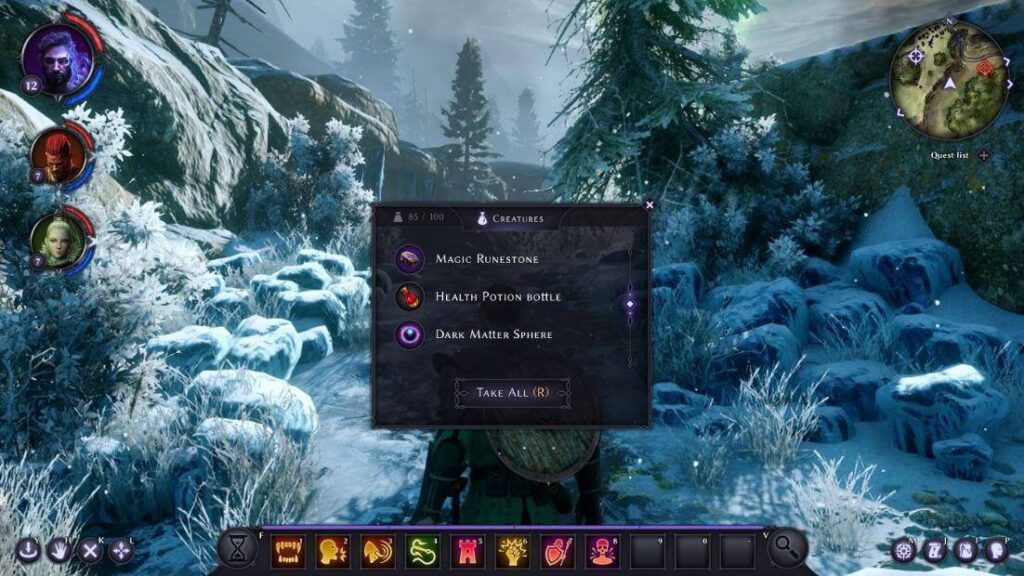
BioWare introduced Dragon Age: Inquisition in 2014, it is a modern version of the Dragon Age origins. Gamers can move quickly within the game without any delay. Further, it is easy for the gamers to create a stronghold and then select the features of hallmark BioWare games.
Compatibility: Windows 7/ 8.1.
Price: 39.99 USD
Best Features:
- Rangers have exclusive powers to backflip, fire explosive arrows, and other amazing powers.
- Represents a cross-dimensional and beautiful aesthetics with different levels.
- Uncommonly huge area named Hinterlands.
- A gang of weirdos offering an interesting gaming setup in Dragon Age: Inquisition.
Where To Download: Official Website
6. Deus Ex
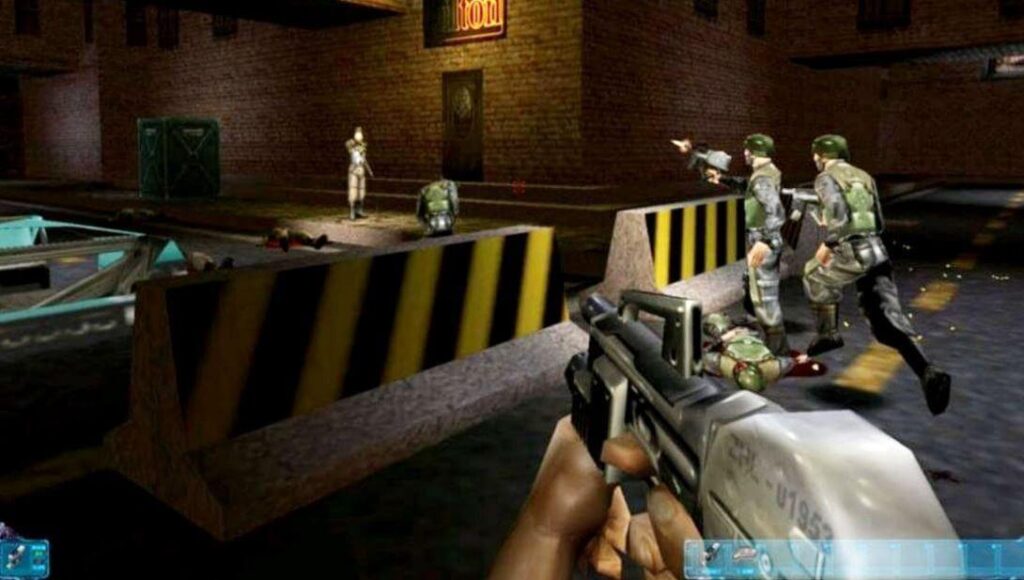
Released in 2000 by Ion Storm, Deus Ex revolves around the JC Denton. It follows a reasonable approach to different missions when selecting a specific owner. The game understands that the player is the most important peripheral of the complete Deus Ex game. The best part of Deus Ex is that it never guides the player on the gaming journey.
Compatibility: Windows, Mac, Linux.
Price: 23.27 USD
Best Features:
- Comes with a cyber-canvas body allowing the plug-and-play features of different devices.
- Helps gamers discover the possibilities and push gamers against them.
- Well-ventilated and bright RPG.
- Best game to inhibit a character and setting according to the needs.
Where To Download: Official Website
7. Baldur’s Gate 3

Larian Studios presents its fantasy RPG- Baldur’s Gate 3, to gaming lovers. The story of Baldur’s Gate 3 is to escape the invading mind flayers and run into the group of misfits. It helps discover the little worm in the brain, converting the gamer into a mind flayer. The game’s goal is to prevent becoming a mind flayer and engage in the complete journey.
Compatibility: Windows 10.
Price: 59.99 USD.
Best Features:
- Quick look customization and changes the character to extreme degrees.
- Classic characters of the old-school Wizards of the Coast-style antics.
- Rolling D20 in front of their screen.
- The starting game area is lush and huge, with different hidden things and different characters.
Where To Download: Official Website
8. Disco Elysium

Released in 2019, ZA/UM offers a beautifully written RPG called Disco Elysium. Disco Elysium gives leverage to gamers to select their current personality, what they want to become, and the feeling of the change. Its’ interface has different tools. There is no need of the unnecessary action of shooting or stabbing the people in this game.
Compatibility: Windows 7/ 8/ 10.
Price: 39.99 USD.
Best Features:
- Dedicated mechanics set and a well-written human script.
- Offers becoming a renegade cop, and presents a narrative RPG.
- Set in a failed communist city called Revachol.
- Gamers can internalize ideas and encounter this digital world.
Where To Download: Official Website
9. Weird West
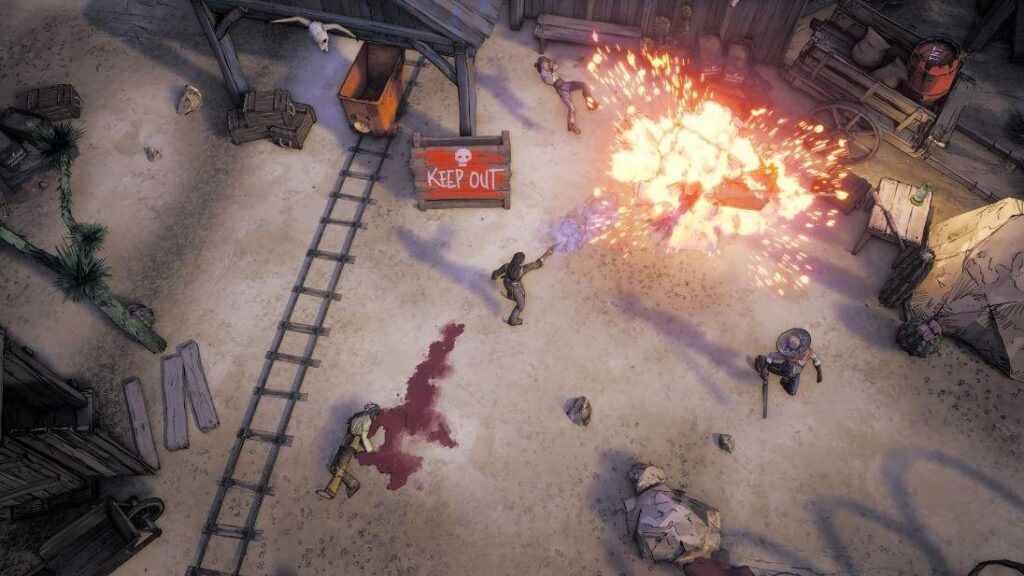
WolfEye Studios released The Weird West in 2022 with a complex cowboy world. Gamers can add fresh plots to the town’s graveyard by killing people. The fun arises when it is easy to change your character. Weird West is the ideal combination of the old and the new features.
Compatibility: Windows 10.
Price: 44.98 USD.
Best Features:
- Allows gamers to go for a gunfight and see the player’s agency in action.
- Has ghost towns and the Sheriff’s replacement after the death of the previous one.
- Engaging in fast combat with twin-stick shooters using turn-based RPG technology.
- A classic RPG with isometric angles and a catchy art style.
Where To Download: Official Website
10. The Elder Scrolls V: Skyrim
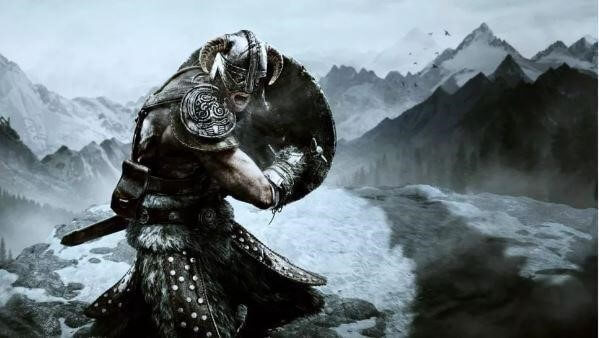
Released in the year 2011, The Elder Scrolls V was created by the Bethesda Game Studios. It offers ultimate options in landscape and interesting exploration. Every city and town in The Elder Scrolls V has unique features to make it a grand journey. The gamer becomes a Dragonborn with the sole purpose of saving the world.
Compatibility: Windows XP/ Vista/ 7.
Price: 49.99 USD.
Best Features:
- Large mountains with snow-covered hills, ice caves, bogs, marshes, and forests.
- New genres, re-balanced combat, and the new questlines in the recent updates.
- Offers different engaging activities.
- It offers multiple experiences, such as mage’s guild leading, joining the murderous dark Brotherhood, and the fighter’s arena conquering.
Where To Download: Official Website
Concluding Thoughts
Hope everything is clear to our gamers in selecting the best RPG games for PC. Whether you’re a fiction lover or want to go for irritated mutants, you can select one based on your interests. It is easy to go for the unique combat systems, fantastical worlds, and memorable characters out of the available options.
FAQs
1. Do older RPGs still hold up
Yes. Many well-known RPGs age well because of strong writing and polished gameplay. Updated patches also help them run smoothly on modern PCs.
2. Are RPGs suitable for shorter play sessions
Many RPGs allow you to save anywhere or complete small tasks in short bursts. This makes them workable even if you have limited time each day.
3. Do I need a powerful graphics card for these games
Some of these titles scale well and run on mid-range hardware. You may need stronger parts only for high settings or large mods.
FLUQ:
1. Will I feel lost if I jump into these games without playing earlier titles
This worry is common, especially with long series. Most of these games are built so new players can start fresh. Elden Ring, The Witcher 3, and Dragon Age: Inquisition explain their worlds well enough for newcomers. Mass Effect 2 offers a summary of past events, and Divinity: Original Sin 2 is a standalone story. You can enjoy each title without studying older games.
2. What if the game becomes too hard or too slow for my taste halfway through
RPGs vary in pace, and many players fear losing interest. These five games handle progression well. If the combat feels tough, you usually have ways to improve gear, skills, or strategies. If the pace slows, side quests or different zones can restore momentum. The structure of each game gives you control over how you move forward.
3. Will I miss important content because I made the wrong choices
Players often worry about picking the “wrong” dialogue option or quest path. These games are designed so your choices shape the experience rather than break it. You may get a different outcome, but you will not lose the heart of the story. If you want to explore alternate results later, you can replay sections or start a new run.
Dinesh Lakhwani
Author Bio:
Dinesh Lakhwani 

Dinesh Lakhwani, the entrepreneurial brain behind “TechCommuters,” achieved big things in the tech world. He started the company to make smart and user-friendly tech solutions. Thanks to his sharp thinking, focus on quality and the motto of never giving up, TechCommuters became a top player in the industry. His commitment to excellence has propelled the company to a leading position in the industry.
Popular Post
Recent Post

5 Best Data Recovery Software For Windows 11 and Windows 10
A crashed drive can ruin a whole day. One minute your photos, work files, and tax records sit safe on your PC. The next minute they are gone. A power cut, a bad update, or one wrong click can wipe out years of memories and months of work in seconds. That sinking feeling is why […]
How To Update NVIDIA Drivers On Windows 11/10 PC
Learn how to update NVIDIA drivers on Windows 11/10 with simple methods, safety tips, and easy steps for smoother gaming and better PC performance.
Top AI Features Hidden Inside Windows 11
Explore the top AI features in Windows 11, from Copilot to Recall, plus safety tips and simple steps to use each tool the right way.

Customize Your Screen Saver Settings in Windows [Easy Steps]
Learn how to customize screen saver settings in Windows 11 with easy steps, safety tips, and simple tricks to personalize your PC screen.
Driver Easy Windows Driver Updater Tool Review: Tried & Tested
In-depth information about Driver Easy’s functions and features can be found in our review. Learn how to update drivers more easily with this tool for a more seamless computer experience.

Is Avast Driver Updater Worth It? A Hands-On Analysis
A full review of Avast Driver Updater covering features, setup steps, pricing, pros and cons, and real PC results, to help you decide if it is worth buying.
IObit Driver Booster 13 (PRO) Review: [Tried & Tested]
IObit Driver Booster 13 is built for one purpose: keeping your PC drivers up to date. Well, yes! Outdated drivers can cause crashes, slowdowns, and hardware issues. This tool scans fast and updates with one click. The interface is simple. Even beginners can use it without confusion. Updates are pulled from a huge database, covering […]

Auslogics Driver Updater: A Detailed Walkthrough [2026]
This comprehensive review covers the key features, pros, and cons, pricing, and a final verdict on Auslogics’ driver update utility. Learn how it stacks up against manual driver maintenance.

5 Best Driver Updater Tools for Windows to Use (Free and Paid)
Introduction: Most people blame their PC for problems that a driver caused. A driver works like a bridge between your hardware and your operating system. When this bridge cracks, strange things start to happen. Screens flicker without reason. Printers go silent mid-task. Games freeze or crash out of nowhere. Manually finding the right driver is […]

